Undo History
 MNC Development


Version 1.2.0
New option
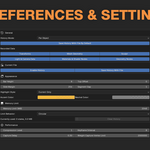
Multiresolution Sculpting — Preferences › Performance, experimental, off by default
Records sculpting done through a Multiresolution modifier above level 0, which was previously invisible to the history. A state is recorded once each stroke ends, and restoring one brings back the sculpted surface.
Every state stores considerably more data than an ordinary sculpt state. Expect a short pause after each stroke and a noticeably larger history.
Version 1.1.0
New options:
Defer Capture Until Stroke Ends — Preferences › Performance, on by default
Postpones all history work while a brush stroke is in progress, so the stroke itself stays responsive on heavy meshes. The state is recorded once you release the brush.
Skip Sculpt Rebuild — Preferences › Performance, experimental, off by default
Avoids rebuilding Blender's internal sculpt data when restoring a state, which makes jumping between states noticeably faster on heavy meshes. Brush accuracy and viewport display may become unreliable until you leave and re-enter Sculpt Mode, so try it on your own scene before keeping it on.
Compression can now be turned off completely
Setting Compression Level to 0 no longer just lowers compression, it disables it entirely — the fastest option for recording, at the cost of a larger history. The setting now ranges from 0 to 3.
Performance:
Recording and restoring states have been substantially reworked for heavy meshes. Sculpting is now more fluid, jumping between states is quicker, and the history takes up considerably less memory.
Measured on a 2.5 million vertex mesh, recording a brush stroke is 11× faster, navigation 6× faster, and memory use 42% smaller than in 1.0.
Version 1.2.0
New option
Multiresolution Sculpting — Preferences › Performance, experimental, off by default
Records sculpting done through a Multiresolution modifier above level 0, which was previously invisible to the history. A state is recorded once each stroke ends, and restoring one brings back the sculpted surface.
Every state stores considerably more data than an ordinary sculpt state. Expect a short pause after each stroke and a noticeably larger history.
Version 1.1.0
New options:
Defer Capture Until Stroke Ends — Preferences › Performance, on by default
Postpones all history work while a brush stroke is in progress, so the stroke itself stays responsive on heavy meshes. The state is recorded once you release the brush.
Skip Sculpt Rebuild — Preferences › Performance, experimental, off by default
Avoids rebuilding Blender's internal sculpt data when restoring a state, which makes jumping between states noticeably faster on heavy meshes. Brush accuracy and viewport display may become unreliable until you leave and re-enter Sculpt Mode, so try it on your own scene before keeping it on.
Compression can now be turned off completely
Setting Compression Level to 0 no longer just lowers compression, it disables it entirely — the fastest option for recording, at the cost of a larger history. The setting now ranges from 0 to 3.
Performance:
Recording and restoring states have been substantially reworked for heavy meshes. Sculpting is now more fluid, jumping between states is quicker, and the history takes up considerably less memory.
Measured on a 2.5 million vertex mesh, recording a brush stroke is 11× faster, navigation 6× faster, and memory use 42% smaller than in 1.0.
Version 1.2.0
New option
Multiresolution Sculpting — Preferences › Performance, experimental, off by default
Records sculpting done through a Multiresolution modifier above level 0, which was previously invisible to the history. A state is recorded once each stroke ends, and restoring one brings back the sculpted surface.
Every state stores considerably more data than an ordinary sculpt state. Expect a short pause after each stroke and a noticeably larger history.
Version 1.1.0
New options:
Defer Capture Until Stroke Ends — Preferences › Performance, on by default
Postpones all history work while a brush stroke is in progress, so the stroke itself stays responsive on heavy meshes. The state is recorded once you release the brush.
Skip Sculpt Rebuild — Preferences › Performance, experimental, off by default
Avoids rebuilding Blender's internal sculpt data when restoring a state, which makes jumping between states noticeably faster on heavy meshes. Brush accuracy and viewport display may become unreliable until you leave and re-enter Sculpt Mode, so try it on your own scene before keeping it on.
Compression can now be turned off completely
Setting Compression Level to 0 no longer just lowers compression, it disables it entirely — the fastest option for recording, at the cost of a larger history. The setting now ranges from 0 to 3.
Performance:
Recording and restoring states have been substantially reworked for heavy meshes. Sculpting is now more fluid, jumping between states is quicker, and the history takes up considerably less memory.
Measured on a 2.5 million vertex mesh, recording a brush stroke is 11× faster, navigation 6× faster, and memory use 42% smaller than in 1.0.
Version 1.2.0
New option
Multiresolution Sculpting — Preferences › Performance, experimental, off by default
Records sculpting done through a Multiresolution modifier above level 0, which was previously invisible to the history. A state is recorded once each stroke ends, and restoring one brings back the sculpted surface.
Every state stores considerably more data than an ordinary sculpt state. Expect a short pause after each stroke and a noticeably larger history.
Version 1.1.0
New options:
Defer Capture Until Stroke Ends — Preferences › Performance, on by default
Postpones all history work while a brush stroke is in progress, so the stroke itself stays responsive on heavy meshes. The state is recorded once you release the brush.
Skip Sculpt Rebuild — Preferences › Performance, experimental, off by default
Avoids rebuilding Blender's internal sculpt data when restoring a state, which makes jumping between states noticeably faster on heavy meshes. Brush accuracy and viewport display may become unreliable until you leave and re-enter Sculpt Mode, so try it on your own scene before keeping it on.
Compression can now be turned off completely
Setting Compression Level to 0 no longer just lowers compression, it disables it entirely — the fastest option for recording, at the cost of a larger history. The setting now ranges from 0 to 3.
Performance:
Recording and restoring states have been substantially reworked for heavy meshes. Sculpting is now more fluid, jumping between states is quicker, and the history takes up considerably less memory.
Measured on a 2.5 million vertex mesh, recording a brush stroke is 11× faster, navigation 6× faster, and memory use 42% smaller than in 1.0.
-
$10
1 User - Non-commercial use
-
$25
5 Users - Commercial use
-
$75
10 Users - Commercial use
-
$200
10+ Users - Commercial use
Have questions about this product?
Login to message
| Blender Extension Compatible | Yes |
| Published | about 2 months ago |
| Blender Version | 5.0 - 5.2 |
| Extension Type | Add-on |
| Render Engine Used | Cycles, Eevee |
| License | GPL |
Discover more products like this
sculpting vertex paint undo weight paint Workflow undo history viewport undo addon productivity tools geometry nodes