Unity Bridge
 Tachyon Studio


What does the Unity bridge do?
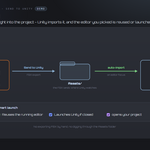
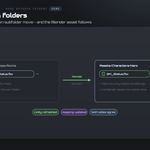
It exports your selected meshes as FBX straight into your Unity project's `Assets` folder, where Unity auto-imports them on focus. If Unity is closed, the bridge launches it with your project. No exporting or locating files by hand.
How do assets get into Unity?
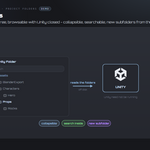
The bridge writes the FBX into `Assets/` (default `BlenderExport`). Unity watches its Assets folder and imports anything new the moment the editor regains focus — so the model appears in your Project window ready to drag into a scene.
Does it reuse a Unity that's already open?
Yes. With Reuse Running Unity on, it drops the file into Assets and lets your open editor import it on focus, instead of launching a second copy. If no editor is running, it launches the one you picked with your project.
Which Unity versions does it work with?
Any Unity editor installed through Unity Hub — the bridge auto-scans your Hub editors (including the secondary install path) and plain installs, lists them newest-first, and lets you pick one. You can also set a `Unity.exe` path by hand.
What does the Unity script do, and do I need it?
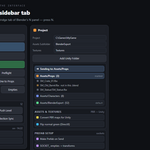
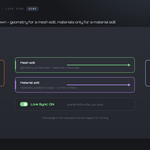
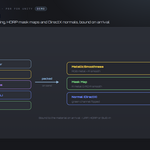
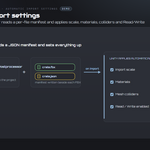
It's optional. Install Unity Script copies a small C# AssetPostprocessor into `Assets/Editor/UniversalBridge`. With it installed, Unity reads a JSON manifest the bridge writes next to each FBX and applies your import scale, materials, mesh colliders and Read/Write setting automatically. Without it, the FBX still imports with Unity's default settings.
Can I bring assets back from Unity into Blender?
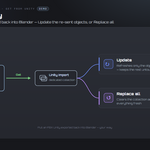
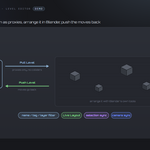
Yes. Get from Unity imports an FBX Unity exported (`unity_to_blender.fbx`) into a dedicated "Unity Import" collection. Update mode refreshes only the objects you re-sent and keeps the rest; Replace all clears the collection and imports everything fresh.
Can I control which modifiers get baked?
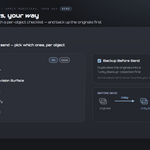
Yes. Turn on Apply Modifiers to bake modifiers into the mesh on send, then use the per-object checklist to include or exclude each one (All / None). Unticked modifiers are muted for the export only and restored afterwards.
Can it check my meshes before sending?
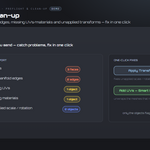
Yes. Run Preflight flags ngons, non-manifold edges, missing UVs and materials, and unapplied scale/rotation. One-click fixes apply transforms or add UVs (Smart UV Project) to the meshes that need them.
Can I send several objects or whole collections at once?
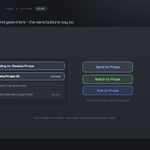
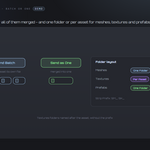
Yes. Select any number of meshes and Send. The shared Send Each Collection tool batches every scene collection that has meshes to Unity one at a time.
Does it change my Blender scene?
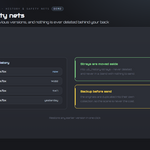
No — it's non-destructive. Modifiers are applied to a temporary export copy, not your mesh, and Backup Before Send can duplicate the originals into a "Unity Backup" collection first. Your working data stays as it was.
Which Blender versions are supported?
Blender 3.3 through 5.2. On 4.2+ it installs as a modern Extension; on 3.3–4.1 as a classic add-on. Windows.
Can I use it for commercial work?
Yes. Like all Blender add-ons it's licensed under the GPL, so you can use it in any commercial project. Unity is Unity is required and licensed separately by Unity Technologies, and is not included. Free and paid tiers are offered by Unity Technologies - which one you need is between you and them. No Unity licence is included with this product, which is the Blender-side bridge only and is not affiliated with or endorsed by Unity Technologies.
Do I need Unity, and is a licence included?
You need your own Unity - it is licensed separately by Unity Technologies and is not included with this product. This add-on is the Blender side of the bridge only, and is not affiliated with, endorsed by, or a reseller of the vendor. It is also Windows only: macOS and Linux are not supported.
Can I change the icons, or turn them off?
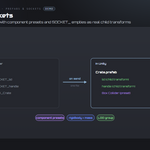
Yes. Preferences ▸ Button Icons offers Brand Colours (the default, each bridge in its own colour), Mono with a colour swatch you pick, and Blender Built-ins if you would rather have no custom icons at all. Colour-code Status decides whether link and modifier icons keep their green / amber / red. The icons are drawn from masks and tinted as they load, so any colour stays crisp.
 Included
Includes 12 months of
- Support from Tachyon Studio
- Product updates
Extend this product’s Support Period +12 months: 50% of product price
Have questions before purchasing?
Login to message
Discover more products like this
pipeline import settings Unity Hub FBX Export auto-import send to Unity Game asset preflight colliders unity bridge Game Engine