Unreal LOD Maker

Tachyon Studio in Import & Export


Fixed: the card no longer flickers or disappears during autosave.

CHANGELOG

Unreal LOD Maker

What's new in this version

1.1.0 — 26 November 2026

LOD Maker on a card, and better levels, above all the far ones: clean shading, bands and trims that stay visible, and floaters that share the budget instead of starving the surface under them. Generating is also about five times faster in big files. Everything since 1.0.0 is in this release.

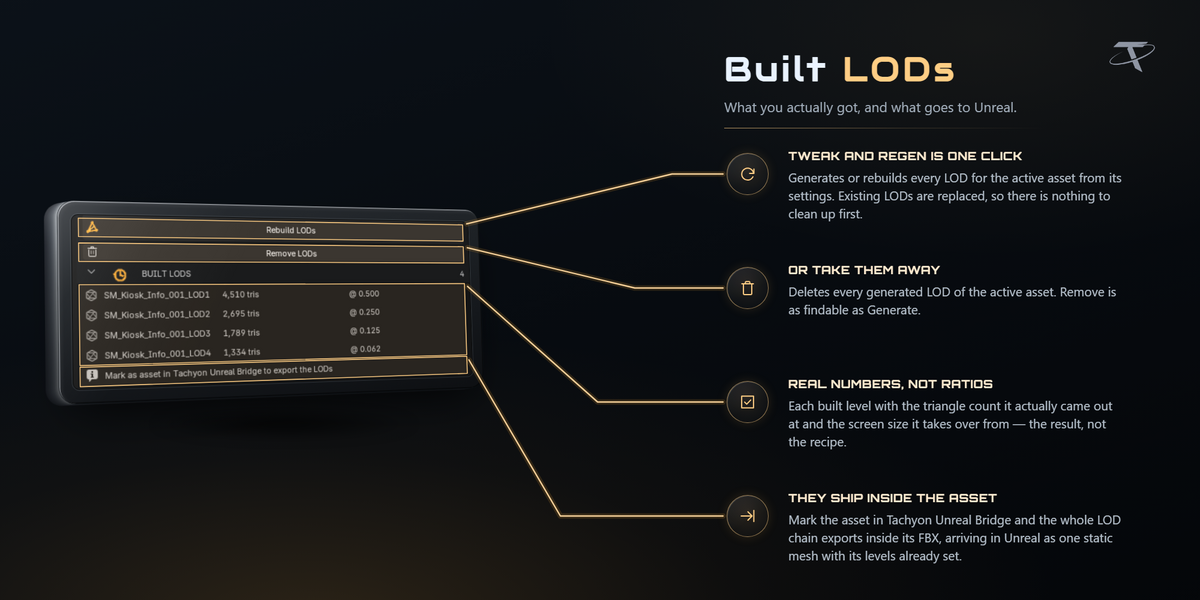
Rebuild your LODs to get the new levels: Generate LODs on an asset, or Generate LODs for All in BATCH. LODs built with 1.0.0 stay exactly as they are until you do.

Added

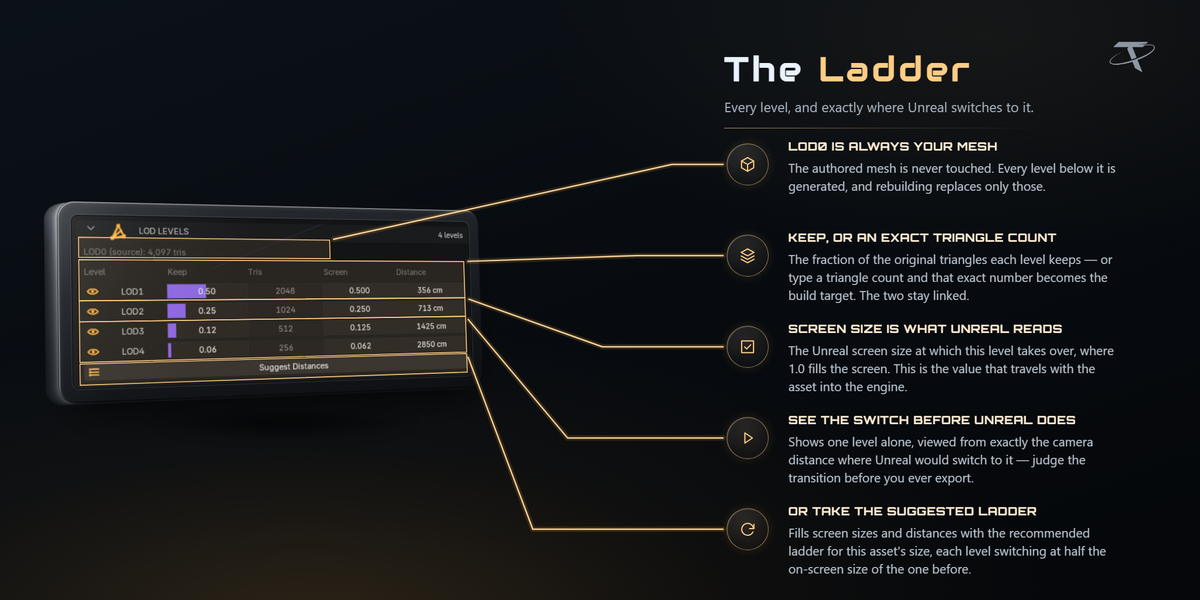
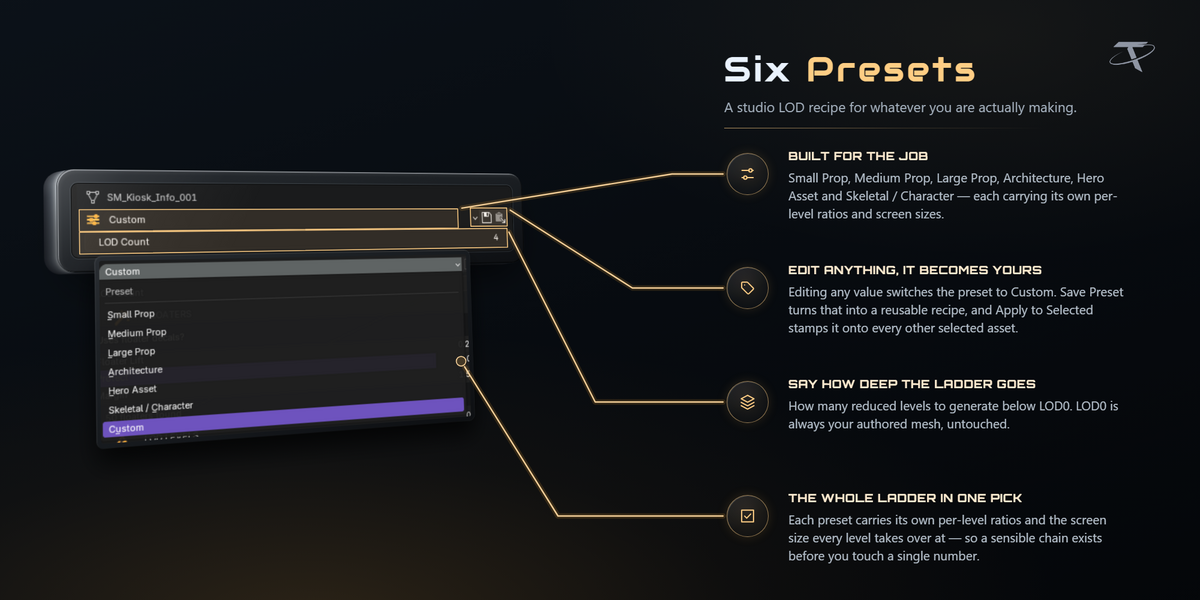
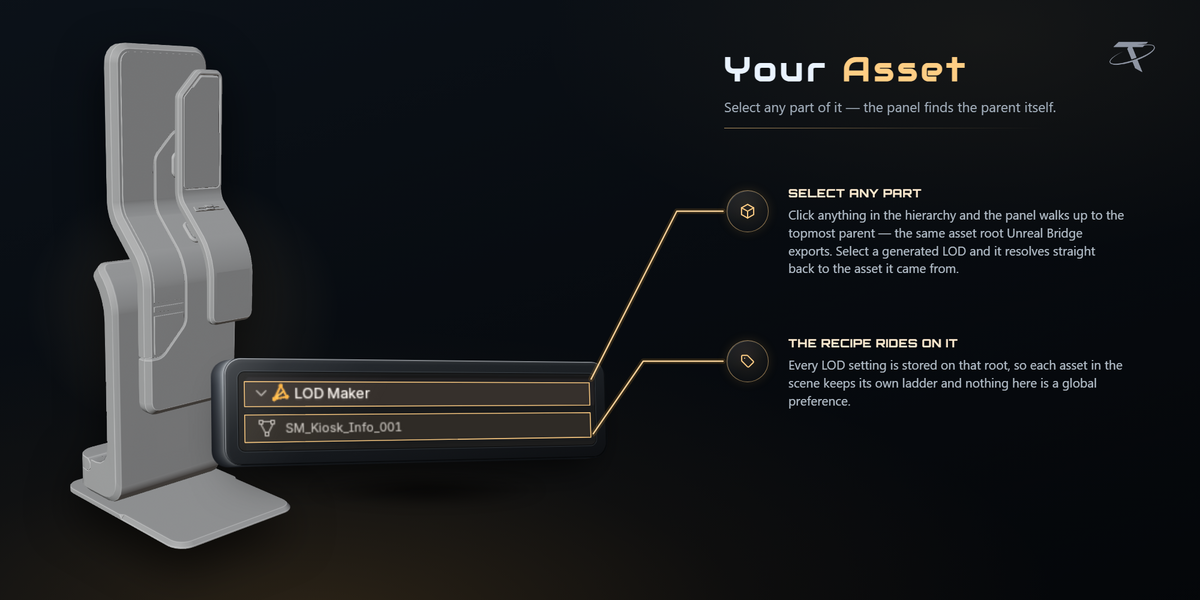
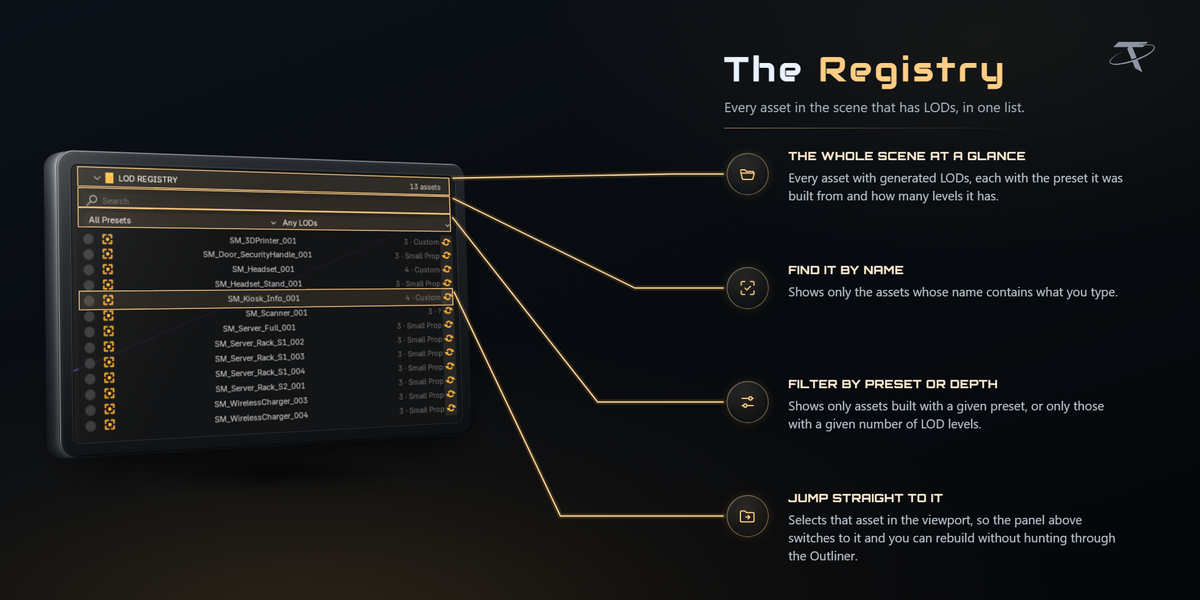
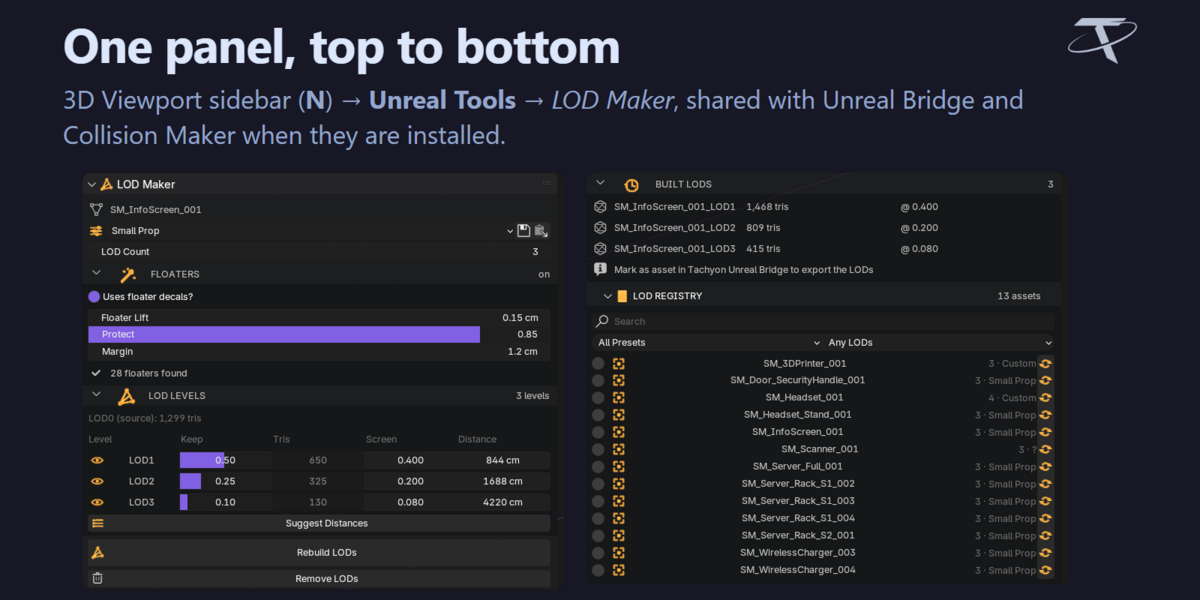
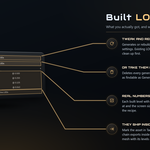
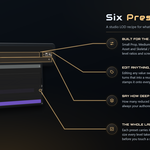
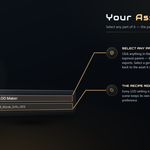
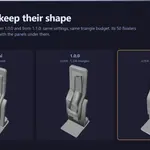
LOD Maker on a card. The sidebar's Unreal Tools tab shows LOD Maker as a card: the whole add-on in one place, docked in the sidebar or floating over the viewport. Ctrl + Shift + Alt + L brings it up. Rest on any control and it explains what it does. The button at the card's top right switches to the classic panels and back. With Unreal Bridge or Collision Maker installed, they share one card, with LOD Maker's section in amber.
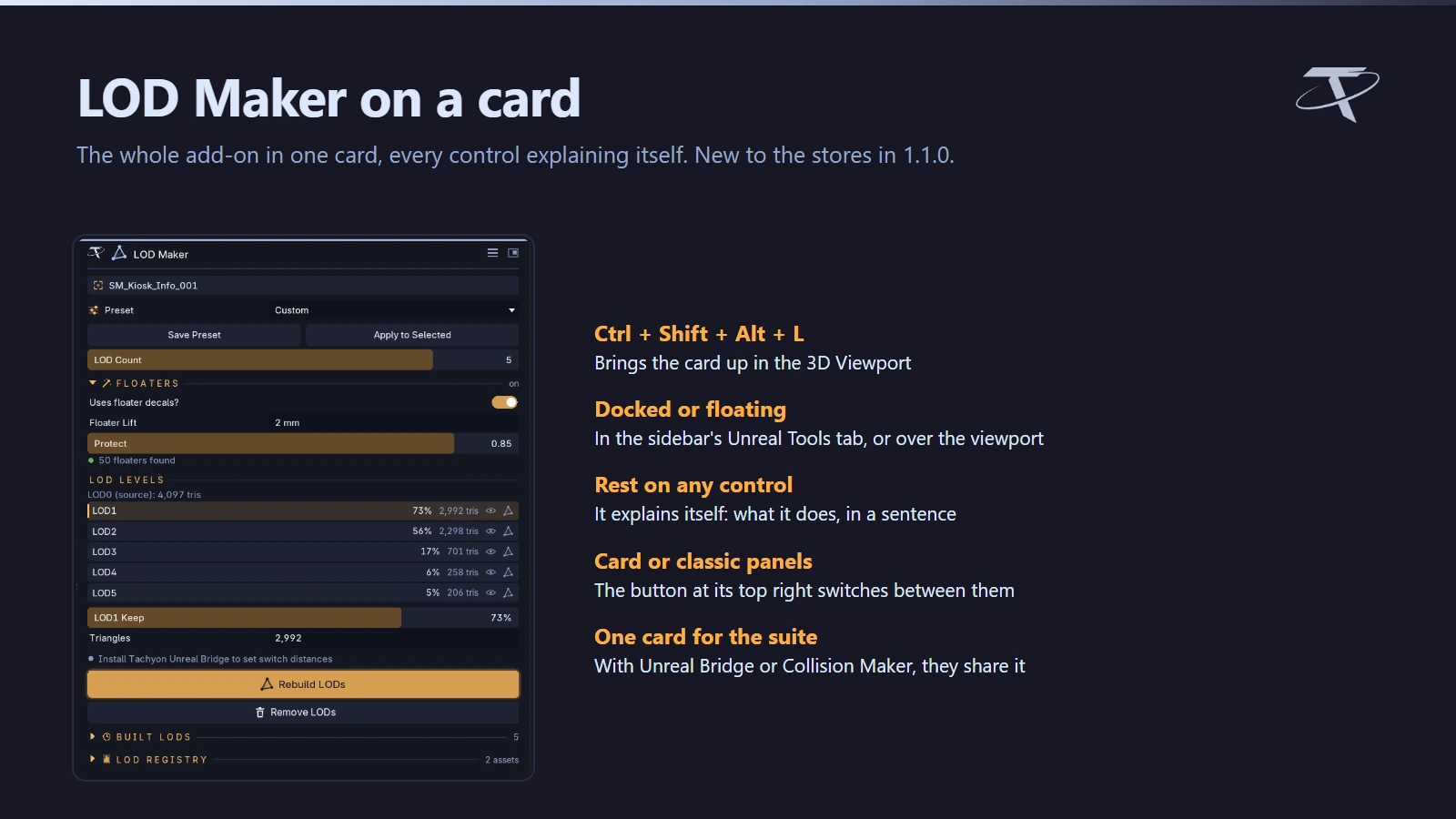
LOD Maker on the card, docked in the sidebar

Changed

Clean shading on every level. Each level is now shaded from its own faces. It used to inherit the original's normals, made for small bevel faces, and stretch them across the much bigger faces a reduction leaves, which drew dark smears down flat panels. On a furniture set, the smeared share of the surface at LOD2 and LOD3 went from 52–80 % to 2–9 %. An edge is shaded hard where it bends 35° or more, or where both the level and your original bend past 20°, so collapsed bevels keep crisp corners and rounded parts stay smooth.
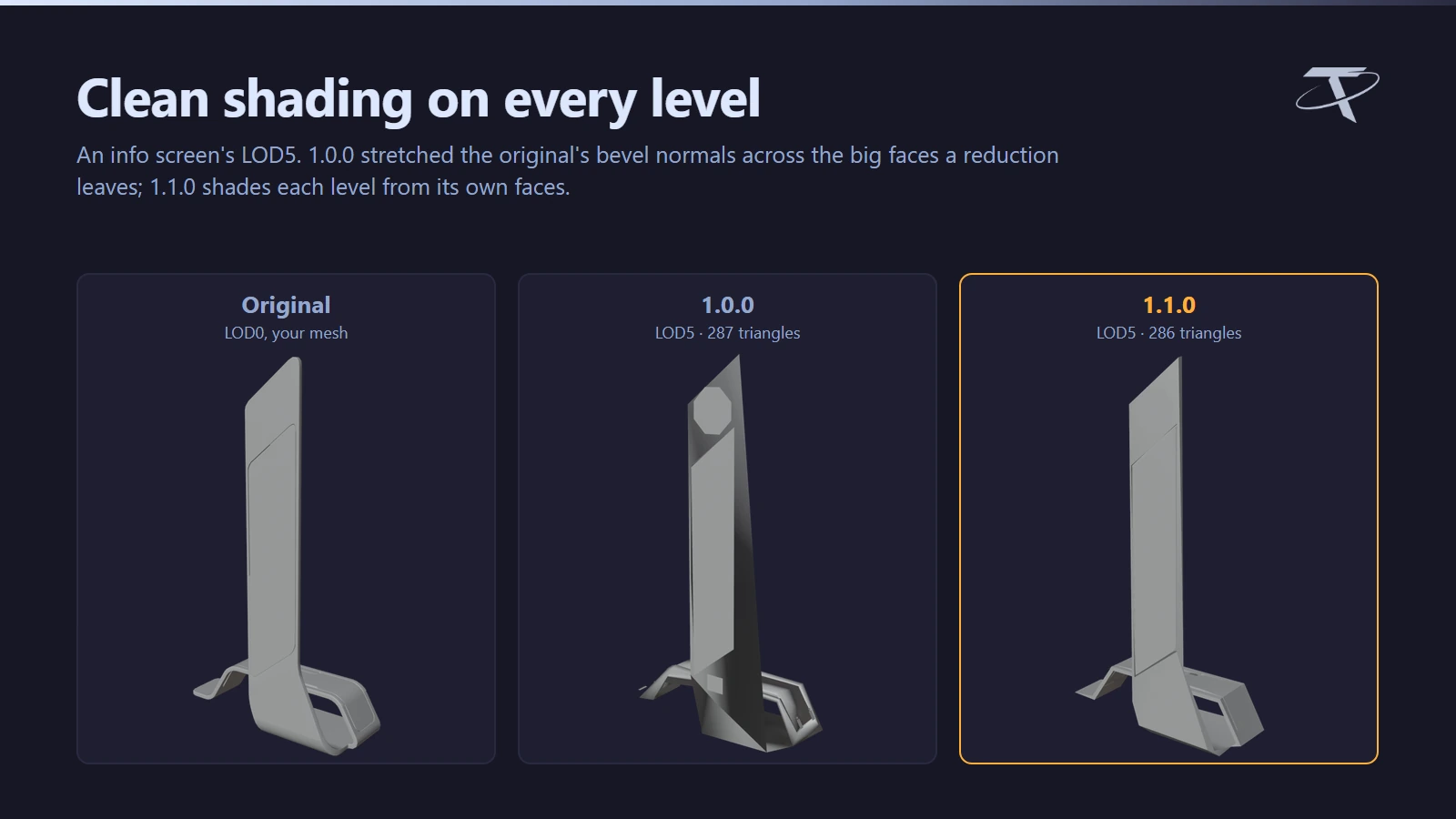
An info screen's LOD5: dark streaks in 1.0.0, clean shading in 1.1.0

Bands, trims and panels stay visible. A simplified part used to swell by a few millimetres and swallow whatever rested on it. Now a part is pulled back onto its own surface wherever it swells into another one. On a set of lobby couches, the bands round the body hold through LOD2, where they used to disappear from LOD1.

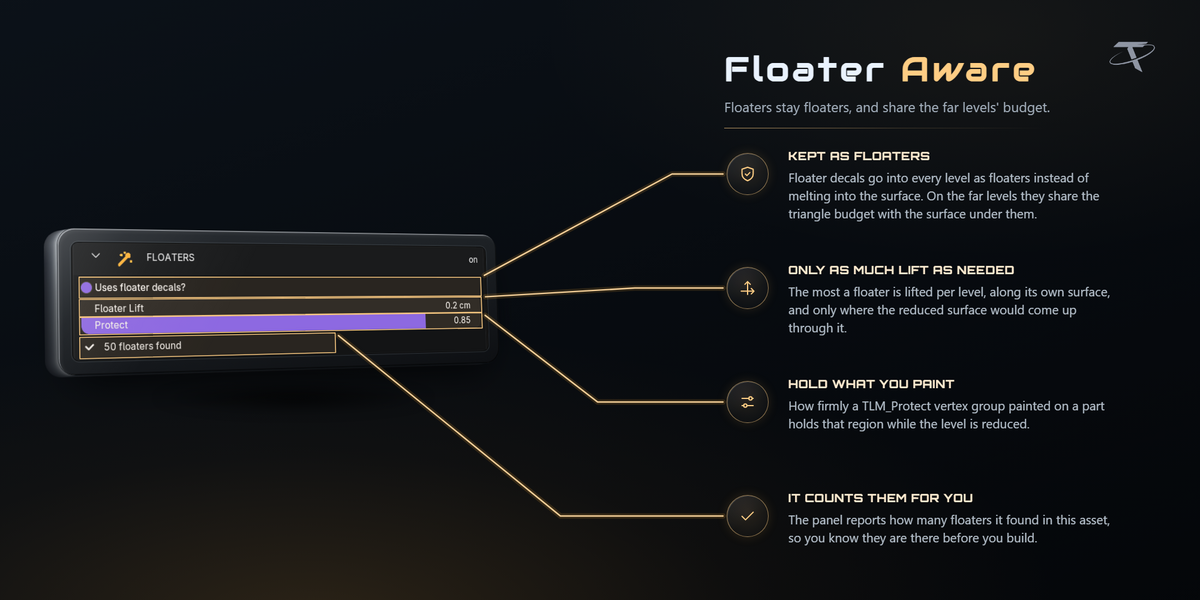
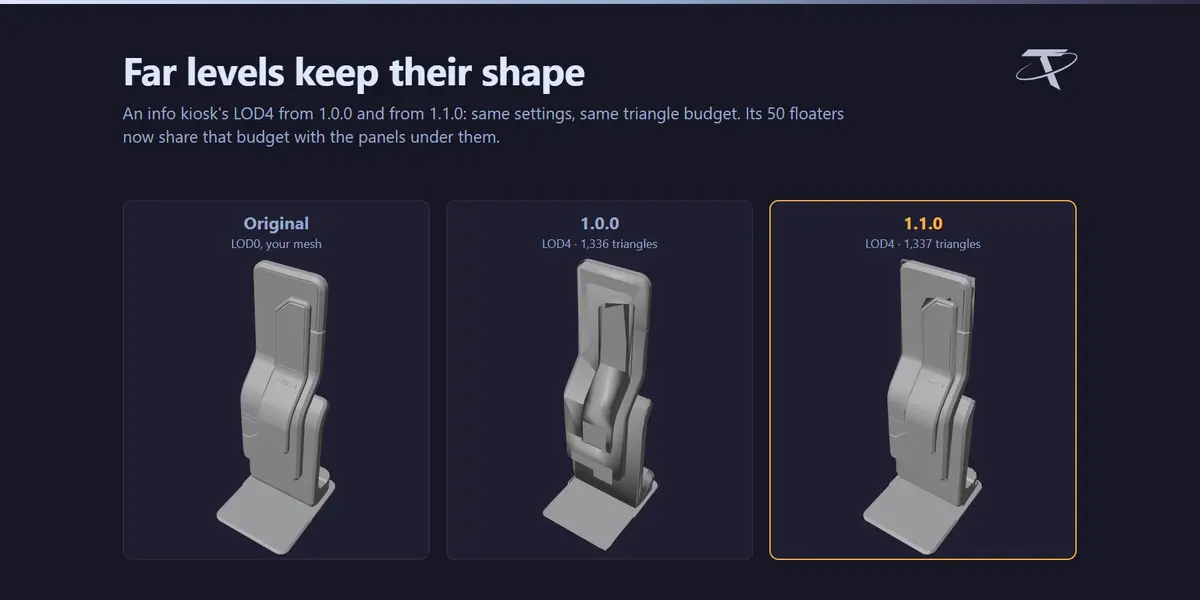
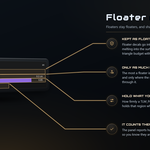
Floaters share the far levels' budget. Floater decals went into every level whole, and on the far levels they could take a third to two-thirds of the triangles while the surface under them collapsed. On a level that keeps less than a third of the asset, each floater now keeps three times the level's share of its triangles and the rest goes to the surface. A reduced floater is raised to cover its original shape, so it never sinks into what it sits on. Every level still has the triangle count you asked for.
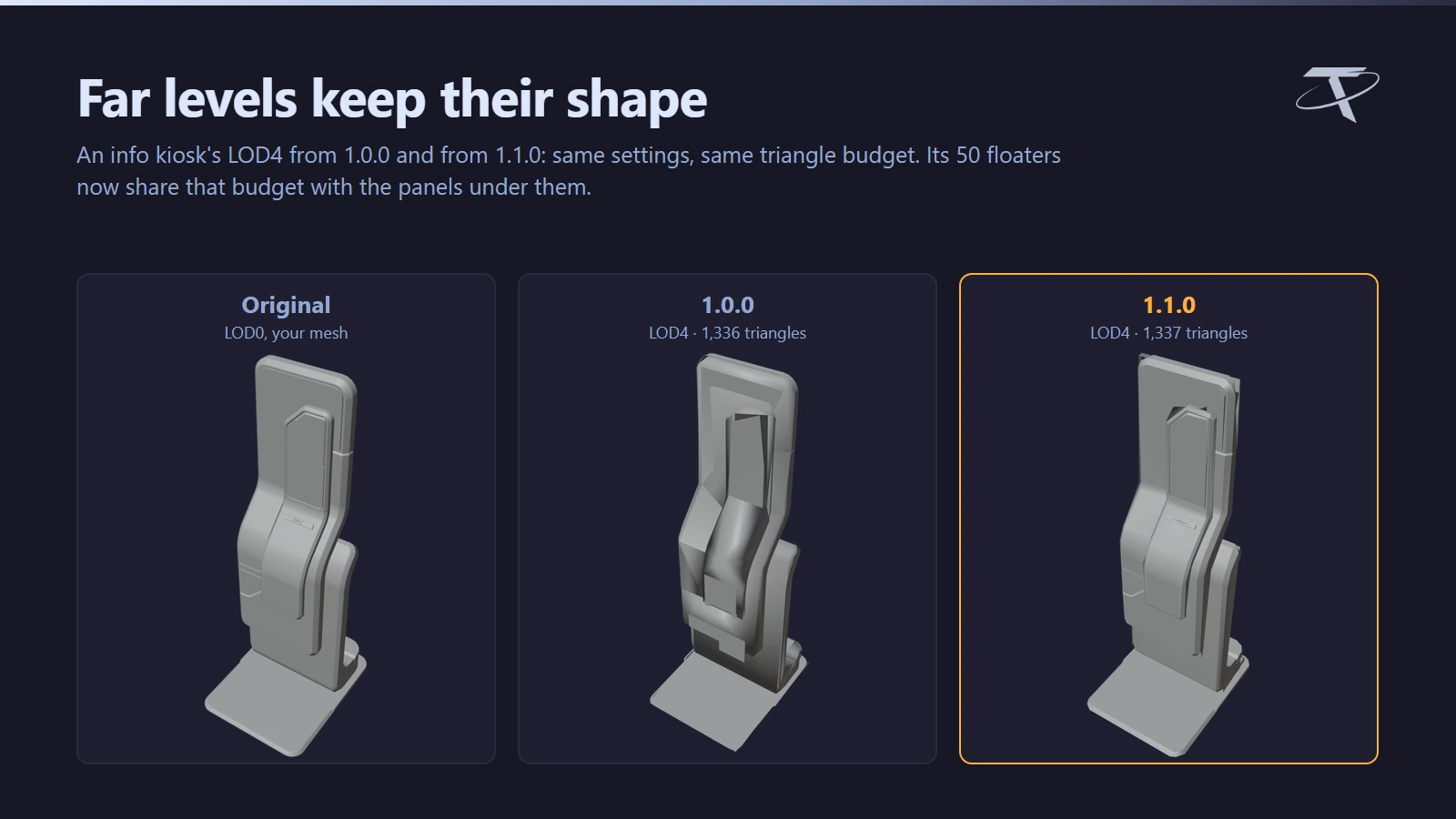
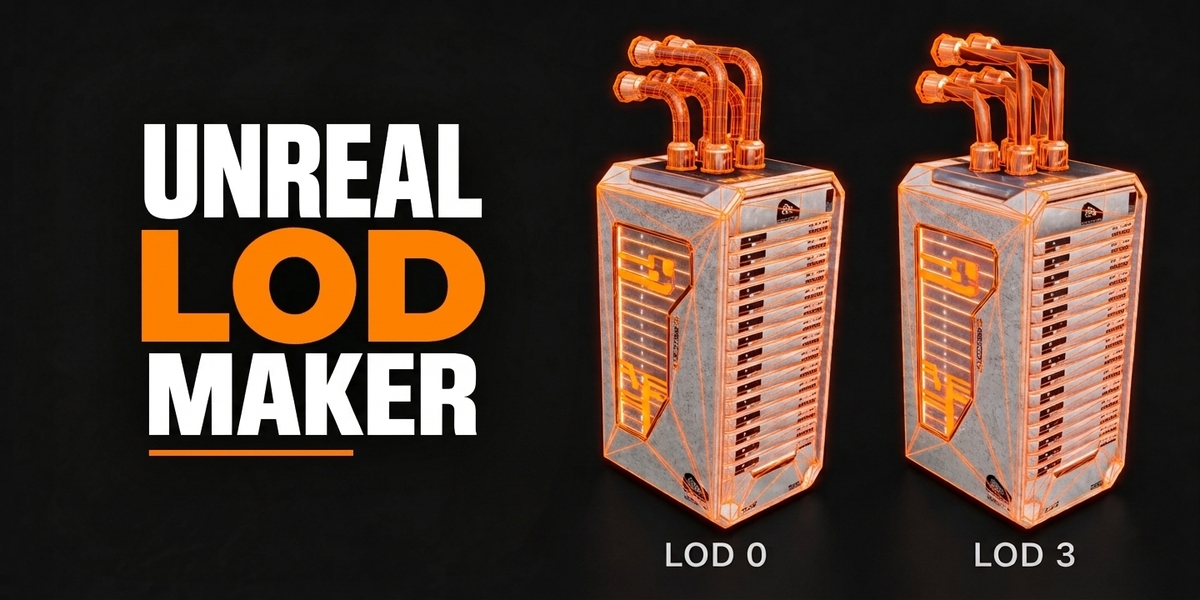
An info kiosk's LOD4 from 1.0.0 and from 1.1.0, beside the original: same settings, same triangle count

Trim strips and panel frames hold on the far levels. A band one quad wide, such as a trim strip or a panel frame, used to be pinched and twisted on the far levels until the line printed along it disappeared. Now it drops whole segments instead, keeping its width and its UVs, as long as it stays within half a pixel of its own edges.

Floaters sit flush. A floater is lifted only where the reduced surface would come up through it, along its own surface, and only just clear. Floater Lift is now the most a floater moves per level, not how far every floater moves, so floaters no longer stand visibly off their surfaces.

About five times faster in big files. Levels are built in a private scene, so Blender no longer re-checks every object in your file for each level. In a file of about 1,900 objects, rebuilding the chains of an info kiosk and a screen took 7.3 s in 1.0.0 and 1.4 s now.

Fixed

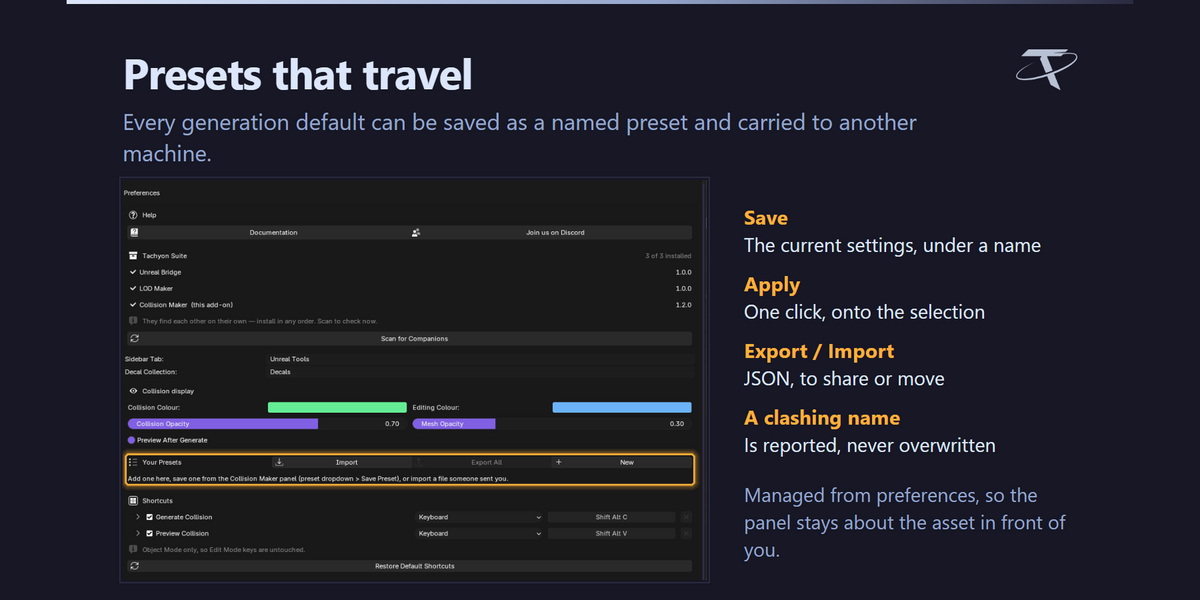
  • Your presets stay. Presets lived only in Blender's preferences, which Blender keeps only when it saves its preferences and drops on a reinstall, an update or a switch-off, so a preset saved in one session could be gone in the next. They are now written to a file the moment they change, tachyon_presets/lod_maker_presets.json beside Blender's version folders, which survives all of that and is shared by every Blender version on the computer: one made in 5.3 is there in 4.3. The first start adds the presets your saved preferences held, so nothing made before is lost. The preferences show the file, with a button that opens its folder.
  • Textures in Unreal. Parts whose UV maps had different names (UVMap beside Float2) were joined by name, so one landed in a second UV channel and Unreal's channel 0 was left empty: in the engine its texture showed one corner of the atlas. UV maps are now matched by position.
  • Trim strips wrapped round a curved part rose out on one side and sank in on the other, and mostly disappeared from LOD1 on. Each point now lifts outward from the surface it sits on.
  • Preview after moving an asset. Levels built before the asset was moved stayed where it used to be, and Preview LOD showed an empty spot. The preview now puts them back on the asset.

Removed

Margin, in the Floaters section. The surface under floaters is no longer held back automatically: holding it pushed the reduction's error into everything else. Presets that set it still load. To hold a region by hand, paint a TLM_Protect vertex group on a part; Protect sets how firmly. In preferences, Protect Floaters now reads Uses Floaters, and the card's help and the welcome dialog describe floaters the new way.

GPL-3.0-or-later · Copyright 2026 Tachyon Studio
Unreal Engine is not required and is not included: the add-on builds LOD chains to Unreal's conventions inside Blender and never talks to an engine.
Not affiliated with, endorsed by, or sponsored by Epic Games.

Original release.

Fixed: the card no longer flickers or disappears during autosave.

CHANGELOG

Unreal LOD Maker

What's new in this version

1.1.0 — 26 November 2026

LOD Maker on a card, and better levels, above all the far ones: clean shading, bands and trims that stay visible, and floaters that share the budget instead of starving the surface under them. Generating is also about five times faster in big files. Everything since 1.0.0 is in this release.

Rebuild your LODs to get the new levels: Generate LODs on an asset, or Generate LODs for All in BATCH. LODs built with 1.0.0 stay exactly as they are until you do.

Added

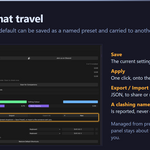
LOD Maker on a card. The sidebar's Unreal Tools tab shows LOD Maker as a card: the whole add-on in one place, docked in the sidebar or floating over the viewport. Ctrl + Shift + Alt + L brings it up. Rest on any control and it explains what it does. The button at the card's top right switches to the classic panels and back. With Unreal Bridge or Collision Maker installed, they share one card, with LOD Maker's section in amber.

LOD Maker on the card, docked in the sidebar

Changed

Clean shading on every level. Each level is now shaded from its own faces. It used to inherit the original's normals, made for small bevel faces, and stretch them across the much bigger faces a reduction leaves, which drew dark smears down flat panels. On a furniture set, the smeared share of the surface at LOD2 and LOD3 went from 52–80 % to 2–9 %. An edge is shaded hard where it bends 35° or more, or where both the level and your original bend past 20°, so collapsed bevels keep crisp corners and rounded parts stay smooth.

An info screen's LOD5: dark streaks in 1.0.0, clean shading in 1.1.0

Bands, trims and panels stay visible. A simplified part used to swell by a few millimetres and swallow whatever rested on it. Now a part is pulled back onto its own surface wherever it swells into another one. On a set of lobby couches, the bands round the body hold through LOD2, where they used to disappear from LOD1.

Floaters share the far levels' budget. Floater decals went into every level whole, and on the far levels they could take a third to two-thirds of the triangles while the surface under them collapsed. On a level that keeps less than a third of the asset, each floater now keeps three times the level's share of its triangles and the rest goes to the surface. A reduced floater is raised to cover its original shape, so it never sinks into what it sits on. Every level still has the triangle count you asked for.

An info kiosk's LOD4 from 1.0.0 and from 1.1.0, beside the original: same settings, same triangle count

Trim strips and panel frames hold on the far levels. A band one quad wide, such as a trim strip or a panel frame, used to be pinched and twisted on the far levels until the line printed along it disappeared. Now it drops whole segments instead, keeping its width and its UVs, as long as it stays within half a pixel of its own edges.

Floaters sit flush. A floater is lifted only where the reduced surface would come up through it, along its own surface, and only just clear. Floater Lift is now the most a floater moves per level, not how far every floater moves, so floaters no longer stand visibly off their surfaces.

About five times faster in big files. Levels are built in a private scene, so Blender no longer re-checks every object in your file for each level. In a file of about 1,900 objects, rebuilding the chains of an info kiosk and a screen took 7.3 s in 1.0.0 and 1.4 s now.

Fixed

  • Your presets stay. Presets lived only in Blender's preferences, which Blender keeps only when it saves its preferences and drops on a reinstall, an update or a switch-off, so a preset saved in one session could be gone in the next. They are now written to a file the moment they change, tachyon_presets/lod_maker_presets.json beside Blender's version folders, which survives all of that and is shared by every Blender version on the computer: one made in 5.3 is there in 4.3. The first start adds the presets your saved preferences held, so nothing made before is lost. The preferences show the file, with a button that opens its folder.
  • Textures in Unreal. Parts whose UV maps had different names (UVMap beside Float2) were joined by name, so one landed in a second UV channel and Unreal's channel 0 was left empty: in the engine its texture showed one corner of the atlas. UV maps are now matched by position.
  • Trim strips wrapped round a curved part rose out on one side and sank in on the other, and mostly disappeared from LOD1 on. Each point now lifts outward from the surface it sits on.
  • Preview after moving an asset. Levels built before the asset was moved stayed where it used to be, and Preview LOD showed an empty spot. The preview now puts them back on the asset.

Removed

Margin, in the Floaters section. The surface under floaters is no longer held back automatically: holding it pushed the reduction's error into everything else. Presets that set it still load. To hold a region by hand, paint a TLM_Protect vertex group on a part; Protect sets how firmly. In preferences, Protect Floaters now reads Uses Floaters, and the card's help and the welcome dialog describe floaters the new way.

GPL-3.0-or-later · Copyright 2026 Tachyon Studio
Unreal Engine is not required and is not included: the add-on builds LOD chains to Unreal's conventions inside Blender and never talks to an engine.
Not affiliated with, endorsed by, or sponsored by Epic Games.

Original release.

Fixed: the card no longer flickers or disappears during autosave.

CHANGELOG

Unreal LOD Maker

What's new in this version

1.1.0 — 26 November 2026

LOD Maker on a card, and better levels, above all the far ones: clean shading, bands and trims that stay visible, and floaters that share the budget instead of starving the surface under them. Generating is also about five times faster in big files. Everything since 1.0.0 is in this release.

Rebuild your LODs to get the new levels: Generate LODs on an asset, or Generate LODs for All in BATCH. LODs built with 1.0.0 stay exactly as they are until you do.

Added

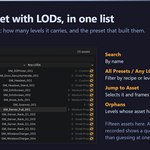
LOD Maker on a card. The sidebar's Unreal Tools tab shows LOD Maker as a card: the whole add-on in one place, docked in the sidebar or floating over the viewport. Ctrl + Shift + Alt + L brings it up. Rest on any control and it explains what it does. The button at the card's top right switches to the classic panels and back. With Unreal Bridge or Collision Maker installed, they share one card, with LOD Maker's section in amber.

LOD Maker on the card, docked in the sidebar

Changed

Clean shading on every level. Each level is now shaded from its own faces. It used to inherit the original's normals, made for small bevel faces, and stretch them across the much bigger faces a reduction leaves, which drew dark smears down flat panels. On a furniture set, the smeared share of the surface at LOD2 and LOD3 went from 52–80 % to 2–9 %. An edge is shaded hard where it bends 35° or more, or where both the level and your original bend past 20°, so collapsed bevels keep crisp corners and rounded parts stay smooth.

An info screen's LOD5: dark streaks in 1.0.0, clean shading in 1.1.0

Bands, trims and panels stay visible. A simplified part used to swell by a few millimetres and swallow whatever rested on it. Now a part is pulled back onto its own surface wherever it swells into another one. On a set of lobby couches, the bands round the body hold through LOD2, where they used to disappear from LOD1.

Floaters share the far levels' budget. Floater decals went into every level whole, and on the far levels they could take a third to two-thirds of the triangles while the surface under them collapsed. On a level that keeps less than a third of the asset, each floater now keeps three times the level's share of its triangles and the rest goes to the surface. A reduced floater is raised to cover its original shape, so it never sinks into what it sits on. Every level still has the triangle count you asked for.

An info kiosk's LOD4 from 1.0.0 and from 1.1.0, beside the original: same settings, same triangle count

Trim strips and panel frames hold on the far levels. A band one quad wide, such as a trim strip or a panel frame, used to be pinched and twisted on the far levels until the line printed along it disappeared. Now it drops whole segments instead, keeping its width and its UVs, as long as it stays within half a pixel of its own edges.

Floaters sit flush. A floater is lifted only where the reduced surface would come up through it, along its own surface, and only just clear. Floater Lift is now the most a floater moves per level, not how far every floater moves, so floaters no longer stand visibly off their surfaces.

About five times faster in big files. Levels are built in a private scene, so Blender no longer re-checks every object in your file for each level. In a file of about 1,900 objects, rebuilding the chains of an info kiosk and a screen took 7.3 s in 1.0.0 and 1.4 s now.

Fixed

  • Your presets stay. Presets lived only in Blender's preferences, which Blender keeps only when it saves its preferences and drops on a reinstall, an update or a switch-off, so a preset saved in one session could be gone in the next. They are now written to a file the moment they change, tachyon_presets/lod_maker_presets.json beside Blender's version folders, which survives all of that and is shared by every Blender version on the computer: one made in 5.3 is there in 4.3. The first start adds the presets your saved preferences held, so nothing made before is lost. The preferences show the file, with a button that opens its folder.
  • Textures in Unreal. Parts whose UV maps had different names (UVMap beside Float2) were joined by name, so one landed in a second UV channel and Unreal's channel 0 was left empty: in the engine its texture showed one corner of the atlas. UV maps are now matched by position.
  • Trim strips wrapped round a curved part rose out on one side and sank in on the other, and mostly disappeared from LOD1 on. Each point now lifts outward from the surface it sits on.
  • Preview after moving an asset. Levels built before the asset was moved stayed where it used to be, and Preview LOD showed an empty spot. The preview now puts them back on the asset.

Removed

Margin, in the Floaters section. The surface under floaters is no longer held back automatically: holding it pushed the reduction's error into everything else. Presets that set it still load. To hold a region by hand, paint a TLM_Protect vertex group on a part; Protect sets how firmly. In preferences, Protect Floaters now reads Uses Floaters, and the card's help and the welcome dialog describe floaters the new way.

GPL-3.0-or-later · Copyright 2026 Tachyon Studio
Unreal Engine is not required and is not included: the add-on builds LOD chains to Unreal's conventions inside Blender and never talks to an engine.
Not affiliated with, endorsed by, or sponsored by Epic Games.

Original release.

  • For 1 person (1 seat). Commercial use included.

    $8.44 $12.99
  • For a team of up to 6 people (6 seats). Commercial use included.

    $33.79 $51.99
  • For a studio of up to 20 people (20 seats). Commercial use included. Need more than 20 seats? Contact us directly.

    $84.49 $129.99
$8.44

Support Period Included

Includes 12 months of

Extend this product’s Support Period +12 months: 50% of product price

Have questions before purchasing?
Login to message

Details
Blender Extension Compatible Yes
Published 2 months ago
Blender Version 3.3 - 5.3
Extension Type Add-on
License GPL