Vessel - Procedural Vase Generator
 Orbbit Tools

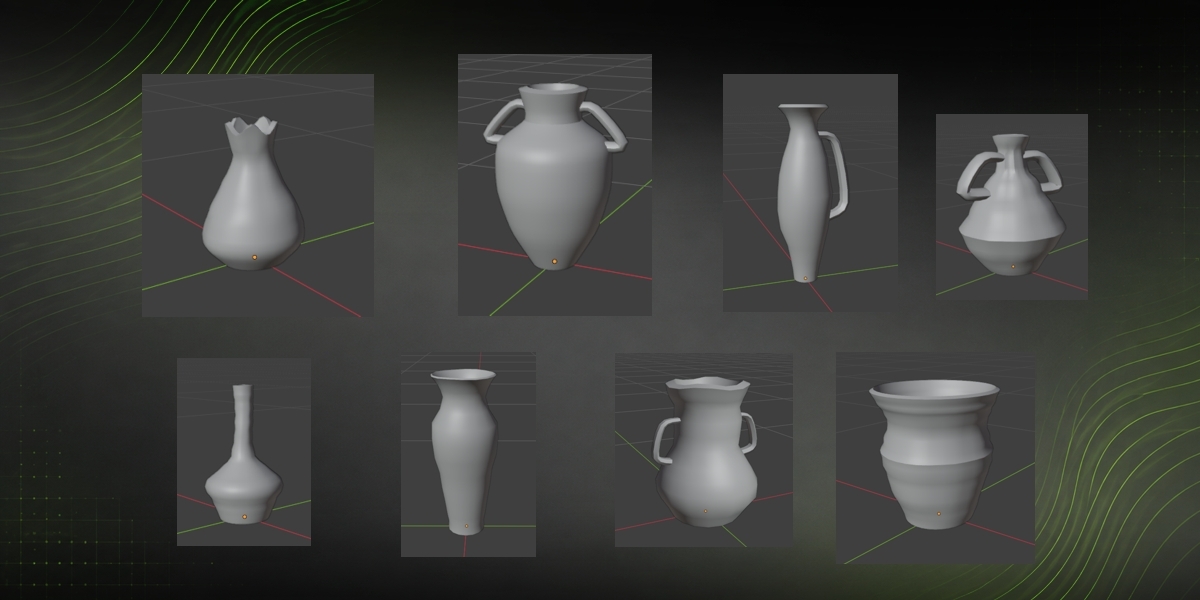


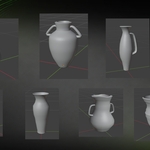
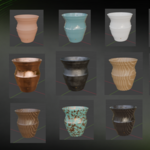
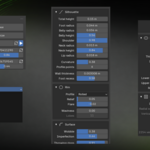
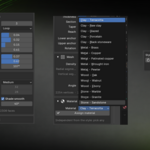
Procedural Vase Generator
A Blender add-on that generates procedural vases of revolution — clay, metal, wood and stone — with live preview, separate shape and finish seeds, and a full slider-driven silhouette.
Blender 4.2 or newer · Version 2.2
What it does
You define a 2D silhouette and the add-on spins it around the Z axis. The result is a hollow vase with a real wall thickness, a proper floor, a finished rim and optional handles.
- No Geometry Nodes. Everything is computed in Python and written straight into the object's mesh, so the vase is ordinary geometry — export it, sculpt it, decimate it, retopologise it. No modifier tags along.
- Every vase is its own object and stores its own parameters. Keep a whole shelf in one scene and go back to editing any of them just by selecting it.
- Watertight by construction. No combination of sliders can punch through the wall.
Install
Edit > Preferences > Add-ons > ⌄ > Install from Disk-
Pick
clay_vase_generator.zip - Make sure it ends up ticked in the list
Manual alternative: copy the folder into Blender's directory and restart. To update, install the zip on top — the add-on keeps the same identifier.clay_vase_generatorscripts/addons
Where it lives
| Place | How to get there |
|---|---|
| Sidebar panel (main) | Hover the 3D view, press N, pick the Vases tab |
| Add menu | Add > Mesh > Procedural vase |
The interface follows Blender's own language. Set Blender to Spanish () and the panel comes out in Spanish; otherwise English. Nothing to configure in the add-on.Preferences > Interface > Translation
Tooltips always stay in English. Blender registers them once when the add-on loads, and refreshing them on the fly would mean re-registering the properties — which wipes the stored data of every vase in the scene
Quick start
| Button | What it does |
|---|---|
| New vase | Creates a new vase at the 3D cursor. Doesn't touch the one you had. Random base silhouette and fresh seeds, so each one differs from the last. Inherits the style you were working in. |
| Randomize | Rolls the selected vase completely from scratch: proportions, rim, surface, handles and style. Greyed out until a vase exists. |
| Reroll | Rolls only the two seeds. Same design intent, different shape and finish. |
| Refresh (↻) | Rebuilds the mesh from the current values. Only needed if the live preview is off. |
| Play / Pause | Live preview. On, the vase rebuilds itself every time you move a slider. |
The natural order: press New vase or Randomize until something interesting shows up, get closer with Reroll, and only then go into the sliders to fine-tune.
New vase adds another object to the scene. Randomize replaces the design of the vase you already have selected. They're not the same button.
The two seeds
Procedural variation is split in two, each with its own dice button and its own range.
| Control | What it drives |
|---|---|
| Shape | Proportions and silhouette: where the belly falls, how narrow the neck is, bulbous or slender. |
| Shape range | How far the seed may wander from your sliders. At 0 the silhouette is exactly what you defined and the seed doesn't touch it. |
| Finish | Surface texture: throwing rings, noise, hammering, facets. |
| Finish range | How much the seed may vary the intensity of that finish. |
Pin down what matters to you and let the machine roll the rest. Once the silhouette is right, drop the shape range to 0 and keep rolling the finish seed with no risk of losing it.
Behind the shape seed sit ten silhouette archetypes — bulbous, slender, conical, bottle, bowl, hourglass, cylinder, amphora, squat and urn. The seed picks two, blends them, and pushes the result onto your values with the strength of the range. That's why changing the seed changes the character of the vase instead of just nudging it.
Styles
A style is not a material. It's the craft the piece is made with: it changes geometry, not the shader. Materials are chosen separately.
| Style | Proportions | Surface |
|---|---|---|
| Clay | Wide bellies, potter's wheel proportions | Potter rings, hand-thrown asymmetry, fine grain |
| Metal | Slender, tucked foot, high shoulders, thin wall | Hammer dents, clean lathe work |
| Wood | Full body, open mouth, thick wall | Marked lathe bands, vertical grain |
| Stone | Squat, very wide base, straight silhouette, very thick wall | Chisel facets, carved lumps |
Each style also has its own pool of silhouettes: metal leans towards bottles and long necks, stone towards conical and squat forms. Pressing another style with the same seed gives you a different vase.
Character controls how much the style rules. At 1 the craft imposes its proportions and finish; at 0 it switches off and only your sliders matter. That's the dial for "more ceramic" or "more metal".
Silhouette presets
Presets reconfigure shape, rim, handles and finish in one go. They're independent from the style — the same silhouette reads in any of the four crafts.
Minimal · Organic · Classic · Rustic · Fluted · Bottle
Silhouette controls
Zones run bottom to top: foot → belly → shoulder → neck → lip.
| Slider | What it does |
|---|---|
| Total height | Overall height. A real measurement — everything else leans on it. |
| Foot radius | Radius of the base it stands on. |
| Belly radius | Widest radius of the body. |
| Belly height | How high that widest part sits. |
| Shoulder | 0 = low soft shoulder, 1 = high sharp shoulder. |
| Neck radius | Radius of the neck constriction. |
| Neck height | Where the neck starts. |
| Lip radius | Radius of the mouth. |
| Curvature | 0 = straight runs between zones, 1 = strongly curved. |
| Profile points | Control points on the curve. Few = clean line, many = livelier, more irregular. |
| Wall thickness | Base thickness. The style adjusts it: metal thins, wood and stone thicken. |
| Foot recess | How deep the centre of the base is dished. |
Rim
A rim is rarely a clean cut. Six profiles:
| Profile | How it looks |
|---|---|
| Straight | Clean cut, no relief |
| Flared | Opens outward like a bell |
| Rolled | A bead — thickens as if rolled over itself |
| Bevelled | Thickens, then chamfers inward |
| Collar | Raised band just below the mouth |
| Stepped | Two marked steps before the lip |
Relief sets the size of that detail, Flare opens or closes the mouth, and Waviness + Lobes ripple the rim into waves like a pinched lip. Waviness works with any of the six profiles.
Surface
| Slider | What it does |
|---|---|
| Wobble | Handmade asymmetry — the axis leans and the section stops being a perfect circle. This is what pulls the vase away from looking like CAD. |
| Imperfection | Fine noise over the whole surface. |
| Throwing rings | Depth of the lathe/potter marks. Frequency sets how many along the height. |
| Flutes | Vertical grooves. Depth sets how deep they bite, Twist spins them into a spiral. |
Each style's own finish (metal hammering, stone facets, wood grain) adds on top and is dialled with Character.
Handles
Count 0 = none, 1 to 6 spread around the vase.
| Type | What it is |
|---|---|
| Loop | Classic handle, rounded section |
| Strap | Flat band close to the body |
| Scroll | Rises above the anchor and curls inward |
| Lug | Short horizontal grip |
Plus Thickness, Section (0 round → 1 flat strap), Taper, Reach, Lower/Upper anchor and Rotation.
Mesh
| Option | Resolution | What for |
|---|---|---|
| Low | 16 × 14 | Blocking the shape quickly |
| Medium | 32 × 28 | Normal work. What every new vase is born with |
| High | 64 × 56 | Clean mid-poly, render ready. Not an extreme high poly |
| Custom | Manual | Unlocks the radial and vertical segment sliders |
Shade smooth + Angle is the equivalent of auto smooth, solved by marking sharp edges — it leaves no modifier hanging on the object. The panel reports the vertex and face count at the bottom.
Materials
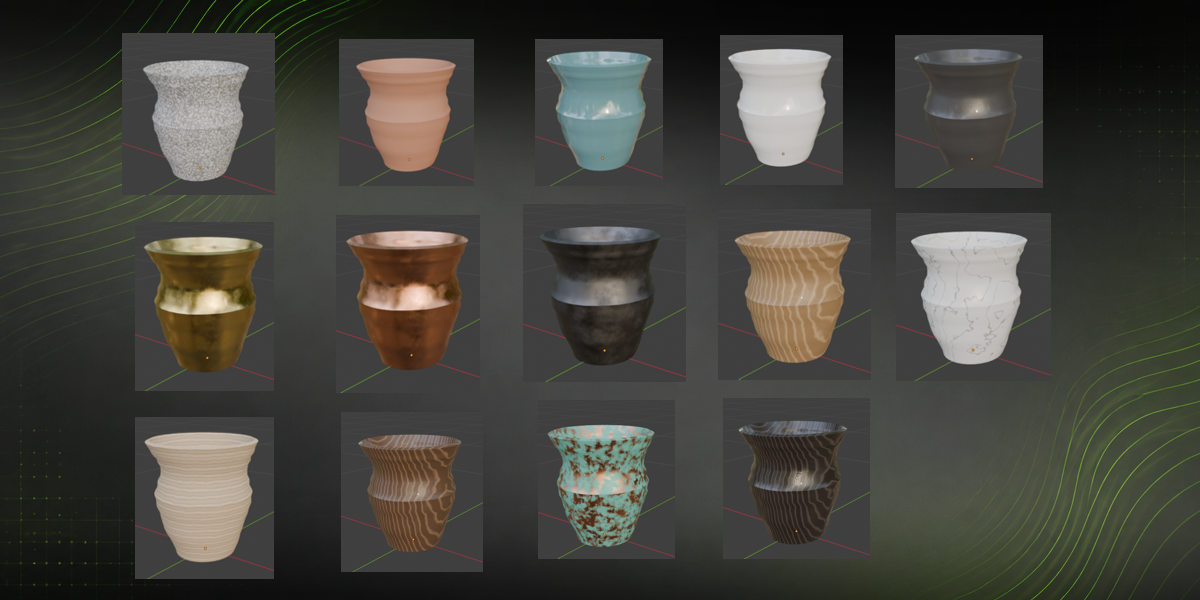
16 procedural materials, grouped by family, independent from the style — put marble on a clay shape if you want. All procedural, no external textures, so the file depends on no images.
| Family | Materials |
|---|---|
| Clay | Terracotta, Raw clay, Glazed, Porcelain, Black stoneware |
| Metal | Brass, Copper, Patinated copper, Wrought iron, Pewter |
| Wood | Oak, Walnut, Ebony |
| Stone | Marble, Granite, Sandstone |
Quick recipes
| If you want... | Do this |
|---|---|
| Fast variety to fill a scene | Press New vase a few times, or Randomize on the same object |
| Keep the shape, try finishes | Drop shape range to 0, roll only the finish seed |
| A set from "one workshop" | Same shape seed and style; move only the finish seed and the height |
| An industrial look | Metal, Wobble and Imperfection at 0, Character high |
| Clearly handmade | Clay, high Wobble, throwing rings above 0.5, both ranges high |
| Carved and heavy | Stone, Character at 1, thick wall |
| Nothing to change when rolling seeds | Set both ranges to 0 |
Troubleshooting
| Symptom | What's going on |
|---|---|
| Refresh does nothing | Expected — it rebuilds the same piece from the same values. Use Randomize, Reroll, or New vase. |
| Slider does nothing | Live preview is paused. Turn it on with Play. |
| Randomize is greyed out | No vase selected. Create one with New vase first. |
| Panel shows no controls | No vase selected. Select one made with the add-on. |
| I want to edit an existing mesh as a vase | With it selected, an Edit as vase button appears. It replaces the original geometry. |
| Preview feels slow | Drop density to Medium or Low while searching for the shape, raise to High at the end. |
| Nothing updates in Edit Mode | Deliberate — the add-on never touches the mesh while you're in Edit Mode. Go back to Object Mode |
Have questions about this product?
Login to message
| Blender Extension Compatible | Yes |
| Published | about 2 months ago |
| Blender Version | 4.2 - 5.2 |
| Extension Type | Add-on |
| Render Engine Used | Cycles, Eevee |
| License | GPL |
Discover more products like this
procedural modeling parametric ceramics pottery procedural procedural materials Random Generator 3d modeling blender addon vase Procedural Assets Vase Generator