 Ferasyahya



VoxelForge Add-on (v1.0)
VoxelForge is a production-focused Blender add-on for keeping a high poly to low poly pipeline organized, repeatable, and export-ready. Build naming presets, apply them through custom collection mappings, run a name checker (with one-click fixes), then export clean files in the background, without having to wait for your scene.
Naming Presets Custom Mappings Name Checker + Fix Background Export OBJ / FBX / STL Edit FBX
Workflow: create naming preset -> map collections -> validate/fix names -> export per mapping (OBJ/FBX/STL) -> iterate fast
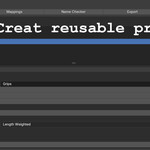
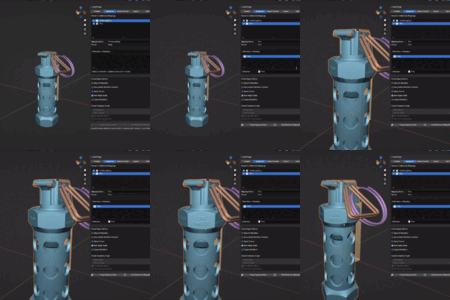
🧷 Create Naming Presets
Define consistent low/high naming rules once and reuse them forever. Save common suffix pairs like _low/_high, _lp/_hp, _l/_h, or create your own. Perfect for bake-ready pipelines and asset pack consistency.
🗂️ Apply Presets to Custom Mappings
Map your workflow to the way you organize scenes. Assign presets to collections so the correct rules and export behaviour apply automatically. Great for large files with many assets.
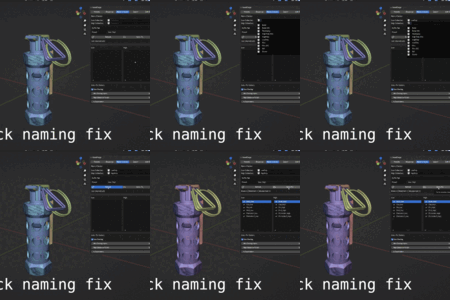
✅ Name Checking and One-Click Fixes
Quickly compare a low collection and a high collection and get a clear list of matches, missing pairs, and mismatches. Then apply one-click fixes for common naming issues like Blender’s .001 suffixes and inconsistent endings.
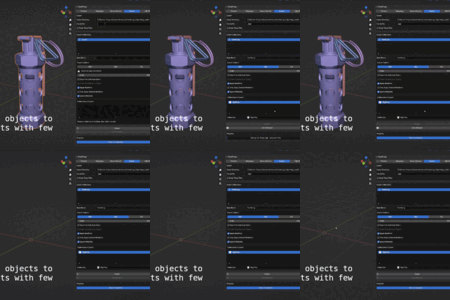
🚀 Background Export (Keep Blender Responsive)
Export in the background with live progress so Blender stays usable while files generate. This is especially helpful on heavy scenes where exporting usually freezes your workflow.
📦 Export to OBJ / FBX / STL (Per-Mapping Options)
Create multiple export mappings, each with its own settings, and generate files in different formats depending on the target. Export can apply modifier results without permanently enabling heavy modifiers in your working scene, so you can keep your project “WIP-heavy” while exports stay clean and predictable.
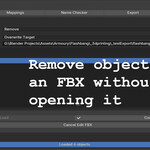
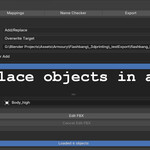
🧰 Edit FBX (Add / Remove / Replace Without Opening)
Patch an FBX without manually importing it into your working file. Replace parts, add new objects, or remove unwanted meshes, then write the updated FBX out cleanly. (More “Edit Format” tools are planned beyond FBX.)
Quick Start
- Create a Naming Preset: choose your suffix rules (low/high pairs) and save it.
- Map Collections: assign presets to collections so the correct rules apply automatically.
- Run the Name Checker: validate low/high matching and use one-click fixes where needed.
- Export: build export mappings (OBJ/FBX/STL) and export in the background with per-mapping options.
Tip: Keep your scene flexible and non-destructive, VoxelForge is designed to help you export “clean results” without turning your file into a permanent bake.
Ideal For
- Game artists who need clean, consistent exports for baking and engine import
- Asset pack creators shipping multiple files with strict naming rules
- Hard-surface and voxel workflows where organization matters as much as the mesh
- Large scenes that need structure, automation, and repeatable results
What’s Inside
Naming Presets
- Save low/high naming rules you can reuse across projects
- Built for consistent bake pipelines and asset pack conventions
- Custom suffix presets supported
Mappings
- Apply presets to the collections you choose
- Scale from a single prop to a full scene without losing consistency
- Keep complex projects organized and predictable
Name Checker
- Validate low/high collections for matching names
- Clear list of matches, missing pairs, and mismatches
- One-click fixes for common naming problems (like .001 suffixes)
Export
- Export in multiple formats: OBJ / FBX / STL
- Multiple export mappings, each with its own options
- Background export with progress + cancellation
- Apply modifier results without forcing heavy modifiers to stay enabled
Edit FBX
- Add, remove, or replace objects inside an FBX without opening it in your main scene
- Designed for quick iteration when you need to patch exports late in the pipeline
- More “edit format” tools planned beyond FBX
Notes
- Naming presets: VoxelForge works best when your low/high meshes follow a consistent suffix rule.
- Name checker: designed to make mismatches obvious—so exports and bakes don’t fail silently later.
- Export: built for “WIP heavy” scenes: keep your workflow non-destructive while exports stay clean.
- Edit FBX: made for patching exports quickly when you need add/remove/replace operations without manual import.
My Other Products
ReFace Add-on
View product Benelli M4 (3D Model)
View product Kriss Vector Gen1 (3D Model)
View product Brush Creator
View product 