WoodCutlist Pro
 GPolygon Design


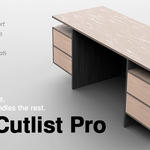
Wood Cutlist Pro (WCP) - Official Documentation
Welcome to Wood Cutlist Pro! This add-on bridges the gap between Blender’s organic 3D environment and real-world CAD manufacturing. WCP is designed for interior architects, furniture designers, and CNC operators who need precise, production-ready data directly from their meshes.
1. Prerequisites & Installation
Blender Version: WCP requires Blender 4.2 or higher.
Required Add-on (Crucial): For the procedural material library to function correctly, you must have Blender's built-in Node Wrangler add-on enabled. (Go to Edit > Preferences > Add-ons, search for "Node Wrangler", and check the box).
Installation: Go to Edit > Preferences > Add-ons > Install, select the
wcp_addon.zipfile, and enable it. The WCP interface will appear in the 3D Viewport's N-Panel.
2. Core Workflow
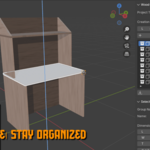
Add to WCP: Select your mesh objects (panels, tops, doors) and click "Add Selected to Wood Cutlist Pro" in the N-Panel.
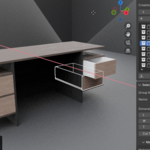
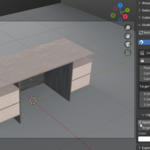
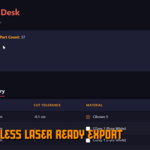
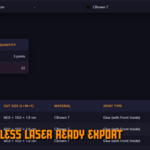
Define Properties: Group your parts logically (e.g., "Main Desk", "Drawers"). Adjust Length (L), Width (W), and Thickness (T). WCP maintains the geometric center of your parts when resizing.
Tolerances & Banding: Apply cut tolerances for CNC bits and define PVC edge banding parameters directly from the panel.
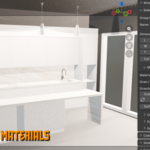
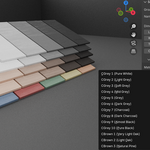
Material & Grain: Select from 25+ built-in procedural wood/solid materials. Use the "Refresh Grain Orientation" button to ensure the wood grain flows correctly along the length or width of your panels.
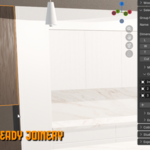
Studio Scene: Click "Generate Studio Scene" to instantly place your assembly in a perfectly lit, center-snapped infinity backdrop for client presentations.
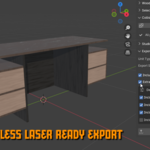
3. Exporting Production Data Expand the "Export / BOM" tab. WCP features a dual-motor export system:
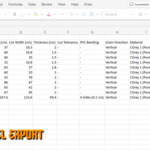
CSV Export: Generates a raw data spreadsheet optimized for CNC nesting software (like CutList Plus or Ardis).
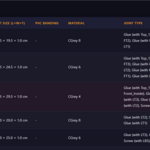
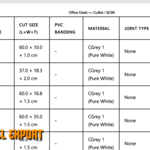
HTML/PDF Assembly Report: Generates a clean, print-ready visual report detailing parts, dimensions, materials, and joint data.
4. Important Rule: Apply Scale
WCP calculates real-world dimensions based on the mesh's bounding box. If you scale an object in Edit Mode or Object Mode, you must press Ctrl+A and choose "Scale" before exporting. Unapplied scales will result in inaccurate cutlists.
Have questions about this product?
Login to message
| Blender Extension Compatible | Yes |
| Dev Fund Contributor | |
| Published | 3 months ago |
| Blender Version | 4.2 - 5.2 |
| Extension Type | Add-on |
| Render Engine Used | Cycles, Eevee |
| License | GPL |
Discover more products like this
Generator parametric joinery Interior Design ArchViz Export architecture woodworking wood hard surface modeling furniture