WoodCutlist Pro
 GPolygon Design


Q: Can WCP export 2D DXF files for curved or organic shapes?
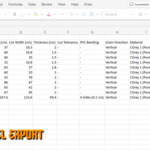
A: No. WCP is optimized for panel furniture and standard cabinetry. It calculates the absolute geometric bounding box (Max Length, Width, and Thickness) of any mesh. It will give you the exact raw block size needed to cut a curved piece, but it does not export 2D vector routing paths.
Q: What is the difference between the Freelance and Studio licenses?
A: The Freelance license is a single-seat license for solo artists and independent designers. The Studio/Enterprise license allows for multi-user access, making it the right choice for teams, architectural offices, and woodworking businesses.
Q: Where can I get support, suggest a feature, or report a bug?
A: You can reach out directly through the marketplace contact options or send me a message on ArtStation. I actively read feedback to provide future updates and technical support.
Q: What happens if I model non-standard shapes like circles, triangles, or polygons?
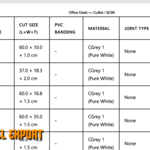
A: The addon instantly detects irregular geometries. In your HTML and CSV exports, these parts are clearly flagged with an "Irregular Shape (Bounding Box)" note. The dimensions provided will reflect the maximum rectangular board size required to cut or CNC that specific piece, preventing any manufacturing errors.
Q: Which versions of Blender are supported?
A: Wood Cutlist Pro is built and tested for Blender 4.2 and higher. It is fully compatible with the latest stable LTS and major releases (4.2, 5.0+).
Q: Does the add-on track hardware like screws or minifix joints?
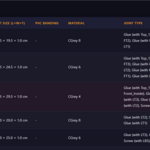
A: Yes, the "Connected Joints" section allows you to assign and track hardware components associated with specific panels, which are then tallied in the final HTML/CSV BOM (Bill of Materials) report.
Q: Why are my procedural materials not loading or looking incorrect?
A: WCP relies on Blender's native node system for its smart grain orientation. You must have the Node Wrangler add-on enabled in your Blender Preferences for the materials to map correctly to your objects.
Q: Will the generated studio environment get in my way or interfere with my modeling process?
A: Not at all. All generated studio elements (floor, walls, camera, and target empties) are automatically locked (unselectable) in the viewport. You will only select and edit your own furniture geometry. You can seamlessly control the camera and lighting parameters directly through the N-Panel sliders.
Q: Will the color swatches in the HTML cutlist match the actual materials in my 3D scene?
A: Yes. The addon dynamically reads the Base Color of your active 3D materials and translates them into accurate HEX codes for the HTML output. Your client or manufacturer will see the exact color representation right on the generated cutlist.
Q: Why do the exported dimensions not match my model's visual size?
A: This happens when the object's scale has not been applied. In the 3D Viewport, select your object, press Ctrl+A, and select "Scale" (so X, Y, and Z scales are all exactly 1.0). WCP will now read the true dimensions.
Have questions about this product?
Login to message
| Blender Extension Compatible | Yes |
| Dev Fund Contributor | |
| Published | 3 months ago |
| Blender Version | 4.2 - 5.2 |
| Extension Type | Add-on |
| Render Engine Used | Cycles, Eevee |
| License | GPL |
Discover more products like this
modeling hard surface woodworking Export parametric architecture joinery Generator Interior Design wood furniture ArchViz