Car Paint Shader (Candy/Flakes/Iridescence)
 SBTien


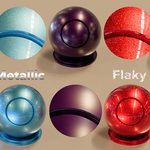
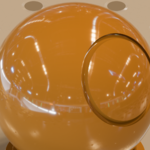
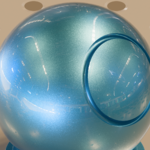
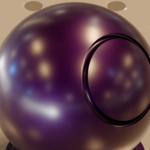
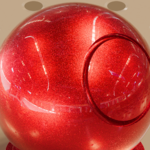
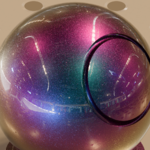
How do I use the shader?
You can either:
Append the Node Group "Car Paint Shader", or any of the 5 Materials included.
or
Add the .blend file directory to your Asset Library for convenience of use
How do I enable the Flakes/I don't see the Flakes?
Make sure the Flakes Intensity is anything else from 0, the Flakes size is neither too low nor too high and check you have a Mapping node connected at the very top of the node group. Using "Object" or "UV" (if model is unwrapped) is recommended.
Changing the Flakes Size makes the shader act weirdly?
The very-top input of the node group is where you should connect a Mapping node. Using "Object" or "UV" (if model is unwrapped) is recommended.
How do I make multi-colored Flakes?
Multi-colored flakes are achieved by using one of the nested nodegroups. Please refer to the bottom of the documentation for more information.
Changing the Thin Film thickness doesn't add the Iridescent effect?
Iridescence will be very light/invisible if one of those conditions are met:
The Thin Film IOR is too low
The Thin Film Thickness is too high
The base layer and/or flakes are pure white/pure black/100% saturated colors
$5
Have questions about this product?
Login to message
| Sales | 40+ |
| Dev Fund Contributor | |
| Published | 12 months ago |
| Blender Version | 4.5 - 5.0 |
| Render Engine Used | Cycles |
| License | Royalty Free |
Discover more products like this
realistic carpaint car paint shader iridescence photoreaslitic flakes car Car Paint Material paint metallic Procedural Car Paint Car Metallic Paint