Collision Director Pro
 Steven Seidler (Blendscapes3D)



Collision Director Pro Documentation
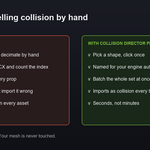
One click collision meshes for game engines. Select a mesh, pick a shape, and get a clean collider named exactly the way Unreal, Unity or Godot expects on import. Colliders are separate objects, so your mesh is never modified.
Installation
- Download the zip file from your Superhive purchase.
- In Blender open Edit, then Preferences, then Get Extensions.
- Open the drop down menu in the top right corner and choose Install from Disk.
- Pick the zip file.
- Open a 3D Viewport, press N, and click the Collision tab.
Requires Blender 4.2 or later. Tested through 5.1.
Quick start
- Select one or more mesh objects.
- In the N panel Collision tab pick your engine.
- Click a shape: Box, Sphere, Capsule, Hull or Simple.
A collider appears, correctly named, as a wireframe child of your object.
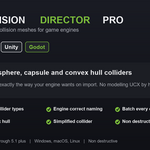
Collider types
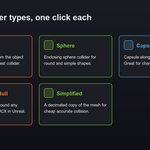
- Box. Axis aligned box from the object bounds. The cheapest collider.
- Sphere. Enclosing sphere for round and simple shapes.
- Capsule. Capsule along the longest axis. Good for characters and posts.
- Convex Hull. A tight convex shape around the mesh. Imports as UCX in Unreal.
- Simplified. A decimated copy of the mesh for cheap accurate collision.
Engine naming
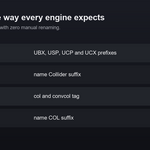
| Engine | Naming |
| Unreal | UBX, USP, UCP and UCX prefixes with an index |
| Unity | name with a Collider suffix |
| Godot | name with a col or convcol tag |
| Generic | name with a COL suffix |
Options
- Margin. Expand box, sphere and capsule colliders outward by a set distance.
- Simplify Ratio. Face reduction for the Simplified collider.
- Move to Collection. Place colliders in a dedicated Colliders collection.
- Parent to Source. Parent each collider to the object it came from so they move together.
- Show as Wire. Display colliders as wireframe so they do not hide your model.
- Disable in Render. Hide colliders from rendering.
Clearing colliders
Use Clear Selected to remove the colliders under your selected objects, or Clear All to remove every collider in the scene. Your source meshes are kept.
Tips
- Use the cheapest shape that fits. Box and sphere are far lighter than a convex hull.
- Convex hull is the right choice for most props in Unreal, since it imports straight as UCX.
- Generate colliders for a whole set at once by selecting every object first.
- Export the model and its colliders together with Export Director Pro.
Troubleshooting
- The collider is the wrong size. Add a small margin, or use a convex hull or simplified collider for a tighter fit.
- Unreal still has no collision. Check that the engine was set to Unreal so the name carries a UBX, USP, UCP or UCX prefix.
- The collider hides my model. Keep Show as Wire enabled.
Compatibility
Blender 4.2 through 5.1 plus. Windows, macOS and Linux. Pure Python with no external dependencies.
Support
Questions or requests are welcome by email at [email protected]
$8.49
Have questions about this product?
Login to message
| Blender Extension Compatible | Yes |
| Published | 3 months ago |
| Blender Version | 4.2 - 5.1 |
| Extension Type | Add-on |
| Render Engine Used | Cycles, Eevee |
| License | GPL |