ANIMATED CAD DIMENSIONS FOR BLENDER
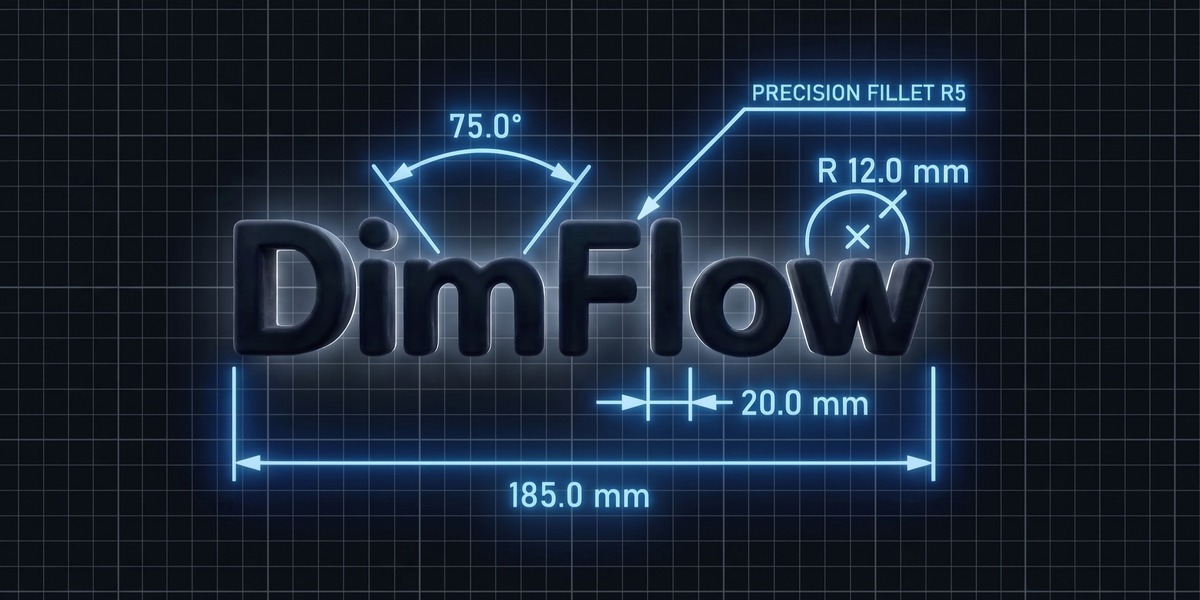
Measure, style, and animate technical dimensions, fully non-destructive, built entirely in Geometry Nodes.
Version 2.5 is out, free for everyone who already owns DimFlow
WHAT'S NEW IN 2.5
TYPE A NUMBER, THE MODEL MOVES
2.0 made dimensions follow your model. 2.5 turns it around: type a measurement and the MODEL moves to match. Everything below is included, and old scenes pick it all up automatically on load.
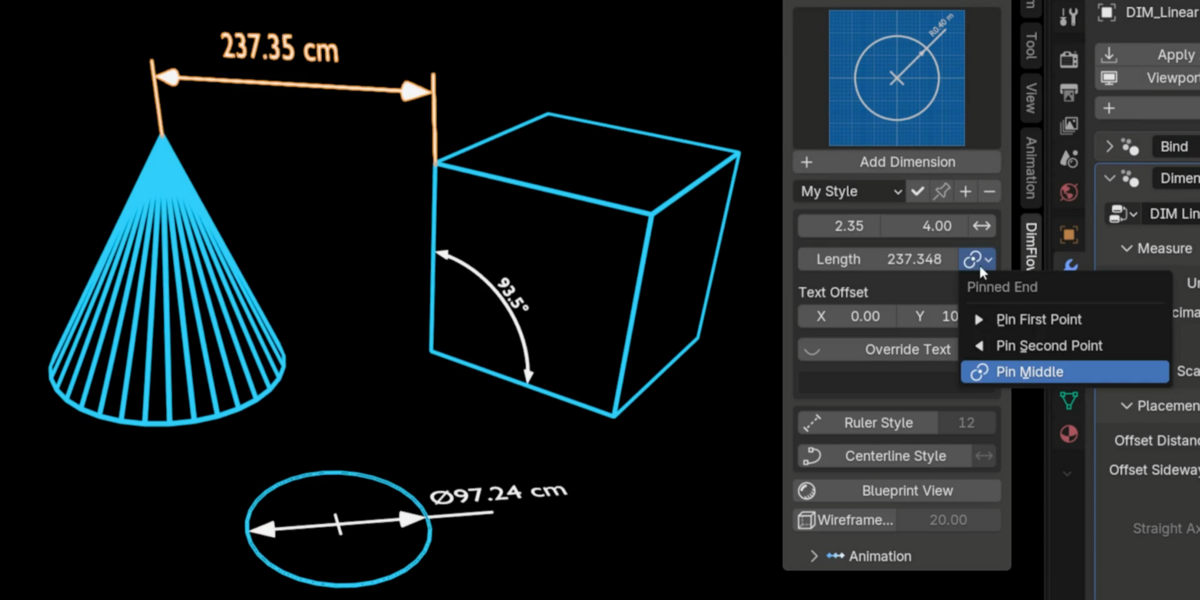
- Driving dimensions: type a length, angle, radius or diameter in the sidebar and the geometry moves to match, with a pin for which end stays put
- Straight dimensions: one checkbox squares a Linear callout to a world axis, extension lines and all, the way a drawing reads, on Auto or your choice of X, Y or Z
- Style presets: save your colour, size, material and plate settings once, then apply them to any dimension or to every new one you add
- Built in the view you are in: add a callout from Front, Right or Top, and it is created flat in that plane instead of always facing front
- Measure between two objects in Edit Mode: select both, tab in, pick a vertex on each, and the dimension spans them and tracks both
- Nudge a bound callout: offset the whole thing along or across what it measures without breaking the tracking, and hide either extension line on its own
- Roughness / Strength on the label plate: one control that means roughness on the glass materials and emission strength on the emissive ones
THE GOAL OF DIMFLOW
Blender ships with MeasureIt, and it is useful for checking sizes while you model. But it draws with a viewport overlay: the measurements are composited on top of your image rather than living in the scene.
SEAMLESS WORKFLOW
REVEAL ANIMATIONS
Sweep or grow your dimensions onto the screen with one click. A static render becomes a technical animation.
LIVE DIMENSIONS
NEW IN 2.5
IT WORKS BOTH WAYS
A dimension stays bound to the geometry it was built on. Drag a vertex in Edit Mode and the callout tracks it live. Move the whole object and it comes along. Select two objects in Object Mode for a Linear dimension between their origins, or three for an Angular with the active object as the corner, then keep animating them and the readout stays honest. Drop a Radius on a circle or cylinder and it detects the real circle for you: correct radius, drawn in that face's own plane rather than standing upright in world space.
New in 2.5: driving dimensions. It runs the other way too. Type a length, angle, radius or diameter into the sidebar and the model moves to match. The bound vertex or object slides, turns or scales until the measurement really is what you typed. A pin picks which end holds still: the first point, the second, or the middle so both ends move out evenly. A circle keeps its shape, because the whole ring is resized rather than the one vertex the callout happens to touch.
UNITS THAT MATCH YOUR SCENE
Set the scene to Imperial and every dimension switches to feet or inches. Switch back and they follow. Angular dimensions track degrees or radians the same way. Any dimension you set by hand stops following and keeps what you chose, so a deliberate "this one is in mm" survives a change of unit system.
FOUR DIMENSION TYPES
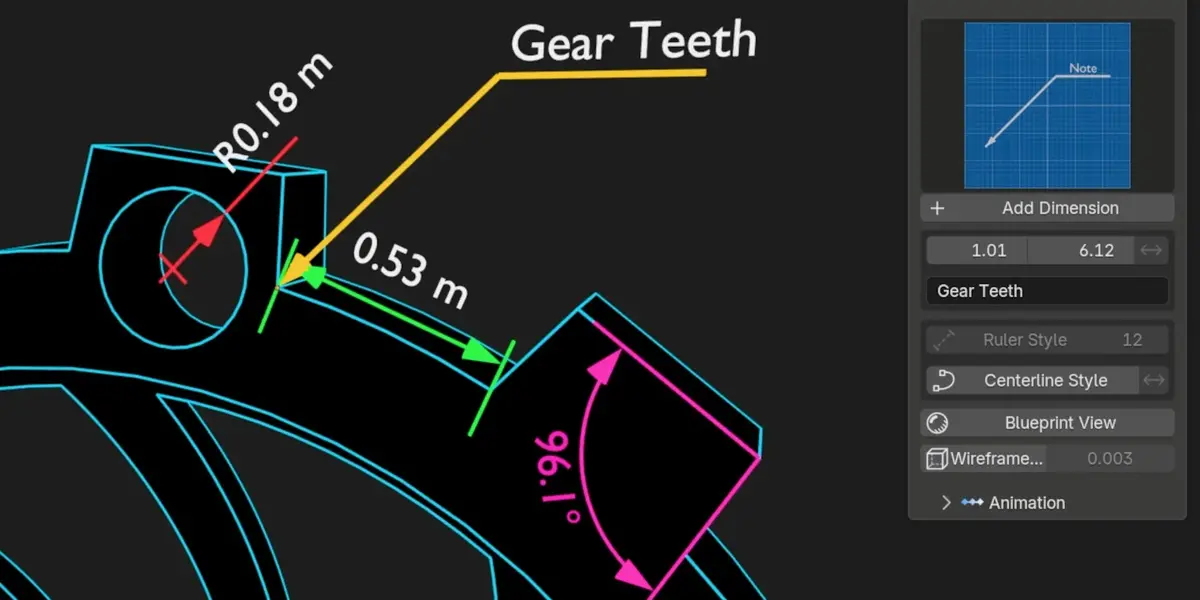
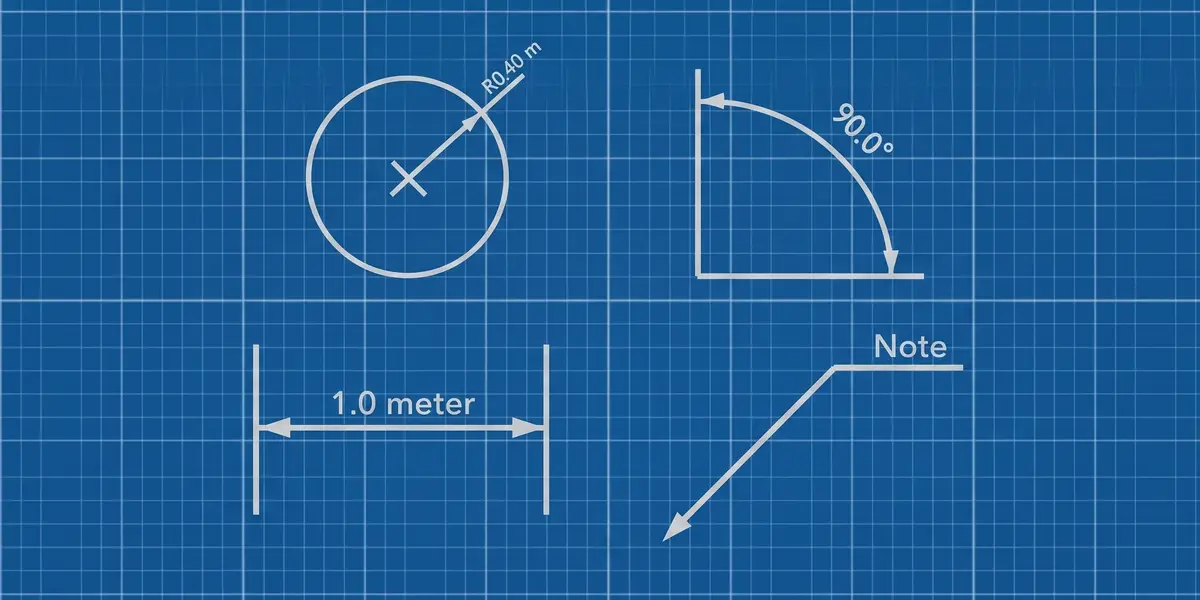
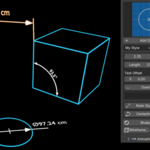
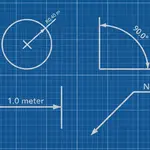
Each type is its own tuned Geometry Nodes group, picked from a visual gallery with rendered previews right in the sidebar. Drop one in and it already looks right. Open the modifier and every parameter is there, grouped into Measure, Placement, Arrows, Text, Style and Animation panels.
TYPE 01
LINEAR
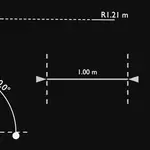
Distance between two points, with arrows, extension lines and an auto-measured value. Slide the dimension line along its offset while the extension lines stay locked to the geometry, and grow each extension independently from the arrow tips. Read out in meters, centimeters, millimeters, inches or feet.
New in 2.5: Straight. A sloped feature normally tilts the whole callout with it. Tick Straight and the dimension line runs dead flat along a world axis, with the extension lines dropping to each point separately at their own lengths, exactly the way a technical drawing reads. The axis is chosen for you, or set it to X, Y, or Z yourself.
TYPE 02
ANGULAR
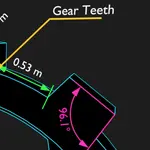
Angle between three points, with the corner on your third pick. Live degree or radian readout, adjustable arc radius and resolution, extension lines with overshoot control, and a Reflex Angle toggle for when you need the outside angle instead of the inside one.
TYPE 03
RADIUS
Pick the center, pick the rim, done. Or just select the circle and let DimFlow find both. Switch between Radius and Diameter mode and the R or Ø prefix follows automatically, or hide the prefix entirely. Add a center mark at any size, start the leader from the center or the rim, and extend the leader past the arrow for tight callouts.
TYPE 04
ANNOTATION
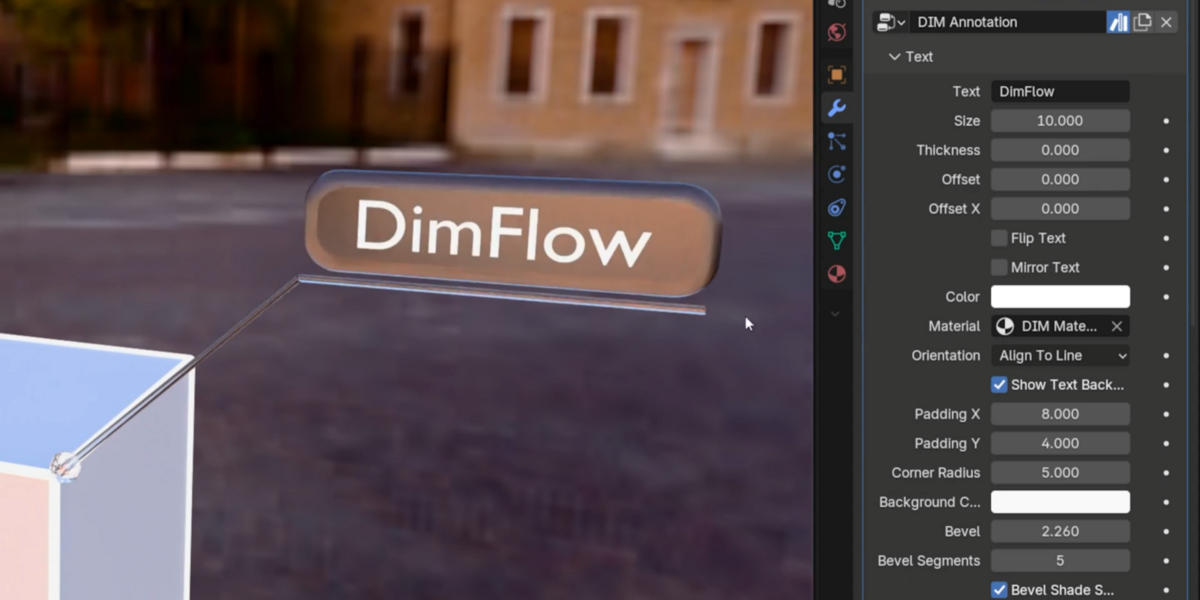
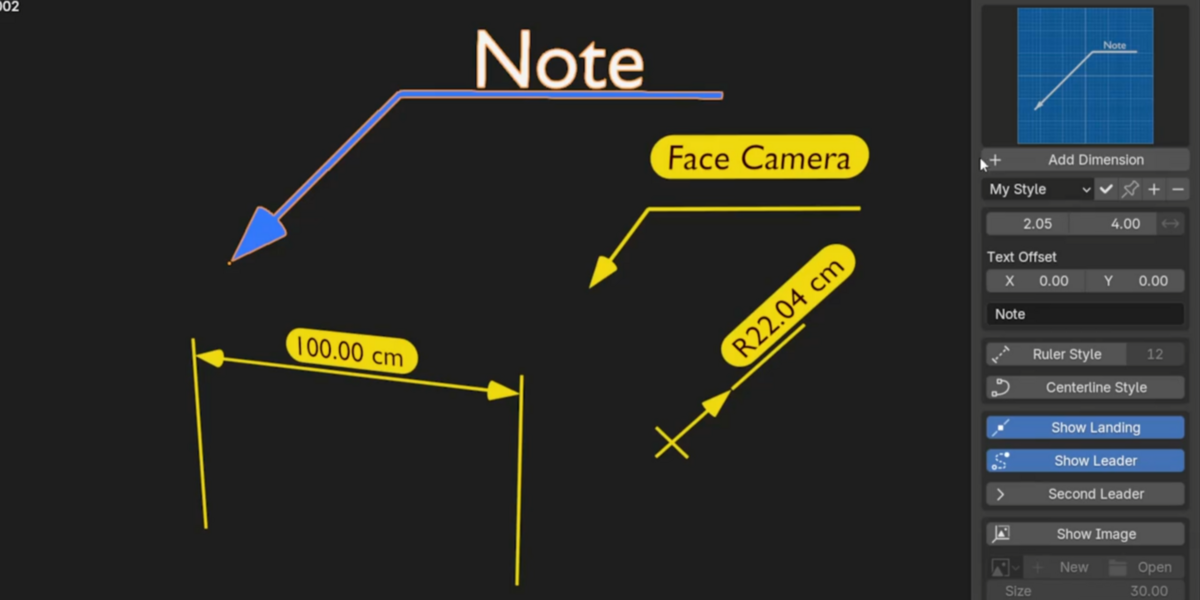
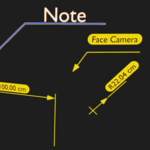
Leader line and label for part names, notes and specs, with an optional landing you can size or switch off. Type \n anywhere in the text for a real multi-line note, left-aligned like a drawing callout, and drop a rounded background plate behind it with its own padding, corner radius and color.
ANNOTATIONS, REBUILT
TWO POINTERS, ONE LABEL
Switch on Second Leader and a second pointer runs from the same elbow to a point you drag onto another feature, so one note calls out two things, the way an ISO multileader does. Show Leader hides the leader entirely when you just want a floating label. The text now carries separate horizontal and vertical offsets, and a negative vertical value drops the label under the landing instead of above it. The label also holds still while you aim the leader, so moving the target no longer swings the text around with it.
PUT AN IMAGE ON THE CALLOUT
A measurement reads its own value, but a note is where you want a logo, a warning symbol or a photo of the part. Tick Show Image, pick or open an image right from the panel, and a plate appears at the end of the landing line, at the correct aspect ratio automatically, height and offsets under your control. Drag the landing longer, and the plate travels with it. Transparent PNGs and cut-out logos read correctly, and it animates in with the rest of the callout.
SELECT VERTICES. GET A DIMENSION.
SMART EDIT MODE PLACEMENT
YOUR SELECTION PICKS THE TYPE
2 vertices gives Linear or Radius. 3 vertices gives Angular, with the corner on your third pick. 1 vertex gives an Annotation. Works on mesh vertices and curve control points alike. Text orientation is solved automatically, so it is never mirrored or upside down, whatever order you click in. Every dimension you add is filed into a dedicated DimFlow collection, so a hundred callouts never bury your outliner.
New in 2.5. Measure between two different objects: select both, tab into Edit Mode and pick a vertex on each, and the dimension spans them and tracks both. A callout is now built in the view you are working in, so one added from Top or Right lands flat in that plane instead of always standing up facing front.
TEXT THAT BEHAVES
LIVE VALUES & OVERRIDES
FULL TEXT CUSTOMIZATION
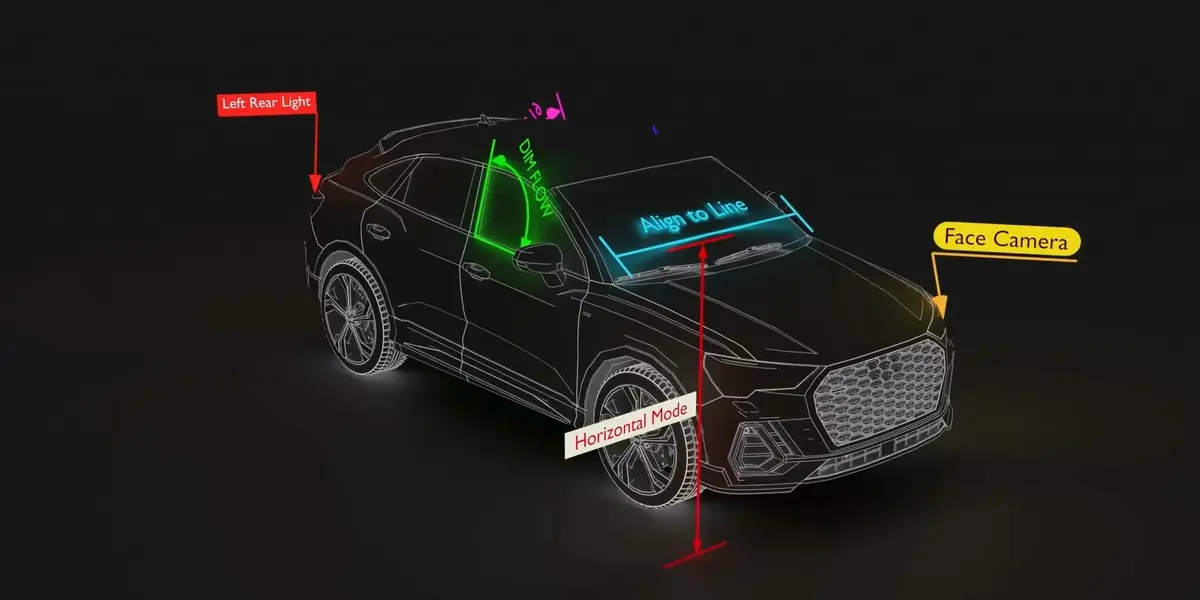
Choose your unit and decimal places, hide the unit suffix, or apply a measure scale for drawings that aren't 1:1, or let the unit follow your scene's system automatically. Override any value with custom text, synced two-way between the sidebar and the modifier. Pick Align to Line, Face Camera, or Horizontal orientation, and fix anything the scene throws at you with flip and mirror. Text carries its own color independent of the dimension lines, and every type can sit on a rounded label plate, with its own padding, corner radius and fill colour, so a measurement stays readable over the busiest model.
New in 2.5: style presets. Dial in your colour, text size, materials and plate settings once, save it as a preset and apply it to any dimension with one click, or pin it so every new dimension is born with your house style. Presets live with Blender, not with the file, so they follow you between projects and can be handed to a collaborator as a single file.
THE LABEL PLATE
BEVELLED EDGES AND GLASS
The plate behind your text has real depth. Bevel rounds its front edge and gives it real depth; Segments takes it from a hard 45-degree chamfer to a soft round-over, and smooth shading keeps the curve clean while the face stays crisp. Two Liquid Glass materials ship with it, one tuned for Eevee and one for Cycles. Both take their tint straight from the plate's own colour swatch, so one control drives the whole look.
CENTERLINE & RULER STYLE
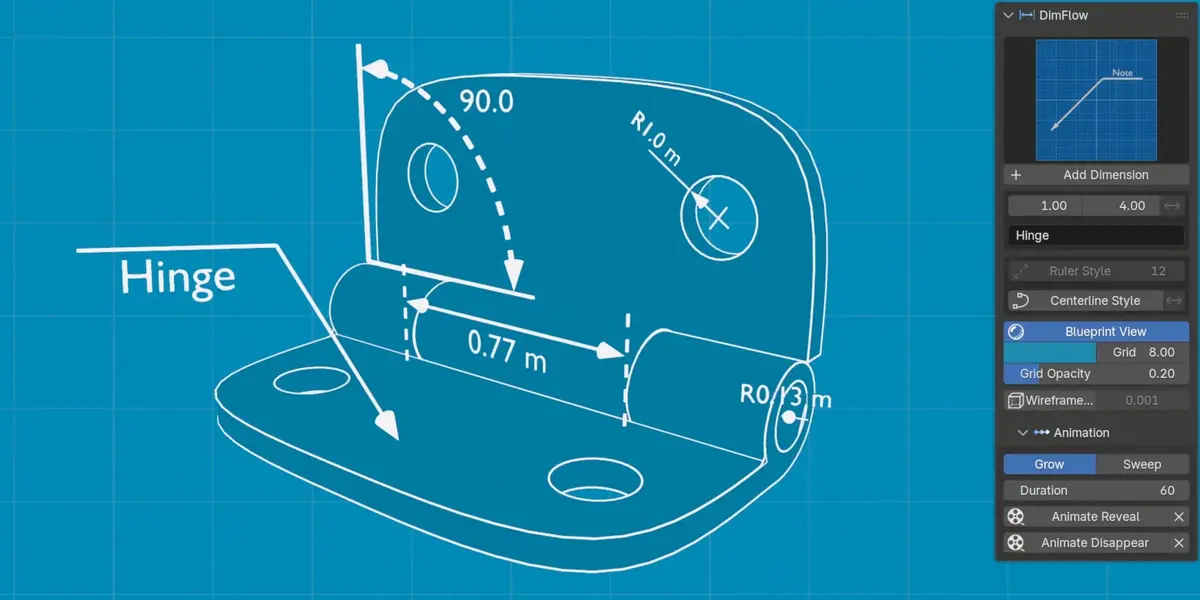
ISO-STYLE DASHED LINES
DASH CONTROL
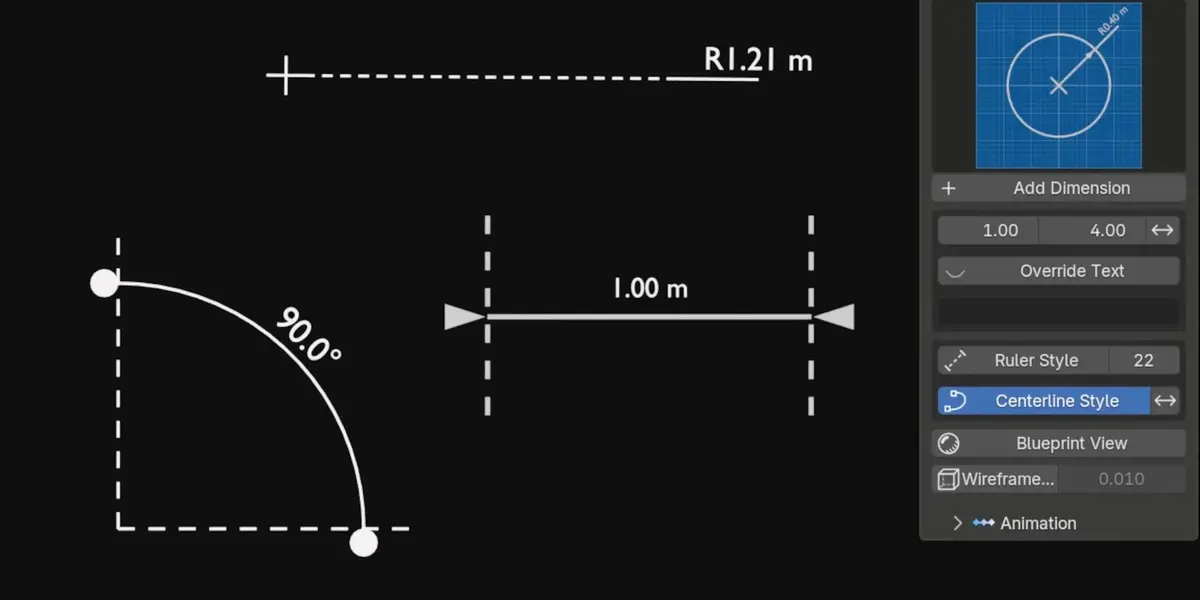
One toggle turns the dimension line into a proper dashed centerline. A single count sets how many dashes it draws, and the dash length follows automatically so it looks right at any density. Invert swaps which lines get the treatment: dash the extensions instead of the main line, or the other way round. Four arrow styles (Arrow, Tick, Dot, None), independent arrow size and flip, plus overall size and line thickness that scale the whole callout at once. Line ends stop exactly at the back of the arrowhead, so nothing pokes through the tip.
RULER GRADUATIONS
TURN A LINE INTO A RULER
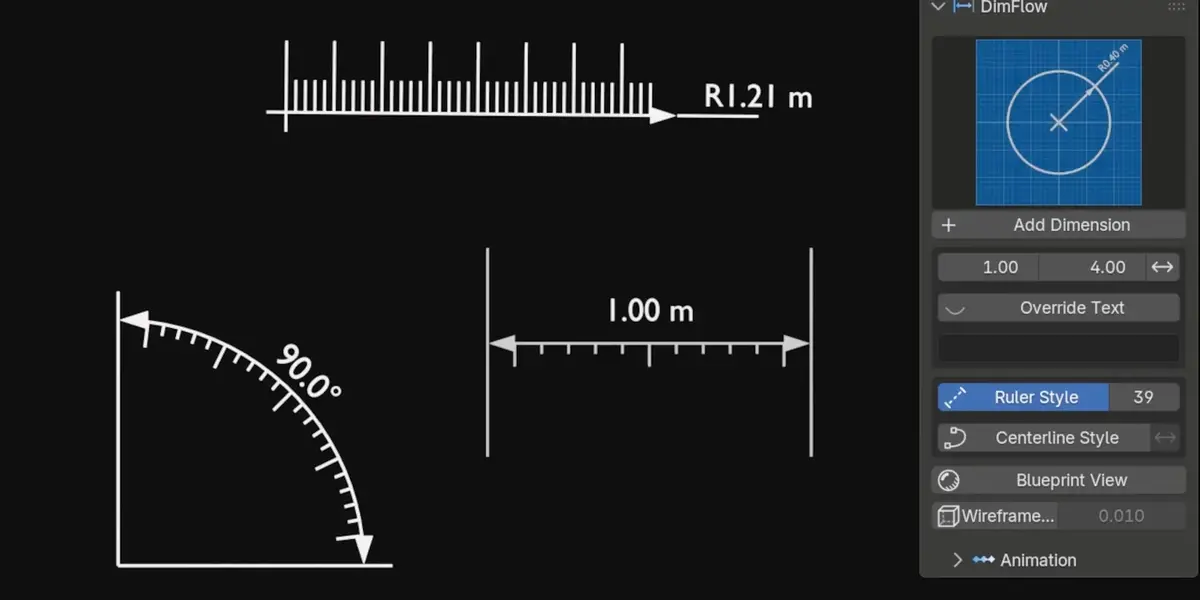
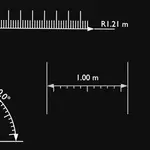
One more toggle stands graduation teeth on the dimension line, every fifth tooth long, the four between short, exactly like a real ruler or tape measure. On all four types, annotations included since 2.0. Set the tooth count, scale their height, and flip the whole comb to the other side of the line in a click. On an arc, the teeth fan out radially from the corner on their own.
REVEAL ANIMATIONS
SWEEP OR GROW, ONE CLICK
STATIC RENDER TO EXPLAINER
Sweep draws the dimension along its own line like a pen stroke. Grow scales it into place. Animate Reveal keys the whole thing from the current frame over a duration you set, and the frame math is exact, so 40 frames means 40 frames. Animate Disappear keys the reverse without touching your reveal keys, so you can stack reveals and exits freely along the timeline. Dedicated clear buttons remove only their own keyframes, and a manual Reveal slider is always there if you'd rather key it yourself or drive it.
BLUEPRINT VIEW
ONE CLICK, FULL TECHNICAL LOOK
PROCEDURAL GRAPH PAPER
Turn your whole viewport into a technical drawing. Adjustable blueprint color, grid density and opacity, and the grid stays perfectly square at any render aspect ratio. It uses no image textures and no compositing.
THICK WIREFRAME OVERLAY
NON-DESTRUCTIVE
BOLD EDGES, ZERO DAMAGE
One click adds a bold wireframe over any selected object, useful for presentations, tech drawings and blueprint renders. Set the edge thickness and color, and choose whether the solid faces stay visible underneath or drop away for a pure wire look. Sharp Edges Only wires just the creases and silhouette, skipping the flat topology that turns a dense mesh into noise. It's a modifier, so your mesh structure is never touched and it comes off as easily as it went on.
EVERYTHING IN DIMFLOW
-
4 dimension types: Linear, Angular, Radius, Annotation
-
Live tracking: dimensions follow the objects and vertices they were built on (new in 2.0)
-
Measure between objects: 2 objects gives Linear, 3 gives Angular with the active as corner (new in 2.0)
-
Automatic circle detection: Radius reads a circle or cylinder and draws in its own plane (new in 2.0)
-
Units follow the scene: Metric/Imperial and degrees/radians, with hand-set values respected (new in 2.0)
-
Smart Edit Mode placement: vertex selection picks the type for you
-
Live measured values: update with the mesh, no applied scale needed
-
5 length units + degrees/radians, decimal control, hideable unit suffix and a measure scale for non-1:1 drawings
-
Radius or Diameter mode with automatic R / Ø prefix, center mark and leader controls
-
Reflex angle toggle plus arc radius, resolution and extension overshoot
-
Multi-line annotations: type \n for a new line, with an optional rounded background plate
-
Second pointer on annotations: ISO-style multileader from one label (new in 2.0)
-
Image plate on annotations: logo, symbol or photo, aspect-correct, tied to the landing (new in 2.0)
-
Separate horizontal and vertical text offsets; negative drops the label under the landing (new in 2.0)
-
Custom text override: synced between sidebar and modifier
-
3 text orientations plus flip and mirror correction
-
Independent text color: labels styled separately from the lines
-
Rounded label plate on every type: padding, corner radius and fill colour of its own
-
Bevelled label plate: adjustable segments and smooth shading for a real round-over (new in 2.0)
-
Liquid Glass materials: Eevee and Cycles builds, tinted by the plate's own colour (new in 2.0)
-
Centerline (dashed) style with invert and an adjustable dash count
-
Ruler graduation style: ISO teeth on all four types, with count, height and flip
-
Edit-Mode placement on curves too, since control points work like mesh vertices
-
4 arrow styles: Arrow, Tick, Dot or None, with size, flip, and line ends that never poke through
-
Sweep and Grow reveal animations: one-click keyframing, exact frame durations
-
Animate Disappear: stacks cleanly without wiping your reveal keys
-
Blueprint View: color, grid density and opacity controls
-
Thick wireframe overlay: thickness, color, optional faces, sharp-edges-only, one click
-
Auto-organized DimFlow collection: your outliner stays clean
-
Automatic file upgrades: old scenes gain new features on load
-
100% Geometry Nodes: Eevee and Cycles, Windows, macOS and Linux
-
Driving dimensions: type a length, angle, radius or diameter and the model moves to match, with a pinned-end selector (new in 2.5)
-
Straight dimensions: square a Linear callout to a world axis, on Auto or X / Y / Z (new in 2.5)
-
Style presets: save a look once and apply it to any dimension, or to every new one (new in 2.5)
-
Built in the view you are in: callouts are created flat in the Front, Right or Top plane you are working in (new in 2.5)
-
Two-object Edit Mode measuring: pick a vertex on each of two objects and the dimension tracks both (new in 2.5)
-
Three-axis callout offsets: slide a dimension along what it measures, across it, or clear off its drawing plane entirely, and hide either extension line (new in 2.5)
-
Select a whole circle in Edit Mode: highlight a full ring of vertices and Radius fits it, drawn in the circle's own plane (new in 2.5)
-
Roughness / Strength: one plate control: roughness on glass materials, emission strength on emissive ones (new in 2.5)
-
Modern extension format: drag the zip onto Blender, tested on 5.0, 5.1 and 5.2
YOUR OLD FILES KEEP WORKING
Every DimFlow asset carries a version stamp. Open a scene made with an older release and the addon silently upgrades every dimension on load. New features appear, while your values, links and keyframes survive untouched. In 2.0 that upgrade got stricter still: settings are carried across by name rather than by position, so a dimension keeps exactly what you set even as the addon grows new controls around it. Nothing needs updating by hand, and old projects never lose buttons.
WHO MADE THIS

I'm Amir, a mechanical engineering graduate working as a freelance 3D artist on industrial models, 3D environments and mechanical animations. DimFlow began as my in-house tool for client work, dimensioned product renders and animated technical explainers, and grew into the system I always wished Blender shipped with. Every feature in it solved a real problem on a real job first.
You can see my work at amirsharoleslam.com.
WHAT YOU GET
- DimFlow 2.5 extension (.zip), drag and drop onto Blender to install
- Asset library .blend with all node groups and materials
- 30-day refund guarantee via Superhive
- Quick-start PDF documentation
- Personal and commercial use
- All future updates free
STOP FAKING DIMENSIONS IN POST.
BUILD THEM IN BLENDER.
 sharoleslam