 kleinARt



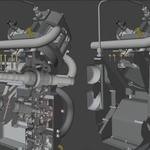
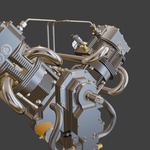

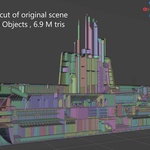
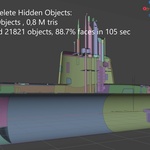
New in 2.0.1
Performance improvements: Optimized CUDA processing cuts processing time by around 25% on large scenes, with the same cleanup results.
New in 2.0
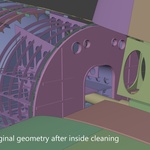
- Cleaner results on CAD models. The scattered leftover triangles and fragmented interiors some assemblies produced are gone. Lids, hatches, decals and other faces that lie flat on another surface now come out whole instead of as a checkerboard.
- Gap Tolerance. Parts that touch with a hairline seam no longer leak rays into the interior. Default 0.1 mm; raise it for rough imports. Real slots and openings stay open.
- Glass and transparent materials. Recognised automatically. What you can see through a window stays; the window itself is never deleted.
- Flush hatches, flipped normals, decals on hulls and housings are kept by the object pass.
- One button. Clean Up runs objects, then faces. The old Coarse / Fine / Precise choice and the tuning knobs are gone; the tool always runs at its most thorough setting.
- Preview buttons next to each Delete show exactly what would go before anything is removed.
- Min Island (optional) sweeps up tiny leftover fragments for a tidier look.
- CUDA on Linux as well as Windows.
Upgrading from 1.x: remove the old version first, then install 2.0. Free for existing customers.
New in 2.0.1
Performance improvements: Optimized CUDA processing cuts processing time by around 25% on large scenes, with the same cleanup results.
New in 2.0
- Cleaner results on CAD models. The scattered leftover triangles and fragmented interiors some assemblies produced are gone. Lids, hatches, decals and other faces that lie flat on another surface now come out whole instead of as a checkerboard.
- Gap Tolerance. Parts that touch with a hairline seam no longer leak rays into the interior. Default 0.1 mm; raise it for rough imports. Real slots and openings stay open.
- Glass and transparent materials. Recognised automatically. What you can see through a window stays; the window itself is never deleted.
- Flush hatches, flipped normals, decals on hulls and housings are kept by the object pass.
- One button. Clean Up runs objects, then faces. The old Coarse / Fine / Precise choice and the tuning knobs are gone; the tool always runs at its most thorough setting.
- Preview buttons next to each Delete show exactly what would go before anything is removed.
- Min Island (optional) sweeps up tiny leftover fragments for a tidier look.
- CUDA on Linux as well as Windows.
Upgrading from 1.x: remove the old version first, then install 2.0. Free for existing customers.
 Included
Includes 12 months of
- Support from kleinARt
- Product updates
Extend this product’s Support Period +12 months: 50% of product price
Have questions before purchasing?
Login to message
| Blender Extension Compatible | Yes |
| Sales | 20+ |
| Dev Fund Contributor | |
| Published | 5 months ago |
| Blender Version | 3.6 - 5.2 |
| Extension Type | Add-on |
| Render Engine Used | Arnold, Blender-Internal, Blender-Game-Engine, Cycles, Eevee, Freestyle, Luxrender, Mental-Ray, Octane, Vray, Yafaray |
| License | GPL |
Discover more products like this
real-time Polygon Reduction cleanup 3D model optimization mesh-reduction mesh cleanup delete inside faces cad decimate simplification inside cleanup tool