MergeTools
 Unik Studio



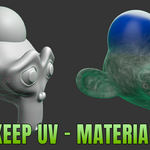
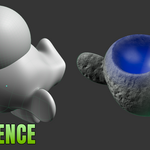
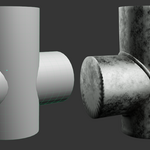
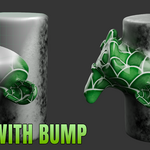
MergeTools Documentation
MergeTools is a non-destructive Blender 5.1+ add-on for boolean-style mesh merging, difference cuts, seam fillets, material blending, procedural weld beads, presets, and final mesh baking.
The add-on creates a live result object driven by Geometry Nodes. Your original source meshes are preserved as hidden source objects until you choose to bake the result.
Requirements
- Blender 5.1 or newer.
- Mesh objects as input. Curves, text, volumes, and other object types should be converted to mesh first.
- Local Blender execution only. MergeTools does not use online services.
Installation
- Download the MergeTools zip package from Superhive.
- Open Blender.
- Go to
Edit > Preferences > Get Extensions. - Choose
Install from Disk. - Select the MergeTools zip file.
- Enable
MergeTools.
You can also drag and drop the extension zip onto the Blender window if your Blender setup supports extension drag-and-drop installation.
Quick Start
- Select two or more mesh objects in the viewport.
- Right-click in the viewport.
- Open the
MergeToolscontext menu. - Choose
Merge with Non-destructiveorDifference with Non-destructive. - Select the generated result object.
- Open the N-panel and find the
MergeToolspanel. - Adjust the live settings until the result looks right.
- Use
Bake to Meshwhen you want final editable geometry, orRestore Original Objectsif you want to remove the generated result and bring the sources back.
Merge
Merge combines selected mesh objects into one live result. The source objects remain available behind the result, so moving or editing the sources can update the generated output before baking.
The Merge workflow uses the non-destructive engine by design. It keeps source UVs and materials where possible, then applies seam finishing controls on top of the boolean result.
Difference
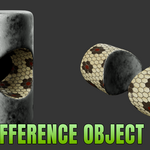
Difference cuts one object with another object or set of objects.
The active object is treated as the base object by default. Use Swap Objects (A<->B) when you want to reverse which object is the base and which object is the cutter.
Difference supports the same live junction controls as Merge. If you use the Remesh engine, remember that it creates a new remeshed surface and does not preserve UVs in the same way as the non-destructive engine.
Junction And Fillet Controls
The main seam controls are in the Junction / Fillet section.
-
Pre-Smooth: Adds Catmull-Clark smoothing before the boolean, useful for low-poly primitives. -
Fillet Radius: Controls the physical width of the rounded seam. -
Fuse Spread: Widens how far the seam transition feathers out. -
Tension: Changes whether the blend feels tight or soft. -
Fillet Bulge: Adds or carves a ridge at the seam. -
Surface Smooth: Applies an overall smooth relaxation to the result. -
Subdivision Surface: Adds extra source smoothing before the seam operation.
All feature-size calculations are scale-aware, so the same values are designed to behave consistently across small and large objects.
Weld Beads
The optional Weld section is collapsed by default. Open it when you want a raised procedural weld detail.
Enable Weld Bead to sweep a bumpy tube along the actual intersection seam edges. The weld is filtered by seam position and edge angle, so it follows real contact edges rather than every nearby surface.
Available weld controls:
-
Weld Size: Bead thickness. -
Weld Detail: Tube density and profile quality. -
Weld Noise: Ripple strength. -
Weld Material: Optional custom material for the bead.
If Weld Material is empty, MergeTools falls back to the source blend material when available, then to a generated dark-steel weld material.
Weld beads are not shown for the Remesh engine.
Materials And Seam Attribute
Blend Materials cross-fades two compatible node-based source materials across the junction. This works best with exactly two source objects that both use UV-based node materials.
Blend Amount controls the width of the material transition. Set it to 0 for a harder material cut.
Seam Mask (mt_seam) stores a 0..1 seam attribute that you can use in shaders for dirt, rust, wear, glow, or other seam-local effects.
Presets
MergeTools includes built-in presets for common looks:
Soft OrganicHard SurfaceWeld Joint
You can also save your own named presets. User presets are stored in Blender's configuration folder.
Scene List
The Merges in Scene list helps you jump between MergeTools results in the current scene. This is useful when working with multiple generated boolean results.
Bake To Mesh
Use Bake to Mesh when the result is ready for export, sculpting, cleanup, or downstream editing.
Baking applies the live Geometry Nodes result to real mesh geometry. When blend data is present, MergeTools converts internal attributes into standard UV and material data where possible.
After baking, the result is no longer procedural. Keep a saved file version if you may need to return to the live setup later.
Restore Original Objects
Use Restore Original Objects to remove the generated result and bring the hidden source meshes back into normal visibility.
This is the safest way to abandon a generated MergeTools result without manually hunting for hidden source objects.
Performance Notes
High subdivision, complex boolean intersections, material blending, and weld beads can be processor-intensive. For better viewport speed:
- Keep
Fillet Radiusmodest. - Keep
Pre-SmoothandSubdivision Surfaceas low as the model allows. - Enable
Weld Beadonly when you need the visible weld geometry. - Bake only after the result is visually approved.
Known Limitations
- MergeTools works on mesh objects only.
- Material cross-fade needs compatible node-based materials and works best with UV-based textures.
- Generated or Object texture coordinates cannot always be remapped cleanly onto a combined result.
- Very dense meshes and large boolean intersections can slow live updates.
-
Bake to Meshproduces final geometry and ends the live procedural state for that result.
Discover more products like this
blend mergetool Merge fusion merge object hard surface boolean fillet difference join non-destructive Geometry