 ArtBSculpt


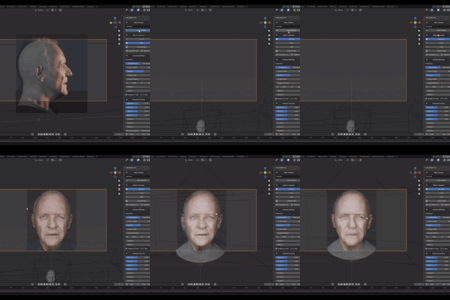
ModelRef — Camera-Based Reference Matching for Blender
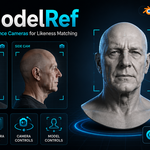
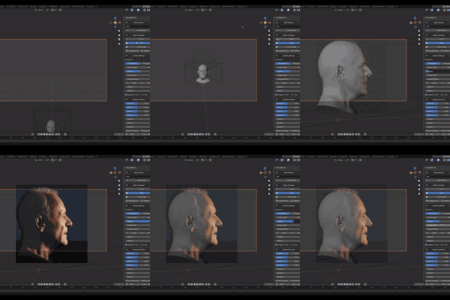
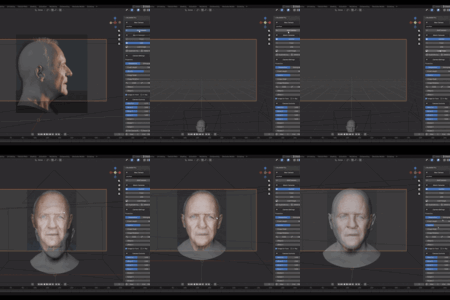
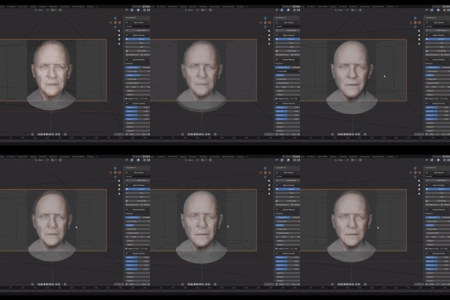
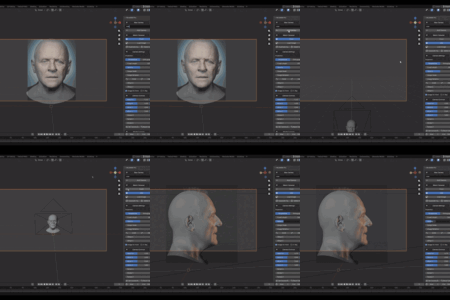
ModelRef is a Blender add-on designed to help artists match 3D models to reference images through organized, camera-based views.
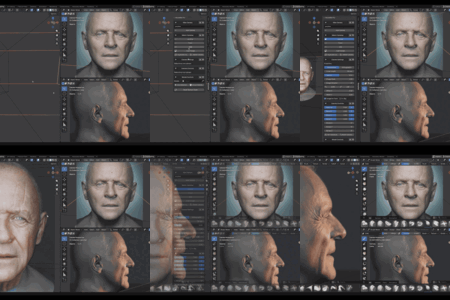
Instead of manually creating and managing image planes, ModelRef lets you create dedicated reference cameras, assign a different image to each camera, adjust every reference independently, and switch between views while modeling or sculpting.
It is designed for character artists, sculptors, likeness artists, portrait modelers, and anyone who needs an efficient workflow for comparing a 3D model against front, profile, back, and custom reference images.
Why Use ModelRef?
Working with multiple image planes can quickly become difficult to manage. ModelRef keeps reference images attached to dedicated Blender cameras and provides their most useful controls inside one clean panel.
Each ModelRef camera can preserve its own:
- Reference image
- Projection mode
- Focal length or orthographic scale
- Image opacity
- Image scale
- Image rotation
- Image offsets
- Camera View zoom
- Camera View pan
This makes it easy to move between references without losing the setup of each view.
Core Features Included in Lite and Pro
Dedicated Reference Cameras
- Create named reference cameras
- Activate cameras directly from the ModelRef panel
- Duplicate cameras and their reference setup
- Delete reference cameras
- Keep regular render cameras separate from ModelRef cameras
- Use local viewport cameras whenever possible to avoid replacing the main render camera
Per-Camera Reference Images
Each camera can have its own reference image and settings:
- Perspective or Orthographic projection
- Focal Length
- Orthographic Scale
- Opacity
- Image Scale
- Image Rotation
- Offset X and Y
- Image In Front
- X-Ray access for the current viewport
- Incremental 1-degree CCW and CW image rotation
Reference images are displayed as camera backgrounds, so ModelRef does not need to create additional image planes in the scene.
Independent Camera View Framing
Camera View zoom and pan are stored independently for each camera.
You can zoom or reposition the complete camera frame, switch to another camera, give it a different framing, and return to the first camera without losing its previous Camera View setup.
Automatic Focal Length Compensation
When the Focal Length of a Perspective camera changes, ModelRef automatically adjusts the camera distance to preserve the apparent framing of the target.
This works when changing the focal length from:
- The ModelRef panel
- Blender’s native Camera Properties
The model remains unchanged while the camera performs the compensation.
For very low focal lengths, ModelRef can temporarily reduce Camera Clip Start so the camera can move close enough to preserve the framing. The user’s original Clip Start value is restored when returning to a normal focal length.
Natural perspective distortion still changes when using very wide or very long focal lengths.
Orthographic cameras continue to use Orthographic Scale.
Improved Camera-to-Viewport Transition
When leaving Camera View and returning to the free viewport, ModelRef attempts to preserve:
- View orientation
- Visual distance
- Apparent model size
- A framing close to the active camera
The transition respects the viewport focal length selected by the user. ModelRef does not force the viewport to 50 mm or copy the camera focal length into it.
The system also reduces jumps and flickering when using middle-mouse navigation or Lock Camera to View.
Organized Scene Collection
All cameras created by ModelRef are automatically placed inside a dedicated collection named:
ModelRef Cameras
Existing ModelRef cameras are also moved into this collection automatically. Regular render cameras and unrelated scene objects remain untouched.
ModelRef Lite
ModelRef Lite provides a simple and efficient reference-camera workflow.
Lite Includes
- Up to 3 reference cameras
- One independent image per camera
- Perspective and Orthographic projection
- Focal Length control
- Orthographic Scale
- Image opacity
- Image scale
- Image rotation
- 1-degree CCW and CW rotation buttons
- Offset X and Y
- Image In Front
- X-Ray access
- Camera creation
- Camera selection
- Camera duplication
- Camera deletion
- Independent Camera View zoom and pan
- Automatic focal length framing compensation
- Automatic Clip Start adjustment for low focal lengths
- Improved Camera View to free viewport transitions
- Dedicated ModelRef Cameras collection
In Lite, focal compensation uses the World Origin as its framing target.
ModelRef Lite is ideal for artists who need a lightweight and organized reference workflow without advanced camera or model transformation controls.
ModelRef Pro
ModelRef Pro includes everything available in Lite and adds advanced tools for larger reference setups and production workflows.
Pro Includes
- Unlimited reference cameras
- Multi-View Setup
- Included Base Head
- Configurable camera shortcuts
- Advanced Camera Controls
- Advanced Model Controls
- Bidirectional transform synchronization
- Precision controls
- Camera and model baselines
- Composition Guides
- Reorderable panel sections
- Model-aware focal compensation
Multi-View Setup
Multi-View Setup provides predefined image slots for:
- Front
- Back
- Left Profile
- Right Profile
- Left +45°
- Right -45°
Choosing an image automatically creates and orients the corresponding reference camera.
If a slot already has a camera, selecting another image updates the existing camera instead of creating a duplicate. Empty slots do not create cameras, and each generated camera can be removed individually.
Multi-View cameras:
- Look toward the World Origin
- Are placed at a fixed distance of 6 Blender units
- Are not affected by the number or size of other scene objects
- Use Left and Right labels based on the visible anatomical side of the model
You can still create unlimited custom cameras outside the Multi-View system.
Included Base Head
ModelRef Pro includes a Base Head that can be imported directly from the panel.
The import system:
- Loads the bundled Base Head FBX
- Keeps the mesh objects
- Removes unnecessary cameras, lights, and helpers from the FBX
- Automatically assigns the imported head as the active ModelRef model
- Prevents duplicate Base Head imports in the same scene
The Base Head is optional. You can assign your own model at any time.
Advanced Camera Controls
Each ModelRef Pro camera includes:
- Near/Far camera movement
- Move X
- Move Y
- Move Z
- Rotate X
- Rotate Y
- Rotate Z
- Precision mode
- Set Camera Base
- Reset Camera Controls
Bidirectional Camera Synchronization
Camera Controls remain synchronized with Blender:
- Moving or rotating the camera from ModelRef updates Blender’s native transform properties
- Editing Location or Rotation directly in Blender updates the ModelRef controls
Focal compensation is also reflected in Camera Controls, primarily through Near/Far.
Camera Precision
The P toggle provides finer control over Near/Far and Move X, Y, and Z.
Turning Precision on or off changes the sensitivity of the controls without moving the camera or producing a transform jump.
Camera Baseline
Set Camera Base saves the camera’s current position and rotation as a new zero point without moving it.
Reset Camera Controls returns the camera to that saved baseline.
Advanced Model Controls
ModelRef Pro can control a single object or an entire group of model parts.
Model selection options include:
- Select a model from the object field
- Use Selected as Model
- Group Selected as Model
Group Selected as Model creates an Empty controller and parents the selected meshes or subtools while preserving their world transforms.
Model Controls include:
- Rotate X
- Rotate Y
- Rotate Z
- Near/Far
- Side Offset
- Vertical Offset
- Uniform Model Scale
- Independent Precision toggles
- Set Model Base
- Reset Model Controls
Bidirectional Model Synchronization
- Changes made through ModelRef update Blender’s Location, Rotation, and Scale
- Transform changes made directly in Blender update the ModelRef controls
- Precision can be enabled or disabled without moving or scaling the model
Model Baseline
Set Model Base stores the model’s current transformation as its new starting point.
Reset Model Controls returns the model to that baseline.
Model-Aware Focal Compensation
In Pro, automatic focal compensation uses the center of the assigned model as its target.
When the model is made from multiple objects grouped under an Empty, ModelRef can include the descendant meshes when calculating the framing center.
The camera moves along its optical axis while the model remains unchanged.
If no model is assigned, the World Origin is used as a fallback.
Camera Keyboard Shortcuts
Every Pro camera can have its own keyboard shortcut.
Supported keys:
- Number keys 1 through 9
- Ctrl, Alt, and Shift modifiers
- Combinations of modifiers
ModelRef recommends:
- Alt+Shift+1
- Alt+Shift+2
- Alt+Shift+3
- Up to Alt+Shift+9
Shortcuts are not assigned automatically. Unassigned cameras display a suggested shortcut with a question mark.
Once a shortcut is assigned, its button appears active or highlighted.
The shortcut system:
- Requires at least one modifier
- Prevents duplicate assignments
- Protects Blender’s Ctrl+number shortcuts
- Rebuilds shortcuts when a Blender file is opened
- Removes shortcuts from duplicated cameras to prevent conflicts
- Allows cameras to be changed directly from the 3D View without opening the N-panel
Composition Guides
ModelRef Pro provides quick access to Blender’s native Composition Guides.
The Guides control activates:
- Thirds
- Center
- Center Diagonal
When supported by the Blender version, the native guide color can also be edited directly from the ModelRef panel.
Changes made through Blender’s Camera Properties are reflected in ModelRef.
Customizable Pro Panel
The following sections can be collapsed and reordered:
- New Camera
- Match Cameras
- Camera Settings
- Camera Controls
- Model Controls
Use the arrow buttons to move sections up or down. The order is stored in the Blender scene and can be restored with the Reset Section Order button.
Basic Workflow
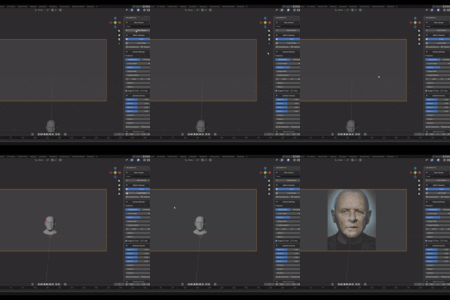
- Open the ModelRef panel from the 3D View sidebar.
- Create a reference camera or use Multi-View Setup in Pro.
- Load an image into the camera.
- Select Perspective or Orthographic projection.
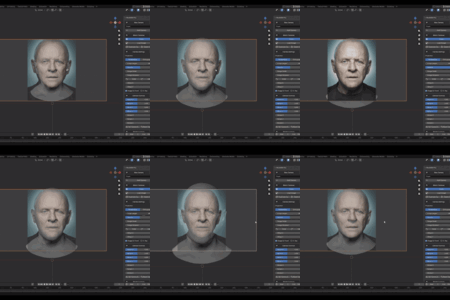
- Adjust focal length, opacity, image scale, rotation, and offsets.
- Create additional cameras for other views.
- Assign your model in Pro if you want model controls and model-aware framing.
- Switch between cameras using the panel or Pro keyboard shortcuts.
- Continue modeling or sculpting while comparing the model against each reference.
Ideal For
- Character modeling
- Likeness sculpting
- Portrait studies
- Bust sculpting
- Anatomy studies
- Creature design
- Product reference matching
- Multi-angle reference workflows
- Portfolio work
- Production modeling
Important Notes
ModelRef is a manual reference-matching workflow tool.
It does not:
- Automatically create a likeness
- Automatically align the model
- Detect facial landmarks
- Modify mesh geometry automatically
- Remove the natural perspective distortion caused by different focal lengths
ModelRef gives artists a cleaner, faster, and more organized way to manually compare and adjust their models using dedicated camera-based references.
Compatibility
- Blender 4.2 or newer
- Windows
- Linux
- macOS
- Blender Extension format
- License: GPL-3.0-or-later
