ModelRef
 ArtBSculpt


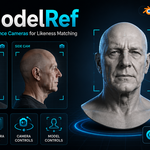
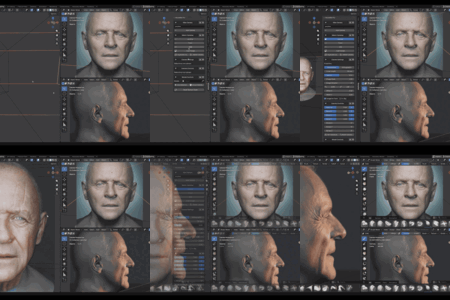
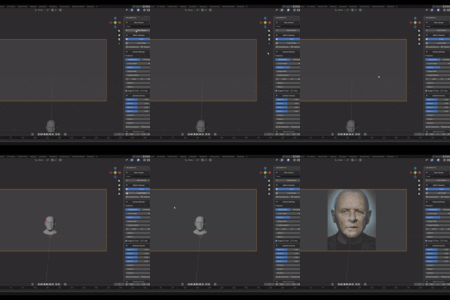
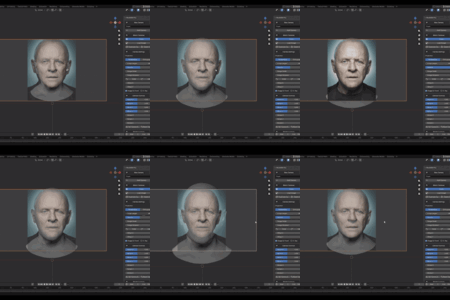
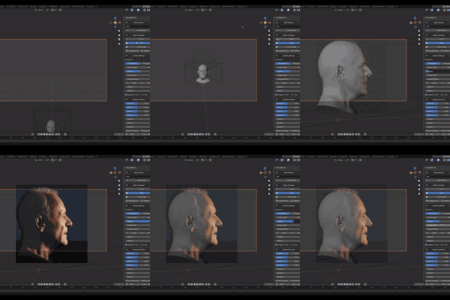
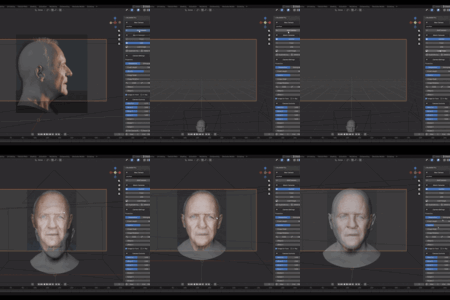
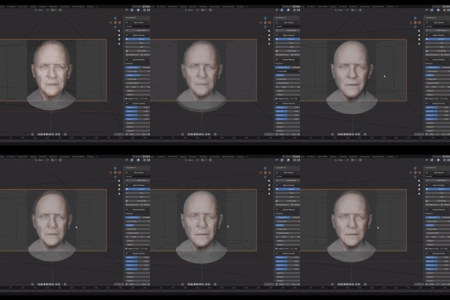
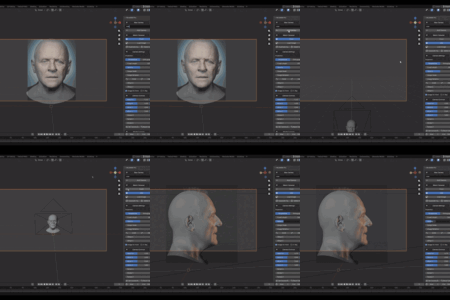
ModelRef Lite 1.3.0
New Features
- Added automatic focal length framing compensation.
- Changing the Focal Length now automatically adjusts the camera distance to preserve the apparent framing around the World Origin.
- Focal compensation works from both ModelRef and Blender's native Camera Properties.
- Added automatic Clip Start adjustment for extremely low focal lengths.
- The user's original Clip Start value is restored when returning to a normal focal length.
Improvements
- The model remains unchanged while the camera performs the focal compensation.
- New, existing, and duplicated ModelRef cameras initialize focal tracking correctly.
- Improved viewport refresh after focal changes.
- Added protection against recursive camera updates.
Notes
- ModelRef Lite uses the World Origin as the focal compensation target.
- Focal compensation applies to Perspective cameras.
- Orthographic cameras continue to use Orthographic Scale.
- Extremely low focal lengths still produce their natural perspective distortion.
New Features
- Added automatic transitions from Camera View to the free viewport while preserving similar framing, orientation, visual distance, and the viewport focal length.
- Added automatic organization of reference cameras inside the dedicated “ModelRef Cameras” collection.
- Regular Blender render cameras are now kept separate from ModelRef reference cameras.
Fixes and Improvements
- Fixed reference images disappearing when activating or switching cameras.
- Preserved existing and legacy background images when no internal image path is stored.
ModelRef Lite 1.1.1
Compatibility Fixes
- Fixed ZIP paths for Linux, macOS, and Windows compatibility.
- Fixed Linux installation and package import errors.
- Removed sys.path modifications to comply with Blender Extension policies.
- Updated internal imports for proper extension package loading.
- Confirmed support for Blender 4.2 and newer.
ModelRef Lite 1.1.0
- Added independent Camera View framing for every reference camera.
- Each camera now remembers its own viewport zoom and frame position.
- Added perspective and orthographic projection support.
- Improved per-camera reference image controls.
- Improved camera duplication and switching workflow.
- Supports up to three reference cameras.
- Updated to the Blender Extension format.
- Added GPL-3.0-or-later license metadata.
- Compatible with Blender 5.0 and newer.
ModelRef Pro 1.4.0
New Features
- Added automatic focal length framing compensation.
- Changing the Focal Length now automatically adjusts the camera distance to preserve the model's apparent framing.
- Focal compensation works from both ModelRef and Blender's native Camera Properties.
- The assigned model is used as the framing target, including child meshes in grouped models.
- Camera Controls automatically reflect the compensation through Near/Far.
- Added automatic Clip Start adjustment for extremely low focal lengths.
- The user's original Clip Start value is restored when returning to a normal focal length.
Improvements
- The model remains unchanged while the camera performs the focal compensation.
- Expanded Camera Controls movement ranges for large focal adjustments.
- New, existing, and duplicated ModelRef cameras initialize focal tracking correctly.
- Improved synchronization and viewport refresh after focal changes.
- Added protection against recursive camera updates.
Notes
- Focal compensation applies to Perspective cameras.
- Orthographic cameras continue to use Orthographic Scale.
- Extremely low focal lengths still produce their natural perspective distortion.
New Features
- Added a collapsible Multi-View Setup for Front, Left Profile, Right Profile, Back, Left +45°, and Right -45° reference cameras.
- Selecting an image creates or updates its corresponding Multi-View camera.
- Multi-View cameras are correctly oriented and positioned 6 units around the World Origin, independently of other scene objects.
- Added Composition Guides for Thirds, Center, and Diagonal, including guide color where supported.
- Added bidirectional synchronization between ModelRef Camera Controls and Blender camera transforms.
- Added bidirectional synchronization between ModelRef Model Controls and Blender Location, Rotation, and Scale.
- Added automatic organization of reference cameras inside the dedicated “ModelRef Cameras” collection.
- Added stable transitions from Camera View to the free viewport while preserving similar framing, orientation, visual distance, and the viewport focal length.
Fixes and Improvements
- Fixed reference images disappearing when switching cameras with keyboard shortcuts.
- Preserved existing and legacy background images when no internal image path is stored.
- Prevented
Ctrl + numbershortcut conflicts and addedAlt + Shift + numberrecommendations. - Fixed Precision toggles moving the camera or model.
- Fixed Set Camera Base incorrectly moving or resetting the camera.
ModelRef Pro 1.1.3
Compatibility Fixes
- Fixed ZIP paths for Linux, macOS, and Windows compatibility.
- Fixed Linux installation and package import errors.
- Removed sys.path modifications to comply with Blender Extension policies.
- Updated internal imports for proper extension package loading.
- Confirmed support for Blender 4.2 and newer.
ModelRef Pro 1.1.2
- Added independent Camera View framing for every reference camera.
- Each camera now remembers its own viewport zoom and frame position.
- Added configurable keyboard shortcuts for instant camera switching.
- Added recommended shortcuts from Alt + Shift + 1 through Alt + Shift + 9.
- Added a blue indicator for assigned shortcuts.
- Unassigned shortcut recommendations are displayed in gray with a question mark.
- Shortcut assignments are stored with each camera in the .blend file.
- Added a bundled base head mesh with one-click import.
- The bundled base head is automatically assigned as the active model.
- Added duplicate prevention for the bundled base head.
- Added perspective and orthographic projection support.
- Updated to the Blender Extension format.
- Added GPL-3.0-or-later license metadata.
- Compatible with Blender 5.0 and newer.
Have questions about this product?
Login to message
| Blender Extension Compatible | Yes |
| Sales | 10+ |
| Published | 4 months ago |
| Blender Version | 4.2 - 5.1 |
| Extension Type | Add-on |
| Render Engine Used | Cycles, Eevee |
| License | GPL |

Discover more products like this
model matching sculpting likeness reference cameras camera-tools #Character Modeling blender addon 3d modeling bust sculpting Workflow Reference images portrait sculpting