PaletteGrid
 SavedPixel


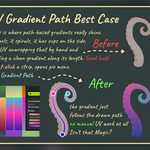
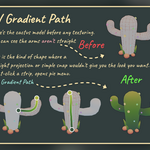
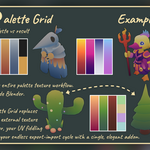
Who is Palette Grid for?
Anyone doing stylized, low-poly, mobile-optimized, or palette-driven 3D work who wants the visual range of gradient textures without spending most of their time in the UV editor. Game artists, asset creators, and studios who care about texture performance and iteration speed.
Is this just gradient texturing?
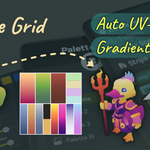
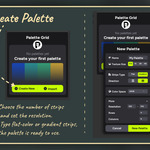
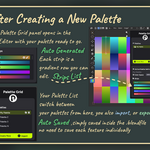
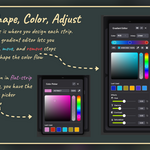
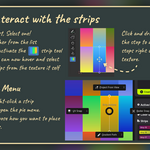
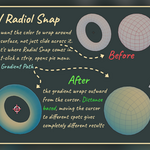
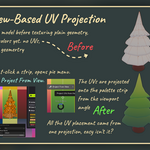
Gradient texturing is the underlying technique: using compact palette textures with organized gradient strips to simulate lighting and color at a fraction of normal texture cost. Palette Grid is the Blender addon that makes the technique practical: palette creation, live editing, visual strip selection, one-click UV snapping, view projection, radial placement, and path-based gradient mapping. The technique is free. The speed is what you are paying for.
How much VRAM does gradient texturing actually save?
A single 1K texture uses roughly the same GPU memory as 40,000 or more vertices. Replacing unique high-resolution textures with a shared 128px palette can cut texture memory by over 95 percent per asset.
Does it work on existing UV maps?
Yes. It can auto-create UVs if the mesh has none, and it works alongside existing UV setups. You select the faces you want to texture, pick a strip, and snap.
Does it work with Unity, Unreal, or Godot?
The palette textures are standard PNGs, so they work in any engine.
The addon itself runs inside Blender. The output is engine-agnostic; you texture in Blender, then export your model and palette PNG to whatever engine you use.
Can I use it for commercial projects?
Yes. Assets created with Palette Grid are yours. No royalties, no attribution required.
Do I get free updates?
Yes. All updates for V1 are included with your purchase.
Which Blender versions does Palette Grid support?
Blender 4.2 To 5.1
What is the difference between free PNG palettes and .pgridpalette (json) packs?
Free PNGs work everywhere but are just images. The .pgridpalette format includes strip metadata, gradient stop positions, and enables one-click snapping, live editing, and instant palette swapping inside Palette Grid.
What texture resolution should I use?
Default presets range from 512px to 4K, but you can enter any custom resolution and strip count you want. For most stylized game art, 128 to 512px is more than enough. That is the whole point of the technique: tiny textures, full visual range.
Can I have multiple palettes in one scene?
Yes. Different objects can reference different palette textures in the same scene.
Can I use my own palette textures with the addon?
Yes. You can import a JSON version of your palette into Palette Grid, and converting your existing palette is straightforward. Once imported, you get the full workflow: strip metadata, one-click UV snapping, and live editing. Palette Grid also lets you create palettes from scratch inside Blender if you prefer to start fresh.
Discover more products like this
gradient editor texture Palette color color picker Texture Painting color-palette gradient uv mapping color-scheme automatic uv unwrap uv