LAN / GROW:Make Anything Grow,Nature in Motion,Procedural Plants|Create|Scatter|Grow|Bloom
 Lan Er


Fixed some bugs in the plugin panel and presets
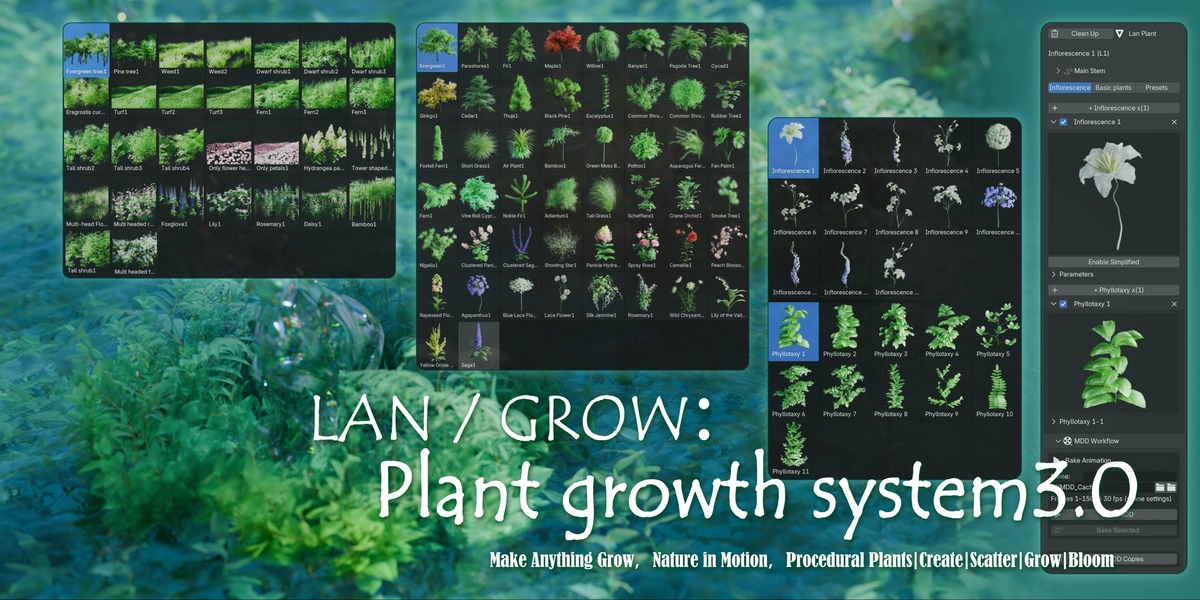
Lan Library series plant system plug-in version 3 has been released.
I sorted out your suggestions on the use, and carefully polished out a more easy to use plug-in version. Even blender beginners can also create enough silky and delicate plant growth and flowering animation through simple operation.
Advantages after plug-in:
1. after the plug-in is enabled, the system will automatically load the default node and assets.
2. there is a clean up button, which can automatically delete all nodes and built-in assets of plug-ins, and retain baked animation and non plug-in assets, which means that you can enable or close plug-ins at any time in other projects, and do not use computer memory.
3. the default inflorescence, leaf order and preset can be selected through the thumbnail list, which is more intuitive and can be customized and modified for all parameters.
4. when making a plant, two sets of plug-ins can add a variety of inflorescences or leaf orders to the plant, which is conducive to creating more complex plants or animations.
5. the plug-in panel is equipped with a basic leaf sequence entrance, which can quickly create a green plant growth animation.
6. set the one-step function key of MDD baking. When you have made a plant, customized the name and saved the path, you just need to click the "MDD baking" button, and you can complete the tedious operations such as "export MDD baking file, application node, replica, rename, load baked animation file", super simplify the workflow, and there will be a system prompt after the baking process.
7. both single plant and scattered growth plug-ins can make a variety of plants at the same time. You can copy the system nodes many times and customize parameters on the panel, without mutual interference, and set the "MDD batch baking" function key. If it's flower arrangement, you can complete all the plants in the flower arrangement at one time. If it's to make distributed growth animation, you can add all the vegetation at one time and batch bake animation copies with one key.
Some bug's have been fixed. In order to make it easier to distribute different plants in different regions, a simple "use weight / Vertex Group" node group has been added in version 2.5. You can brush weights on distributed objects and store vertex groups. Each plant distributed can be aimed at one of the vertex groups, simplifying the production process
Thank you for your support and valuable feedback and suggestions during use,
The Lan Library plant system has recently undergone a major update
Have questions about this product?
Login to message
| Sales | 10+ |
| Rating | 1 ratings |
| Published | 5 months ago |
| Blender Version | 5.0 |
| Render Engine Used | Cycles, Eevee |
| Misc Data | Uvs-Unwrapped, Animated, Low-High-Resolution, Normal-Mapped, Textured |
| License | Royalty Free |

Discover more products like this
3d nature creator flower plant Flowering animation curve growth plant growth tree 3DScatter plant-scatter