Pulse
 Axis Interactive
## [1.1] - Oct 12 2026
- NEWLY ADDED SCULPTING MASKS PIE
- invert mask button
- clear mask button
- live action grow/ shrink mask button
- Mask lasso: front only and through object button, differentiated by alt behavior
- Face Sets lasso: front only and through object button, differentiated by alt behavior
- Mask Polyline: front only and through object button, differentiated by alt behavior
- Face Sets Polyline: front only and through object button, differentiated by alt behavior
- Automask Face Sets toggle button
- live action grow/ shrink face sets button
- SHADING PIE
- Autoshade now is an alternate behavior of the smooth/ flat button
- Random Object Colors button has been renamed to Random Colors
- face orientation and normal hairs buttons have been merged. normal hairs is now an alt behavior
- a new button called texture color now toggles the texture in solid shading view
- toggle button for face sets in sculpt mode
- toggle button for masks in sculpt mode
- BG TRANSPARENCY BUTTON
- renamed the BG Transparency button to Quick Background
- added an alternate behavior of setting the background to a gradient
- added a restore to default behavior for the quick background button
- added smart button labels to reflect current state
- MATERIALS
- a new PBR map base preset
- a new ORM map base preset
- SCENE BUILDING > ADD CAMERA
- Vertical formats added as alternate behaviors to each button
- fixed a bug with undo after adding cameras in this way
- INFO AND RESOURCES
- added new entries and reorganized this section of the N panel
- QUICK NOTES
- added a delete notes button with a confirmation pop up, which allows the user to restart and update the notes with the latest Pulse default notes.
- added a few notes to the default sculpting section
- SELECTIONS PIE
- vertex painting context
- select linked
- live/ interactive grow and shrink
- select unpainted
- select gradient
- select by color
- face context
- live/ interactive grow and shrink
## [1.0.0] - 2026-09-03
Initial release. Requires Blender 5.0 or later.
### Added
**Pie menus — ~21 keybinds, 400+ features**
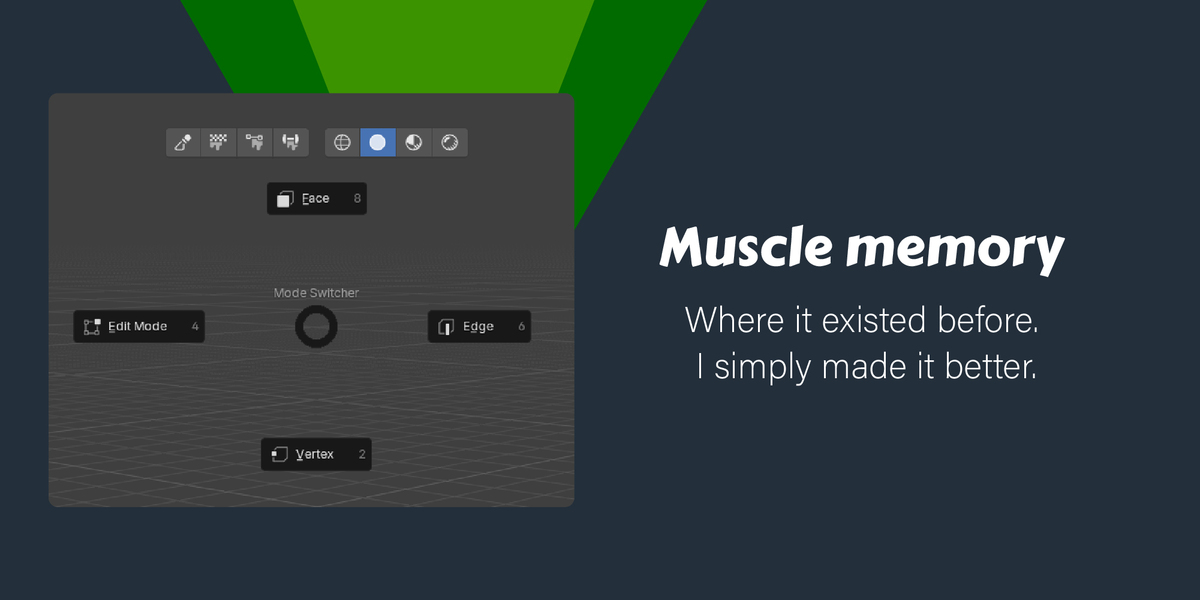
- `Tab` — Any mode: Mode Switcher (mode switching between Object, Edit, Sculpt, Paint, Pose, GP modes)
- In Dopesheet / Graph Editor / NLA Editor: Anim Editor Switcher (switch between Timeline, Dopesheet, Graph Editor, Drivers, NLA)
- `D` — context-sensitive by mode:
- Sculpt: Sculpt Brushes
- Object: Object Management (duplicate, materials, groups, gizmos, rename)
- Edit (face): Face Tools
- Edit (edge): Edge Tools
- Edit (vertex): Vertex Tools
- Armature / Pose: Rigging Tools
- Weight Paint: Weight Paint
- Vertex Paint: Vertex Paint
- Texture Paint: Texture Paint
- GP Draw: GP Draw
- GP Edit: GP Edit
- Dopesheet / Timeline: Channel Editability
- Graph Editor: Channel Editability
- `Alt+D` — Sculpt: Cloth Brushes
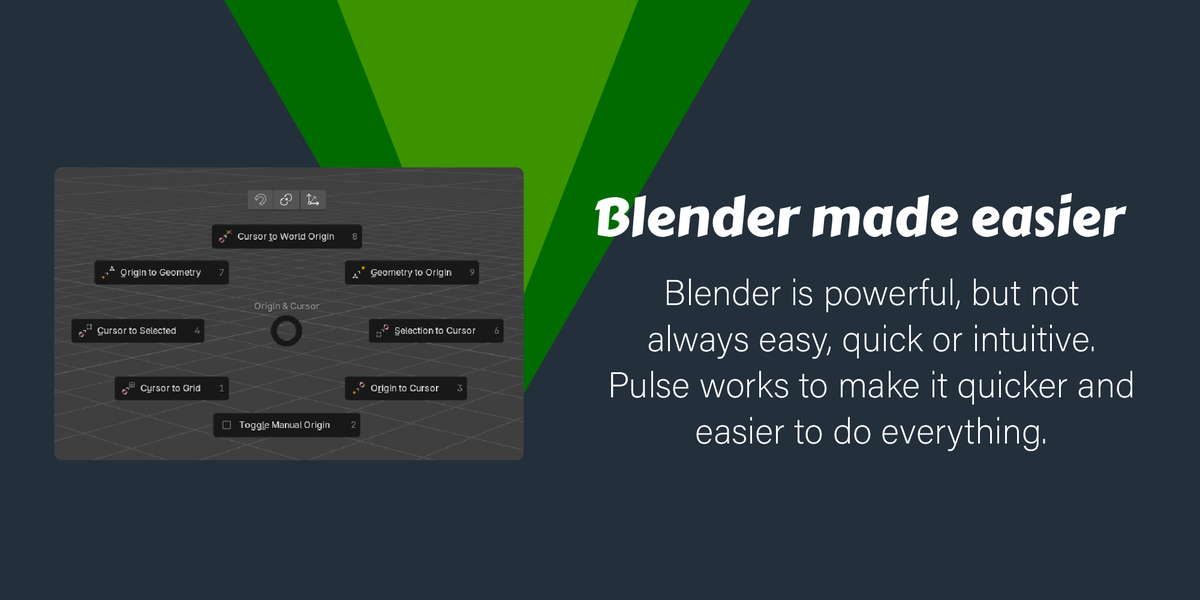
- `Shift+D` — Object / Edit / Pose: Origin & Cursor
- `E` — 3D View / Dopesheet / Graph Editor / NLA Editor: Animation Nav (playback, frame jump, playhead snap)
- `Shift+E` — Edit (edge): Seams, Sharps, Creases, Bevel Weights
- `F` — context-sensitive:
- 3D View (Object / Edit mode): Modifiers
- Dopesheet / Timeline: Animation Keyframe (insert, duplicate, frame all, interpolation, markers)
- `Shift+F` — 3D View (Object / Pose mode): Animation quick-insert (keyframe, location, rotation, scale, keying set picker, delete)
- `W` — Any: Selections (all, none, invert, linked, grouped, by type)
- `X` — Edit / Armature: Delete Components (vertices, edges, faces, dissolve)
- `Z` — Any: Shading (smooth, flat, auto smooth; x-ray, face orientation, normals, retopology overlay)
- `Shift+Z` — Any: Overlays (overlays toggle, sidebars, focus mode, grid, fullscreen)
- `Ctrl+A` — Object / Edit: Transforms (apply location, rotation, scale; reset; apply all; make single user)
- `Shift+A` — Object: Scene Building (mesh, curve, GP, camera, light sub-pies); Edit: Mesh Building (symmetrize, mirror, normals, snap)
- `Shift+C` — Object / Pose: Parenting & Constraints
- `Shift+Q` — Any: Pulse Pie (customizable favorites)
- `Shift+S` — Object: Physics
- `Shift+V` — Any: Isolations & Views (frame selected/all, hide/show toggle, ortho views, quad view)
- `` ` `` — Any: Annotation
- `Ctrl+Shift+A` — Graph Editor: Graph Editor (key and channel operations)
- `Ctrl+Shift+F` — Any editor: File (save, open, append, link)
- `Ctrl+Shift+Wheel` — Circle Select Tool: grow / shrink selection radius
- `F` / `Shift+F` — Vertex Paint: brush size / strength radial control (fixes a Blender 5.1 default keymap bug)
**Selections**
- Context sensitive pie menus bound to W key with native blender features
- New scroll-wheel-based cursor size modification for the circle select tool
**Sculpt tools**
- Full brush library with dynamic tooltips per brush
- Cloth brushes sub-pie with Remesh
- Sculpt Tools sub-pie: Remesh, Dyntopo, matcap picker, symmetrize modal, multires, voxel/dyntopo size modals, Rebuild BVH
- Symmetry X quick toggle (Shift+click for full axes sub-pie)
- Dyntopo Detail drag modal with live grid visualization
**Rigging**
- Edit Armature and Pose pie menu branches each with 8 independent slots
- Bone Roll nested pie (Recalculate / Set / Clear)
- Bone Names nested pie (Auto-name, Flip Names, Rename Active)
- Bone Collections, Bone Type, Snap, and Bone Display sub-pies
- IK add/remove in Pose mode
- In-Betweens pie (Breakdown, Push/Relax, Blend, Pose Asset)
**Scene building**
- 5 nested add pies: Mesh, Curve, Grease Pencil, Camera, Light
- Grid modal operator: live X/Y subdivision control via scroll wheel, GPU HUD
- Smart camera button — creates 1 of 4 realistic camera options, then switches to unlock view when looking through a locked camera
- Snap, pivot, and orientation quick-access icon row
- Quad sphere (high and low res) added to the native Add Mesh menu
**Paint modes**
- Weight Paint pie with full brush and normalize controls
- Vertex Paint pie with brush sub-pie, 8 unique color presets, and face/vertex mask toggle
- Texture Paint pie with draw, clone, smear brushes and symmetry
**Animation**
- Animation Nav pie shared across 3D View, Dopesheet, Graph Editor, and NLA
- 3D View animation pie: quick keyframe insert, per-channel inserts (location, rotation, scale), keying set picker, delete
- Dopesheet animation pie: keyframe insert, duplicate, frame all/selected, interpolation mode, markers
- Channel Editability pie for locking/unlocking animation channels (Dopesheet and Graph Editor)
- Anim Editor Switcher: jump between Timeline, Dopesheet, Graph Editor, NLA, and Drivers via Tab
- Graph Editor dedicated pie (key and channel operations)
**Object tools**
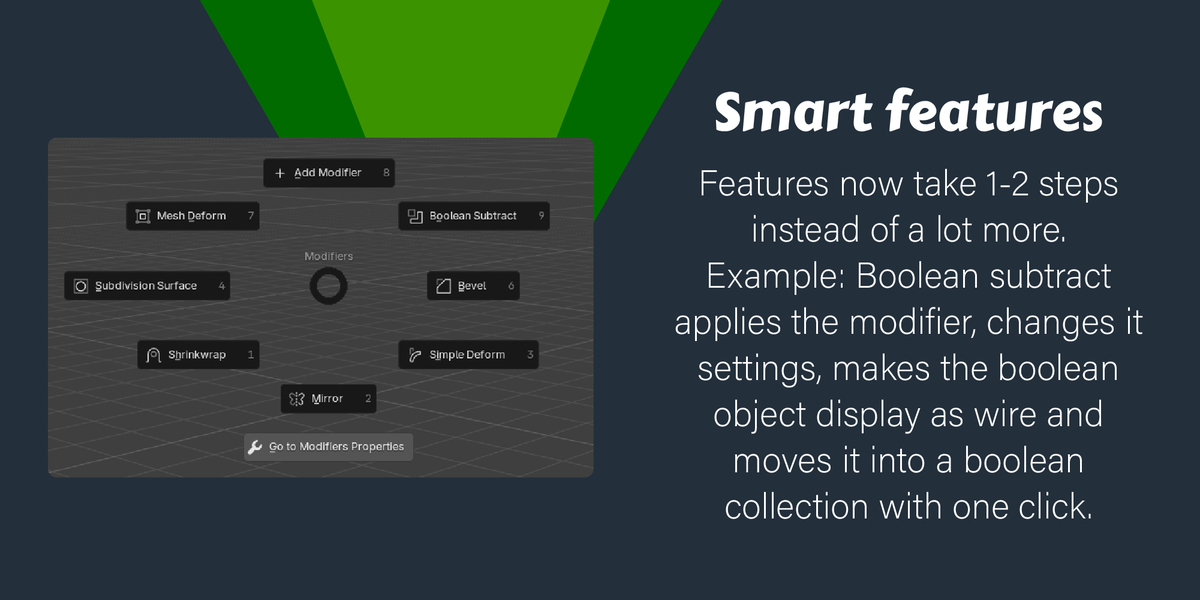
- Boolean subtract with cutter collection management (Shift+click to toggle collection visibility)
- Mirror modal with interactive axis-based application
- Shrinkwrap operator (active receives modifier, other selected = target)
- Context-sensitive Rename: single object = inline field, multiple = shared base name dialog
- Mesh Deform cage creation and binding of custom cages
- Add Bevel Modifier and Simple Deform shortcuts
**Materials**
- Material Manager N-panel: live search, assign, add, remove, purge unused
- Open in Shading — auto-creates Quad Sphere High preview when needed
- Material Add with Alt+click texture-paint bump node setup
- Material file I/O: import materials, import/export assets, link, append
**Encircle Verts**
- Native circularize operator — no LoopTools dependency
- Boundary-vert fit prevents face-selection crescent artefact
**Wireframe Render**
- Toggle wireframe render mode with one click
- Settings popup with wire colour and line thickness controls
- Auto-installs Pulse matcap on first use
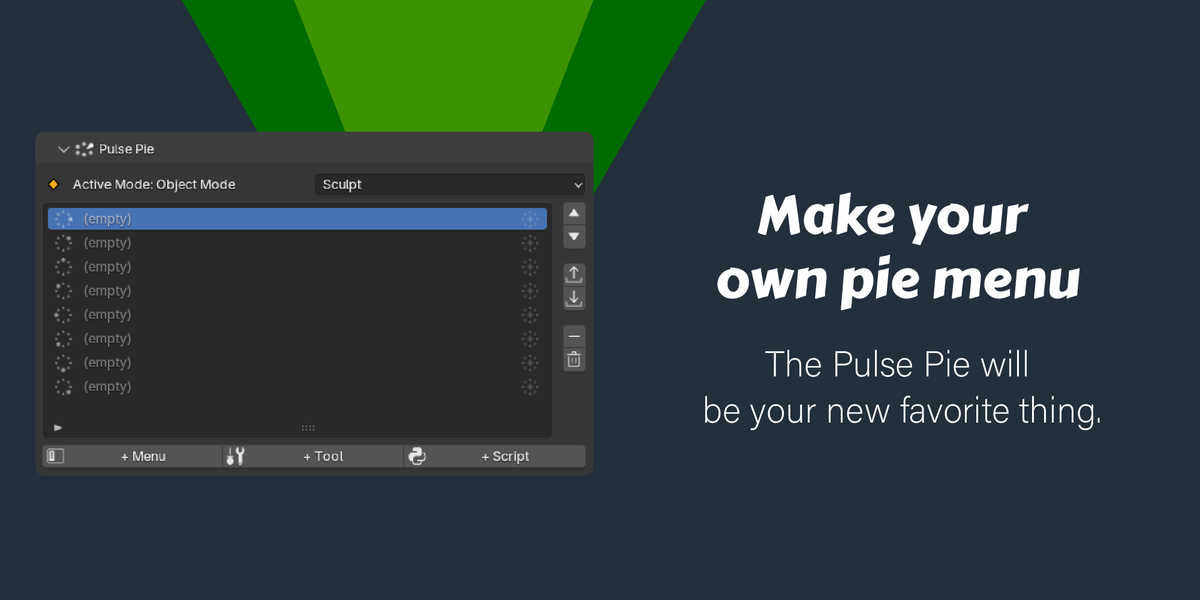
**Pulse Pie (Shift+Q)**
- Fully configurable quick-access pie per context (Object, Edit, Sculpt, etc.)
- Supports operators, menus, tools, brushes, and nested sub-pies
- Custom icon support with built-in icon browser and menu browser
- Import / export pie configuration as JSON
- Compass direction icons in the UIList
**N-Panel (Pulse tab)**
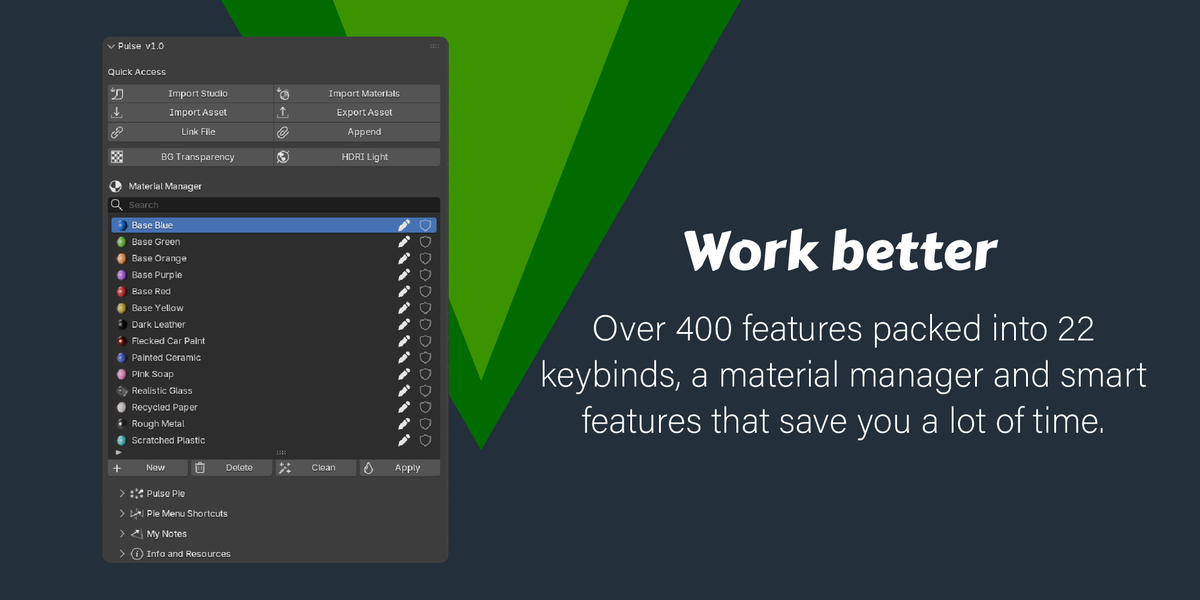
- Quick Access section: Import Studio, Import Materials, Import/Export Asset, Link, Append, HDRI Light, BG Transparency
- Material Manager section: live search, UIList, New/Delete/Clean/Apply buttons
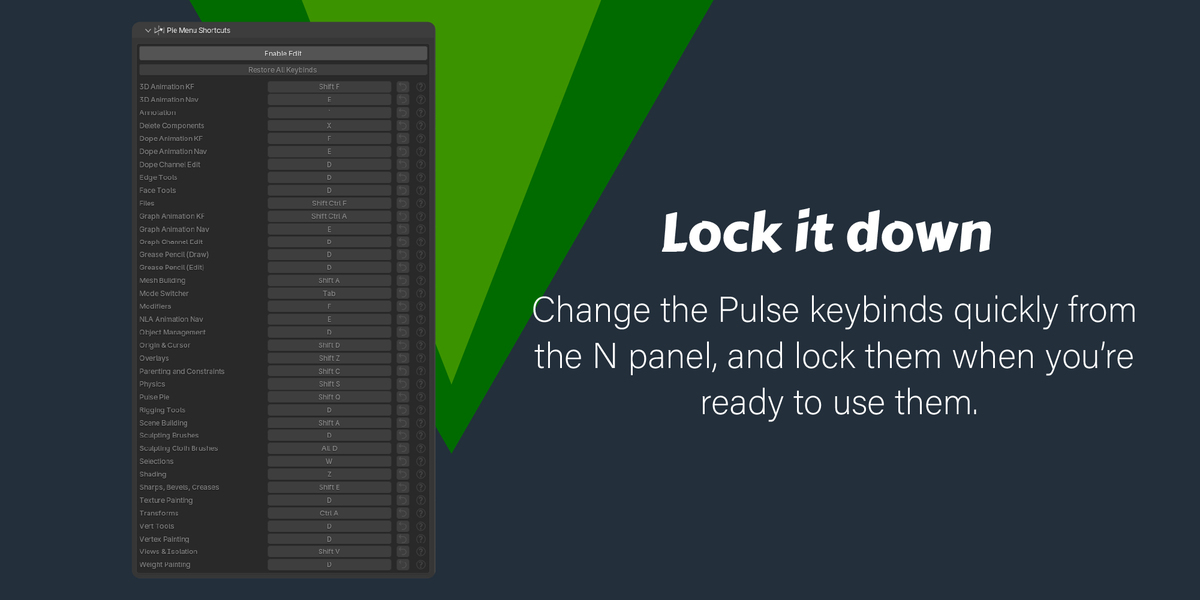
- Pie Menu Shortcuts sub-panel: click-to-capture keybind editor for every pie, Restore All button
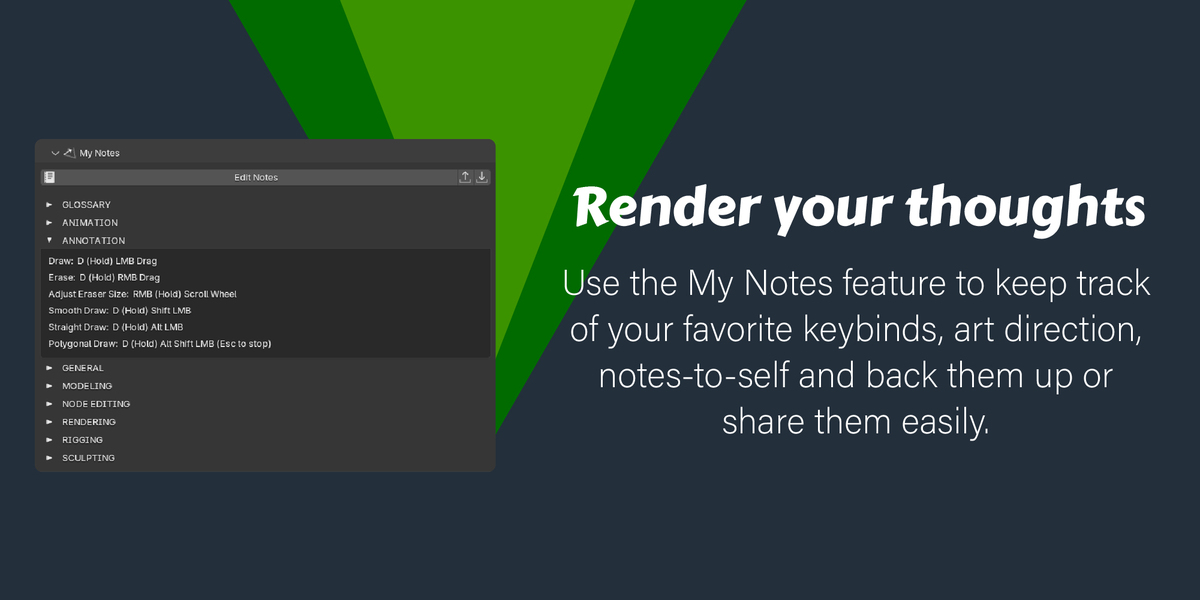
- My Notes sub-panel: user-editable plain-text notepad stored in the Blender config folder; `[SECTION]` headers become collapsible disclosure rows; `#` lines are hidden comments; Edit Notes button opens a dedicated workspace (Text Editor); auto-saves to `pulse_notes.txt` on every Ctrl+S; Export and Import buttons for sharing notes between machines
- Info & Resources sub-panel
**Modifier Properties panel**
- Pulse button strip prepended above the native modifier stack: Apply All, Delete All, Toggle All Visibility, Collapse/Expand All
**Status bar**
- Last-saved time shown in the bottom status bar
- Alert color activates after a user-defined number of minutes
- Toggle and threshold configurable in Preferences
**Preferences**
- Per-pie enable/disable toggles
- Click-to-capture keybind editor for every pie
- Restore individual keybinds or all at once
- Save-time indicator settings
Have questions about this product?
Login to message
| Dev Fund Contributor | |
| Published | 29 days ago |
| Blender Version | 5.0 - 5.2 |
| Extension Type | N/A |
| Render Engine Used | Cycles, Eevee |
| License | GPL |
Discover more products like this
custom-pie-menus smart Lighting sculpting efficiency pie menus timesaver modeling rendering pulse productivity Blender improvements