 Mendworks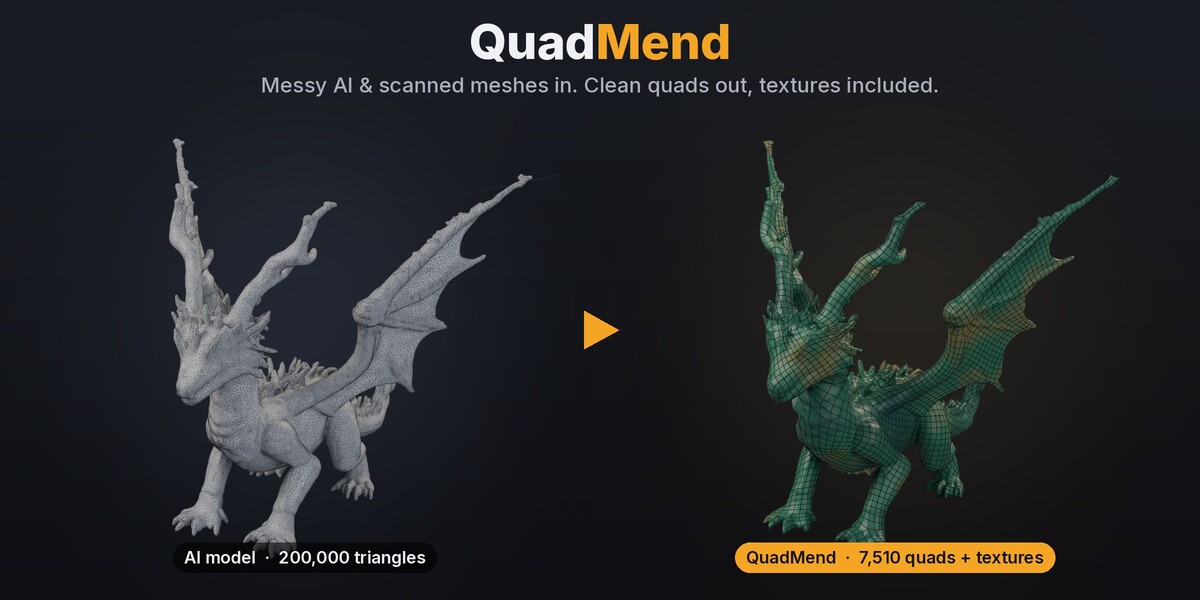
Clean quads from messy AI and scanned models
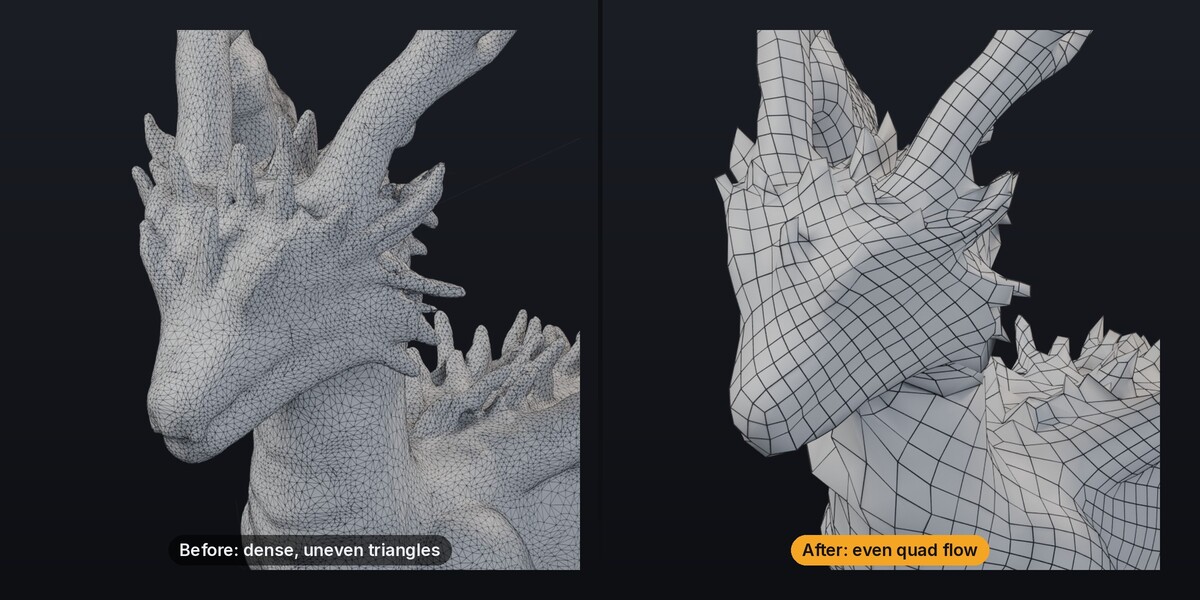
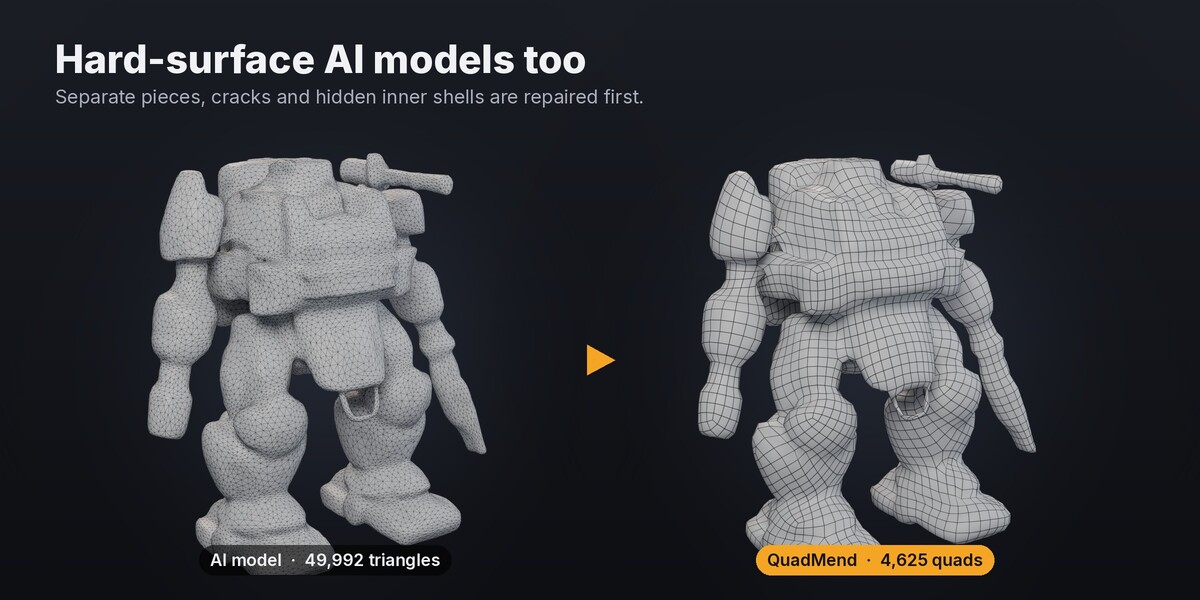
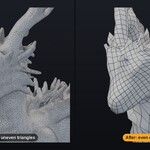
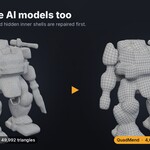
AI generators (Meshy, Tripo, Hunyuan3D, TRELLIS, Rodin…) and photo scans give you dense triangle soup: split seams, cracks, hidden inner shells and floating crumbs. Blender's built-in QuadriFlow refuses many of these meshes outright, and other auto-remeshers tear them into pieces full of holes.
Watch the 1-minute demo: youtu.be/ZAj1qvvynKY
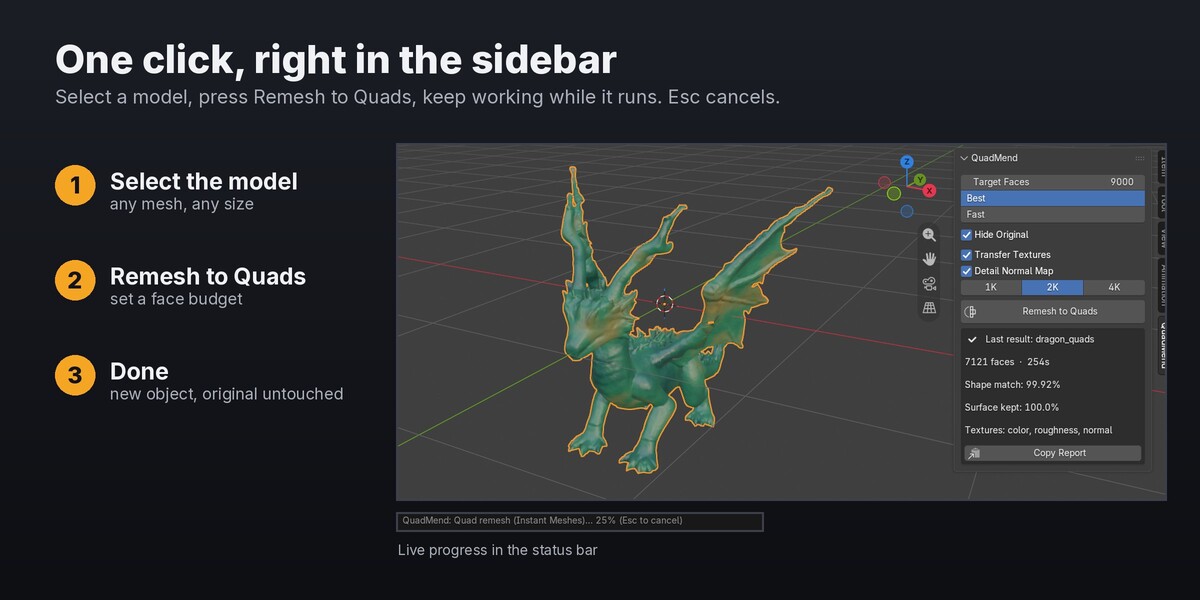
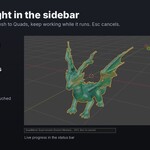
QuadMend is a Blender add-on built for exactly these models. Select the model, click Remesh to Quads, and keep working while it runs.
What it does
- Repairs the mesh first. Welds split seams, drops floating crumbs, and rebuilds broken or multi-piece models as one closed surface, so hidden inner shells disappear.
- Rebuilds it as quads with two engines. Runs Instant Meshes and QuadriFlow and keeps whichever gives the better result on your model.
- Fits the result back onto the original surface, so the shape stays true.
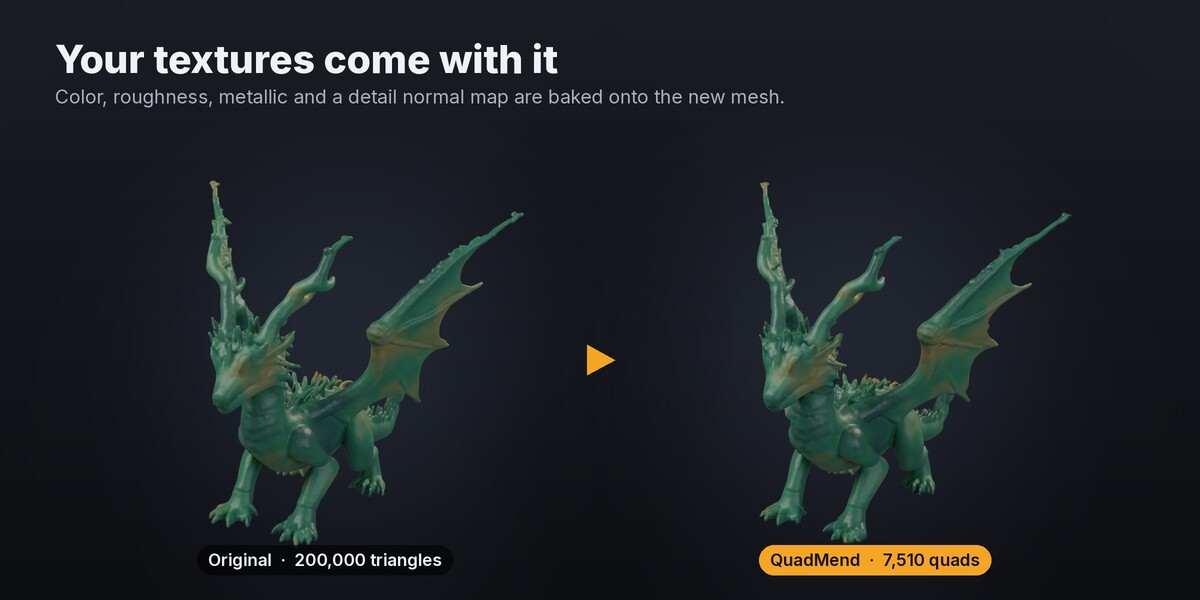
- Carries your textures over. Base color, roughness and metallic are baked onto the new mesh, plus a detail normal map. Works with image textures, procedural materials and vertex colors.
Features
- One button in the 3D View sidebar, live progress in the status bar, Esc to cancel.
- Choose your face budget: 3,000 for a game prop, 10,000+ for a hero asset.
- Best mode (two engines) or Fast mode (QuadriFlow only).
- Texture maps at 1K, 2K or 4K, packed into the .blend.
- The original is never modified. The result is a new object, and Ctrl+Z undoes.
- A quality report after every run, including how many faces to try if fine detail didn't fit.
- Blender stays responsive: QuadriFlow runs in a background process and is retried automatically if it stalls.
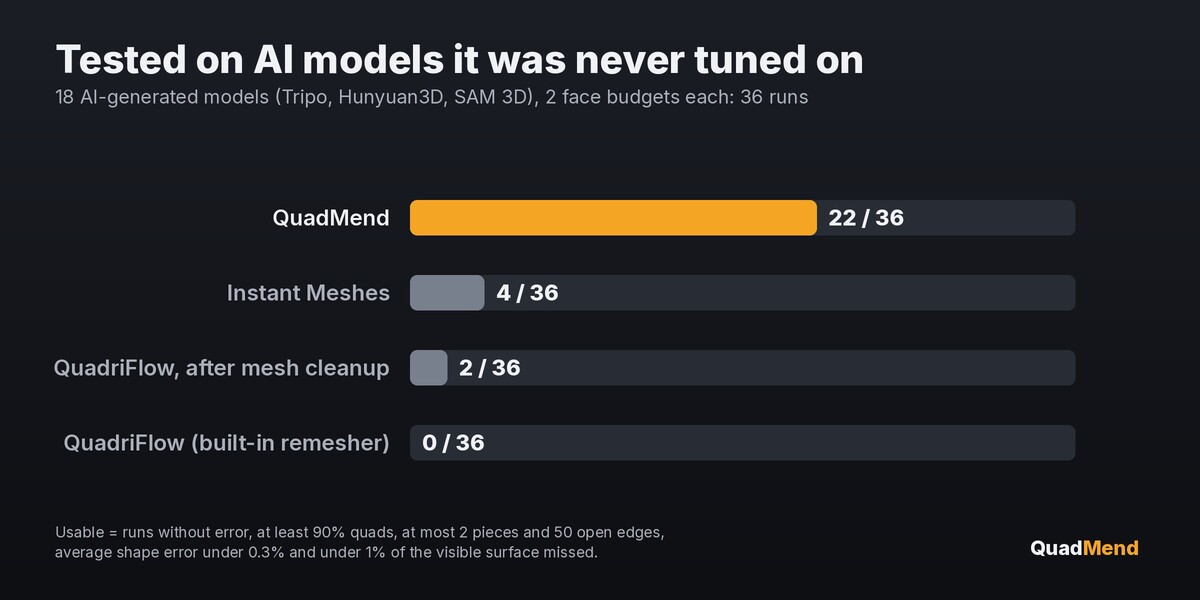
Tested on models it was never tuned on
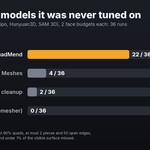
18 AI-generated models from Tripo, Hunyuan3D and SAM 3D, two face budgets each (36 runs). Usable results: QuadMend 22, Instant Meshes 4, QuadriFlow after cleanup 2, QuadriFlow alone 0 (it refused to run on 20). "Usable" means at least 90% quads, at most 2 pieces and 50 open edges, average shape error under 0.3%, and under 1% of the visible surface missed.
Honest limits
- Detail smaller than your face budget can hold (thin spikes, claws, fine text) gets rounded off. The normal map brings most of the look back, and the panel tells you when to raise the face count.
- It's an automatic remesher, not hand retopology. For characters that need deformation loops, use it as a clean starting point.
- A 200,000-triangle model takes about 1.5 minutes on a desktop and about 4 minutes on an everyday laptop, textures included.
Requirements
- Blender 4.2 LTS or newer (tested on 4.2, 5.0 and 5.2)
- Windows 10/11 64-bit and Linux x64: full support. macOS Apple Silicon: beta. Intel Macs: Fast mode only.
- Runs fully offline. No account, no GPU needed.
Install
- Download quadmend-0.10.2.zip. Don't unzip it.
- In Blender: Edit → Preferences → Get Extensions → ⌄ menu (top right) → Install from Disk… and pick the zip. (Or drag the zip into Blender.)
- Press N in the 3D View and open the QuadMend tab.
If Blender says "Permission denied", you picked an unzipped folder: choose the zip file itself.
Questions or a model that doesn't work? Message me through Superhive with the text from the panel's Copy Report button. I reply within 72 hours.
Credits: bundles Instant Meshes (BSD-3-Clause) via pynanoinstantmeshes and oneTBB (Apache-2.0). Add-on code is GPL.
