 LarkLab
Documentation / v1.0.0
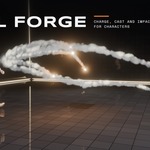
SPELL FORGE DOCS
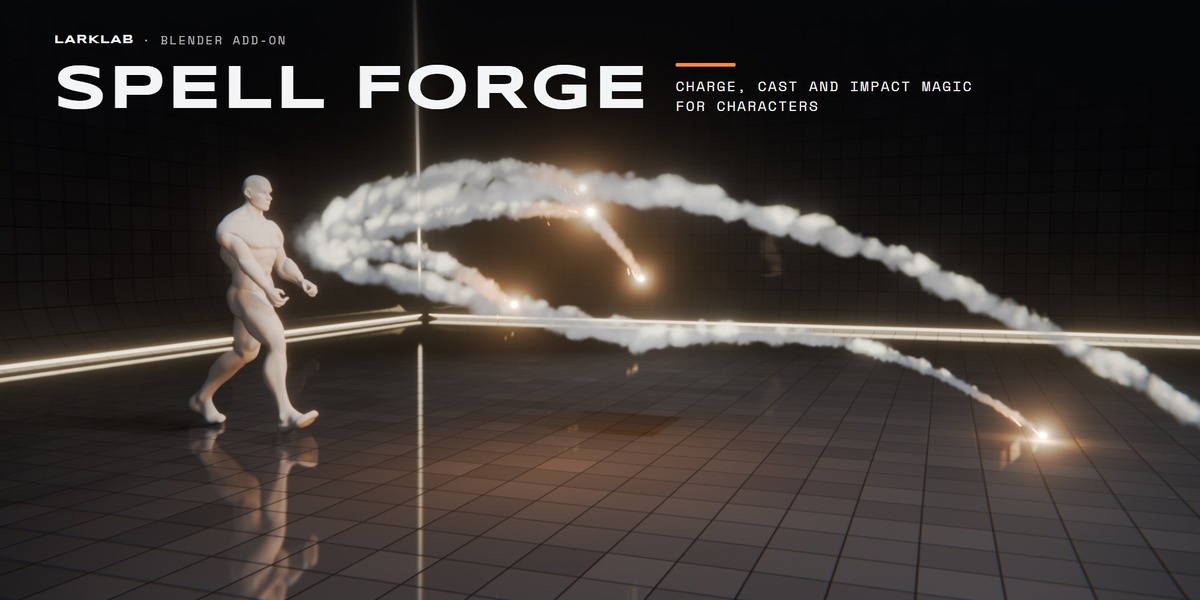
How to install Spell Forge, add a spell to a character, aim and time it, shape each part, mix parts from different spells and render it. The add-on lives in the Spell Forge tab of the 3D Viewport sidebar (N). Blender 5.0+, EEVEE and Cycles.
|
Guide INSTALL, UPDATE, REMOVE |
- Download spell_forge-1.0.0.zip from your Superhive downloads. Don't unzip it.
- In Blender open Edit › Preferences › Get Extensions, open the arrow menu at the top right, choose Install from Disk… and pick the zip.
- In the 3D Viewport press N and open the Spell Forge tab.
Update: install the new zip the same way. Spells already in your files keep working.
Blender 5.0 and 5.1: the first time you add a spell in a file, Spell Forge builds its node trees, which can take up to a minute for the big spells. After that it is instant. On Blender 5.2 the node trees ship ready-made.
|
Guide ADD A SPELL |
|
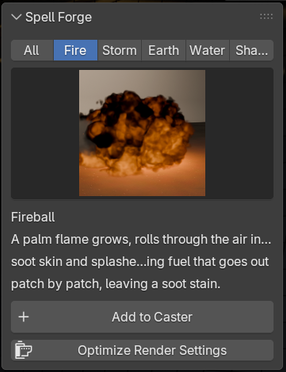
1. Select the caster: a Mixamo or Rigify character, or any other object such as an empty or a prop. 2. In the Spell Forge tab pick an element (All, Fire, Storm, Earth, Water, Shadow) and click a spell's thumbnail. Its description shows under the picker. 3. Click Add to followed by your caster's name. On a character the charge sits at the right hand; open Adjust Last Operation (F9) right after to switch to the left hand. 4. Move the target empty (named SF Target) to where the spell should land. Chain Lightning has five targets, one per hop. 5. Press play. The spell charges, leaves on Cast Time and hits the floor under the target. |
|
Guide THE FLOOR |
The impact looks straight down from the target for the first surface below it and lands there, so it works on any floor mesh, on slopes and on uneven ground. Floor marks (scorch, stain, frost, groove) sit a few millimetres above the surface so they render cleanly in both engines. Spell Forge never changes the floor object.
|
Guide CAST PANEL |
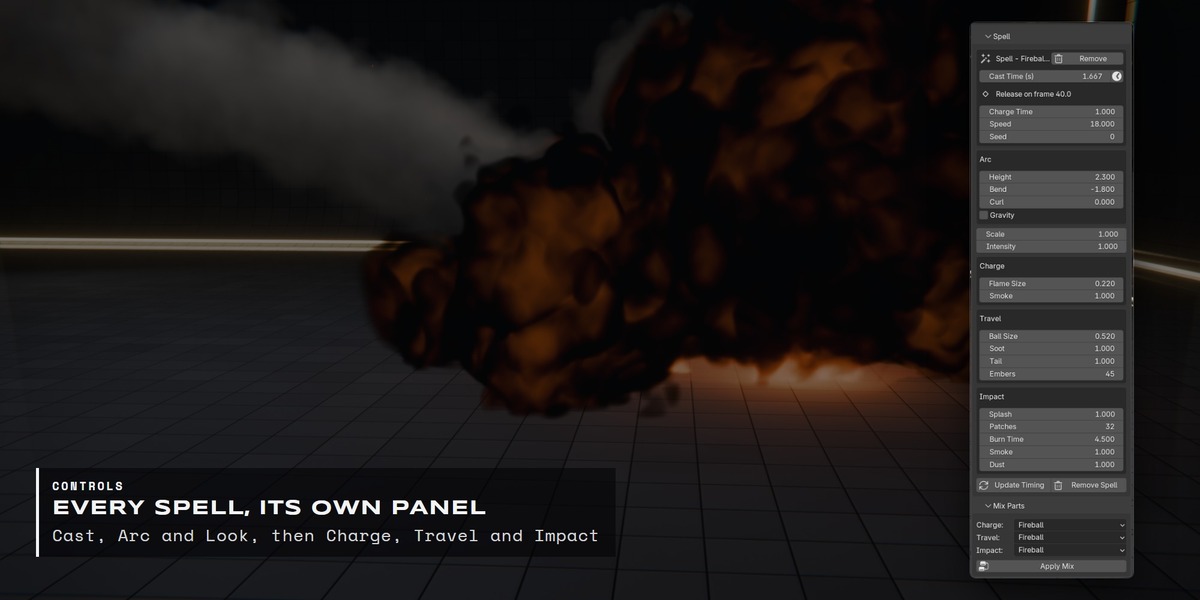
| Cast Time (s) | The moment the spell leaves the hand, in seconds. The clock button sets it to the current frame. The line below shows the release frame. |
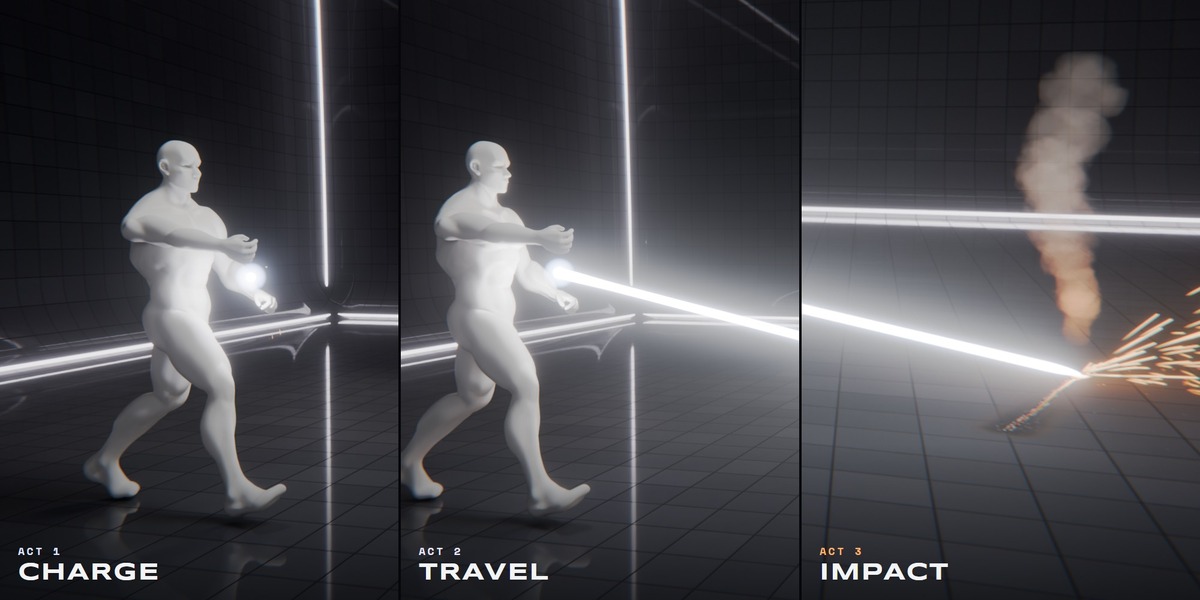
| Charge Time | How long the charge builds before Cast Time. |
| Speed | Flight speed in m/s. Longer distances take longer. |
| Seed | Another variation with the same settings. |
|
Guide ARC AND LOOK |
| Height | How high the path rises above the straight line. |
| Bend | Swings the path to the side (negative bends the other way). |
| Curl | Rolls the arc around the line to the target as it flies, so the path corkscrews. |
| Gravity | A ballistic drop instead of a smooth arc (used by Acid Glob). |
| Scale | Size of the whole spell, charge to floor marks. |
| Intensity | Brightness of glow and lamps. |
|
Guide THE SPELLS AND THEIR PART INPUTS |
| Fireball Fire |
A palm flame grows, rolls through the air inside a soot skin and splashes into burning fuel that goes out patch by patch, leaving a soot stain. Charge: Flame Size, Smoke Travel: Ball Size, Soot, Tail, Embers Impact: Splash, Patches, Burn Time, Smoke, Dust |
| Chain Lightning Storm |
Arcs crawl between the fingers, then a jagged bolt flashes to a target and re-flashes on the same path before jumping on to the next. Each hop leaves a small scorch. Charge: Arcs Travel: Jaggedness, Branches Impact: Sparks, Scorch Size |
| Ice Lance Water |
A spear of clear ice condenses along the forearm, flies straight and fast trailing sinking cold fog, and shatters into shards under a spreading frost crust. Charge: Hand Fog Travel: Lance Length, Thickness, Twist, Trail Fog Impact: Shards, Splinters, Fog, Frost Radius |
| Boulder Throw Earth |
Rocks heave up out of the ground shedding soil, hang heavy, tumble along the arc and land with a dull bounce under a low rolling dust skirt. Set Rocks to 1 for a single boulder. Charge: Rocks, Boulder Size, Lift Height, Pebbles, Dust Travel: Tumble Impact: Rubble, Motes, Dust, Dust Reach |
| Homing Swarm Fire |
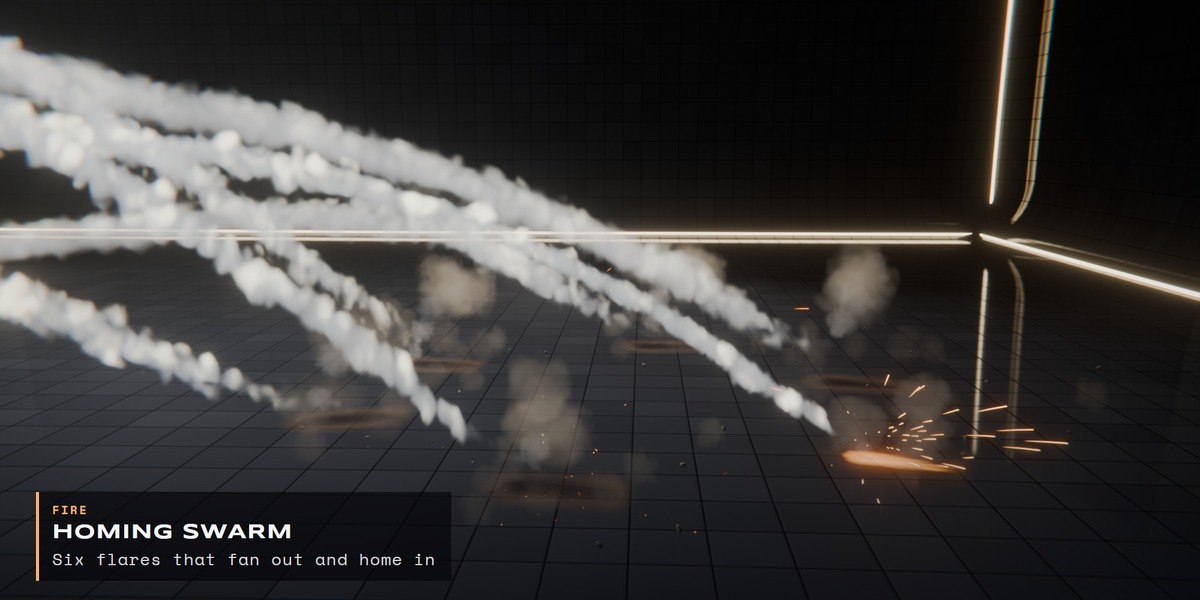
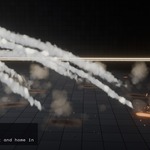
Burning flares leave the fingertips in a fan, swing wide, cross and home in, hitting one after another on a set interval. Their thick white smoke trails widen, drift and hang long after the hits. Charge: Bead Size, Embers Travel: Hit Interval, Spread, Fan, Overshoot, Head Size, Sparks, Smoke, Smoke Lift, Trail Width, Trail Life, Wind Impact: Sparks, Dust, Scorch Size |
| Acid Glob Water |
A heavy amber glob gathers in the palm, is lobbed high on real gravity shedding beaded strings, and lands in a thick crown that fizzes under low rust-brown fumes, etching a pitted stain. Charge: Glob Size, Drips Travel: Wobble, Strings Impact: Pool Size, Droplets, Fizz, Fizz Time, Fumes, Stain Size |
| Wind Crescent Storm |
An almost invisible blade of air skims the ground: a thin bending edge, a dust wall rolling up behind it, and a clean groove with thrown chips where it lands. Charge: Dust Travel: Blade Span, Skim Height, Distortion, Dust Wall, Lane Width, Grit Impact: Groove Length, Groove Width, Chips, Dust |
| Channelled Beam Fire |
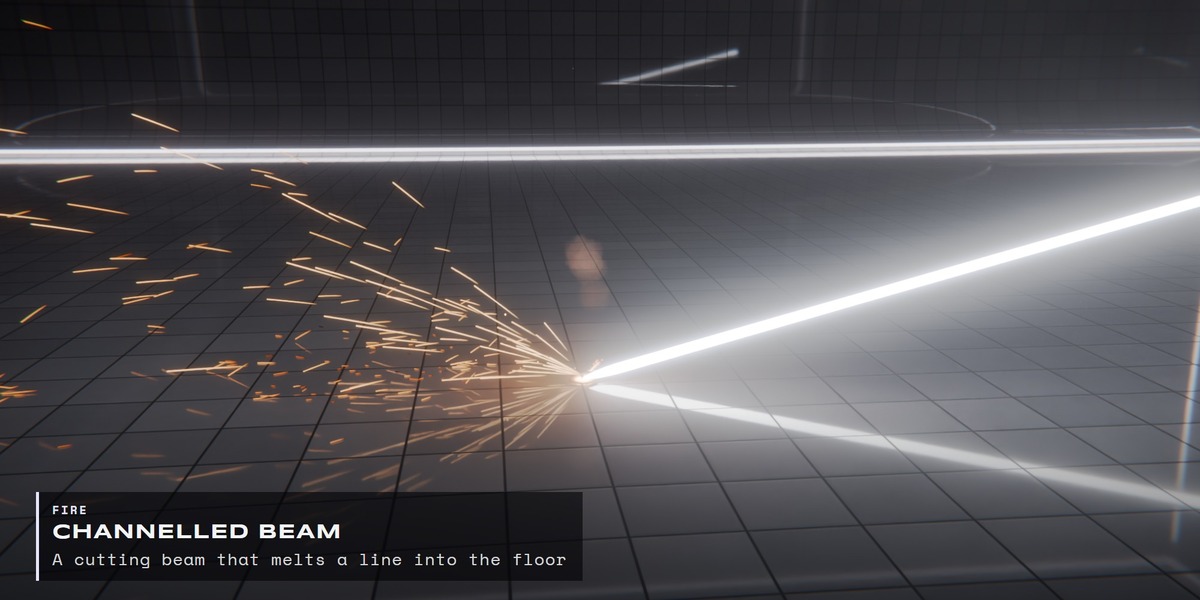
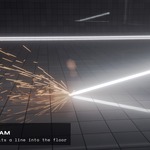
A straight white cutting beam held between both palms. The contact melts into a molten pool that spits sparks and smokes, and the cut it sweeps cools along its length to black slag. Charge: Knot Size, Crackle Travel: Hold Time, Beam Width, Shimmer Impact: Sweep Length, Sweep Angle, Groove Width, Sparks, Smoke, Slag |
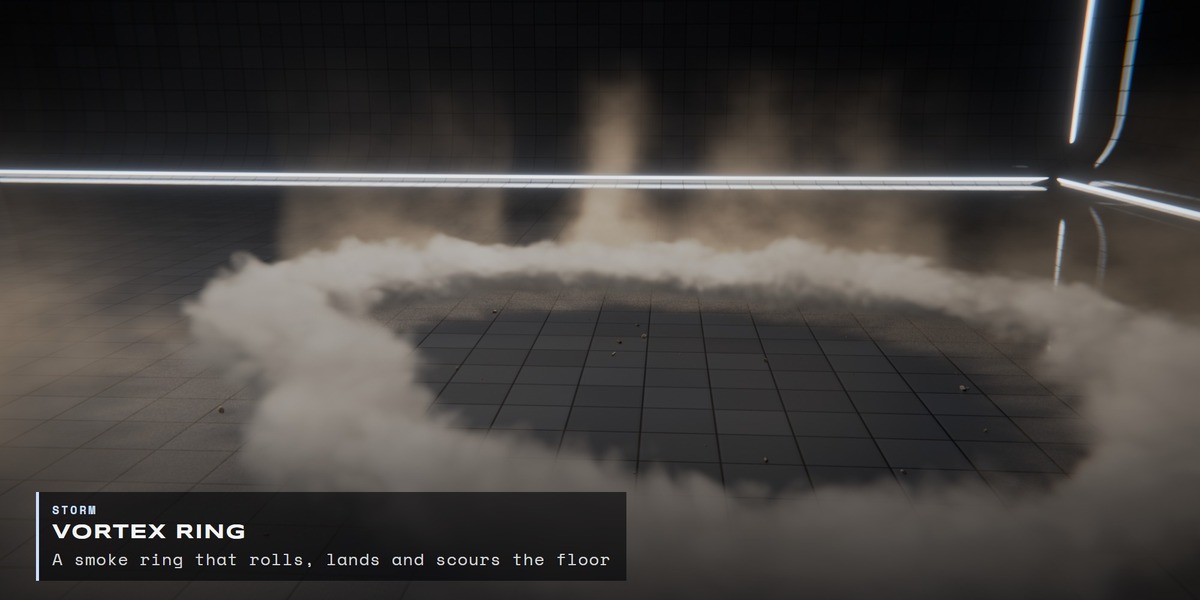
| Vortex Ring Storm |
A palm punch rolls a dense puff into a thick smoke ring that flies rolling over on itself, growing and slowing, then tips flat on the ground, spreads and scours a ring of dust off the floor. Charge: Puff Size, Glow, Gather Travel: Ring Size, Growth, Thickness, Roll, Wobble, Wisps Impact: Spread, Lobes, Dust, Pebbles, Mark |
| Life Drain Shadow |
Dark red, ink-like matter is torn off the target in thin threads and flows back into the open hand, billowing mid-air and tightening into strands that sink into the palm. Charge: Threads, Tear Spread, Wet Patch Travel: Drain Time, Billow, Density, Drops Impact: Glow, Pulses, Hand Drops |
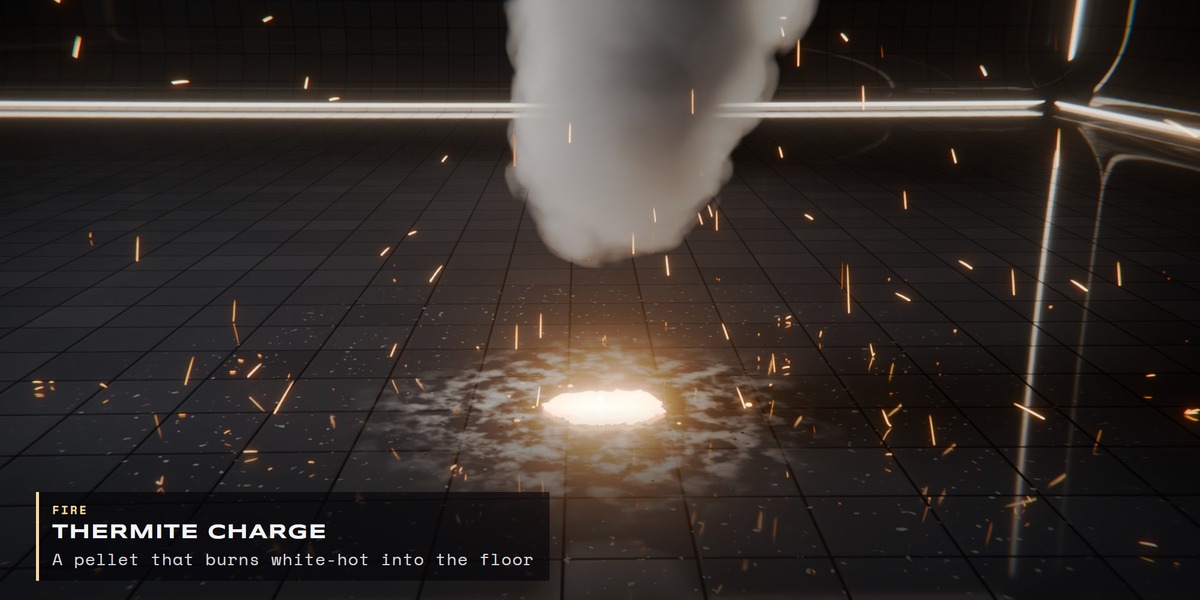
| Thermite Charge Fire |
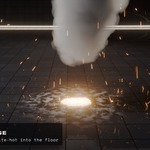
A pellet sputters to life between the fingers, is flicked at the target and burns white-hot: a bouncing spark fountain, slag that pools and cools to glass, white smoke lit from below and a pit. Charge: Pellet Size, Fizz Travel: Smoke Thread Impact: Burn Time, Sparks, Spark Speed, Core Size, Smoke, Slag |
| Blink Strike Shadow |
The caster bursts into black smoke from the inside out, streaks to where you animate them and slams back together mid-strike with a dust kick. The cloud left behind rolls up and lingers. Charge: Smoke Body, Vanish Time, Burst, Linger, Smoke, Haze Travel: Streak Width, Lumps, Remnants Impact: Appear Time, Dust, Dust Reach, Wisps |
| Flare Seed Fire |
A gold seed of light leaves the cupped palm on a high arc, swinging every shadow, bursts in a warm flash with light shafts through the dust, and sinks slowly as it fades. Charge: Point Size, Glow Travel: Burst Height, Seed Size, Thread Impact: Flash, Afterglow, Sink Speed, Haze, Smoke, Dust, Motes |
|
Guide MIX PARTS |
With a spell selected, open Mix Parts under the Spell panel, choose a Charge, a Travel and an Impact from any spells and press Apply Mix. The swapped-in parts start from their own default values; the parts you kept, the arc, the target and Cast Time keep yours. Pick the spell's own three parts again to go back.
|
Guide CHANGING THE ANIMATION |
Spell Forge reads the hand at Cast Time. If you retime or change the character's animation, press Update Timing so the spell leaves from where the hand is now and the light keys follow.
|
Guide RENDERING |
| Optimize Render Settings | AgX, volume quality for both engines and EEVEE ray tracing (needed for the clear ice, acid and the air blade). |
| EEVEE | Fast for every spell, including the dense smoke. |
| Cycles | Dense smoke after the hit (Fireball, Wind Crescent, Blink Strike) is slow to render at those frames. Use fewer samples with denoising there. |
| Lights | Each spell brings its own lamps (hand glow, flight, hit flash), keyed to its timing. They light your set and character in both engines. |
|
Guide TROUBLESHOOTING |
| The Add button says Select a caster | Select your character, an empty or any object first. Spell Forge objects themselves can't be casters. |
| The charge isn't at the hand | The rig's hand bone wasn't recognised; the spell then charges at the object's origin. Mixamo (mixamorig:RightHand) and Rigify (DEF-hand.R) are found on their own. |
| The spell leaves from the wrong place after I changed the animation | Press Update Timing. |
| The impact is in the air | There is no surface under the target. Move the target over your floor. |
| Clear ice looks grey in EEVEE | Press Optimize Render Settings (EEVEE ray tracing). |
| The first Add is slow | Blender 5.0 or 5.1 builds the node trees the first time in a file. It's instant after that. |
|
More from the studio LATEST FROM LARKLAB |
Have questions about this product?
Login to message
| Blender Extension Compatible | Yes |
| Published | about 11 hours ago |
| Blender Version | 5.0 - 5.2 |
| Extension Type | Add-on |
| Render Engine Used | Cycles, Eevee |
| License | GPL |