Step Importer 3.0 for Blender - Import Step / STP CAD Files
 HR
HR




Installation
- Download STEP_IMPORTER_3.0.0_Blender_4.5_to_5.2_Windows_x64.zip.
- In Blender, open Edit > Preferences > Get Extensions.
- Open the Get Extensions menu and choose Install from Disk.
- Select the ZIP without extracting it.
- Enable STEP Importer if Blender does not enable it automatically.
Importing STEP and STP files
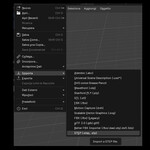
- Open File > Import > STEP Importer 3.0 (.step, .stp).
- Select the source STEP or STP file.
- Choose Simplified or Detailed mesh-quality controls.
- Select Y-up or Z-up and the preferred hierarchy mode.
- Click Import STEP.
The original CAD file is read-only and is never modified.
Mesh quality
- Simplified uses one Mesh detail value for quick adjustment.
- Detailed exposes linear and angular deflection separately.
Higher detail creates smoother curved surfaces but increases polygon count and processing time.
Changing quality after import
- Select one or more imported STEP mesh objects.
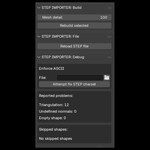
- Open the STEP Importer tab in the 3D Viewport N-panel.
- Set the desired mesh quality.
- Choose Rebuild selected, or rebuild the complete linked model when required.
Repeated instances of the same CAD part are automatically relinked to the rebuilt mesh where applicable.
Fast future rebuilds and cache
With Fast future rebuilds enabled, STEP Importer prepares a quality-independent CAD document and part map in the background after import. Once ready, it can accelerate later selected-part rebuilds, including after Blender is closed and reopened.
Cache size, age limits, reports, and clearing controls are available in the STEP Importer N-panel.
Relinking a moved STEP file
Select an imported object, open the File link panel, choose Change file, and select the moved source STEP file. Verify the link before rebuilding.
Troubleshooting
- Use Skip faulty solids only when invalid geometry prevents an import from completing. The resulting model can be incomplete.
- Clean planar triangles is optional and disabled by default. It changes Blender topology and can make import or rebuild slower.
- For file-specific problems, include the Blender version, Windows version, and the CAD exporter used when contacting support.
Updating from version 2.x
Install the 3.0 Extension package from disk and use the STEP Importer 3.0 entry in File > Import. The previous 2.0 packages remain available as a legacy version in your Superhive library.
 Included
Includes 12 months of
- Support from HR
- Product updates
Extend this product’s Support Period +12 months: 50% of product price
Have questions before purchasing?
Login to message
