Step Importer 3.0 for Blender - Import Step / STP CAD Files
 HR
HR



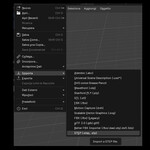
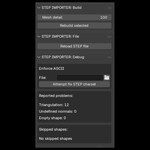
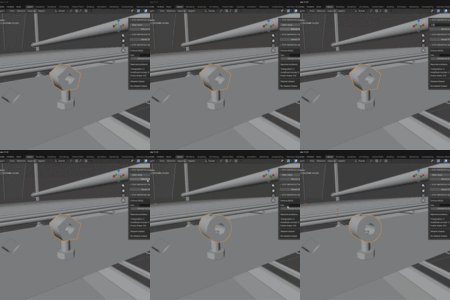

STEP Importer 3.0 introduces the new native StepCore pipeline for higher CAD fidelity, reliable assemblies, and faster iteration in Blender.
Highlights:
- One Blender Extension package for Blender 4.5 through 5.2 on Windows 10/11 64-bit
- Preserved CAD hierarchy, transforms, units, colors, materials, and repeated parts
- CAD surface normals by default for faithful mechanical shading
- Simplified and detailed mesh-quality controls
- Rebuild selected parts or the entire linked model without a complete reimport
- Quality-independent background cache for faster future rebuilds, including after reopening a Blender file
- Improved multi-material rebuild preservation, relinking, cache management, and selection tools
- Reliable Y-up/Z-up conversion and View Layer selection handling
Install the ZIP directly from Blender using Edit > Preferences > Get Extensions > Install from Disk. Do not extract the archive.
Legacy packages for STEP Importer 2.0, preserved for customers who need the previous Blender-specific releases.
Included packages:
- Blender 5.1 and 5.2, Windows x64
- Blender 5.0, Windows x64
Use STEP Importer 3.0 for the current feature set and ongoing support.
STEP Importer 3.0 introduces the new native StepCore pipeline for higher CAD fidelity, reliable assemblies, and faster iteration in Blender.
Highlights:
- One Blender Extension package for Blender 4.5 through 5.2 on Windows 10/11 64-bit
- Preserved CAD hierarchy, transforms, units, colors, materials, and repeated parts
- CAD surface normals by default for faithful mechanical shading
- Simplified and detailed mesh-quality controls
- Rebuild selected parts or the entire linked model without a complete reimport
- Quality-independent background cache for faster future rebuilds, including after reopening a Blender file
- Improved multi-material rebuild preservation, relinking, cache management, and selection tools
- Reliable Y-up/Z-up conversion and View Layer selection handling
Install the ZIP directly from Blender using Edit > Preferences > Get Extensions > Install from Disk. Do not extract the archive.
Legacy packages for STEP Importer 2.0, preserved for customers who need the previous Blender-specific releases.
Included packages:
- Blender 5.1 and 5.2, Windows x64
- Blender 5.0, Windows x64
Use STEP Importer 3.0 for the current feature set and ongoing support.
STEP Importer 3.0 introduces the new native StepCore pipeline for higher CAD fidelity, reliable assemblies, and faster iteration in Blender.
Highlights:
- One Blender Extension package for Blender 4.5 through 5.2 on Windows 10/11 64-bit
- Preserved CAD hierarchy, transforms, units, colors, materials, and repeated parts
- CAD surface normals by default for faithful mechanical shading
- Simplified and detailed mesh-quality controls
- Rebuild selected parts or the entire linked model without a complete reimport
- Quality-independent background cache for faster future rebuilds, including after reopening a Blender file
- Improved multi-material rebuild preservation, relinking, cache management, and selection tools
- Reliable Y-up/Z-up conversion and View Layer selection handling
Install the ZIP directly from Blender using Edit > Preferences > Get Extensions > Install from Disk. Do not extract the archive.
Legacy packages for STEP Importer 2.0, preserved for customers who need the previous Blender-specific releases.
Included packages:
- Blender 5.1 and 5.2, Windows x64
- Blender 5.0, Windows x64
Use STEP Importer 3.0 for the current feature set and ongoing support.
 Included
Includes 12 months of
- Support from HR
- Product updates
Extend this product’s Support Period +12 months: 50% of product price
Have questions before purchasing?
Login to message
