 Milad_Kambari







Transition FX
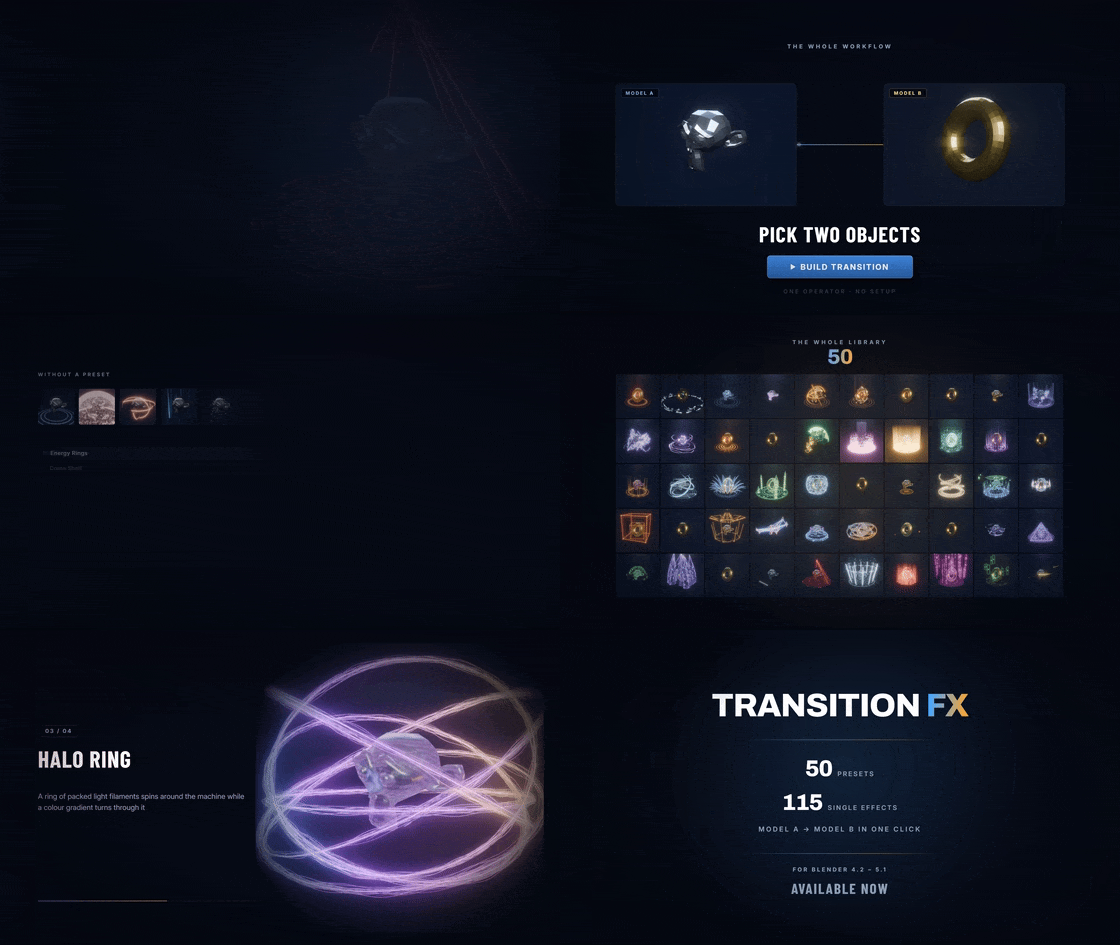
Swap one model for another with a full sci-fi / fantasy VFX transition — energy cages, laser rings, glyph storms, holy radiance and more. Pick two models, pick an effect, press Build.
| 50 PRESETS | 115 SINGLE EFFECTS | 11 CATEGORIES |
50 Presets + 115 Single Effects
Two tabs, one addon. The Preset tab gives you 50 complete, ready-to-render transitions. The Single Effect tab breaks that same library down into 115 individual building blocks — so you can grab just the laser ring, just the glyph rain, or just the floor sigil, and mix your own combination by hand.
50 Ready-Made Transitions
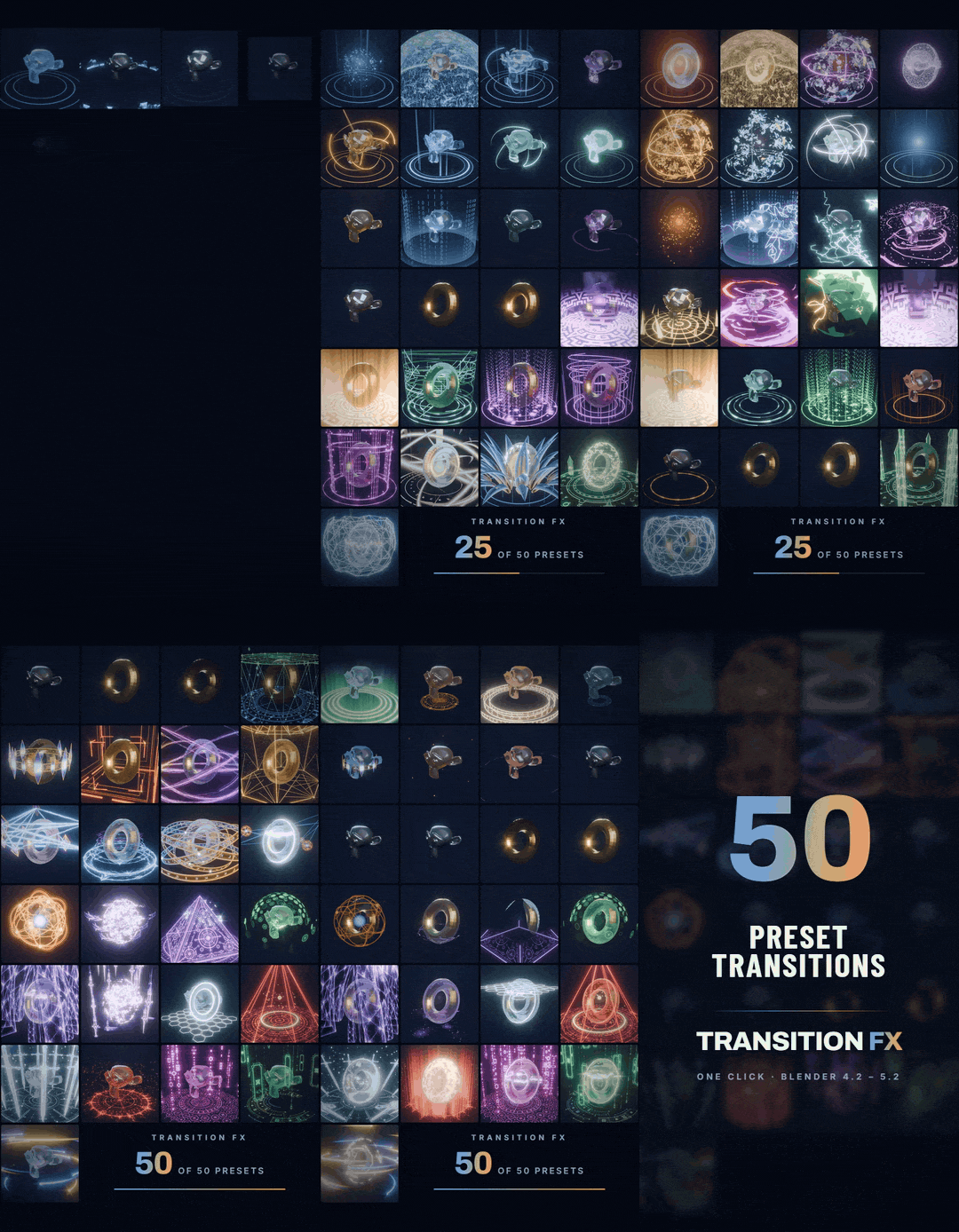
Every preset is a complete, hand-crafted cinematic — crystal shard rings, rain strikes, sweeping honeycomb panes, laser pentagrams, sword rings with anime slashes, god-ray radiance, data vaults with crawling glyphs and much more. Browse them as animated previews in the panel, click one, and it builds the entire effect in your scene.
115 Single Effects in 11 Categories
Every element from the preset library, isolated and organized into browsable shelves with animated previews. Combine them freely — stack a floor pattern with an orbiting body and a beam, and design a transition nobody else has.
| Floor Patterns | Cages & Shells | Orbiting Bodies | Beams & Rays |
| Swirls & Ribbons | Props & Shards | Walls & Curtains | Motes & Debris |
| Panels & Glyphs | Atmosphere & Light | Model A to B |
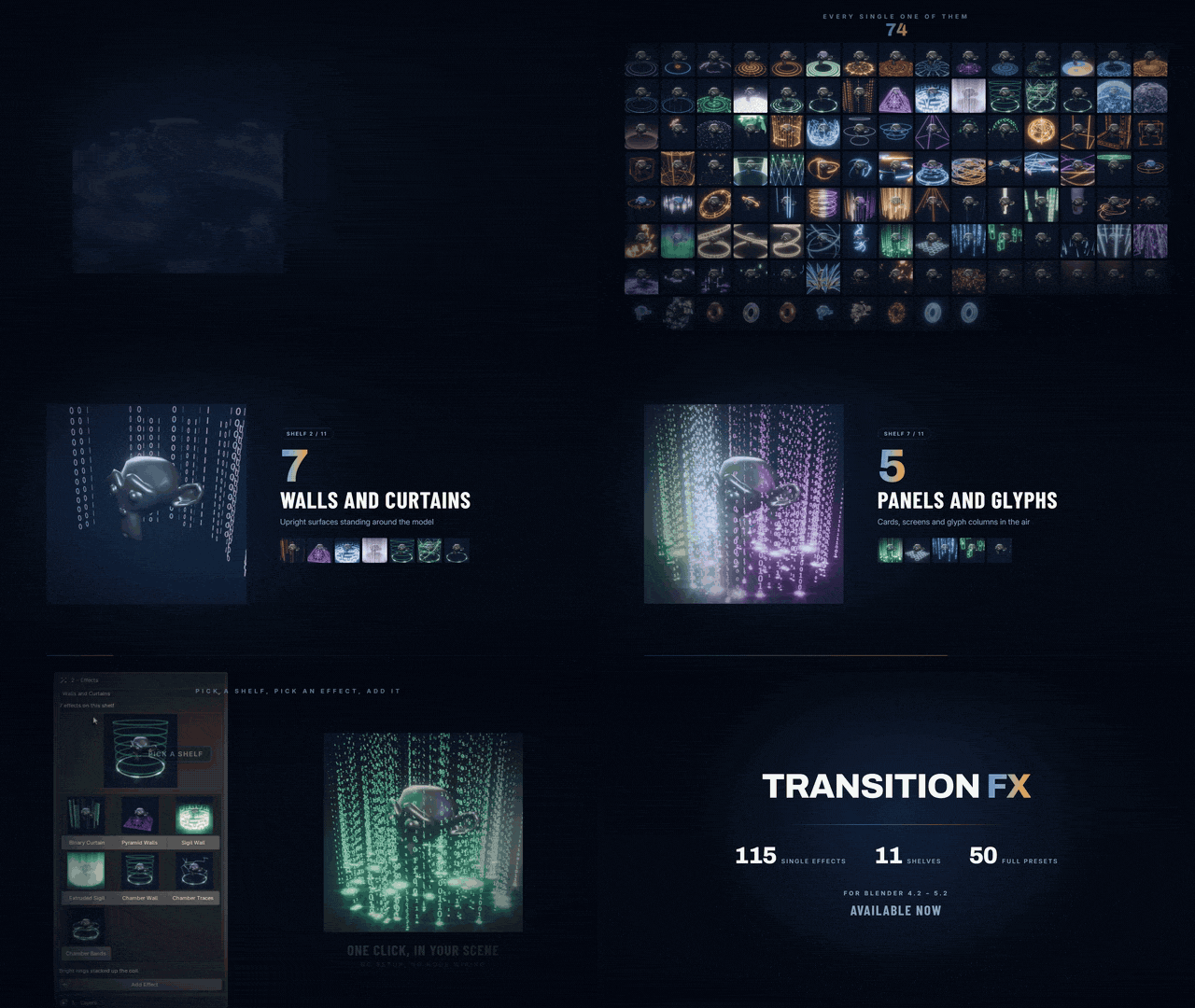
Browse, Click, Watch It Build
Everything lives in one clean sidebar panel with animated thumbnail previews — you always see exactly what an effect looks like before applying it. No node editing, no keyframing, no VFX experience needed. If you can click, you can build a full cinematic transition.
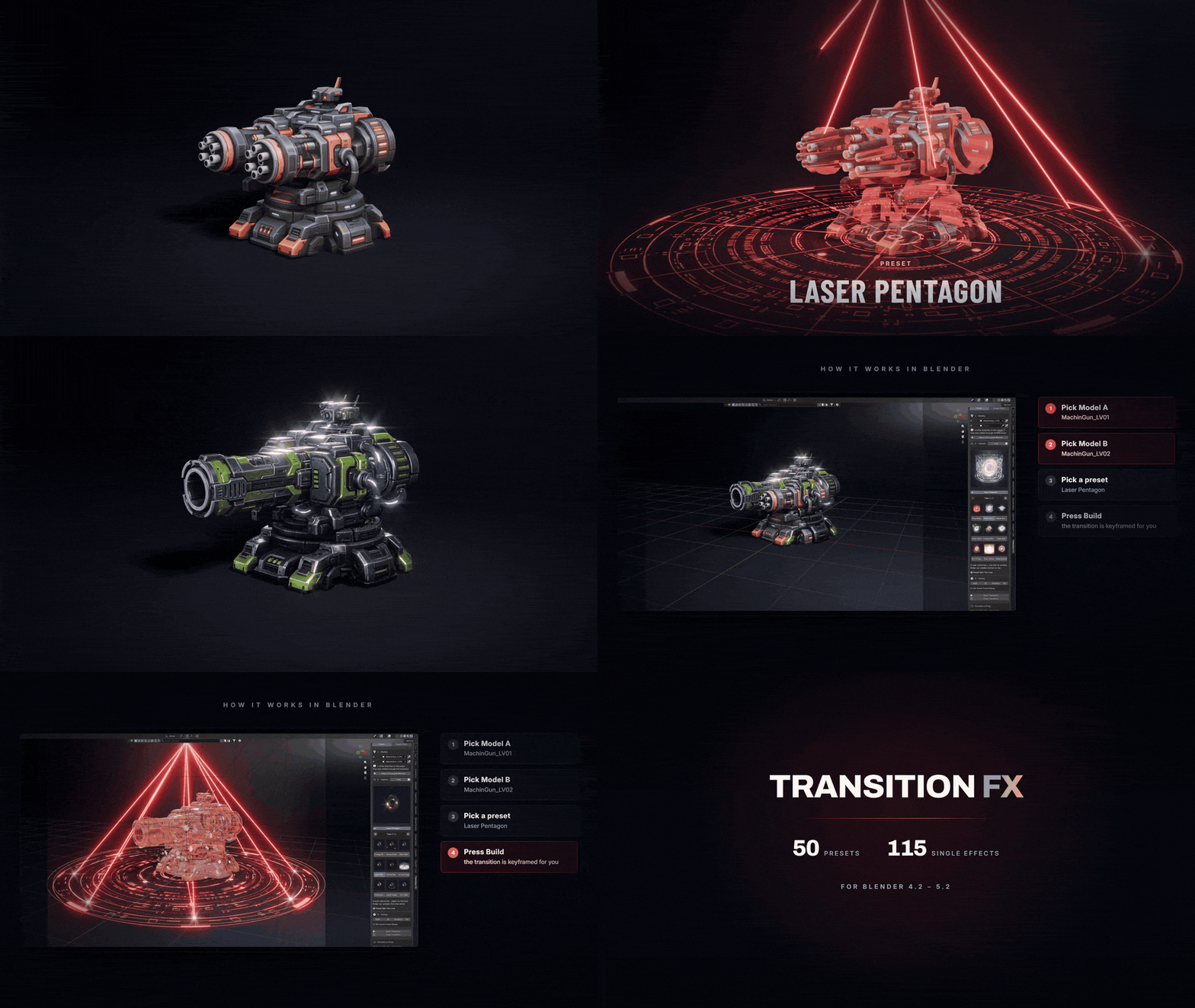
Your Engine, Your Look
Every preset works in both EEVEE and Cycles — fast viewport playback while you design, full path-traced quality for the final render. And nothing is locked: adjust timing, colors, intensity and effect settings right in the panel until the transition matches your scene perfectly.
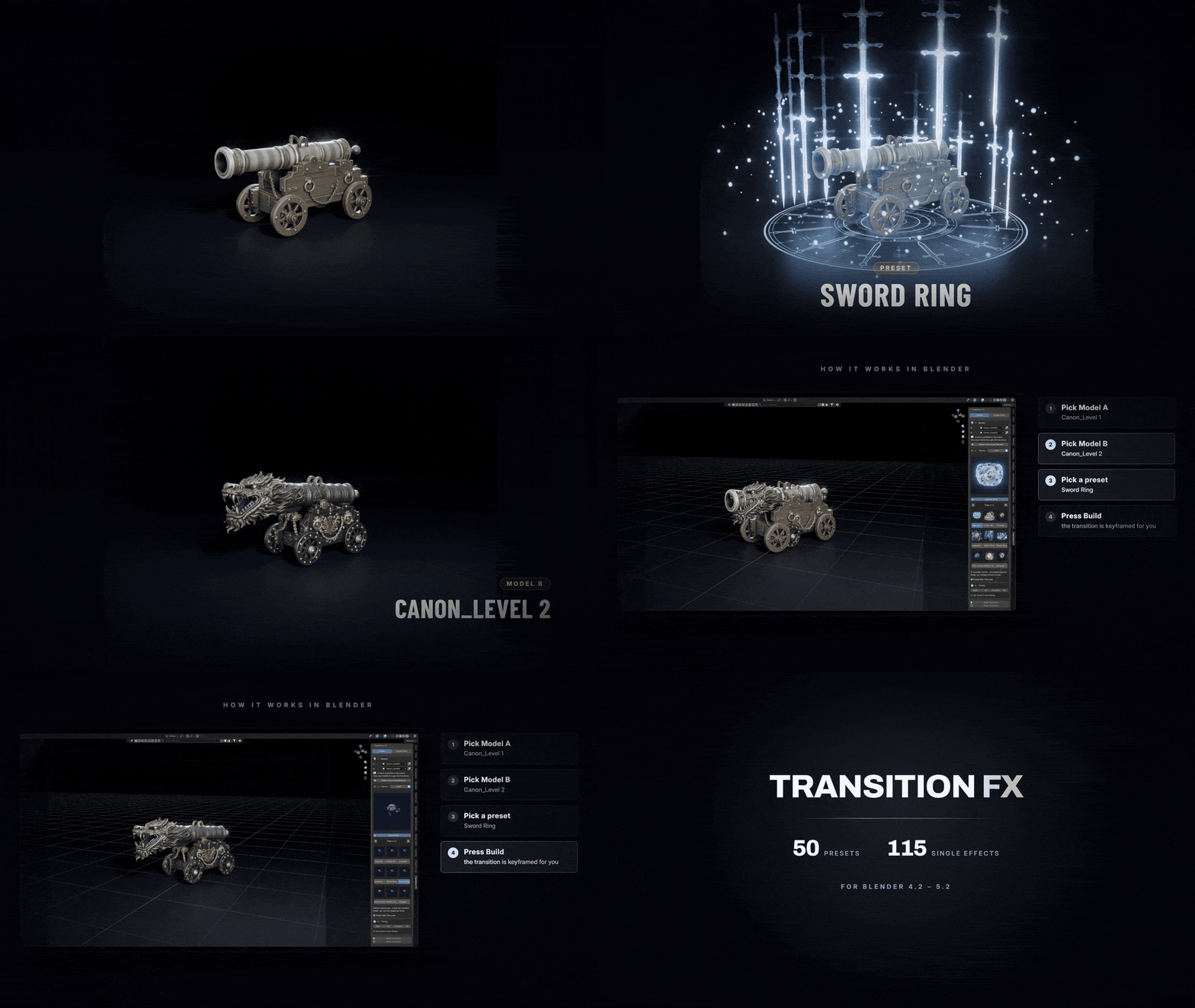
From Empty Scene to Full Transition
| 1 Pick Model A & B Choose the model that disappears and the one that takes its place. | 2 Pick the Effect Browse the animated previews and click the transition you want. | 3 Build It One press and the whole animated transition is constructed in your scene. |

Perfect For
| Product reveals & commercials — swap variants with a cinematic punch |
| Game & character artists — showcase skins, upgrades and evolutions |
| Motion designers & YouTubers — sci-fi intros, stingers and transitions |
More from Milad Kambari
 |  |  |
 |  |  |
 |  |  |