UV Shell Colorizer
 soumik.pixels


INSTALLATION
Method A — Blender Extension (Blender 4.2+) · Recommended
1. Open Blender 4.2 or newer.
2. Go to Edit → Preferences → Get Extensions.
3. Click the dropdown arrow (top-right) → Install from Disk…
4. Select uv_shell_colorizer_v1.0.0_extension.zip and click Install.
5. The addon activates automatically. Find it in View3D › N-Panel › UV Colorizer.
Method B — Legacy Install (Blender 3.6–4.1)
1. Open Blender.
2. Go to Edit → Preferences → Add-ons.
3. Click Install… (top-right corner).
4. Select uv_shell_colorizer_v1.0.0_legacy.zip and click Install Add-on.
5. Enable the checkbox next to UV Shell Colorizer.
6. Access via View3D › N-Panel › UV Colorizer tab.
UNINSTALL
1. Go to Edit → Preferences → Add-ons.
2. Find UV Shell Colorizer and expand it.
3. Click Remove.
4. Optionally delete uv_shell_colorizer_settings.json from your project folder.
USAGE
Colorizing UV Shells
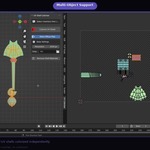
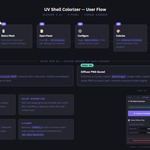
1. Select one or more mesh objects in the 3D Viewport.
2. Press N and click the UV Colorizer tab.
3. Click Colorize UV Shells.
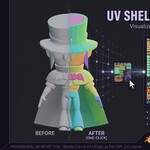
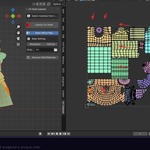
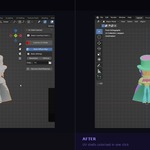
Each UV island is assigned a unique flat-colored Principled BSDF material.
Materials are named UVShell__000, UVShell__001, etc.
Baking a Diffuse Map
1. Enable the Bake Diffuse Map checkbox.
2. Set Resolution (default: 1024px, range: 64–8192px).
3. Set Output Path (default: //bakes/ next to the .blend file).
4. Click Colorize UV Shells — baking runs automatically after colorizing.
Output file: BakeDiffuse_.png
Render engine is temporarily switched to Cycles and restored after baking.
Cleanup
Click Remove Shell Materials to strip all UVShell_* materials from selected
meshes and purge orphaned data. Non-destructive — original materials untouched.
PANEL REFERENCE
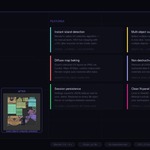
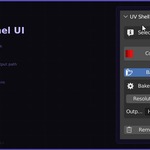
- Colorize UV Shells Button Detects UV islands and assigns unique flat colors
- Bake Diffuse Map Checkbox Bakes colored shells to PNG after colorizing (requires Cycles)
- Resolution Integer Bake resolution in pixels. Default: 1024. Range: 64–8192
- Output Path Path Directory for baked PNGs. Default: //bakes/
- Remove Shell Materials Button Strips all UVShell_* materials and purges orphaned data
 Included
Includes 12 months of
- Support from soumik.pixels
- Product updates
Extend this product’s Support Period +12 months: 50% of product price
Have questions before purchasing?
Login to message
| Blender Extension Compatible | Yes |
| Published | 3 months ago |
| Blender Version | 3.6 - 5.1 |
| Extension Type | Add-on |
| Render Engine Used | Cycles, Eevee |
| License | GPL |
Discover more products like this
diffuse-map uv colorize uv bake texture productivity udims uv mapping uv island uv debug uv-tools uv shell