V-Tile Pro V3.0.0
 FingShop


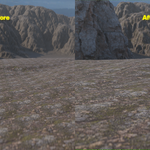
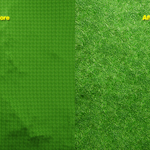
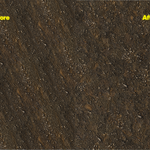
What is V-Tile?
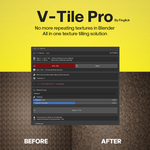
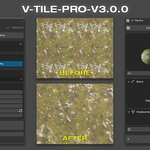
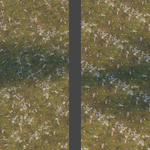
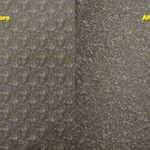
V-Tile breaks repeating texture patterns in one click. Every part of your surface looks unique and natural — no more obvious tiling.
V-Tile vs V-Tile Pro — what's the difference?
V-Tile = Anti-Tile only. V-Tile Pro = Anti-Tile + Material Mixer + Water System + Displacement.
Can it handle complex multi-node materials?
Yes. Nested groups, multi-texture stacks — all supported.
Does it work in Eevee and Cycles?
Yes. Both fully supported.
What's the difference between FAST and PRO mode?
FAST is lightweight for working in the viewport. PRO is higher quality for final renders. One click to switch.
Does it support real displacement or just normal maps?
Real geometry displacement. Moss physically sits proud of the rock. Not a normal map trick.
What is the Material Mixer?
Blend two separate materials together — moss over rock, snow on dirt. Pick Material A and B, click Build Mix. No node setup needed.
What is the Water System?
New in V-Tile 3.0. Adds realistic rain puddles and wet surfaces to any material. Puddles pool in the geometric low points of your mesh, just like real standing water. All controls update live in the viewport.
Will it break my existing material?
Never. V-Tile is fully non-destructive. Remove it anytime — your material restores exactly as it was.
Do I need to set up nodes myself?
No. Select your material, click Apply. Nothing to build or connect.
Is it a one-time purchase?
Yes. One-time, lifetime use, free updates.
-
$2
Antitile & Material Mixer
-
$1
Antitile Only
 Included
Includes 12 months of
- Support from FingShop
- Product updates
Extend this product’s Support Period +12 months: 75% of product price
Have questions before purchasing?
Login to message
| Blender Extension Compatible | Yes |
| Sales | 60+ |
| Published | 12 months ago |
| Blender Version | 4.2 - 5.2 |
| Extension Type | Add-on |
| Render Engine Used | Cycles, Eevee |
| License | GPL |