 kleinARt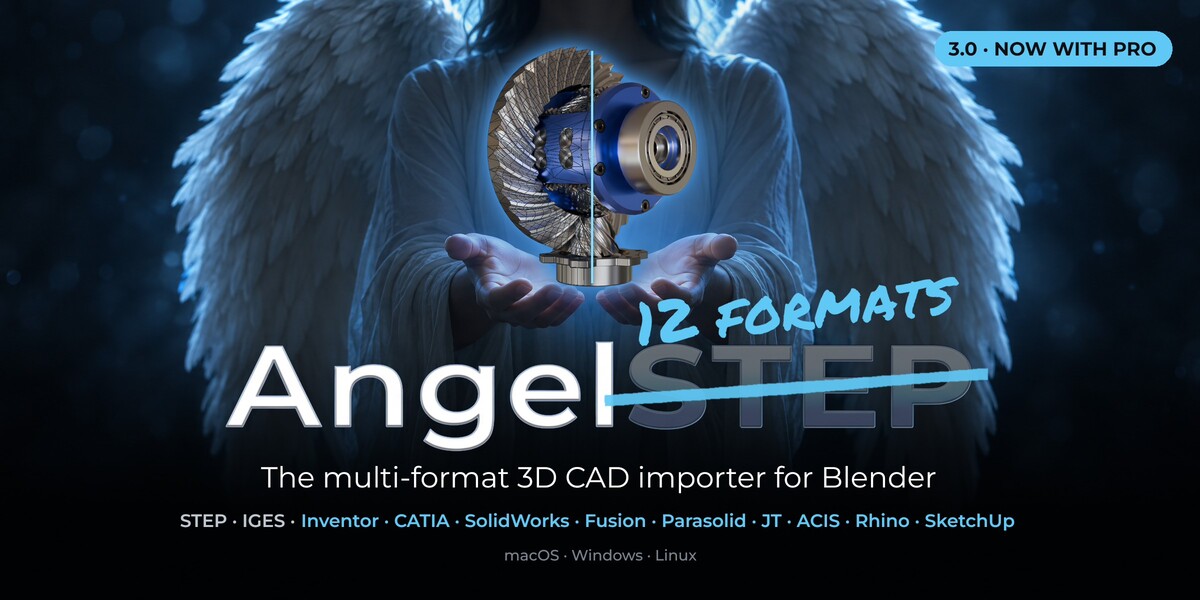






AngelSTEP 3.0 · NOW WITH PRO
Finally: the multi-format 3D CAD importer and STEP converter for Blender.
12 CAD formats. Straight into Blender.
NEW IN 3.0PRO EDITION
Open the native files of Inventor, CATIA, SolidWorks and nine more formats directly in Blender. No CAD program, no licence, no conversion detour.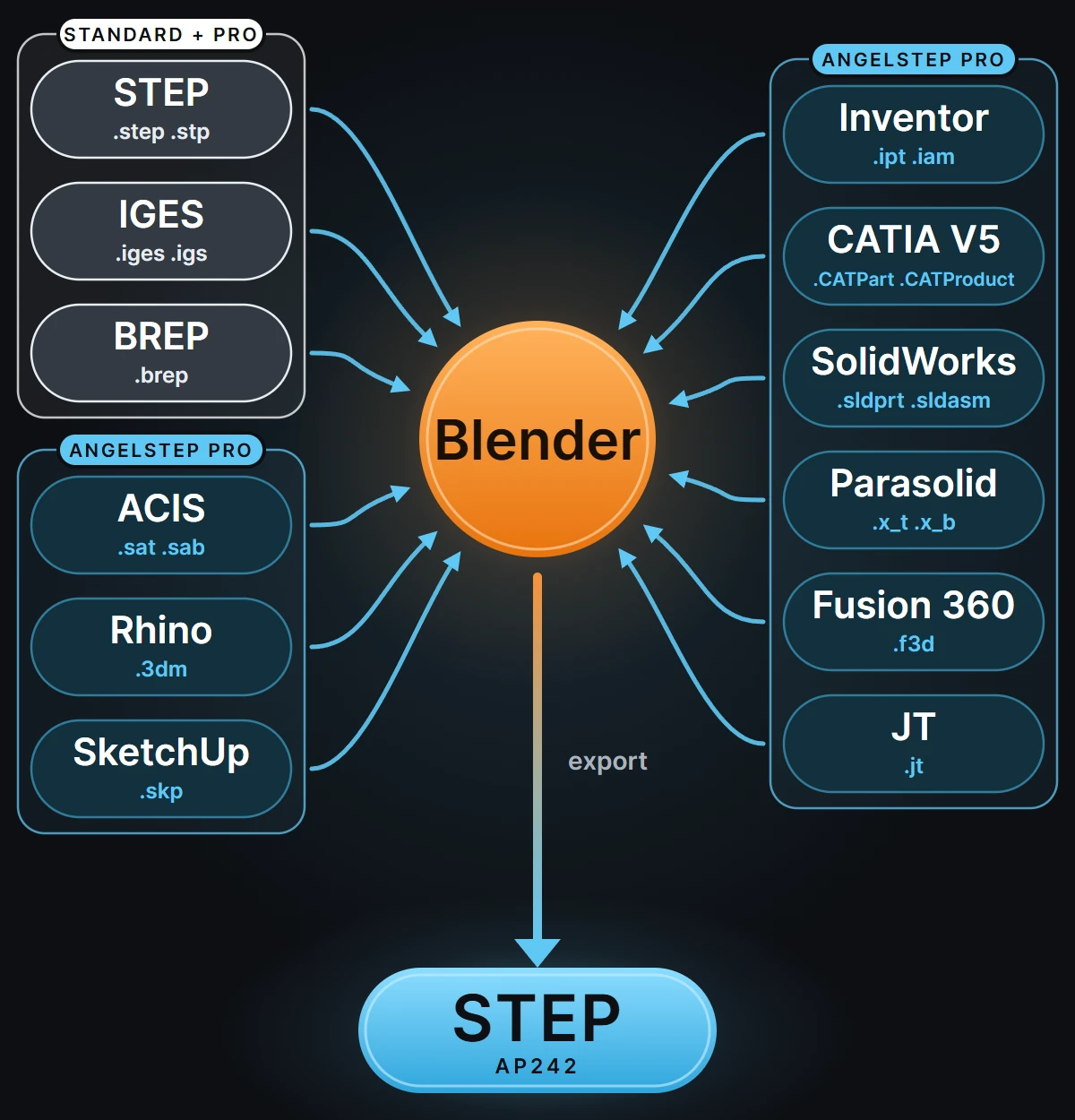
NEW IN 3.0PRO EDITION
Every CAD format we read can go out as STEP.
The client sends CATIA, your engineers work in SolidWorks, the supplier only has Inventor. AngelSTEP Pro reads all of it and writes one clean STEP assembly that every CAD program opens. With Blender in the middle, that makes it an indispensable CAD converter: no extra licence, no cloud upload, and scriptable through Blender's Python for batch conversion.
MAIN FEATURES
From CAD file to finished render.
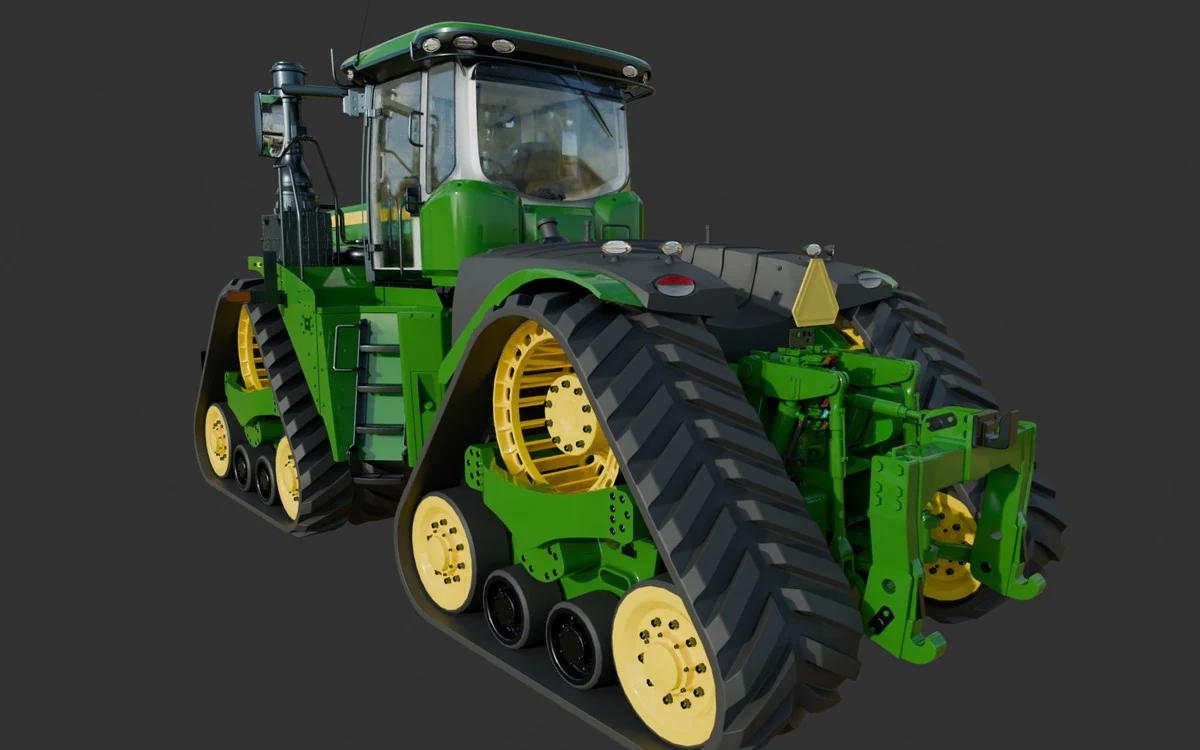
Whole assemblies in one go.
2,050 Inventor parts with their full hierarchy, names and placements, read natively. No Inventor, no export step.
INVENTOR .IAM
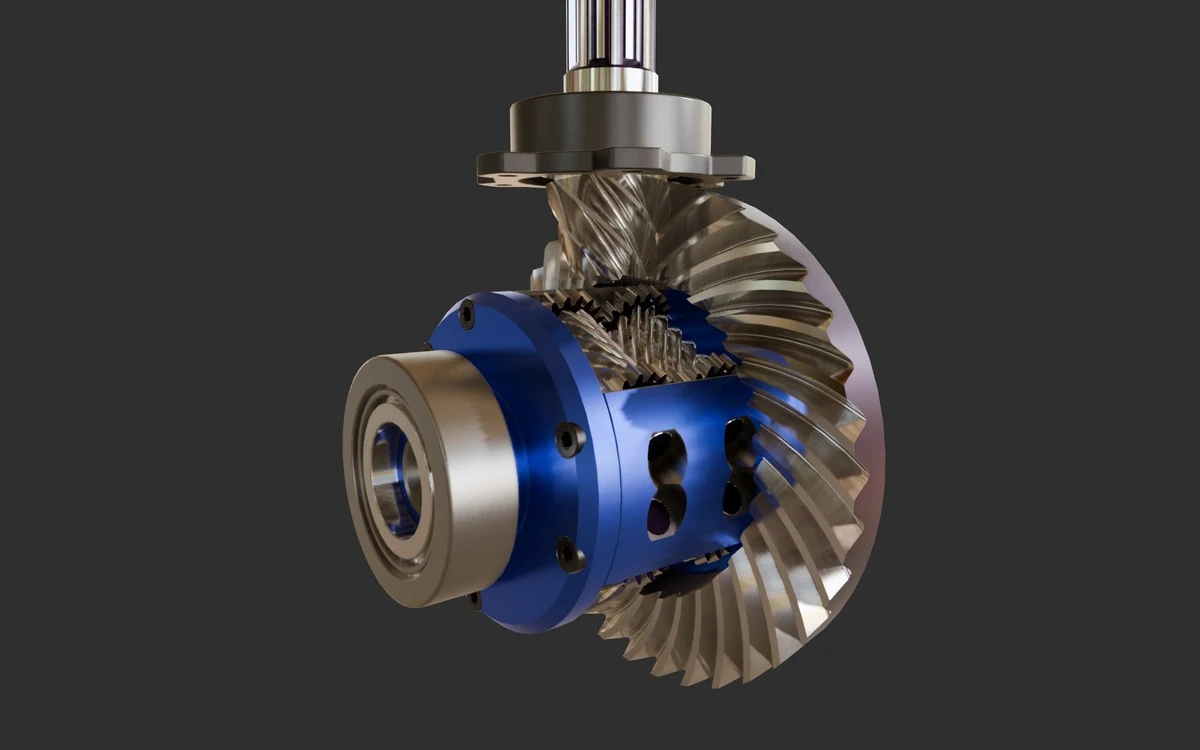
Real materials, straight from the file.
Metal, gloss and anodised colour as the designer set them, by AngelSHADE. No re-shading after import.
STEP AP214
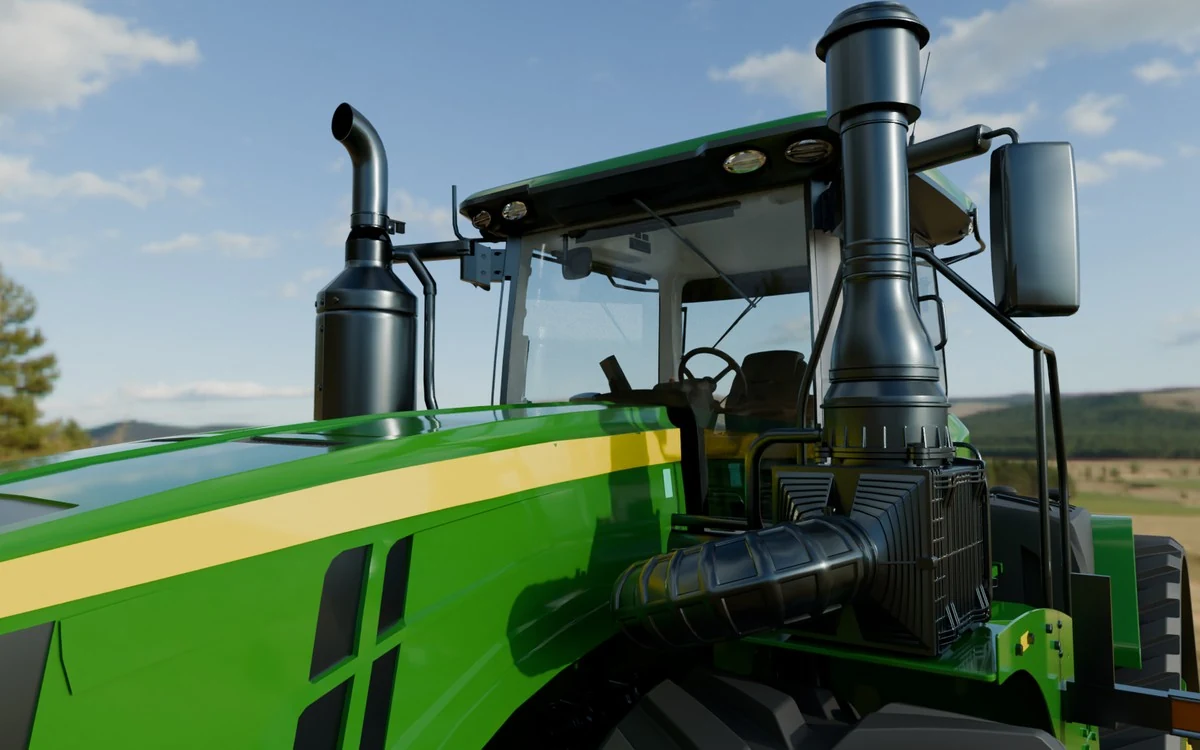
Ready to render.
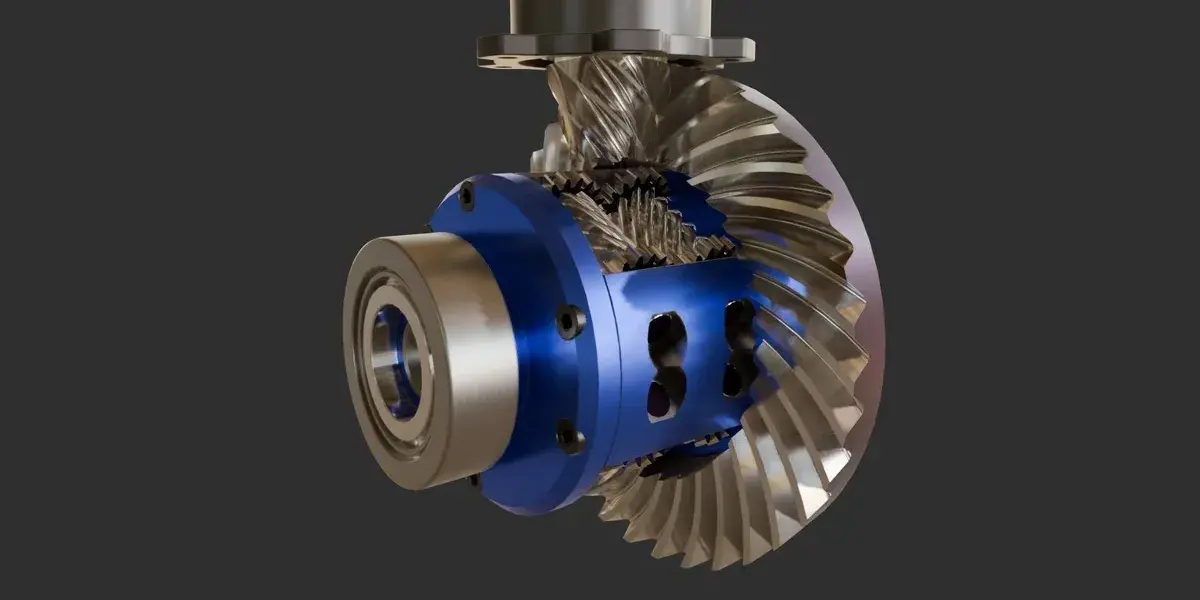
Glass, paint and rubber in this shot are exactly as imported. Untouched.
INVENTOR .IAM
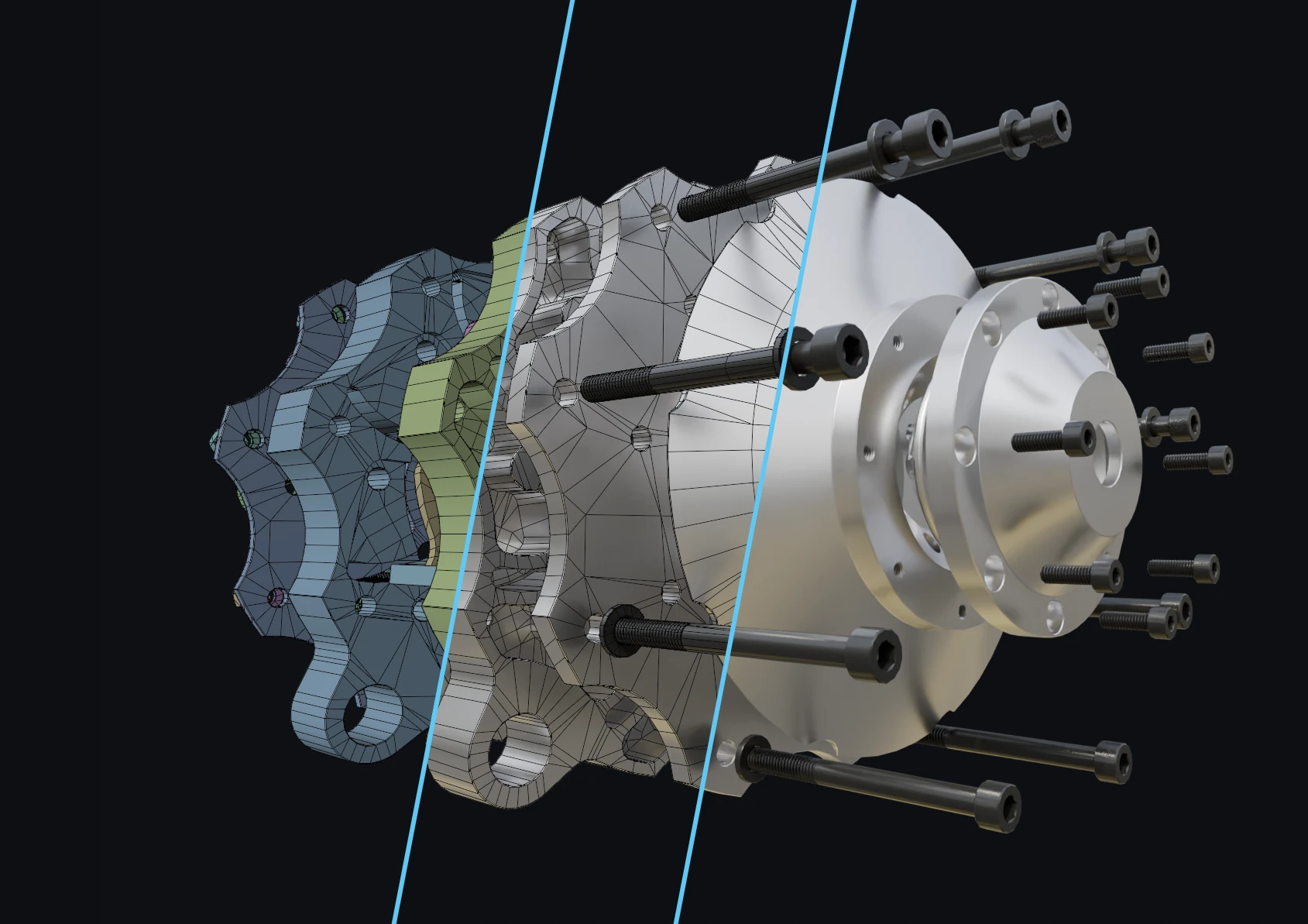
Clean, watertight meshes.
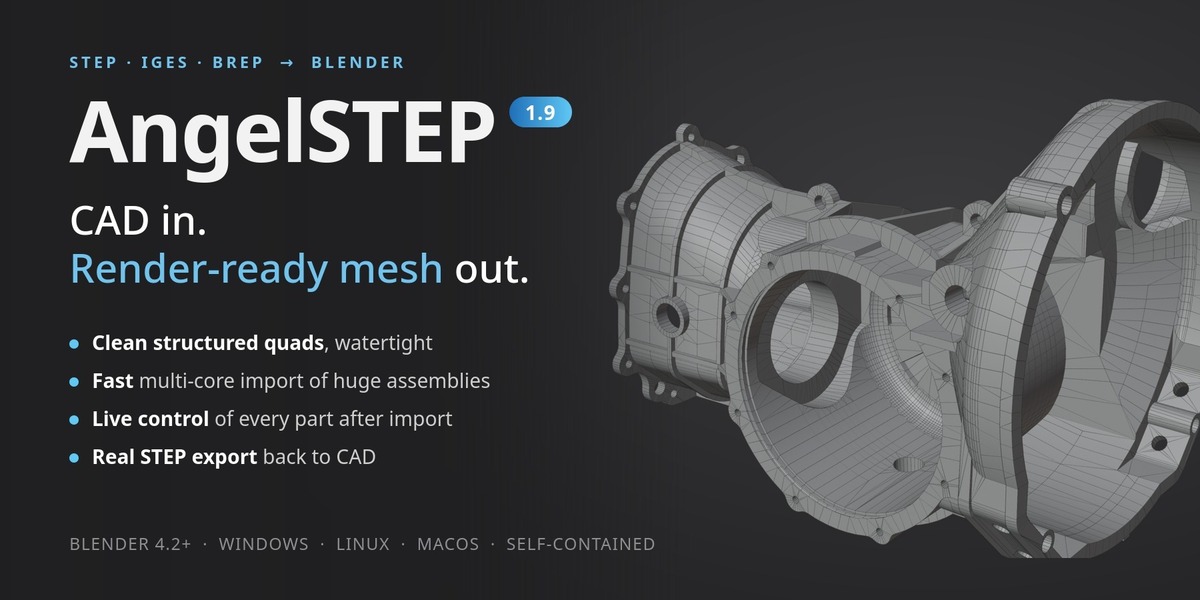
Structured quad rows from the exact CAD surfaces, not a preview mesh. Light enough for real-time, clean enough for close-ups.
RHINO .3DM
Viewport captures in Blender, straight after import. No manual shading.
01 · LIVE CONTROL
Import once. Change everything later.
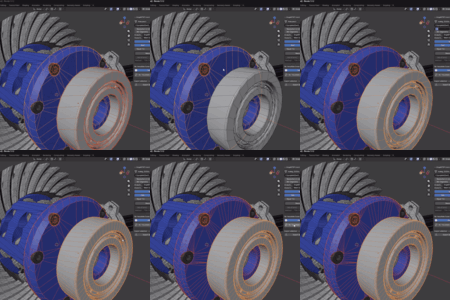
Every part keeps a live link to its CAD file. Drag the resolution and the mesh follows. Switch the mesh style, remove holes or fillets, add UVs: one part, a selection or the whole scene, rebuilt in the background on every CPU core. No re-import, no lost work.
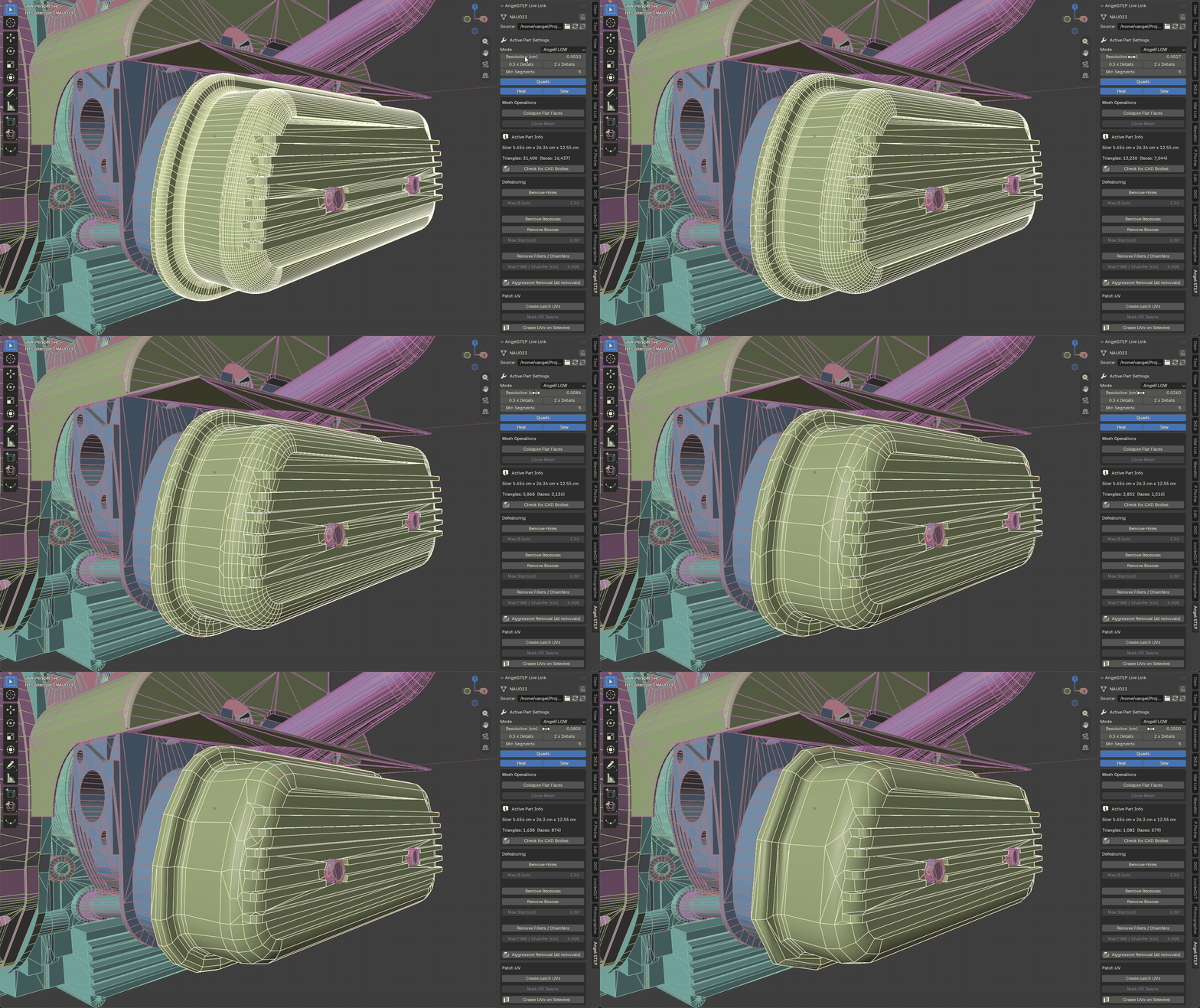
Whole selection
Change a value with fifty parts selected, all fifty follow.
Lock Part
Hand-edited parts stay as they are.
Origins stay
Pivots you set survive every rebuild.
Relink
Swap in an updated CAD file and keep your scene.
02 · ANGELSHADE · REAL MATERIALS
NEW IN 3.0
Not just colours. The materials the designer chose.

AngelSHADE, the material engine of AngelSTEP, takes over every material property the file stores: colour, metalness, gloss, transparency and glass, and textures, down to single faces. Many files carry less than that, often just a name. Then a carefully tuned heuristic reads the name, in English, German, French, Italian, Spanish, Japanese or Chinese, and fills in what is missing: "Steel - Satin" becomes brushed metal, "Brass - Polished" shiny brass, "ABS (White)" white plastic. Right after import, your scene already looks and feels close to a real product, not like a set of flat colours.
Patch UVs on top: every CAD face becomes a conformal, packed UV island, ready for texturing and baking, on import or later for a whole selection.
Your own materials stay. Swap in any material from your library: it survives every re-mesh.
03 · MESH QUALITY
The mesh quality of enterprise CAD-prep software. Without the enterprise price.

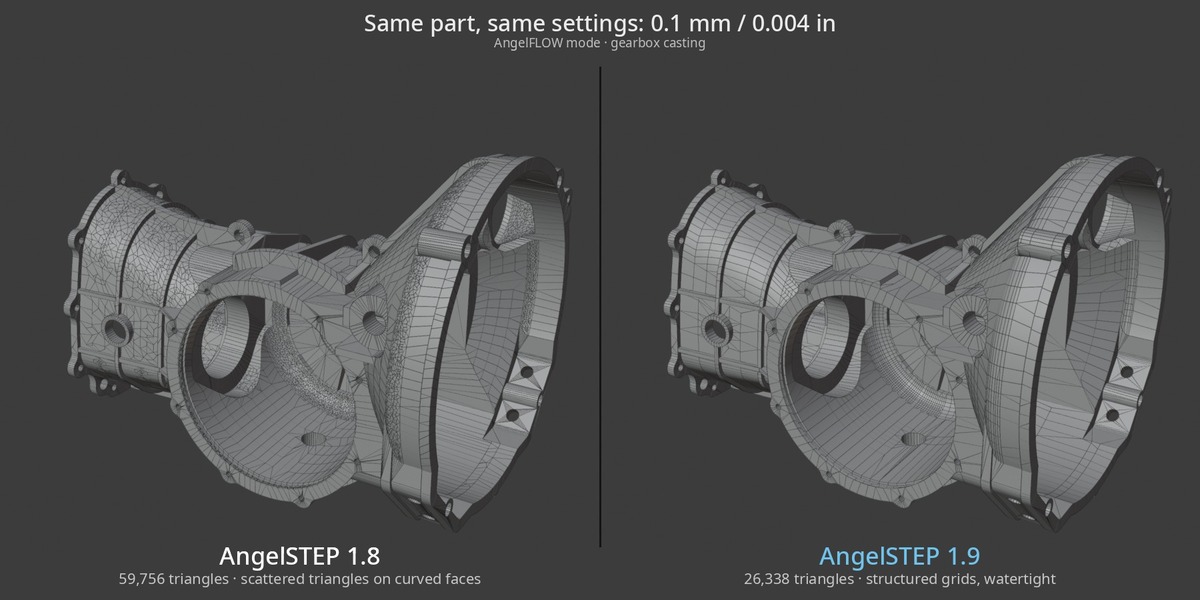
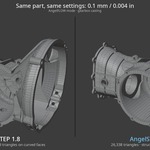
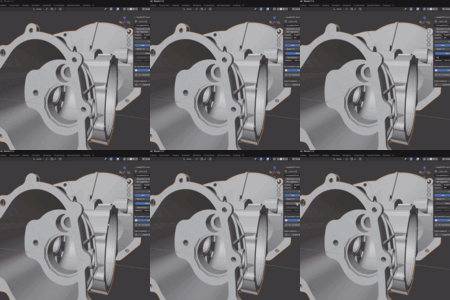
This casting: half the triangles. Across many real assemblies: about a third, up to 5× fewer.
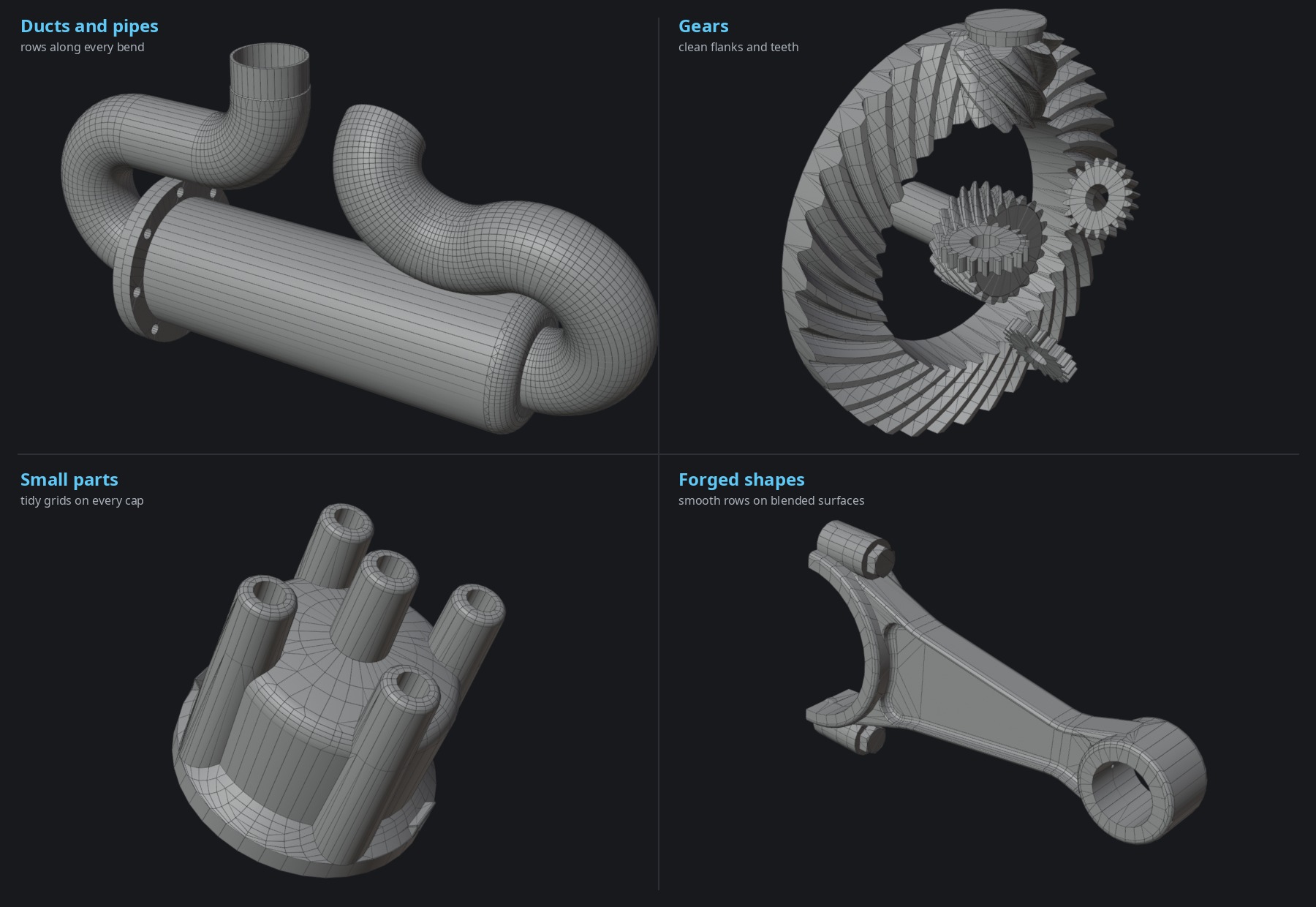
Rounds, fillets, threads and freeform faces get regular quad rows that run straight on into the neighbouring faces, instead of a scatter of triangles.
About a third of the triangles of standard OCCT at the same resolution.
No cracks, no dropped faces between neighbouring CAD faces.
AngelGRID lays an even quad grid over every face, for parts you deform, displace or subdivide.
Repair for messy CAD: Heal and Sew close gaps, open edges light up red, Close Mesh caps them in one click.
04 · SPEED
Much faster. And far fewer triangles.
Most Blender STEP importers read and mesh with the standard OCCT pipeline, one step after the other. AngelSTEP reads the file with its own reader and meshes all parts in parallel, on every available CPU core.
Time to read and mesh · shorter is faster
| standard OCCT | ▶ |
| AngelSTEP | up to 5× faster on large real-world assemblies |
Triangles needed for the same accuracy · shorter is lighter
| standard OCCT | ▶ |
| AngelSTEP | about 3× fewer triangles, same 0.1 mm accuracy |
Why fewer triangles, at the same accuracy? Both meshes stay within 0.1 mm of the true CAD surface. The standard mesher works face by face, with fans of thin triangles along long curved faces and seams. AngelFLOW lays structured quad rows that follow the curvature and run on across face borders, so it reaches the same accuracy with far fewer, better-shaped polygons: a cleaner mesh, not a coarser one.
Compared with the industry-standard OCCT pipeline at the same 0.1 mm resolution, on real-world assemblies.
05 · THE TOOLSET
Not just an importer. A CAD prep toolset inside Blender.
Everything you would otherwise do in a CAD program or by hand before the first render: strip detail, unwrap, organise the assembly, share repeated parts.
DEFEATURING
Remove detail before it costs polygons.
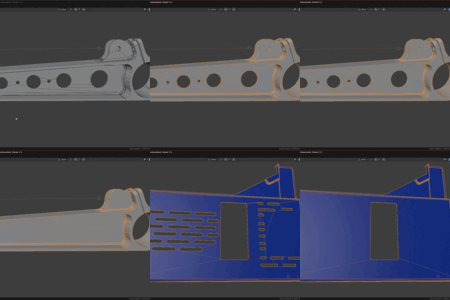
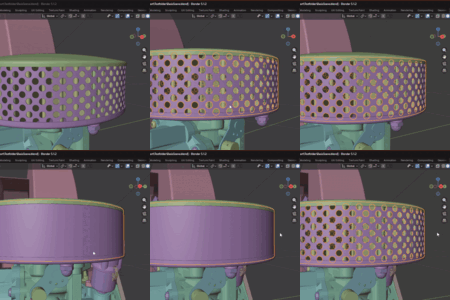
Holes, perforations, fillets, chamfers, recesses and bosses come off the CAD geometry itself, before meshing. Watertight, adjustable per part at any time, and baked into STEP export too.

Holes by size. Every round hole and counterbore below a diameter closes, so bolt patterns stop costing triangles.

Perforations. Hundreds of small holes in a grille or filter become one clean surface in a single step.

Recesses and bosses. Pockets are filled and raised pads flattened flush with the surface around them.
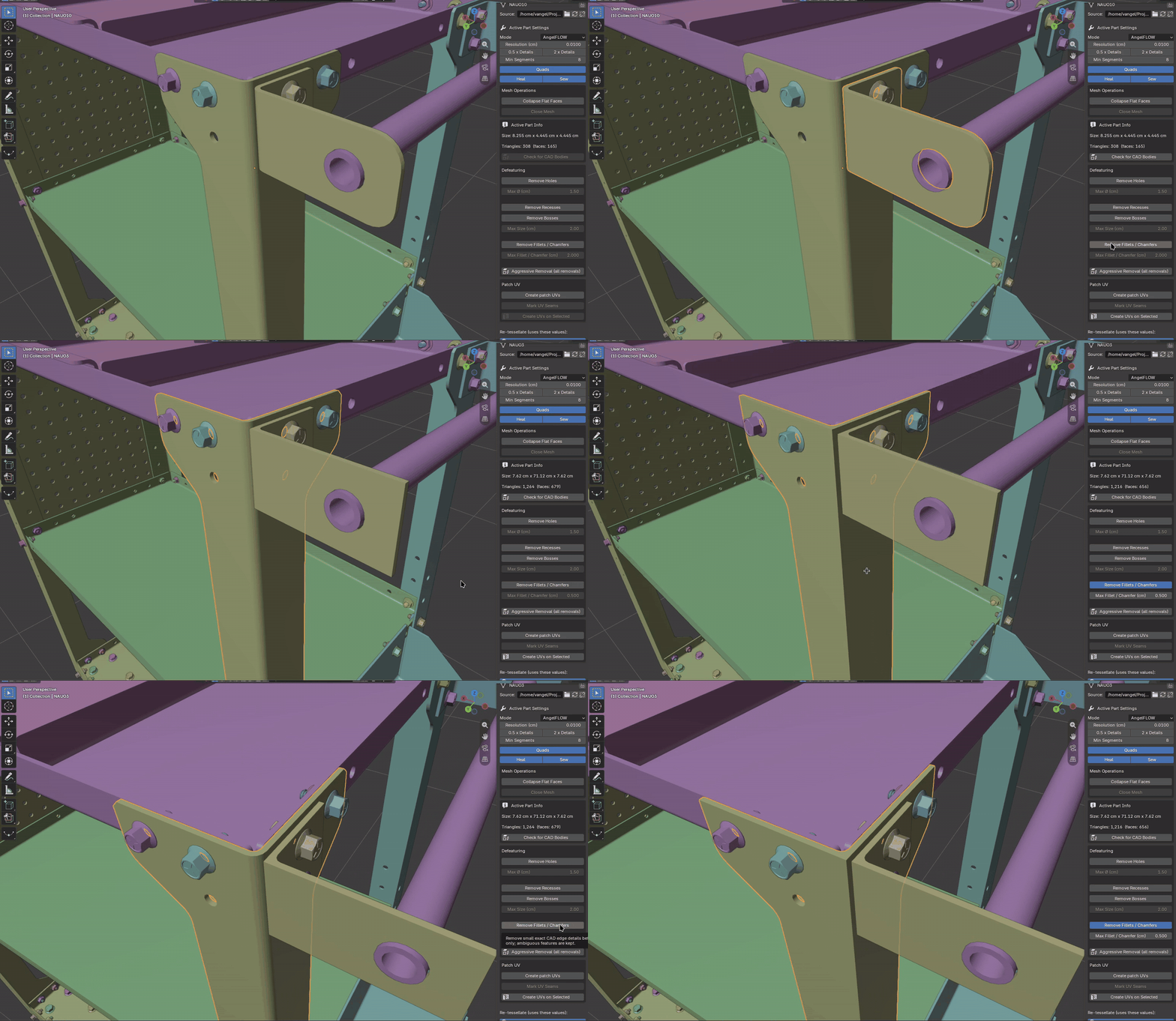
Fillets and chamfers. Rounded edges, corners and bevels up to the size you set are rebuilt as sharp edges, watertight: brackets, plates, machined and turned parts.
AngelSTEP removes features from the finished geometry, the same way for every format, instead of relying on each CAD program's own feature history. How much it can remove depends on how a part was modelled: on clean machined and sheet-metal parts it often goes surprisingly far, on castings or freeform surfaces less. Whatever it cannot rebuild cleanly simply stays as it was. Your mesh never breaks, and every part can be adjusted again at any time.
ASSEMBLY TOOLS
The hierarchy in order, in one click each.
Collections and pruning
Assemblies as collections, empty levels pruned, restorable any time.
Orientation and origins
Z-up or Y-up, origins centred on parts, the assembly moved to the world origin.
Fused parts, split
Explode to Bodies turns one part that is really twenty solids into twenty objects, CAD link kept.
IDENTICAL PARTS → INSTANCES NEW IN 3.0
Even copies the CAD file doesn't know about become instances.
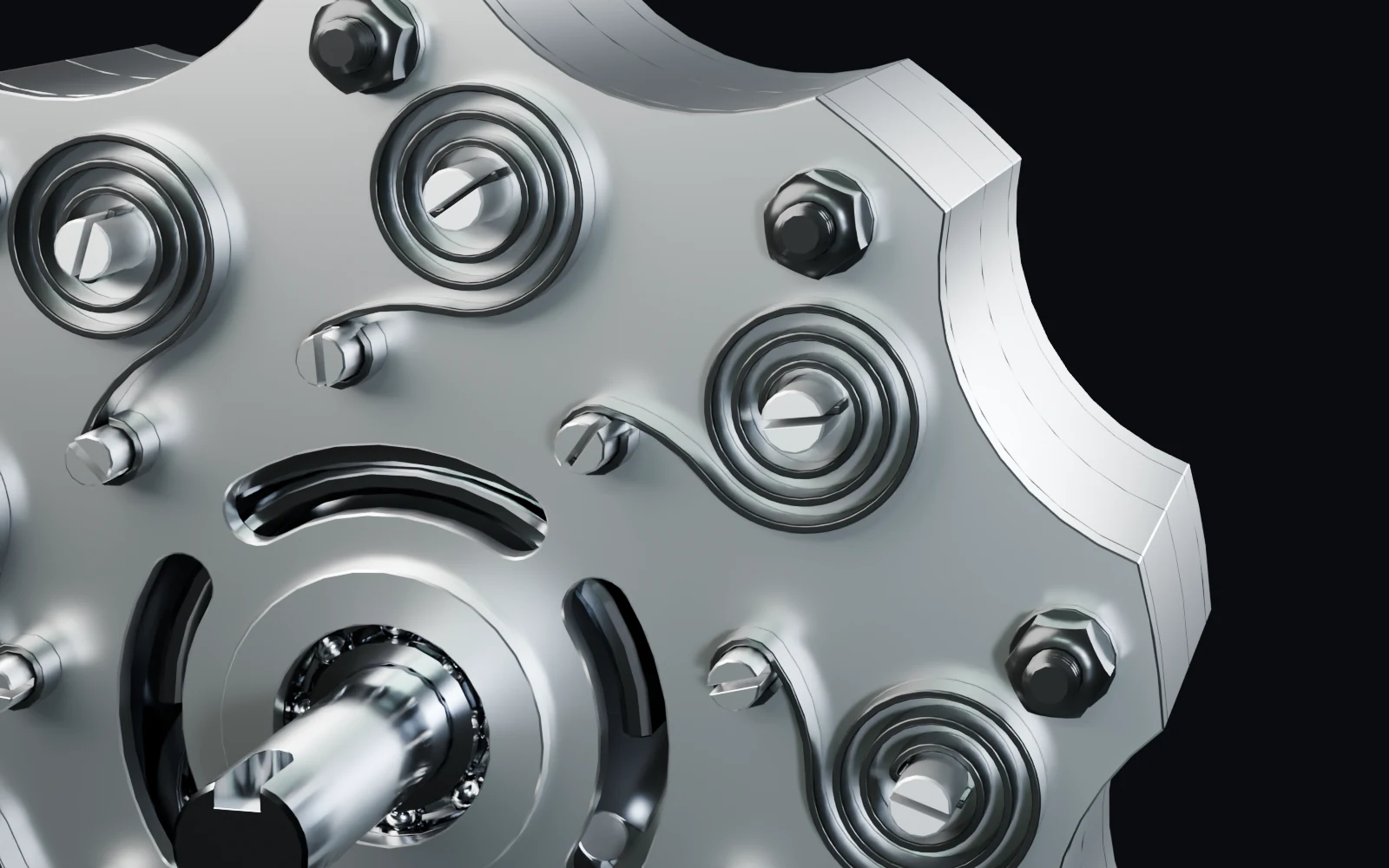
Instances the CAD file defines have always come in as shared meshes. But many files don't define them: every bolt, ball and washer is stored as its own separate part, so Blender gets hundreds of copies of the same mesh.
New in 3.0: Instance Identical Parts finds those copies by their geometry, moved or rotated, and turns them into instances of one shared mesh after the import. Each keeps its place, name and CAD link, and the result is selected so you see what happened.
145 meshes → 39 on this air engine from Rhino, whose file defines no instances at all.
Only exact copies. Nothing approximated, nothing moved.
Lighter scenes for real-time, VR and huge renders.
06 · UV MAPS
Every CAD face its own UV island.
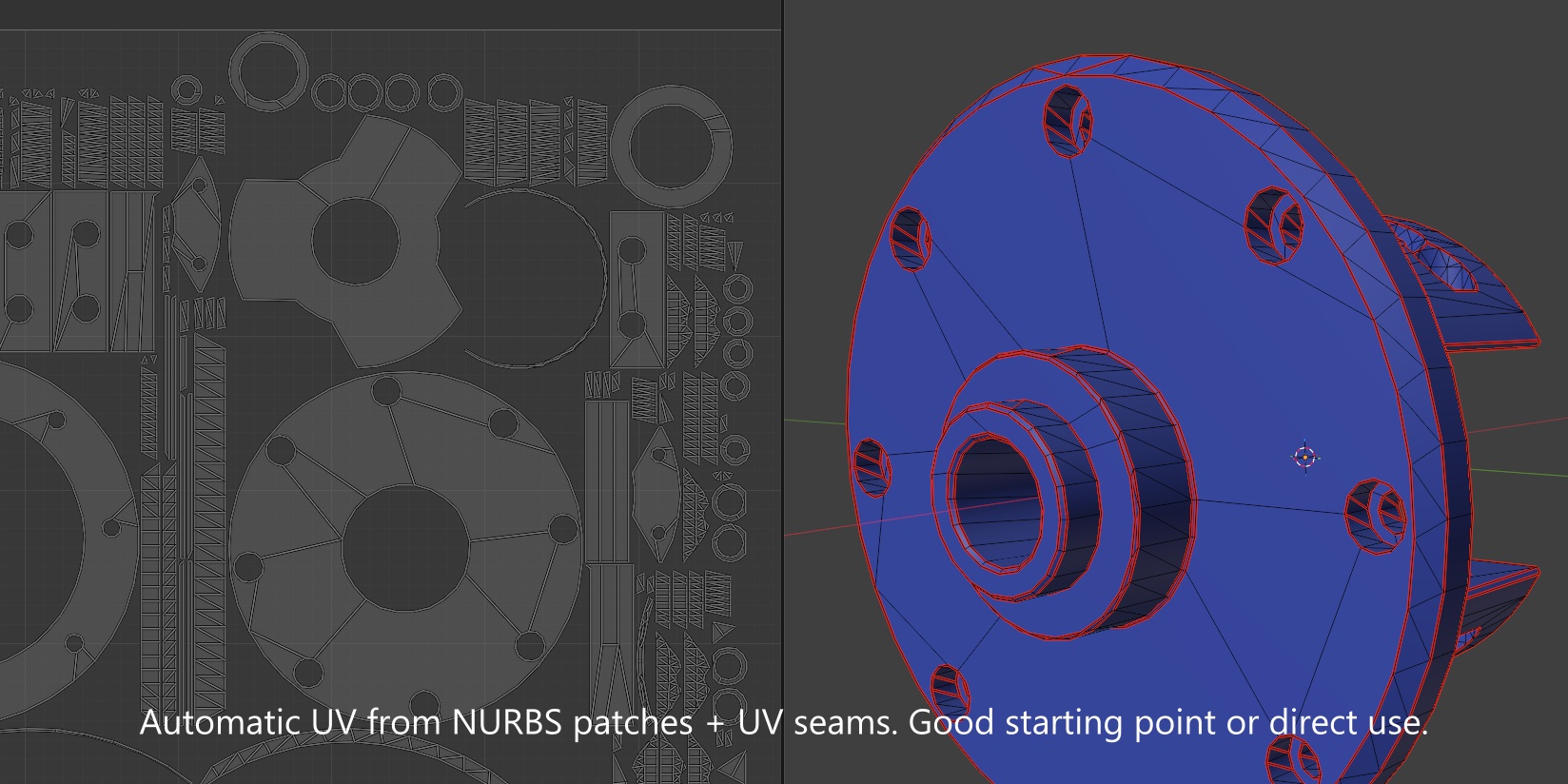
Each CAD face becomes a conformal, packed UV island with real proportions, cut exactly along the CAD face boundaries. Ready for texturing, decals and baking, on import or later for a whole selection.
Unique among CAD importers. A small feature that turns out surprisingly useful in daily work.
07 · ANGELSTEP VS. TYPICAL CAD IMPORTERS
Where typical importers stop, AngelSTEP keeps going.
| ANGELSTEP PRO | TYPICAL IMPORTERS | |
| Formats | ✓ 12 native CAD formats | ✕ STEP, maybe IGES |
| Mesh quality | ✓ Structured quad grids, watertight | ✕ Raw triangulation |
| Materials | ✓ AngelSHADE: metal, gloss, glass, names | ✕ Flat colours, generic names |
| After import | ✓ Live rebuilds, part or selection | ✕ Re-import to change quality |
| Polygon budget | ✓ Defeaturing, lean grids, instances | ✕ Manual cleanup |
| Fused parts | ✓ Explode into objects, CAD link kept; Rhino STEP split on import | ✕ Arrive as one object |
| UV maps | ✓ CAD-face islands, packed | ✕ None or manual unwrap |
| Export | ✓ All 12 formats to an exact B-rep STEP assembly, with materials | ✕ Usually import only |
| Install | ✓ Self-contained, all platforms | ✕ Often extra packages |
A general characterisation of common Blender CAD import workflows, not a claim about one specific product.
08 · THE TWO EDITIONS
12 CAD formats. Two editions. One engine.
AngelSTEP
AngelSTEP
3 formats
STEP
.step .stp
STANDARD + PRO
IGES
.iges .igs
STANDARD + PRO
BREP
.brep .brp
STANDARD + PRO
AngelSTEP Pro
+ 9 native formats
Inventor
.ipt .iam
PRO
CATIA V5
.CATPart .CATProduct
PRO
SolidWorks
.sldprt .sldasm
PRO
Parasolid
.x_t .x_b
PRO
Fusion 360
.f3d
PRO
JT
.jt
PRO
ACIS
.sat .sab
PRO
Rhino
.3dm
PRO
SketchUp
.skp (8 and newer)
PRO
SAME ENGINE IN BOTH EDITIONS
AngelFLOW
quad mesher
AngelSHADE
real materials
Defeaturing
holes, fillets
Live Link
re-mesh any time
STEP export
of everything you import
Native readers, no CAD licence
Built from scratch, no vendor SDK. Inventor, CATIA or SolidWorks need not be installed.
Complete, not just geometry
Exact B-rep, assembly tree, placements, real part names and materials, as far as the file stores them.
Never hunt for the right assembly
Find Top Assemblies picks the top-level .iam, .CATProduct or .sldasm in a project folder (Pro).
Side by side.
| ANGELSTEP | ANGELSTEP PRO | |
| STEP, IGES, BREP | ✓ | ✓ |
|
Inventor, CATIA V5, SolidWorks, Parasolid, Fusion 360, JT, ACIS, Rhino, SketchUp Native parts and assemblies, plus Find Top Assemblies for project folders. Each of them converts to STEP. |
✕ | ✓ |
| AngelFLOW mesher, AngelSHADE, defeaturing, live link, instancing, UVs, STEP export | ✓ same | ✓ same |
| Updates | Engine and features | Engine, features and new formats |
ALREADY OWN ANGELSTEP?
Upgrade any time, pay only the difference.
Own AngelSTEP? Upgrade to Pro right here on Superhive: the price you paid is credited automatically. Your Blender files keep working: Pro uses the same part data, so scenes made with AngelSTEP open and rebuild in Pro unchanged.
09 · QUESTIONS
Do I need Inventor, CATIA or SolidWorks?
No. The readers are part of the add-on. You need neither the CAD program nor a licence for it.
Do assemblies need all their part files?
Yes. An .iam, .CATProduct or .sldasm only references its parts, so keep the project folder together. Parts whose files are missing are left out.
Can I install AngelSTEP and Pro together?
Technically yes. But: Pro does everything AngelSTEP does and more. Use it and never look back.
Is it a CAD program?
No. It brings CAD data into Blender for visualisation: rendering, animation and real-time. It reads the geometry, not the feature history, and it is not a mesher for simulation (FEM).
10 · STEP EXPORT IN DETAIL
What goes into the STEP.
Exact CAD geometry
Every part goes out as its original B-rep, not as the mesh.
Materials included
Names, colours and glass transparency, also those AngelSHADE filled in and the ones you set in Blender.
The assembly stays an assembly
Part and instance names, placements, shared copies.
Mix and clean up first
Combine parts from different files and formats, remove holes and fillets, then export one STEP.
STEP carries colour, transparency and the material name. Metal and gloss come back from the name when AngelSTEP reads the file again. SketchUp models and mesh-only JT parts go out as faceted geometry, because that is what they contain.
11 · WHAT YOU GET
Import .ipt / .iam, .CATPart / .CATProduct, .sldprt / .sldasm, .x_t / .x_b, .f3d, .jt, .sat / .sab, .3dm, .skp, .step / .stp, .iges / .igs and .brep. Export .step.
Windows x64, Linux x64 and macOS Apple Silicon. Blender 4.2+ extension package, tested up to Blender 5.2.
Blistering fast, built for huge files: multi-core reading and meshing, an optimised disk cache for near-instant repeat imports, an automatic scene size check recommends a safe starting resolution. Sizes in millimeters, centimeters or inches; custom Unit Scales respected on import and export.
A self-contained native C++ core with Open CASCADE (OCCT) compiled in. No Python packages, no setup: install the zip and import.
Your CAD, render-ready, finally in Blender.
Open the files your clients actually send, with their real materials, keep full control after the import, and send STEP back. That is AngelSTEP 3.0.
12 native formats in one add-on. One-time purchase. Runs locally: no cloud, no subscription.
Questions, tricky files or feature requests? Message me through Superhive. I reply personally.
AngelSTEP is built on its own native core with Open CASCADE (OCCT) compiled in. The Pro format readers are independently developed for interoperability. It is not affiliated with or endorsed by Autodesk, Dassault Systèmes, Siemens, McNeel or Trimble; product names are trademarks of their owners and are used only to name the file formats. OCCT is used under the LGPL.
