Angel Step - CAD Step / Iges / Brep Importer & Exporter for Blender
 kleinARt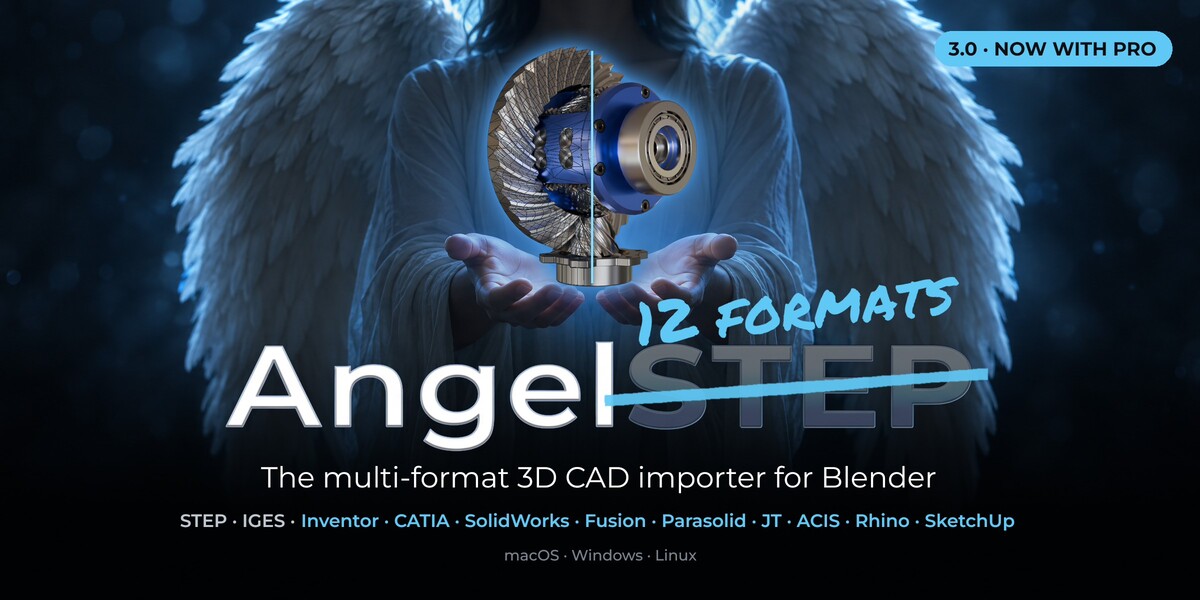





AngelSTEP 3.0.0 Standard
NEW: AngelSTEP Pro
- Native import of Inventor (.ipt/.iam), CATIA V5 (.CATPart/.CATProduct),
SolidWorks (.sldprt/.sldasm), Fusion 360 (.f3d), Parasolid (.x_t/.x_b), JT,
ACIS (.sat/.sab, incl. ACIS 4.0-6.x), Rhino (.3dm) and SketchUp (.skp, 8 and newer).
No CAD program or licence needed.
- Find Top Assemblies: picks the top-level assembly in a project folder.
- AngelSTEP Standard keeps STEP, IGES and BREP. Upgrade any time, you pay only the difference.
NEW in both editions
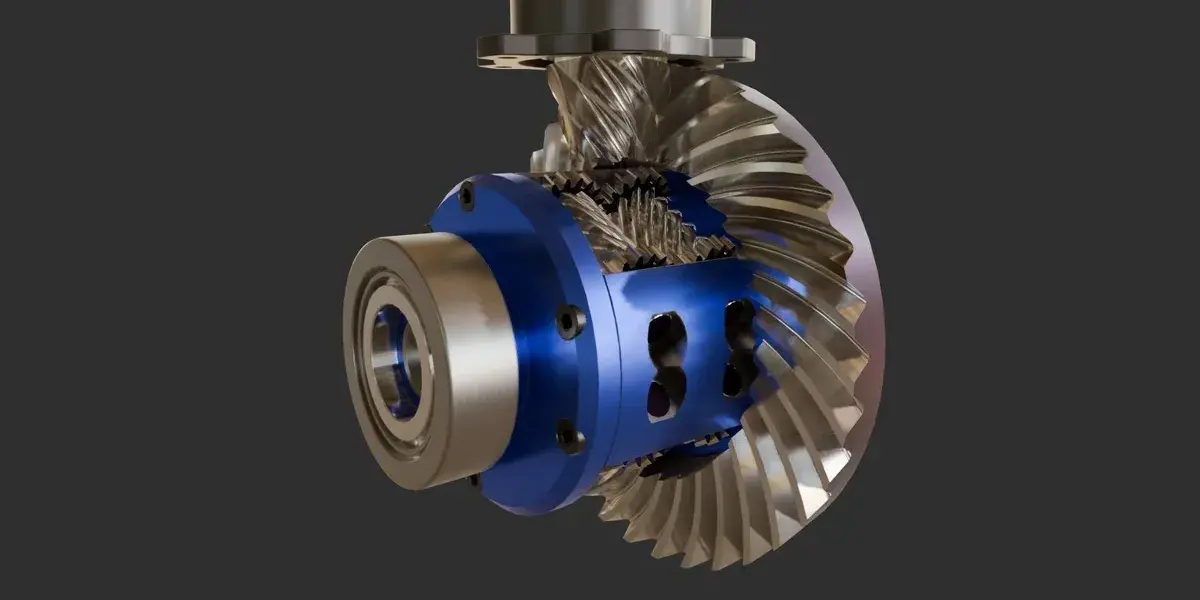
- AngelSHADE: real materials on import (metal, gloss, transparency, glass, textures)
from the file, plus material-name reading in 7 languages. Switchable in the import dialog.
- Glass renders with transmission and refraction instead of alpha.
- Live Link changes now apply to the whole selection, rebuilt in parallel on all CPU cores.
- Instance Identical Parts (Assembly Tools): exact copies share one mesh.
- Rhino-exported STEP files are split into their parts automatically.
- Readable part names instead of "=>[0:1:1:..]" or "NAUO" placeholders.
Improved
- Mesh-only parts lock the settings that cannot change them.
- Clear messages for unsupported files (old SketchUp, mesh-only CATIA bodies).
- Better fillet/chamfer removal on brackets, plates and turned parts.
Notes
- Enable only one edition at a time. Blender files work in both.
AngelSTEP 2.0: a rebuilt meshing engine
The fastest STEP importer for Blender got faster again, and its meshes now look as clean as dedicated CAD-prep tools while staying watertight.
NEW
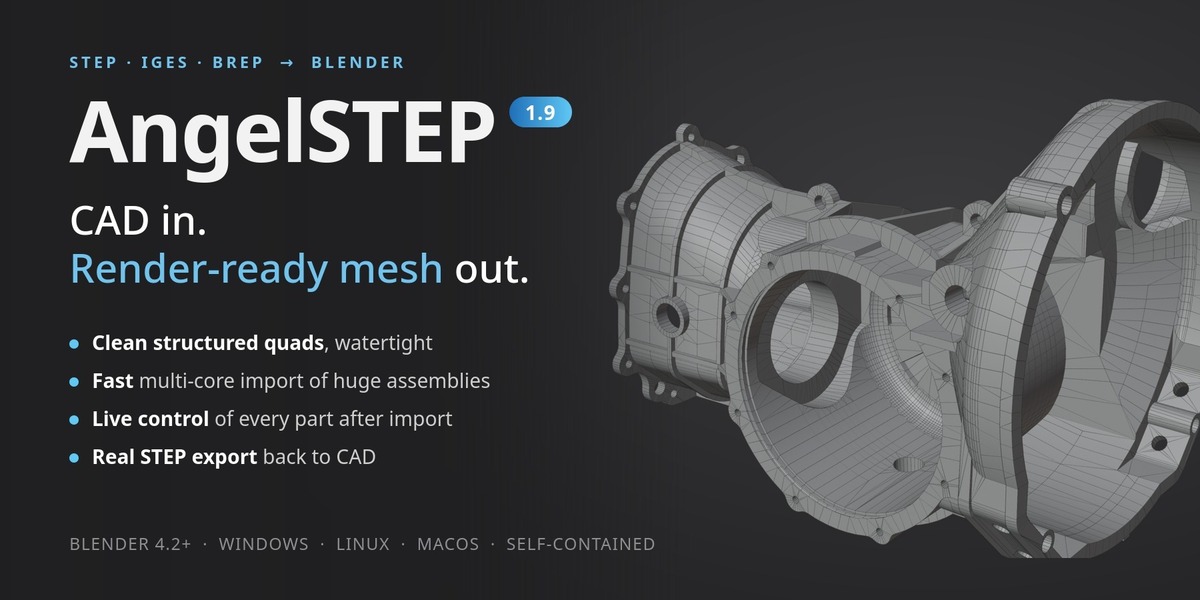
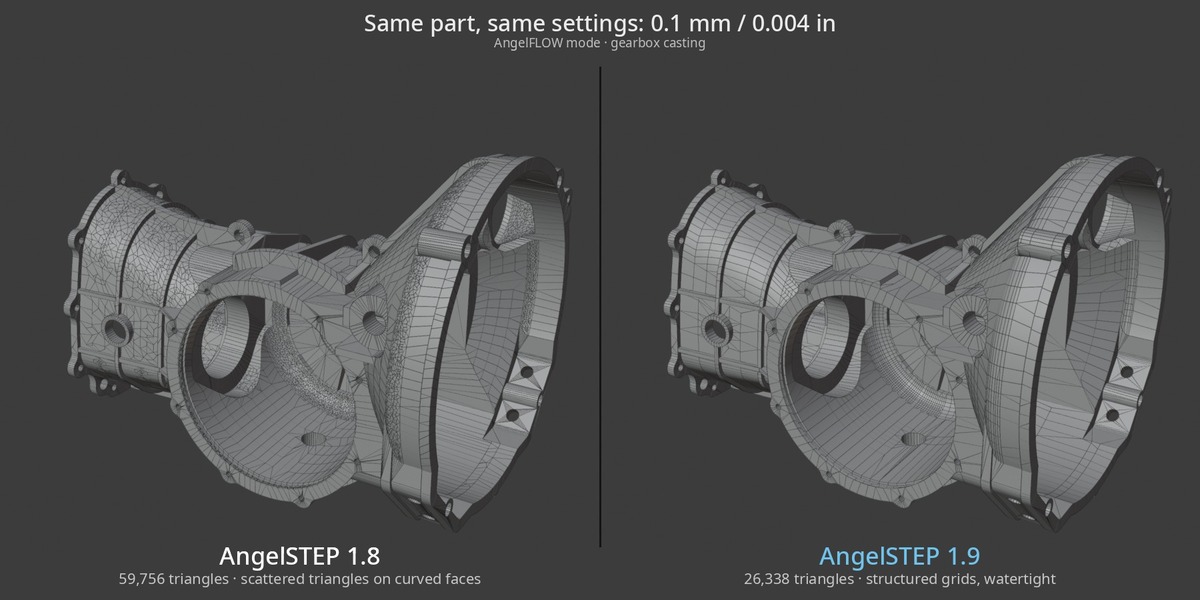
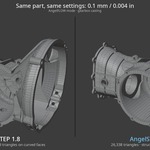
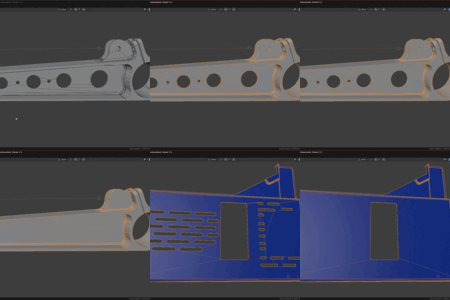
- Structured AngelFLOW grids: rounds, fillets, threads and freeform faces get regular quad rows that run straight into the neighbouring faces. About half the triangles of 1.8 at the same resolution.
- Clean corners and caps: rounded box corners and domed caps fan neatly into their tip instead of a dense triangle cluster.
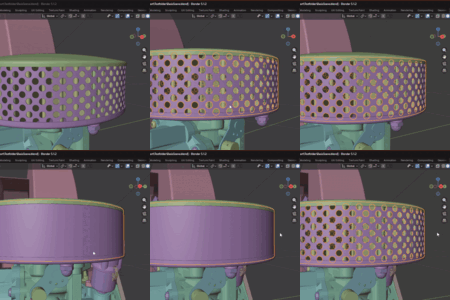
- Holed cylinders and cones (cross holes, slots in sleeves) are now meshed properly instead of falling back to raw triangulation.
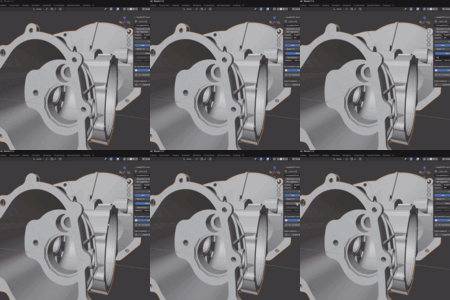
- Truer shading: every quad is split along the diagonal the mesher checked, so curved surfaces render smoother at the same polygon count.
- Even faster imports: a new parallel STEP reader and better multi-threading make imports 2.4× faster on average (aircraft assembly 43.6 → 17.3 s, engine assembly 19.2 → 9.7 s, F1 car 6.9 → 2.5 s, caches cleared).
- Live re-tessellation runs in the background: keep working while a progress bar fills on the new Triangles line in the part panel.
CHANGED
- Collapse Flat Faces is now off by default (it made flat areas look jagged). The option is still there if you want it.
FIXED
- Inverted normals on open sheet bodies and on thread run-outs.
- Holes in curved faces with Heal off; full cones from some CAD systems coming out empty.
- Rounds at fine resolutions that fell back to raw triangles.
- Several import hangs on difficult files.
Upgrading from 1.x: remove the old version in the add-on preferences, restart Blender, then install 2.0. Free for existing customers.
What's new in 1.8
Fused supplier CAD becomes a usable assembly — and materials arrive with their real names. Driven directly by customer feedback.
- Explode to Bodies: split a fused part — one STEP product that really holds several separate solids — into one object per body, each meshed separately and each keeping its live CAD link. The panel shows how many bodies a part contains before you commit.
- Explode Selected Parts: do it for a whole selection at once, for assemblies where fused parts are the rule rather than the exception.
- Exploded bodies export as a real STEP assembly: separate products in one file, instead of the lump you were sent.
- Materials keep their CAD names: Steel - Satin, ABS (White), Plastic - Matte (Black) — and re-importing the same file reuses them instead of creating duplicates.
- Body names from the file: where the CAD names its solids, your objects use those names.
- Fix: parts whose colours sit on their individual bodies imported with no material at all.
What's new in 1.7
Your work survives every re-tessellation — plus meshes inside STEP. Driven directly by customer feedback.
- Export plain Blender meshes to STEP: normal mesh objects export alongside true-BREP CAD parts into one STEP file, as AP242 tessellated mesh bodies — and re-import cleanly, clearly labelled as mesh objects.
- Lock Part: a padlock protects fine-tuned parts from every accidental change — Live Change, batch re-tess, defeaturing edits and UV rebuilds all skip locked parts.
- Origins survive re-tessellation: move a part's origin — Blender's own Set Origin included — and it stays exactly where you put it through every rebuild.
- Center Origins on Parts: one click puts every selected part's origin at its geometry center, re-tess-proof — exploded views without the jump-back.
- Move Assembly to World Origin: one click brings far-from-origin CAD data home, permanently.
- Create UVs on Selected: patch UVs and seams for a whole selection in one go, without touching the geometry.
- Sever Live Link: disconnect an object from its CAD file for good when you want a plain mesh.
What's new in 1.7
Your work survives every re-tessellation — plus meshes inside STEP. Driven directly by customer feedback.
- Export plain Blender meshes to STEP: normal mesh objects export alongside true-BREP CAD parts into one STEP file, as AP242 tessellated mesh bodies — and re-import cleanly, clearly labelled as mesh objects.
- Lock Part: a padlock protects fine-tuned parts from every accidental change — Live Change, batch re-tess, defeaturing edits and UV rebuilds all skip locked parts.
- Origins survive re-tessellation: move a part's origin — Blender's own Set Origin included — and it stays exactly where you put it through every rebuild.
- Center Origins on Parts: one click puts every selected part's origin at its geometry center, re-tess-proof — exploded views without the jump-back.
- Move Assembly to World Origin: one click brings far-from-origin CAD data home, permanently.
- Create UVs on Selected: patch UVs and seams for a whole selection in one go, without touching the geometry.
- Sever Live Link: disconnect an object from its CAD file for good when you want a plain mesh.
What's new in 1.7
Your work survives every re-tessellation — plus meshes inside STEP. Driven directly by customer feedback.
- Export plain Blender meshes to STEP: normal mesh objects export alongside true-BREP CAD parts into one STEP file, as AP242 tessellated mesh bodies — and re-import cleanly, clearly labelled as mesh objects.
- Lock Part: a padlock protects fine-tuned parts from every accidental change — Live Change, batch re-tess, defeaturing edits and UV rebuilds all skip locked parts.
- Origins survive re-tessellation: move a part's origin — Blender's own Set Origin included — and it stays exactly where you put it through every rebuild.
- Center Origins on Parts: one click puts every selected part's origin at its geometry center, re-tess-proof — exploded views without the jump-back.
- Move Assembly to World Origin: one click brings far-from-origin CAD data home, permanently.
- Create UVs on Selected: patch UVs and seams for a whole selection in one go, without touching the geometry.
- Sever Live Link: disconnect an object from its CAD file for good when you want a plain mesh.
AngelSTEP 3.0.0 Standard
NEW: AngelSTEP Pro
- Native import of Inventor (.ipt/.iam), CATIA V5 (.CATPart/.CATProduct),
SolidWorks (.sldprt/.sldasm), Fusion 360 (.f3d), Parasolid (.x_t/.x_b), JT,
ACIS (.sat/.sab, incl. ACIS 4.0-6.x), Rhino (.3dm) and SketchUp (.skp, 8 and newer).
No CAD program or licence needed.
- Find Top Assemblies: picks the top-level assembly in a project folder.
- AngelSTEP Standard keeps STEP, IGES and BREP. Upgrade any time, you pay only the difference.
NEW in both editions
- AngelSHADE: real materials on import (metal, gloss, transparency, glass, textures)
from the file, plus material-name reading in 7 languages. Switchable in the import dialog.
- Glass renders with transmission and refraction instead of alpha.
- Live Link changes now apply to the whole selection, rebuilt in parallel on all CPU cores.
- Instance Identical Parts (Assembly Tools): exact copies share one mesh.
- Rhino-exported STEP files are split into their parts automatically.
- Readable part names instead of "=>[0:1:1:..]" or "NAUO" placeholders.
Improved
- Mesh-only parts lock the settings that cannot change them.
- Clear messages for unsupported files (old SketchUp, mesh-only CATIA bodies).
- Better fillet/chamfer removal on brackets, plates and turned parts.
Notes
- Enable only one edition at a time. Blender files work in both.
AngelSTEP 2.0: a rebuilt meshing engine
The fastest STEP importer for Blender got faster again, and its meshes now look as clean as dedicated CAD-prep tools while staying watertight.
NEW
- Structured AngelFLOW grids: rounds, fillets, threads and freeform faces get regular quad rows that run straight into the neighbouring faces. About half the triangles of 1.8 at the same resolution.
- Clean corners and caps: rounded box corners and domed caps fan neatly into their tip instead of a dense triangle cluster.
- Holed cylinders and cones (cross holes, slots in sleeves) are now meshed properly instead of falling back to raw triangulation.
- Truer shading: every quad is split along the diagonal the mesher checked, so curved surfaces render smoother at the same polygon count.
- Even faster imports: a new parallel STEP reader and better multi-threading make imports 2.4× faster on average (aircraft assembly 43.6 → 17.3 s, engine assembly 19.2 → 9.7 s, F1 car 6.9 → 2.5 s, caches cleared).
- Live re-tessellation runs in the background: keep working while a progress bar fills on the new Triangles line in the part panel.
CHANGED
- Collapse Flat Faces is now off by default (it made flat areas look jagged). The option is still there if you want it.
FIXED
- Inverted normals on open sheet bodies and on thread run-outs.
- Holes in curved faces with Heal off; full cones from some CAD systems coming out empty.
- Rounds at fine resolutions that fell back to raw triangles.
- Several import hangs on difficult files.
Upgrading from 1.x: remove the old version in the add-on preferences, restart Blender, then install 2.0. Free for existing customers.
What's new in 1.8
Fused supplier CAD becomes a usable assembly — and materials arrive with their real names. Driven directly by customer feedback.
- Explode to Bodies: split a fused part — one STEP product that really holds several separate solids — into one object per body, each meshed separately and each keeping its live CAD link. The panel shows how many bodies a part contains before you commit.
- Explode Selected Parts: do it for a whole selection at once, for assemblies where fused parts are the rule rather than the exception.
- Exploded bodies export as a real STEP assembly: separate products in one file, instead of the lump you were sent.
- Materials keep their CAD names: Steel - Satin, ABS (White), Plastic - Matte (Black) — and re-importing the same file reuses them instead of creating duplicates.
- Body names from the file: where the CAD names its solids, your objects use those names.
- Fix: parts whose colours sit on their individual bodies imported with no material at all.
What's new in 1.7
Your work survives every re-tessellation — plus meshes inside STEP. Driven directly by customer feedback.
- Export plain Blender meshes to STEP: normal mesh objects export alongside true-BREP CAD parts into one STEP file, as AP242 tessellated mesh bodies — and re-import cleanly, clearly labelled as mesh objects.
- Lock Part: a padlock protects fine-tuned parts from every accidental change — Live Change, batch re-tess, defeaturing edits and UV rebuilds all skip locked parts.
- Origins survive re-tessellation: move a part's origin — Blender's own Set Origin included — and it stays exactly where you put it through every rebuild.
- Center Origins on Parts: one click puts every selected part's origin at its geometry center, re-tess-proof — exploded views without the jump-back.
- Move Assembly to World Origin: one click brings far-from-origin CAD data home, permanently.
- Create UVs on Selected: patch UVs and seams for a whole selection in one go, without touching the geometry.
- Sever Live Link: disconnect an object from its CAD file for good when you want a plain mesh.
What's new in 1.7
Your work survives every re-tessellation — plus meshes inside STEP. Driven directly by customer feedback.
- Export plain Blender meshes to STEP: normal mesh objects export alongside true-BREP CAD parts into one STEP file, as AP242 tessellated mesh bodies — and re-import cleanly, clearly labelled as mesh objects.
- Lock Part: a padlock protects fine-tuned parts from every accidental change — Live Change, batch re-tess, defeaturing edits and UV rebuilds all skip locked parts.
- Origins survive re-tessellation: move a part's origin — Blender's own Set Origin included — and it stays exactly where you put it through every rebuild.
- Center Origins on Parts: one click puts every selected part's origin at its geometry center, re-tess-proof — exploded views without the jump-back.
- Move Assembly to World Origin: one click brings far-from-origin CAD data home, permanently.
- Create UVs on Selected: patch UVs and seams for a whole selection in one go, without touching the geometry.
- Sever Live Link: disconnect an object from its CAD file for good when you want a plain mesh.
What's new in 1.7
Your work survives every re-tessellation — plus meshes inside STEP. Driven directly by customer feedback.
- Export plain Blender meshes to STEP: normal mesh objects export alongside true-BREP CAD parts into one STEP file, as AP242 tessellated mesh bodies — and re-import cleanly, clearly labelled as mesh objects.
- Lock Part: a padlock protects fine-tuned parts from every accidental change — Live Change, batch re-tess, defeaturing edits and UV rebuilds all skip locked parts.
- Origins survive re-tessellation: move a part's origin — Blender's own Set Origin included — and it stays exactly where you put it through every rebuild.
- Center Origins on Parts: one click puts every selected part's origin at its geometry center, re-tess-proof — exploded views without the jump-back.
- Move Assembly to World Origin: one click brings far-from-origin CAD data home, permanently.
- Create UVs on Selected: patch UVs and seams for a whole selection in one go, without touching the geometry.
- Sever Live Link: disconnect an object from its CAD file for good when you want a plain mesh.
AngelSTEP 3.0.0 (Standard and Pro)
NEW: AngelSTEP Pro
- Native import of Inventor (.ipt/.iam), CATIA V5 (.CATPart/.CATProduct),
SolidWorks (.sldprt/.sldasm), Fusion 360 (.f3d), Parasolid (.x_t/.x_b), JT,
ACIS (.sat/.sab, incl. ACIS 4.0-6.x), Rhino (.3dm) and SketchUp (.skp, 8 and newer).
No CAD program or licence needed.
- Find Top Assemblies: picks the top-level assembly in a project folder.
- Standard keeps STEP, IGES and BREP. Upgrade any time, you pay only the difference.
NEW in both editions
- AngelSHADE: real materials on import (metal, gloss, transparency, glass, textures)
from the file, plus material-name reading in 7 languages. Switchable in the import dialog.
- Glass renders with transmission and refraction instead of alpha.
- Live Link changes now apply to the whole selection, rebuilt in parallel on all CPU cores.
- Instance Identical Parts (Assembly Tools): exact copies share one mesh.
- Rhino-exported STEP files are split into their parts automatically.
- Readable part names instead of "=>[0:1:1:..]" or "NAUO" placeholders.
Improved
- Mesh-only parts lock the settings that cannot change them.
- Clear messages for unsupported files (old SketchUp, mesh-only CATIA bodies).
- Better fillet/chamfer removal on brackets, plates and turned parts.
Notes
- Enable only one edition at a time. Blender files work in both.
AngelSTEP 3.0.0 (Standard and Pro)
NEW: AngelSTEP Pro
- Native import of Inventor (.ipt/.iam), CATIA V5 (.CATPart/.CATProduct),
SolidWorks (.sldprt/.sldasm), Fusion 360 (.f3d), Parasolid (.x_t/.x_b), JT,
ACIS (.sat/.sab, incl. ACIS 4.0-6.x), Rhino (.3dm) and SketchUp (.skp, 8 and newer).
No CAD program or licence needed.
- Find Top Assemblies: picks the top-level assembly in a project folder.
- Standard keeps STEP, IGES and BREP. Upgrade any time, you pay only the difference.
NEW in both editions
- AngelSHADE: real materials on import (metal, gloss, transparency, glass, textures)
from the file, plus material-name reading in 7 languages. Switchable in the import dialog.
- Glass renders with transmission and refraction instead of alpha.
- Live Link changes now apply to the whole selection, rebuilt in parallel on all CPU cores.
- Instance Identical Parts (Assembly Tools): exact copies share one mesh.
- Rhino-exported STEP files are split into their parts automatically.
- Readable part names instead of "=>[0:1:1:..]" or "NAUO" placeholders.
Improved
- Mesh-only parts lock the settings that cannot change them.
- Clear messages for unsupported files (old SketchUp, mesh-only CATIA bodies).
- Better fillet/chamfer removal on brackets, plates and turned parts.
Notes
- Enable only one edition at a time. Blender files work in both.
 Included
Includes 12 months of
- Support from kleinARt
- Product updates
Extend this product’s Support Period +12 months: 75% of product price
Have questions before purchasing?
Login to message
| Blender Extension Compatible | Yes |
| Sales | 100+ |
| Rating | 4 ratings |
| Dev Fund Contributor | |
| Published | 5 months ago |
| Blender Version | 4.2 - 5.2 |
| Extension Type | Add-on |
| Render Engine Used | Arnold, Blender-Internal, Blender-Game-Engine, Cycles, Eevee, Freestyle, Luxrender, Mental-Ray, Octane, Vray, Yafaray |
| License | GPL |
Discover more products like this
3d-importer step fusion Exporter catia step solidworks CAD import CAD export 3d-cad-importer inventor importer cad rhino