 Meshwright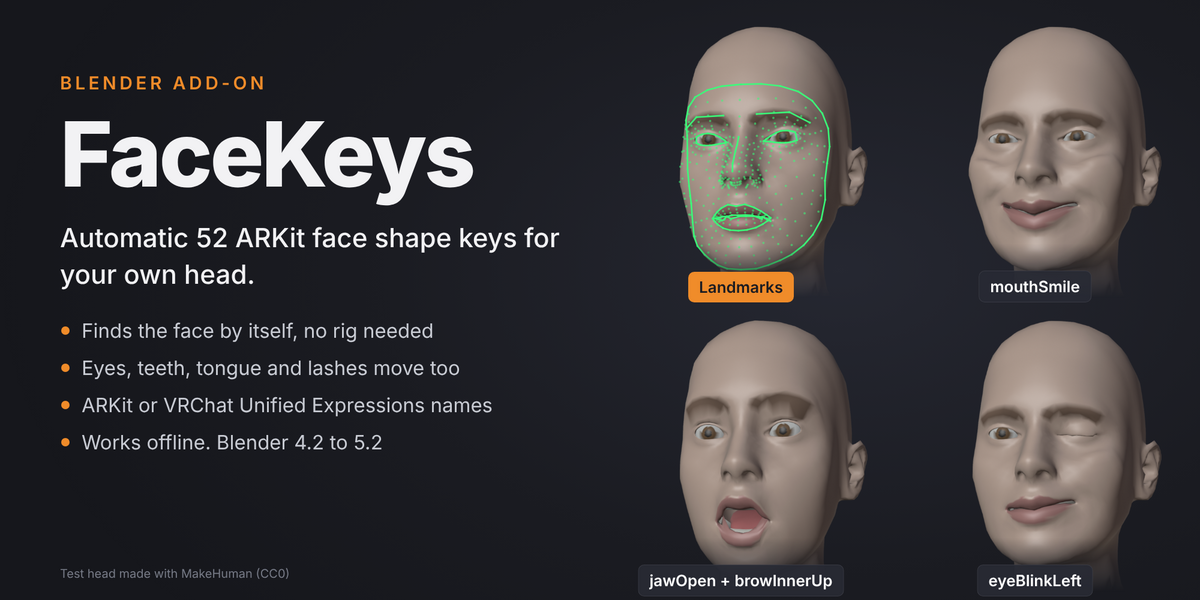
52 ARKit shape keys for your own head, in about a minute
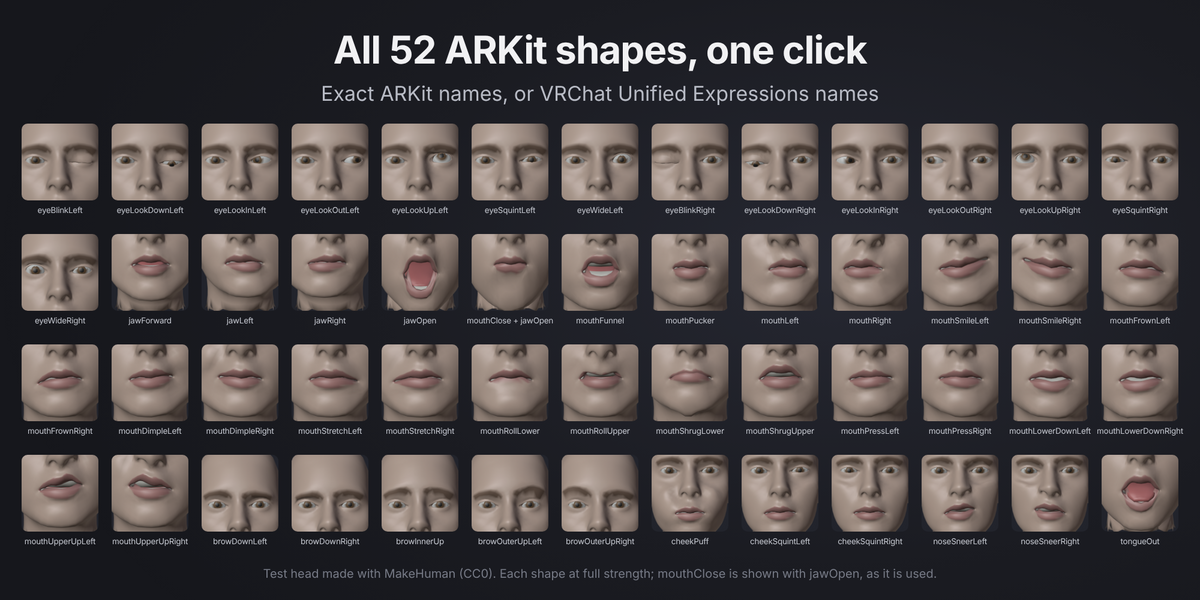
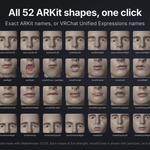
Pick the head, press Find Landmarks, check the green lines, press Generate Shape Keys. The face can now blink, smile, talk, frown and stick out its tongue, with all 52 shape keys under their exact ARKit names.
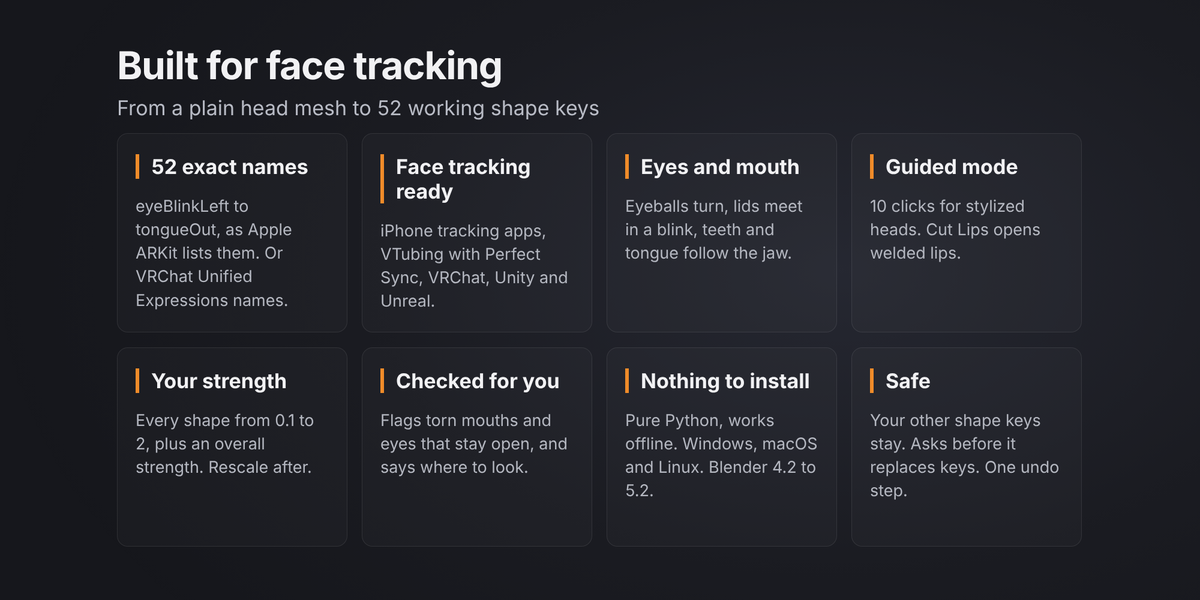
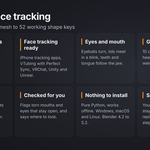
The keys work with iPhone face tracking, VTubing apps with Perfect Sync, VRChat face tracking, Unity and Unreal. Switch one option to get VRChat's Unified Expressions names instead.
How it works
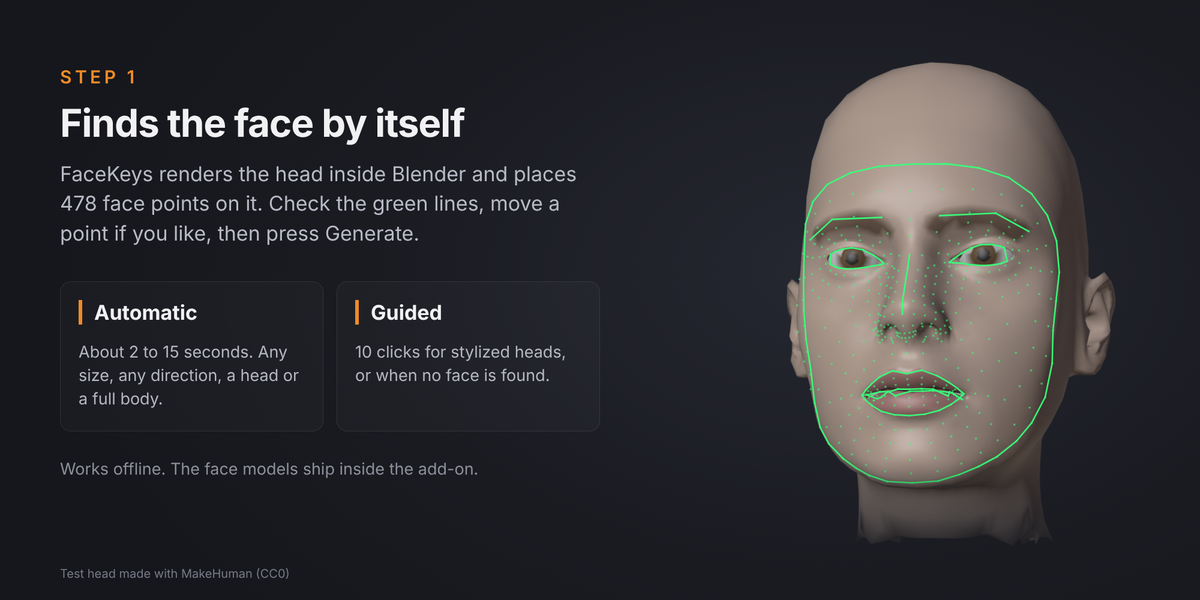
- Find Landmarks. FaceKeys renders the head inside Blender and finds 478 face points on it, in about 2 to 15 seconds. For stylized heads you click 10 points yourself (Guided mode).
- Check. Green lines show the eyes, lips, brows and face outline. Move a point in Edit Mode if you want.
- Generate Shape Keys. About 10 to 40 seconds. A helper rig is built in memory, the 52 shapes are posed and written as normal shape keys, and nothing extra is left in your scene.
What you get
- All 52 ARKit shapes, including eyeLook, mouthClose (made to work with jawOpen, as in ARKit), cheekPuff and tongueOut.
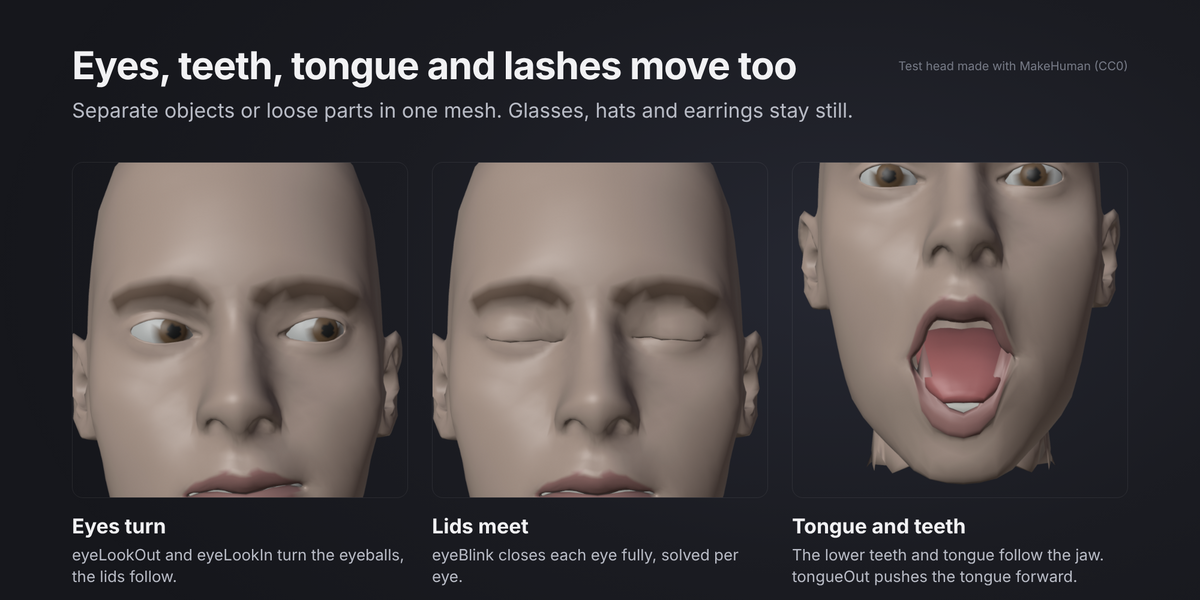
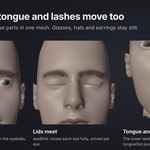
- Eyes, teeth, tongue and lashes move too. Eyeballs turn, the lower teeth and tongue follow the jaw, lashes and tear lines follow the lids. Separate objects or loose parts inside one mesh both work.
- Accessories stay still. Glasses, hats, earrings and hair near the face are kept out of the expressions.
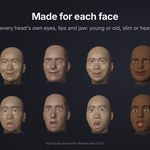
- A head on its own or a full body. Any size, any direction, mirrored objects and heads on a posed rig. No need to apply transforms.
- Guided mode: 10 clicks for stylized heads or when the automatic search finds no face.
- Cut Lips: opens meshes where the upper and lower lip are welded together, so the mouth can open.
- Strength per shape from 0.1 to 2 and an overall strength. Apply Strength rescales the keys you already made.
- Play All Shapes keys every shape on the timeline to check them fast. Stop Preview puts your own animation and frame range back.
- Checks after every run. FaceKeys looks for torn mouths and eyes that do not close and tells you which shapes to check, with a hint where to move the points.
- Safe. Your other shape keys stay. If keys with the same names are already there, FaceKeys asks before it replaces them. One undo step puts everything back.
Tested
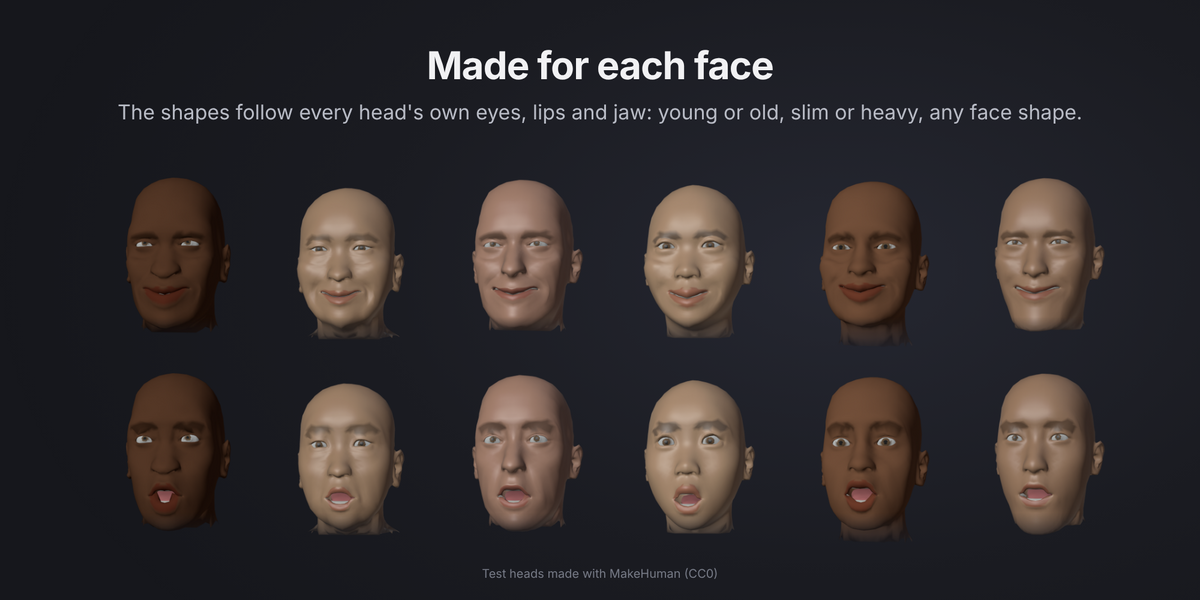
- 18 realistic test heads made with MakeHuman and the ICT Face Model: young and old, many face shapes, a child, a full body, welded lips, eyes and teeth inside the head mesh, turned and scaled heads and a messy mesh. The face was found automatically on all 18 and every head got all 52 keys.
- Shapes compared with the ICT Face Model's own expression shapes: they move the same way, with an average direction match (cosine) of about 0.82.
- Exports with FBX and glTF keep all 52 keys.
- Blender 4.2 LTS and 5.2 LTS. Pure Python, nothing compiled: one zip for Windows, macOS and Linux.
- Works offline. The face landmark models ship inside the add-on. Nothing is downloaded and nothing is sent anywhere.
Good to know
- FaceKeys is made for realistic and semi realistic heads with eyeballs and eyelids.
- Anime and VRoid style heads: mouth and brow shapes work, usually through Guided mode. Their eyes are flat textures, not eyeballs, so blinks do not work well and the eyeLook shapes stay empty. Keep the model's own blink shapes for those.
- Faces without eyelids (eyes painted on, or simple spheres) cannot blink, and a mouth that is only painted on cannot open.
- eyeLook shapes turn the eyeballs. If your app turns the eyes with bones, lower those shapes in the Strength panel.
- Start from a neutral face: eyes open, mouth closed or slightly open.
Included
- FaceKeys add-on (zip, installs as an extension in Blender 4.2 and later)
- Documentation
Test heads in the images and the video: made with MakeHuman (CC0).
License: GPL 3.0 or later for the add-on code. The face landmark models are by Google, under the Apache License 2.0.
More character tools from Meshwright
- Outfit Refit: move an outfit from any base onto your avatar, with weights and shape keys.
- ClipFix: fix clothes poking through the body at rest and check 10 stress poses.
- SkinKit: one-click weights for VRoid, VRM and FBX avatars.
- HeadWrap: automatic head retopology with eyes and teeth.
