 Meshwright
New in 3.2: Load Capture puts a Live Link Face recording on your character's face in one step, and full blinks stay closed even while the eyes look up or down.
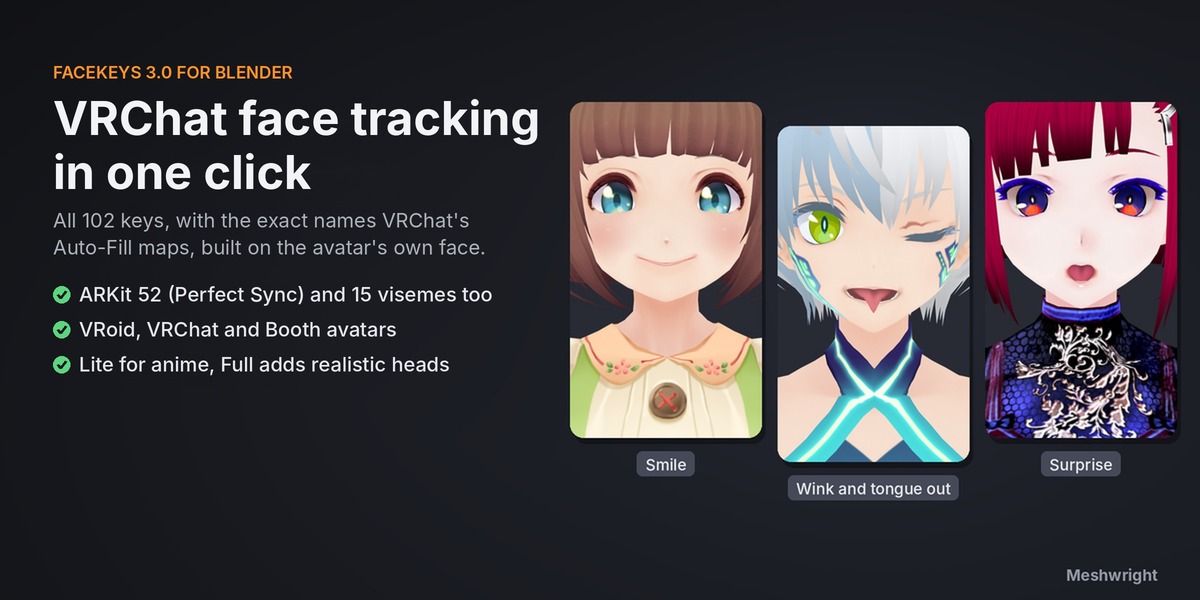
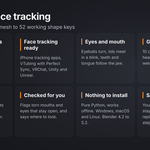
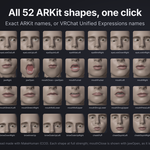
Face tracking shape keys for your avatar, in one click. FaceKeys builds them on the avatar’s own face: all 102 keys that VRChat’s native face tracking reads, the 52 ARKit keys (Perfect Sync) and the 15 visemes. For VRChat, VRoid, VRM and Booth avatars. FaceKeys Full adds realistic heads: scans, sculpts and image-to-3D heads.
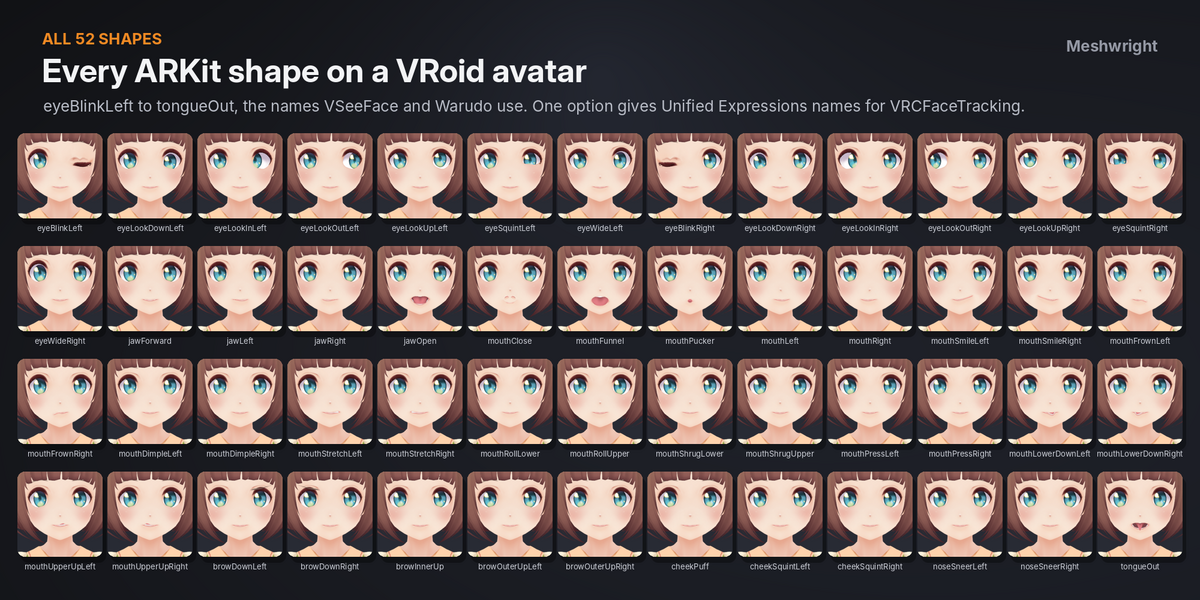
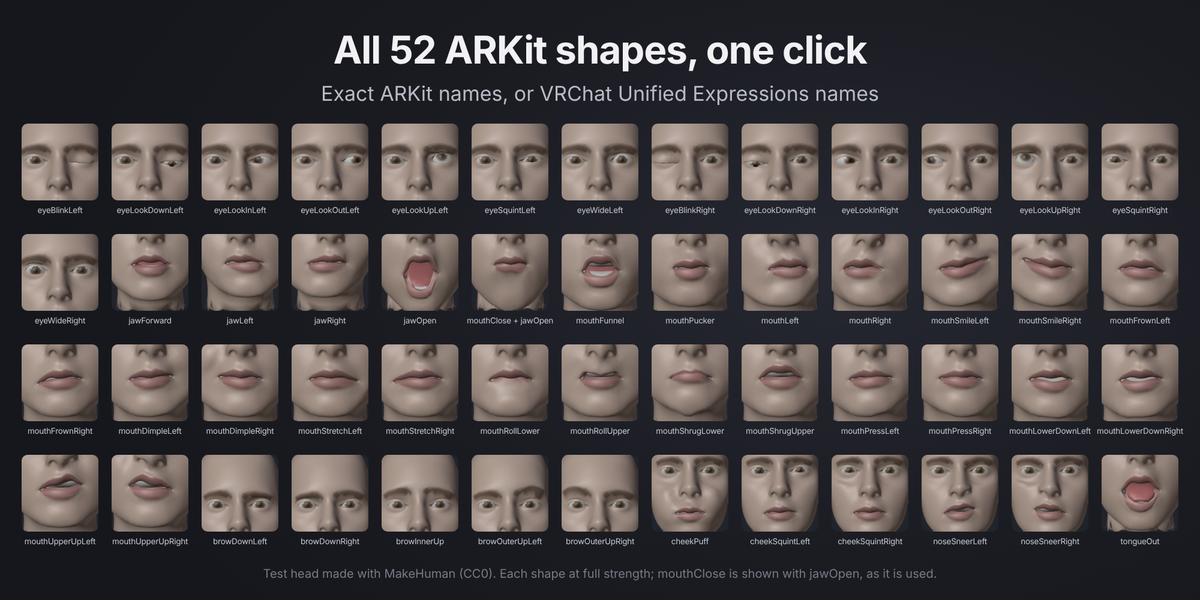
For animators who record with ARKit face capture: FaceKeys builds the 52 ARKit shape keys under Apple's exact names (eyeBlinkLeft to tongueOut, Left and Right as the face's own sides) on the head and on its eye, teeth and tongue parts. New in 3.2: Load Capture keys a Live Link Face CSV, or any CSV with the 52 ARKit curves, onto all of them at your scene's frame rate, and a full blink stays closed even when the capture also sends a look direction. FBX and glTF exports keep the 52 keys.
Cyber Sale price early: 35% off now, until 2 December. Full is 22.75 USD (regular 35) and Lite is 9.75 USD (regular 15).
Video tutorial (1:43): from Blender to VRChat in four steps, with the free FaceKeys Check, FaceKeys and the Unity settings. English voice, Japanese subtitles. https://youtu.be/siq4ltbWkko
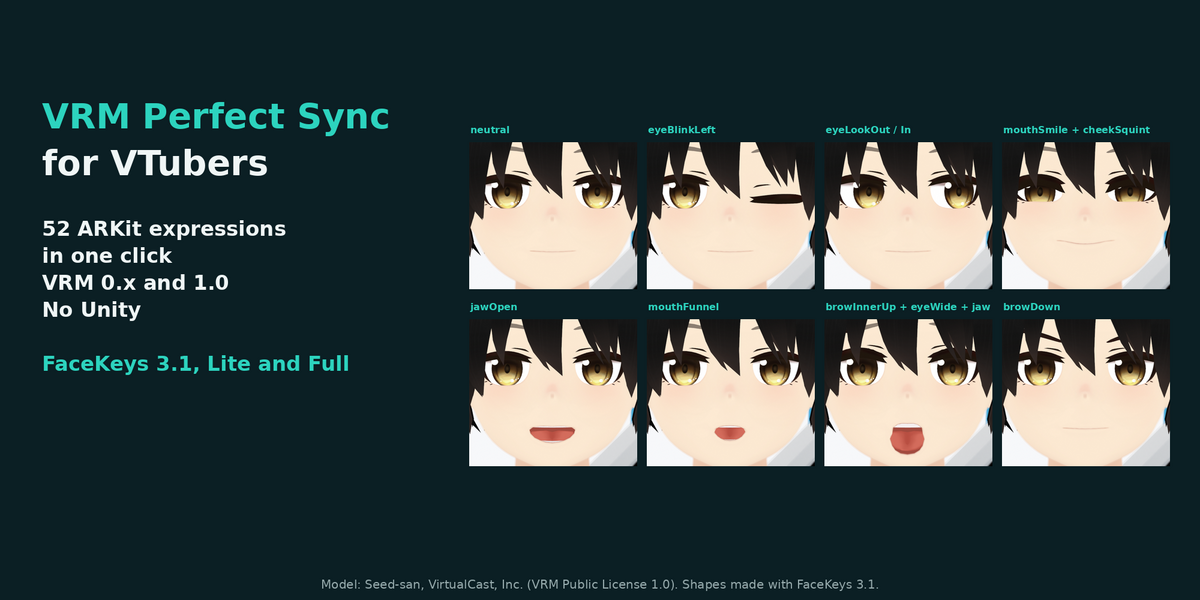
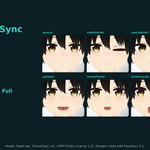
New in 3.1: VRM Perfect Sync for VTubers. Import your VRM model with the free VRM Add-on for Blender, press Generate, then press VRM Perfect Sync. FaceKeys writes the 52 ARKit expressions into the model (VRM 0.x and VRM 1.0), the format Perfect Sync apps such as VMagicMirror, VSeeFace and Warudo read for iPhone face tracking. No Unity. In FaceKeys Lite and Full. Video tutorial: https://youtu.be/yIUiQH_X7w0.
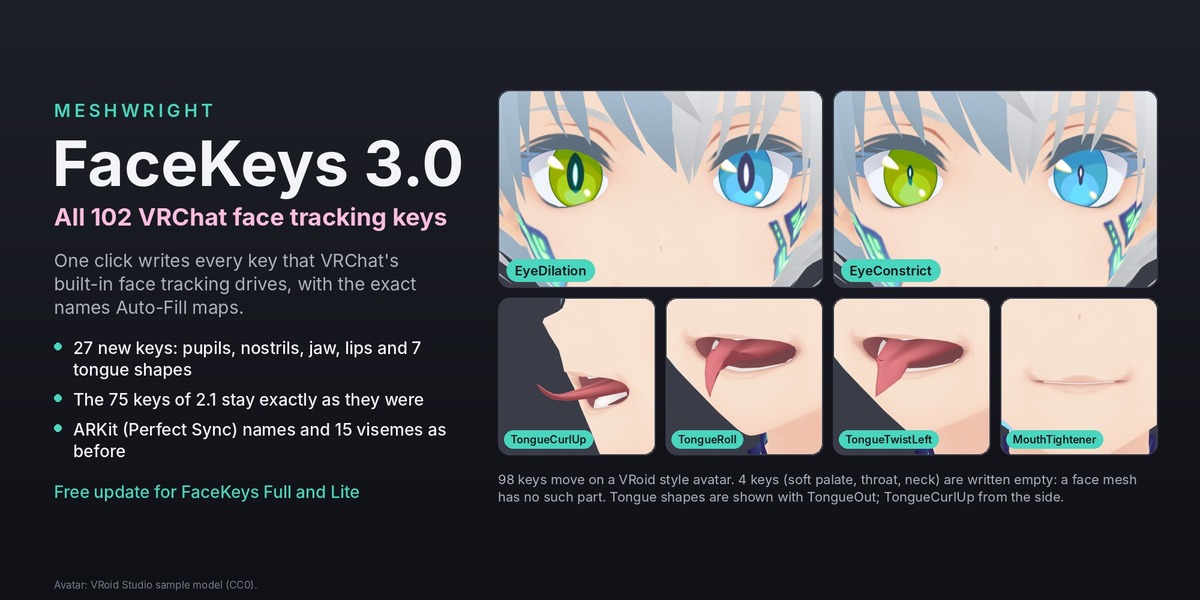
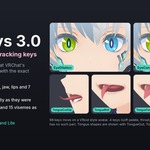
New in 3.0: FaceKeys writes all 102 of VRChat's native face tracking keys, under the exact names the SDK's Auto-Fill maps (full list below). A free update if you already own FaceKeys. Perfect Sync names are still included.
Tested on popular Booth avatars (Felis, Yumeka, RadDollV3), Full and Lite. In Anime mode, an avatar that already has its own ARKit keys keeps them and FaceKeys makes only the missing ones; more of the avatar’s own blink, smile and brow keys are used; clothes near the face are left alone.
Guided mode (Full), for stylized heads: FaceKeys fits the eyelid points to the real eye opening, slides the lids down on tall, flat anime eyes, keeps lashes that are modelled into the mesh in shape and closes the outer eye corner cleanly.
Also fixing blinks after face edits? FaceKeys Full and BlinkMend come together in the Face Tracking Set, also 35% off until 2 December.
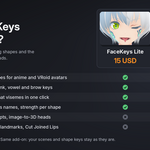
FaceKeys Lite or FaceKeys Full
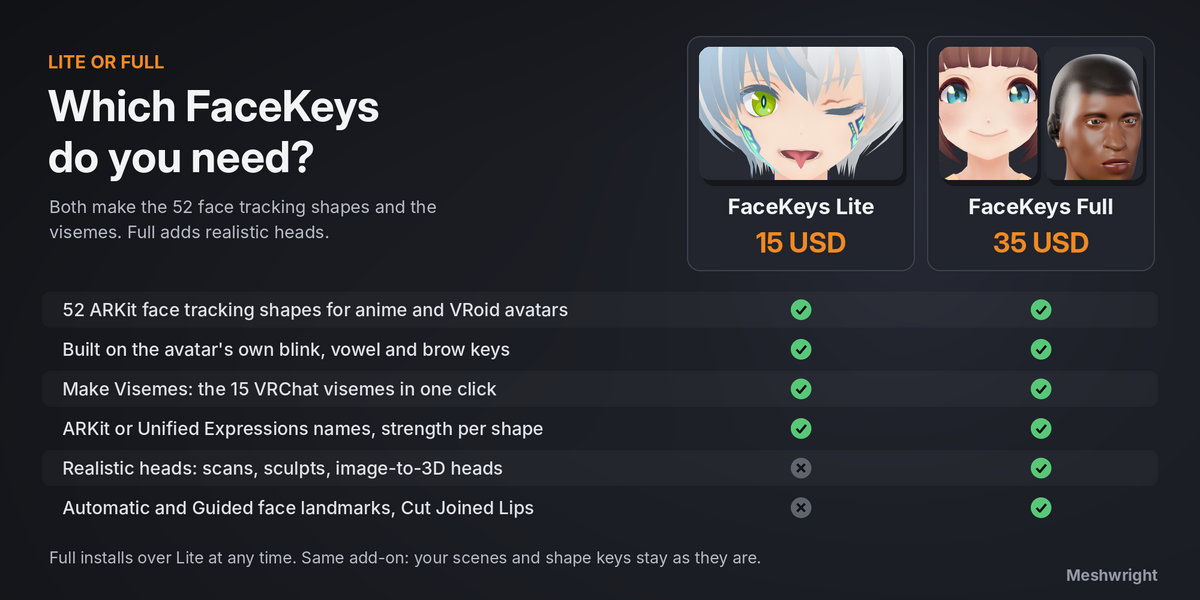
Both make the 52 ARKit face tracking shapes, the 15 VRChat visemes and, with VRChat names, all 102 of VRChat's tracking keys. Full adds realistic heads.
| Lite | Full | Face Tracking Set | |
|---|---|---|---|
| 52 ARKit shapes, all 102 VRChat keys, 15 visemes, strength per shape | Yes | Yes | Yes |
| Anime mode for VRoid, VRChat and Booth avatars: no points to click, built on the avatar's own blink, vowel and brow keys | Yes | Yes | Yes |
| Realistic heads (scans, sculpts, image-to-3D heads): Automatic and Guided face landmarks, Cut Joined Lips | No | Yes | Yes |
| BlinkMend: rebuilds blink, wink and eye tracking keys after a face edit | No | No | Yes |
| Regular price | 15 USD | 35 USD | 45 USD |
Full installs over Lite at any time: same add-on, your scenes and shape keys stay as they are. If you own Lite, you only pay the difference to move up.
Which one do I need? If your avatar is anime, VRoid or toon style (VRoid Studio exports, most VRChat and Booth avatars), FaceKeys Lite does the whole job. Choose FaceKeys Full if you also work with realistic heads such as scans, sculpts or image-to-3D heads.
Not sure your avatar needs new keys? Pick the free FaceKeys Check first. It lists which of VRChat's 102 keys the avatar already has and which are missing.
Fitting outfits too? The VRChat Avatar Kit has Outfit Refit Standard and FaceKeys Full, also 35% off until 2 December.
The VRChat keys you get: all 102
- Eyes (18): EyeLookOut, EyeLookIn, EyeLookUp, EyeLookDown, EyeClosed, EyeSquint, EyeWide, EyeDilation and EyeConstrict, each Left and Right.
- Brows (8): BrowPinch, BrowLowerer, BrowInnerUp and BrowOuterUp, each Left and Right.
- Cheeks and nose (12): CheekSquint, CheekPuff, CheekSuck, NoseSneer, NasalDilation and NasalConstrict, each Left and Right.
- Jaw (8): JawOpen, JawLeft, JawRight, JawForward, JawBackward, JawClench, JawMandibleRaise and MouthClosed.
- Lips (14): LipSuckUpper, LipSuckLower, LipSuckCorner, LipFunnelUpper, LipFunnelLower, LipPuckerUpper and LipPuckerLower, each Left and Right.
- Mouth (26): MouthUpperUp, MouthLowerDown, MouthUpper, MouthLower, MouthCornerPull, MouthCornerSlant, MouthFrown, MouthStretch, MouthDimple, MouthPress, MouthUpperDeepen and MouthTightener, each Left and Right, plus MouthRaiserUpper and MouthRaiserLower.
- Tongue (12): TongueOut, TongueUp, TongueDown, TongueLeft, TongueRight, TongueRoll, TongueBendDown, TongueCurlUp, TongueSquish, TongueFlat, TongueTwistLeft and TongueTwistRight.
- Throat and neck (4): SoftPalateClose, ThroatSwallow, NeckFlexLeft and NeckFlexRight.
What moves depends on the avatar. A face mesh has no soft palate, throat or neck, so those 4 keys are written empty, and the report after Generate names every empty key and why. The pupil keys need an iris part with inner points, as VRoid style eyes have. The tongue keys need a tongue part: roll, curl and twist shape the part of the tongue that is outside the lips with TongueOut, so they stay small on avatars whose tongue comes out only a little. On a VRoid style avatar 98 of the 102 keys move. On a realistic head (FaceKeys Full) 94 move, because the pupil is part of the eye texture there. On flat shaded anime skin the nostril, jaw clench and upper lip keys move the skin only a little.
All 102 key names in VRChat's order, with the ARKit shape for each and a free CSV: guide.meshwright.net/vrchat-face-tracking-keys
Also free: the 52 ARKit (Perfect Sync) names and the 15 VRChat visemes, each with a CSV.
New in 2.0: Anime mode for VRoid, VRChat and Booth avatars
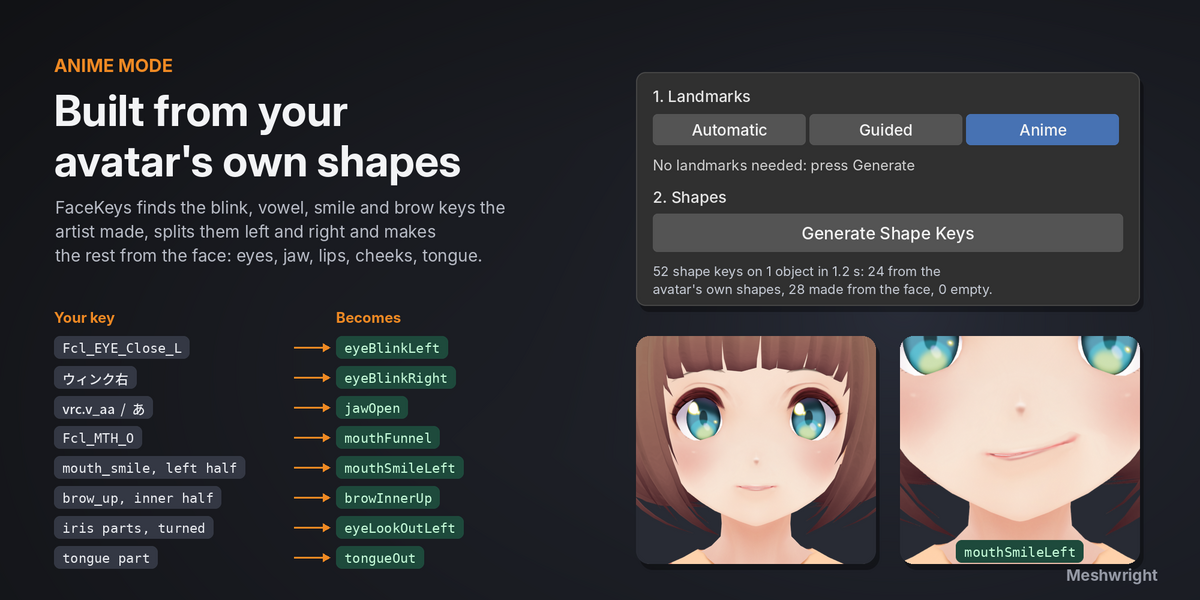
Pick Anime under Landmarks and press Generate Shape Keys. There are no points to click. FaceKeys reads the avatar's own expression keys and its eye, mouth and tongue parts, and makes all 52 ARKit shapes in about a second.
- Built on the artist's shapes. FaceKeys finds the blink, vowel, smile and brow keys the avatar already has: VRoid Fcl_ keys, VRChat vrc. keys, Japanese names such as まばたき, ウィンク and あ, and common English names such as blink_L. It splits them into left and right with a smooth seam.
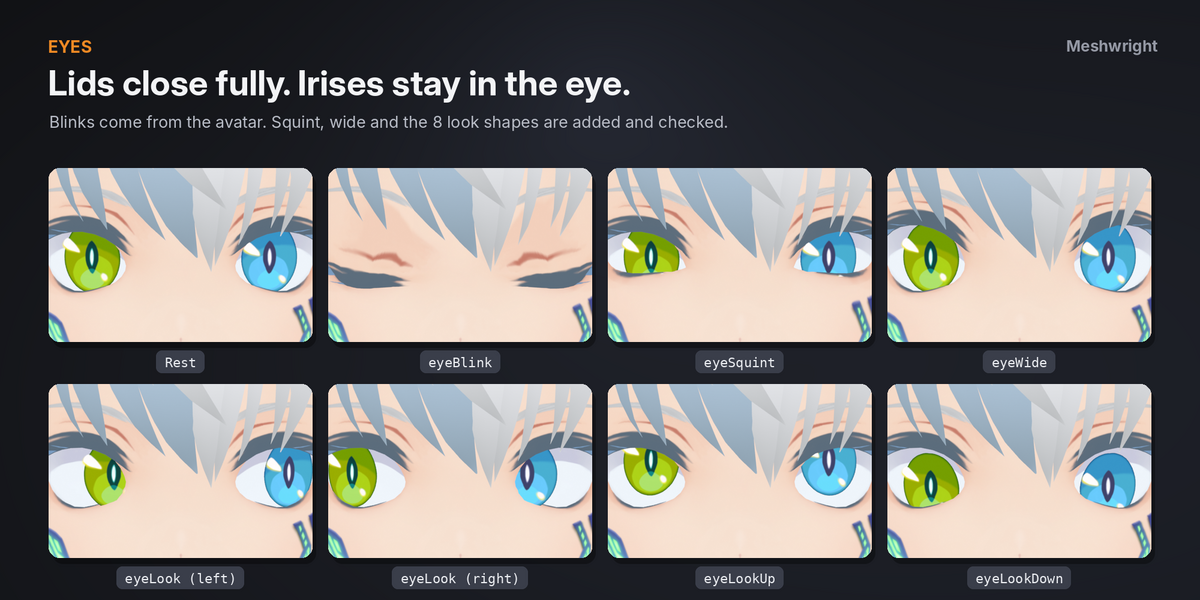
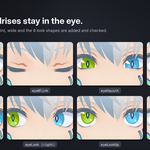
- The rest is made from the face. The irises turn for the 8 eyeLook shapes and stay inside the eye. Jaw sideways and forward, upper and lower lip, press, roll, cheeks, nose and tongueOut are added.
- Eyes close fully. If a sliver of eye white still shows when the eye is shut, the lower lid closes the gap.
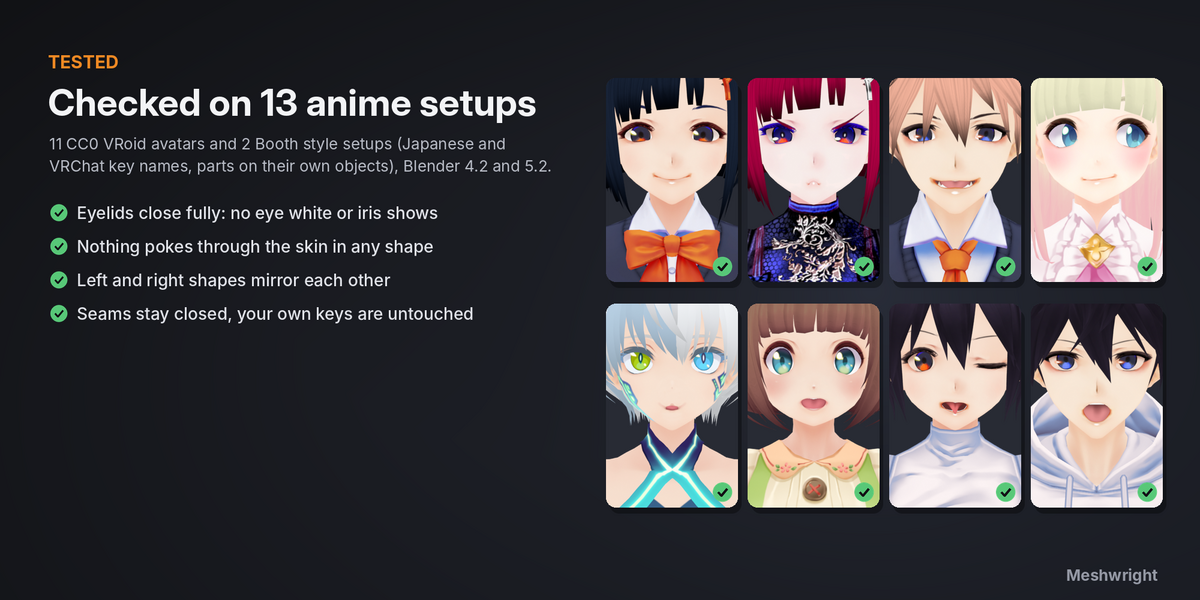
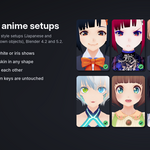
- Checked on 13 anime setups (11 CC0 VRoid avatars and 2 Booth style setups) in Blender 4.2 and 5.2: lids close fully, nothing pokes through the skin, left and right mirror each other, seams stay closed.
- Same tools as before. ARKit or Unified Expressions names, Strength per shape, and Make Visemes for VRChat lip sync.
- Safe. The mesh and the avatar's own shape keys stay as they are. One undo puts everything back.
Realistic heads work as before (Automatic and Guided). Free update for everyone who bought FaceKeys.
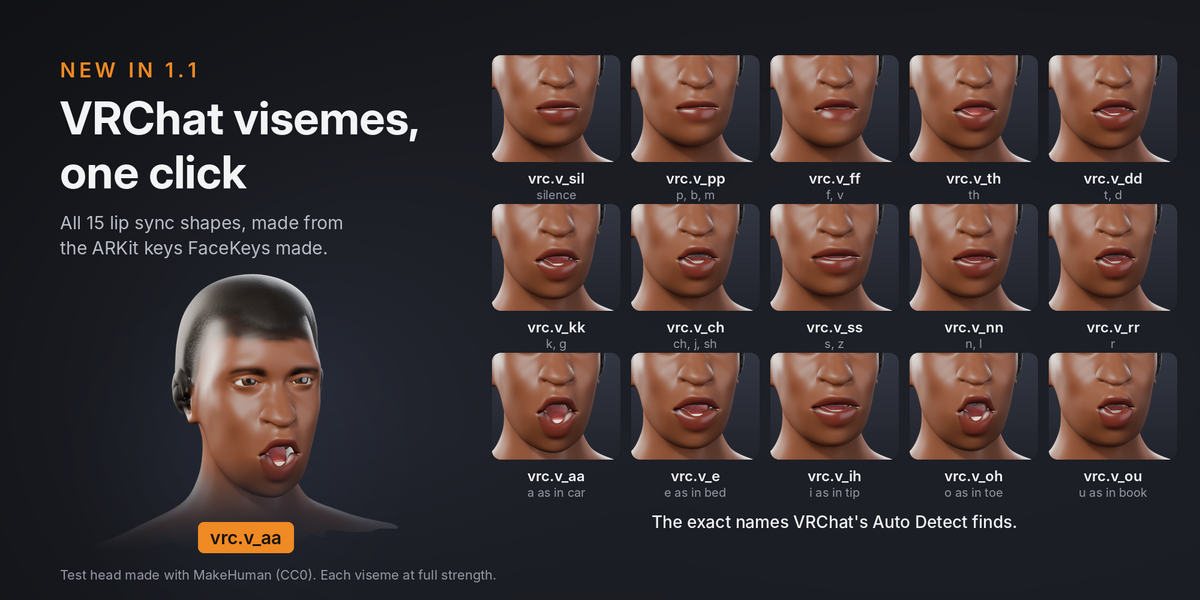
New in 1.1: VRChat lip sync visemes
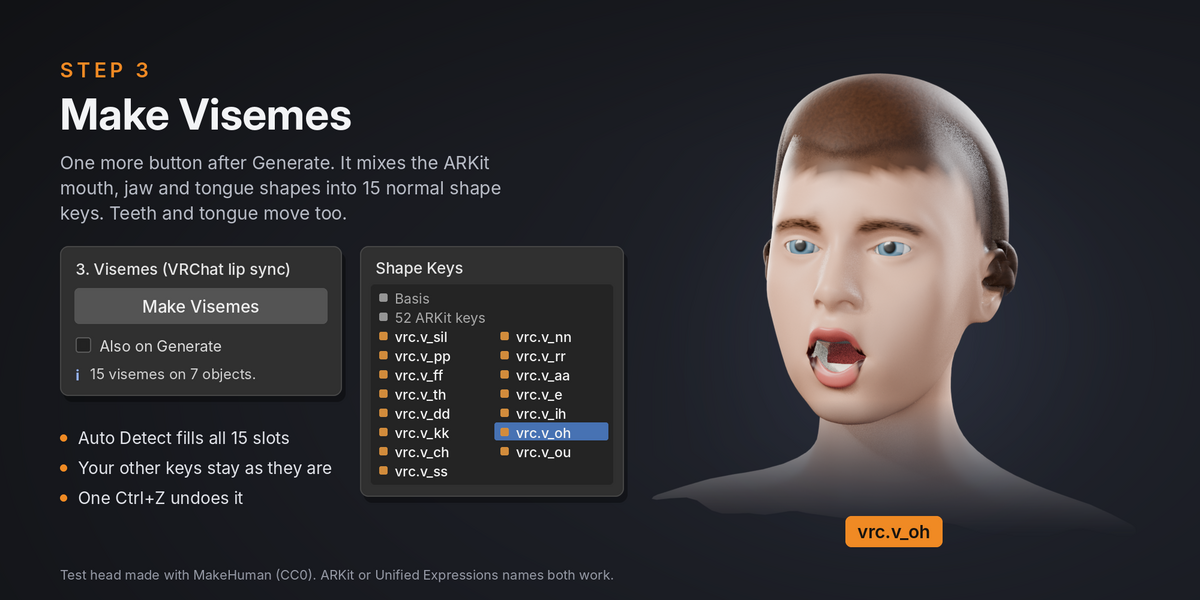
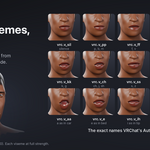
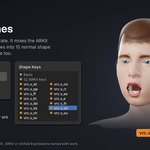
Press Make Visemes after Generate Shape Keys. FaceKeys builds the 15 visemes VRChat lip sync uses, from the ARKit shapes it made for your head:
vrc.v_sil, vrc.v_pp, vrc.v_ff, vrc.v_th, vrc.v_dd, vrc.v_kk, vrc.v_ch, vrc.v_ss, vrc.v_nn, vrc.v_rr, vrc.v_aa, vrc.v_e, vrc.v_ih, vrc.v_oh, vrc.v_ou
- Exact names. These are the names the VRChat SDK's Auto Detect looks for, so the lip sync slots fill in by themselves.
- Made from your own face. Each viseme is a mix of the ARKit mouth, jaw and tongue shapes, baked into one normal shape key. The teeth and tongue move with it.
- Safe. Your mesh and your other shape keys stay as they are. Visemes that are already there are only replaced when you confirm. One undo puts everything back.
- Both name options. Works when FaceKeys made the keys with ARKit names or with Unified Expressions names.
- Also on Generate. Tick one box and Generate Shape Keys makes the 52 keys and the 15 visemes in one step.
52 ARKit shape keys for your own head, in about a minute
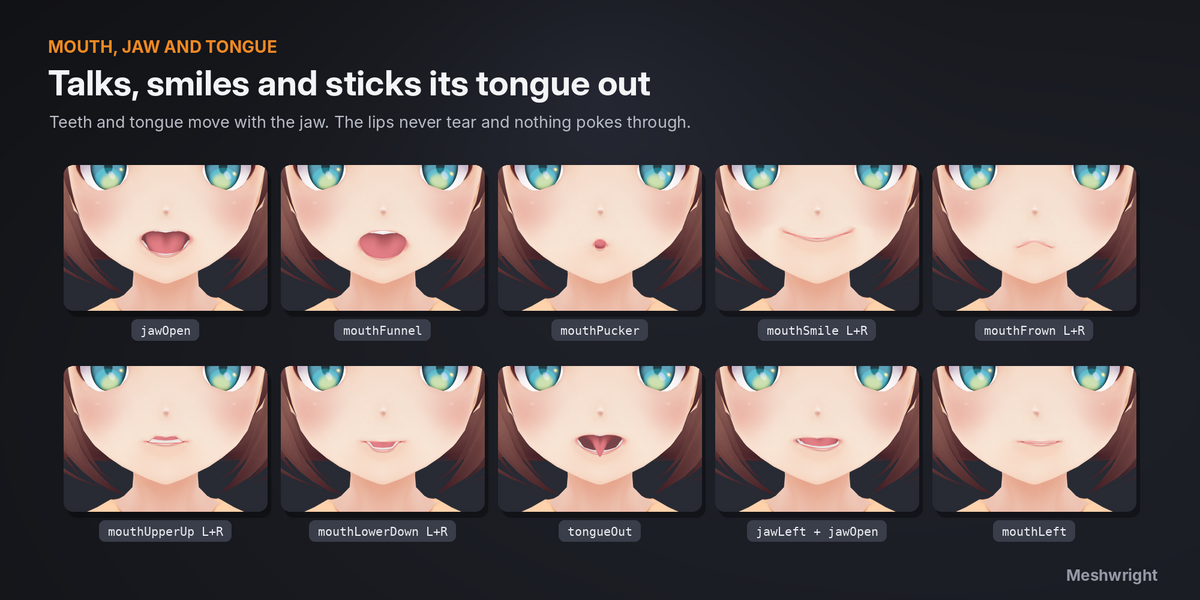
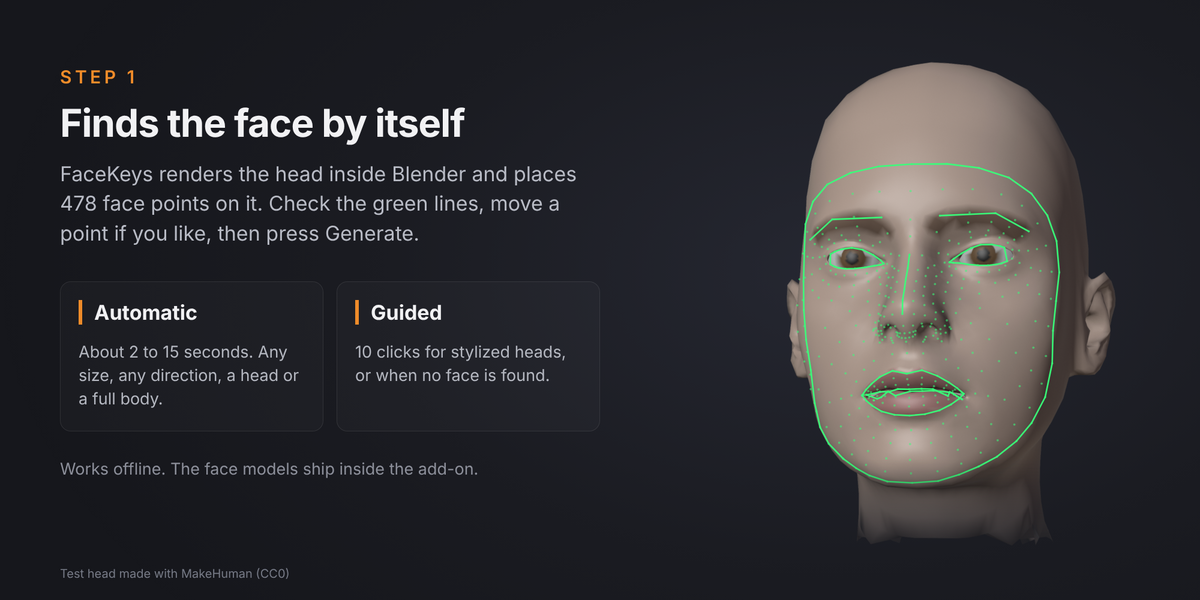
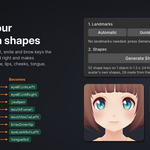
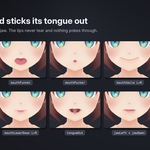
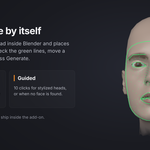
Pick the head, press Find Landmarks, check the green lines, press Generate Shape Keys. The face can now blink, smile, talk, frown and stick out its tongue, with all 52 shape keys under their exact ARKit names.
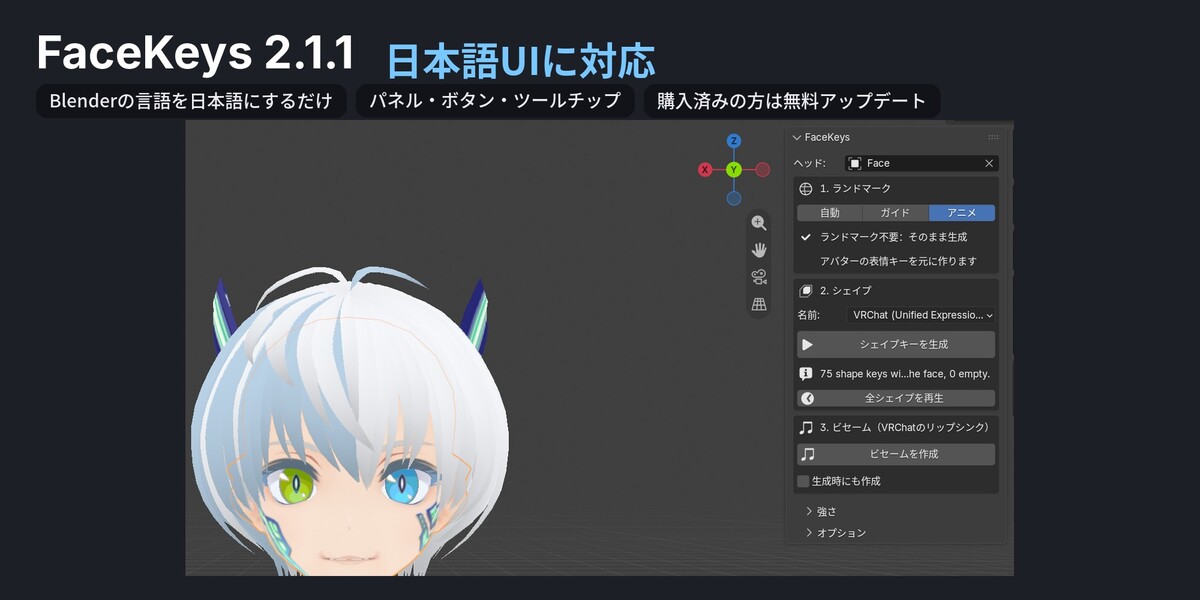
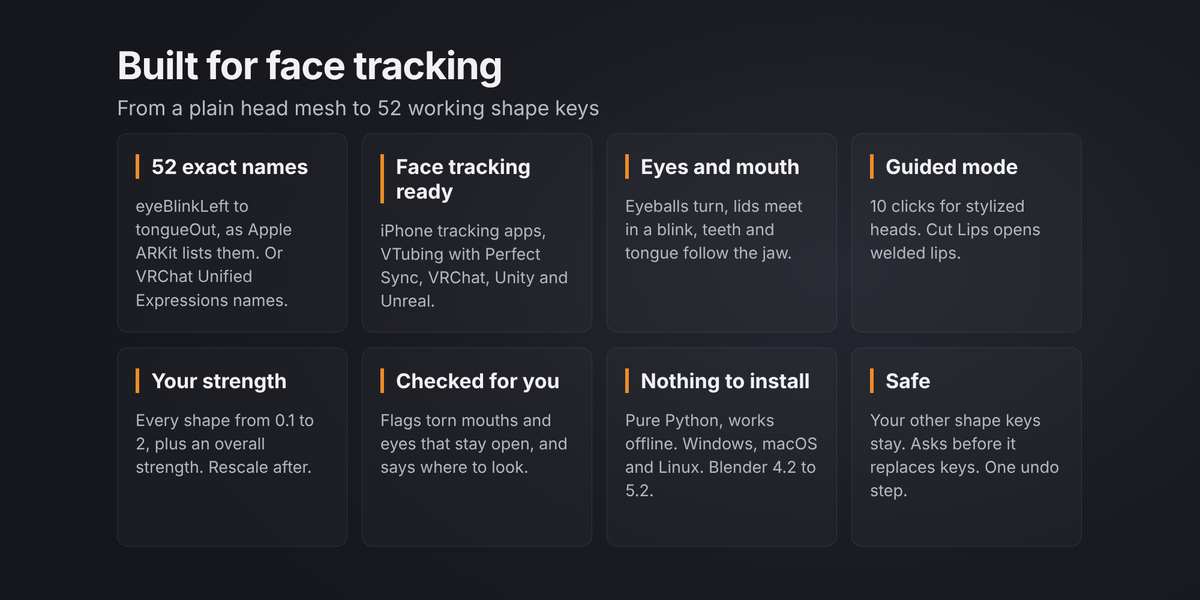
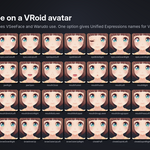
The keys work with iPhone face tracking, VTubing apps with Perfect Sync, VRChat face tracking, Unity and Unreal. Set Names to VRChat (Unified Expressions) and FaceKeys writes all 102 of VRChat's tracking keys under their exact names, ready for Auto-Fill (all 102 since version 3.0, a free update).
How it works
- Find Landmarks. FaceKeys renders the head inside Blender and finds 478 face points on it, in about 2 to 15 seconds. For stylized heads you click 10 points yourself (Guided mode).
- Check. Green lines show the eyes, lips, brows and face outline. Move a point in Edit Mode if you want.
- Generate Shape Keys. About 10 to 40 seconds. A helper rig is built in memory, the 52 shapes are posed and written as normal shape keys, and nothing extra is left in your scene.
Anime avatars: pick Anime under Landmarks and press Generate Shape Keys. No points to click.
What you get
- All 52 ARKit shapes, including eyeLook, mouthClose (made to work with jawOpen, as in ARKit), cheekPuff and tongueOut.
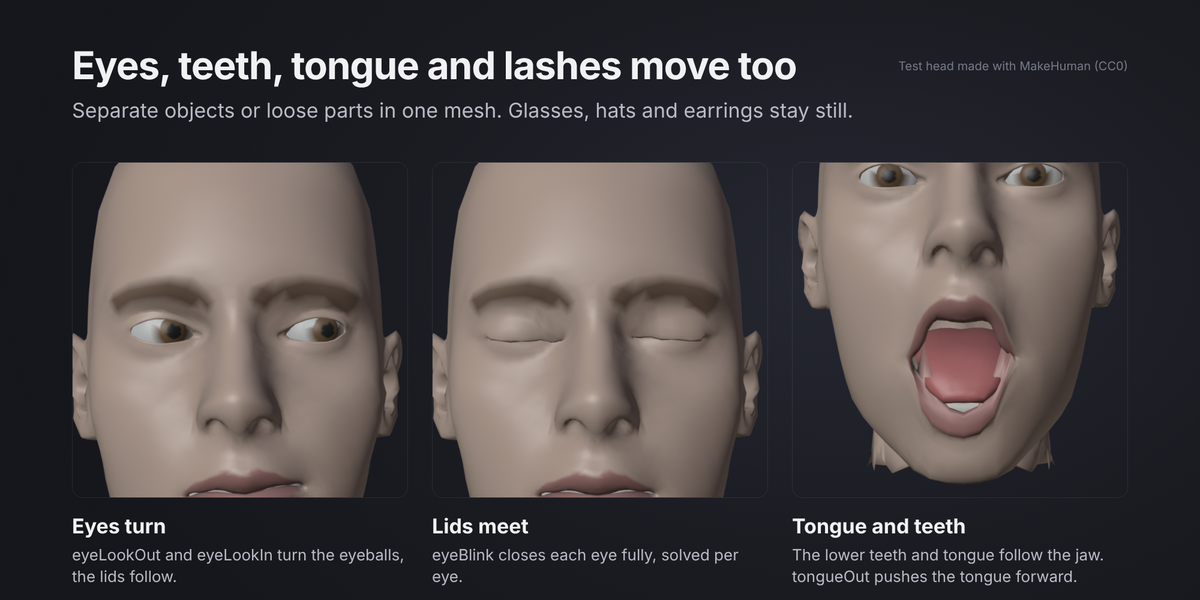
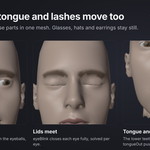
- Eyes, teeth, tongue and lashes move too. Eyeballs turn, the lower teeth and tongue follow the jaw, lashes and tear lines follow the lids. Separate objects or loose parts inside one mesh both work.
- Accessories stay still. Glasses, hats, earrings and hair near the face are kept out of the expressions.
- A head on its own or a full body. Any size, any direction, mirrored objects and heads on a posed rig. No need to apply transforms.
- Guided mode: 10 clicks for stylized heads or when the automatic search finds no face.
- Cut Lips: opens meshes where the upper and lower lip are welded together, so the mouth can open.
- Strength per shape from 0.1 to 2 and an overall strength. Apply Strength rescales the keys you already made.
- Play All Shapes keys every shape on the timeline to check them fast. Stop Preview puts your own animation and frame range back.
- Checks after every run. FaceKeys looks for torn mouths and eyes that do not close and tells you which shapes to check, with a hint where to move the points.
- Safe. Your other shape keys stay. If keys with the same names are already there, FaceKeys asks before it replaces them. One undo step puts everything back.
Tested
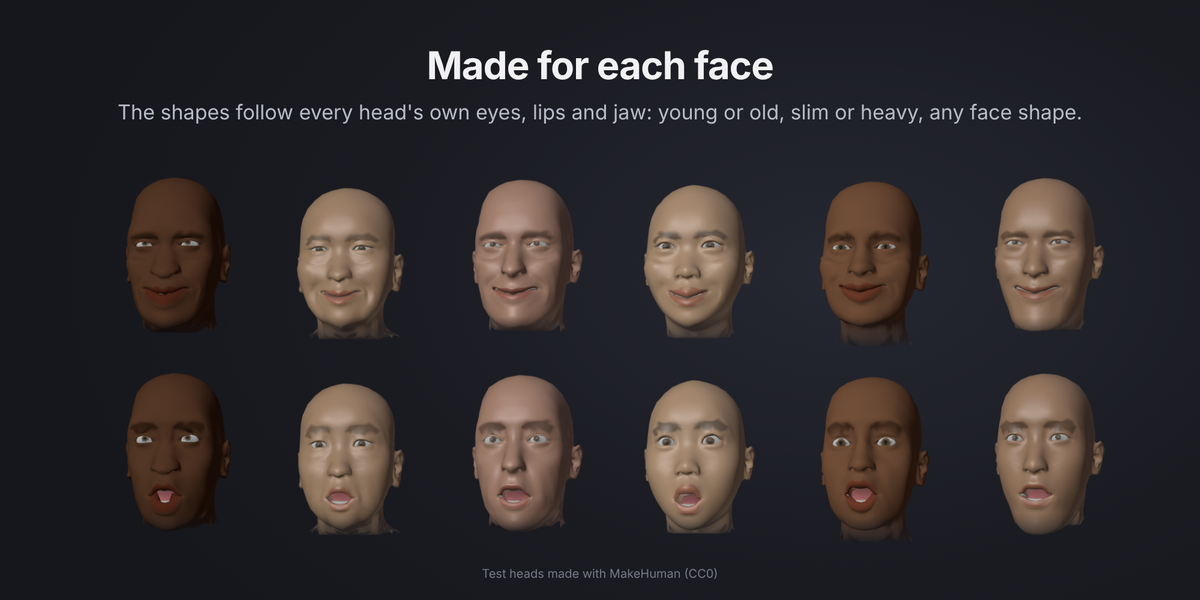
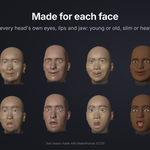
- 18 realistic test heads made with MakeHuman and the ICT Face Model: young and old, many face shapes, a child, a full body, welded lips, eyes and teeth inside the head mesh, turned and scaled heads and a messy mesh. The face was found automatically on all 18 and every head got all 52 keys.
- Shapes compared with the ICT Face Model's own expression shapes: they move the same way, with an average direction match (cosine) of about 0.82.
- Exports with FBX and glTF keep all 52 keys.
- Blender 4.2 LTS and 5.2 LTS. Pure Python, nothing compiled: one zip for Windows, macOS and Linux.
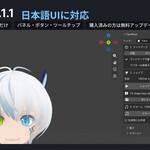
- Interface in English and Japanese (日本語UI).
- Works offline. The face landmark models ship inside the add-on. Nothing is downloaded and nothing is sent anywhere.
- 13 anime setups in Anime mode: 11 CC0 VRoid avatars (VRoid Studio beta and 1.x exports) and 2 Booth style setups with Japanese and VRChat key names and parts on their own objects. Lids close fully, nothing pokes through the skin, left and right mirror each other, the avatar's own keys stay untouched.
Good to know
- Automatic and Guided modes are made for realistic and semi realistic heads with eyeballs and eyelids. Anime avatars use Anime mode.
- Anime and VRoid avatars: use Anime mode. It builds on the avatar's own expression keys and parts. Low poly avatars with eyes and mouth painted on the texture get only their own shapes and the jaw.
- Faces without eyelids (eyes painted on, or simple spheres) cannot blink, and a mouth that is only painted on cannot open.
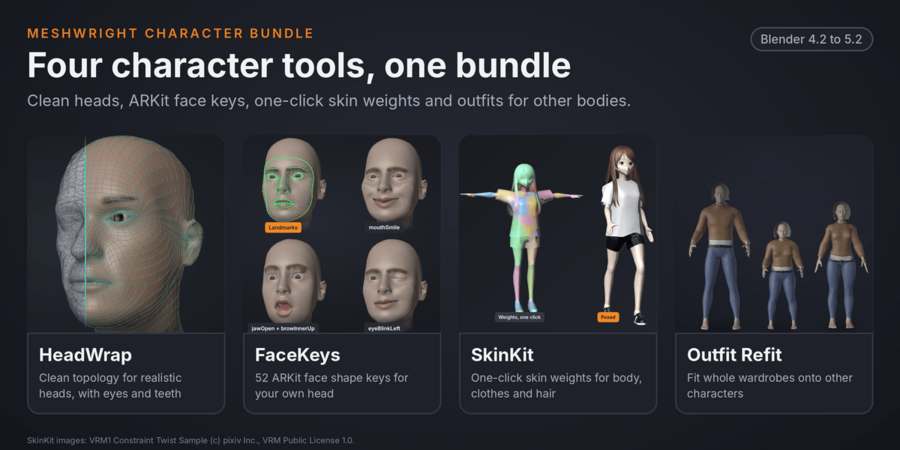
- A realistic scan or sculpt without eye openings, eyeballs or teeth? HeadWrap (sold separately) wraps a clean head with eyeballs, teeth and a tongue onto it. One more click in its panel then runs FaceKeys on the result, with no face points to place.
- eyeLook shapes turn the eyeballs. If your app turns the eyes with bones, lower those shapes in the Strength panel.
- Heads from image-to-3D tools often have lids and lashes sculpted as one surface. Guided mode closes such eyes and keeps the lashes in shape (since 3.0.5), but the closed eye can look less clean than on a hand-made avatar.
- Start from a neutral face: eyes open, mouth closed or slightly open.
Included
- FaceKeys add-on (zip, installs as an extension in Blender 4.2 and later)
- Documentation
Test heads in the images and the video: made with MakeHuman (CC0).
License: GPL 3.0 or later for the add-on code. The face landmark models are by Google, under the Apache License 2.0.
Anime avatars in the images and the video: VRoid Studio sample models (CC0).
More character tools from Meshwright
- HairFit: fit a hair made for another avatar onto your avatar's head. Bangs, bones and weights stay.
- DrapeFix: real cloth drape for fitted outfits, with every shape key and weight kept.
- BlinkMend: rebuild blink, wink, smile-eye and face tracking eye keys after a face edit.
- TightWear: bodysuits, leggings, tights, socks and gloves made from your character's own body, rigged and unwrapped.
- Outfit Refit: move an outfit from any base onto your avatar, with weights and shape keys.
- ClipFix: fix clothes poking through the body at rest and check 10 stress poses.
- SkinKit: one-click weights for VRoid, VRM and FBX avatars.
- HeadWrap: automatic head retopology with eyes and teeth.
- SwayRig: skirt and hair bones with weights in one click, ready for VRChat PhysBones.