TURN ANY ASSEMBLY INTO A KNOLLING SHOT
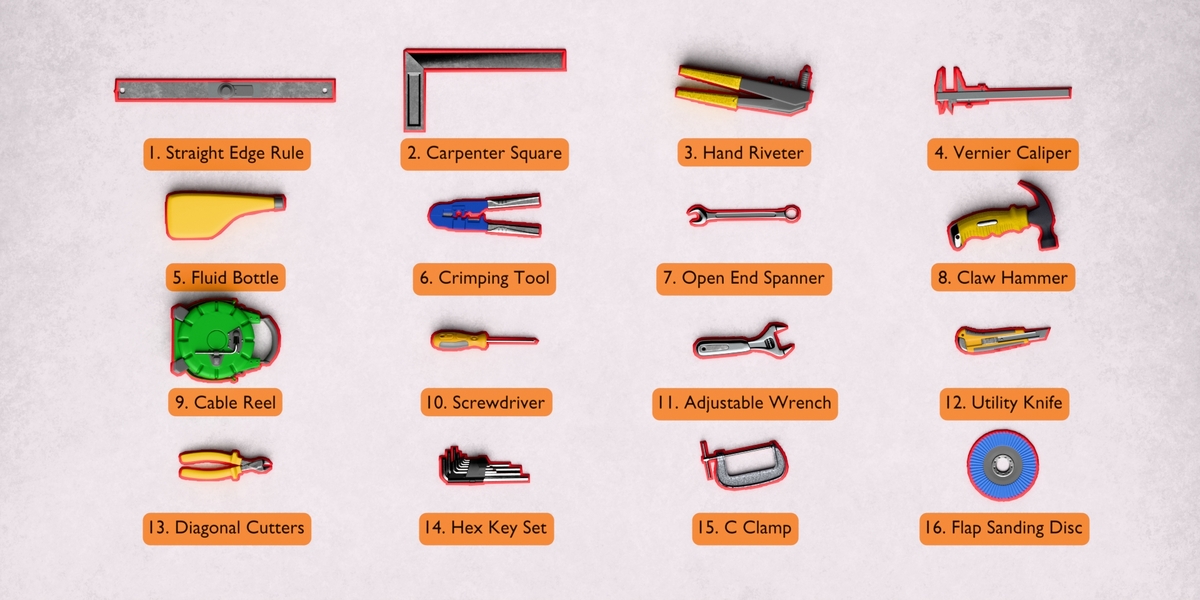
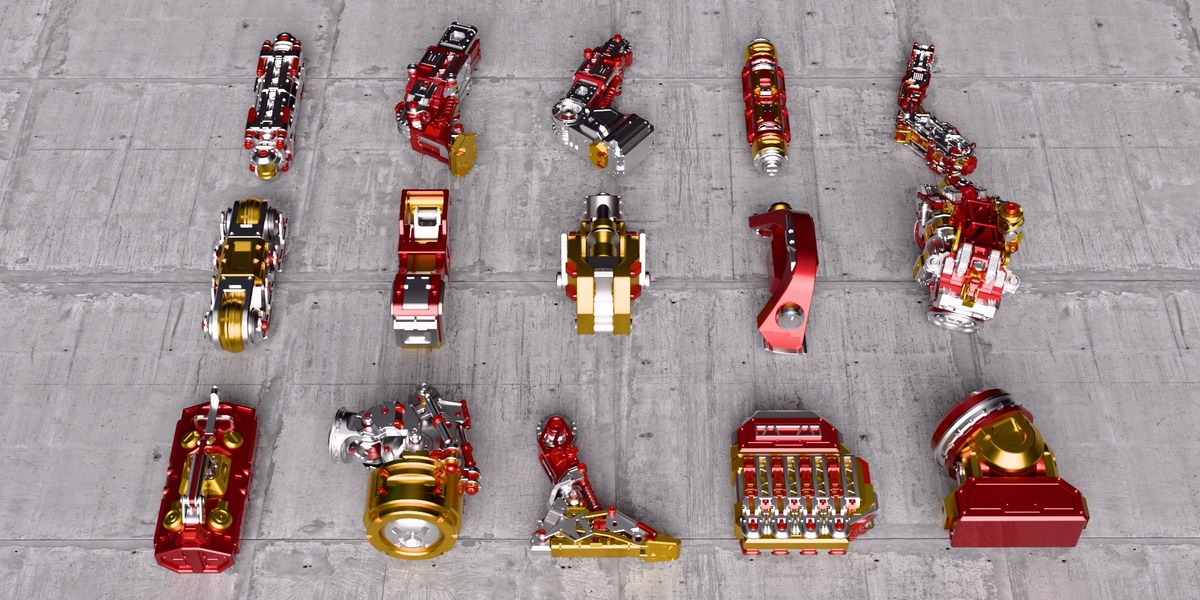
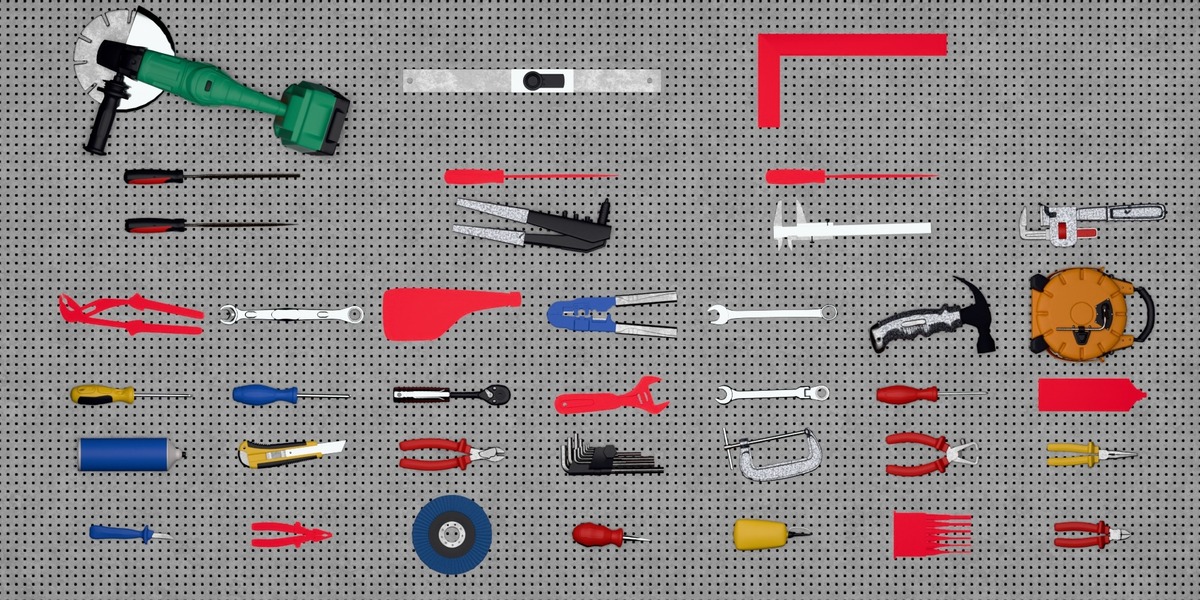
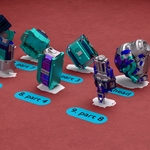
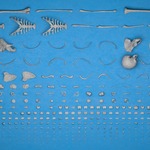
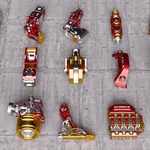
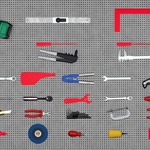
Point it at an assembly or a kitbash build and press one button. The parts come out flat on the table, squared up, numbered, with their silhouettes cut into the board and the parts list written.
A day of dragging parts around, done in one button
ONE BUTTON, THE WHOLE SHOT
POINT IT AT A COLLECTION, PRESS ARRANGE
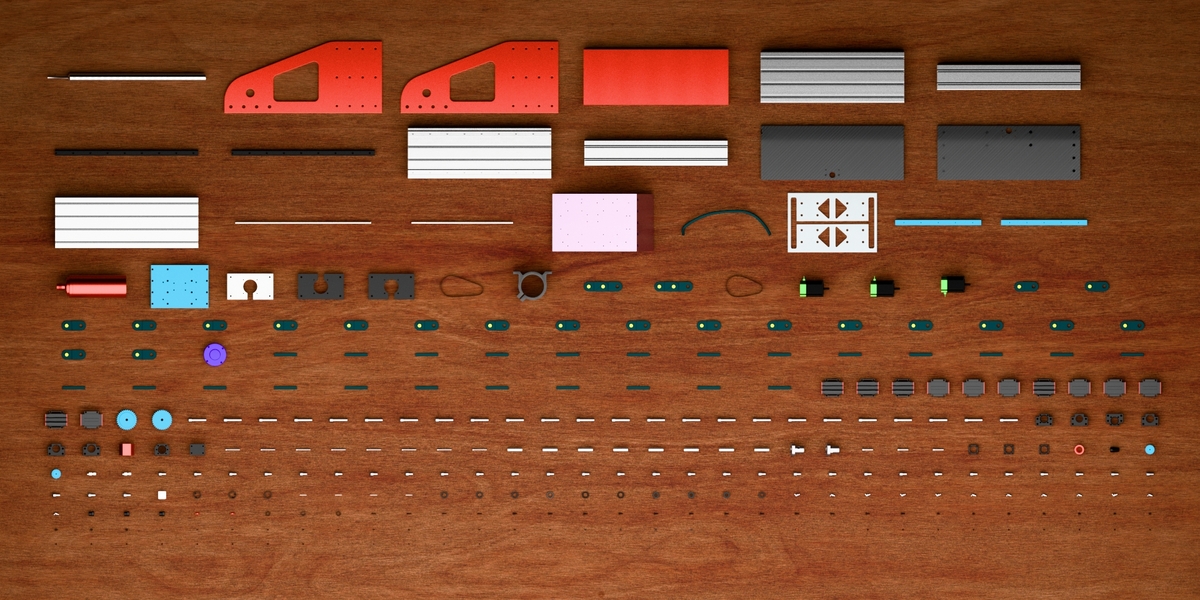
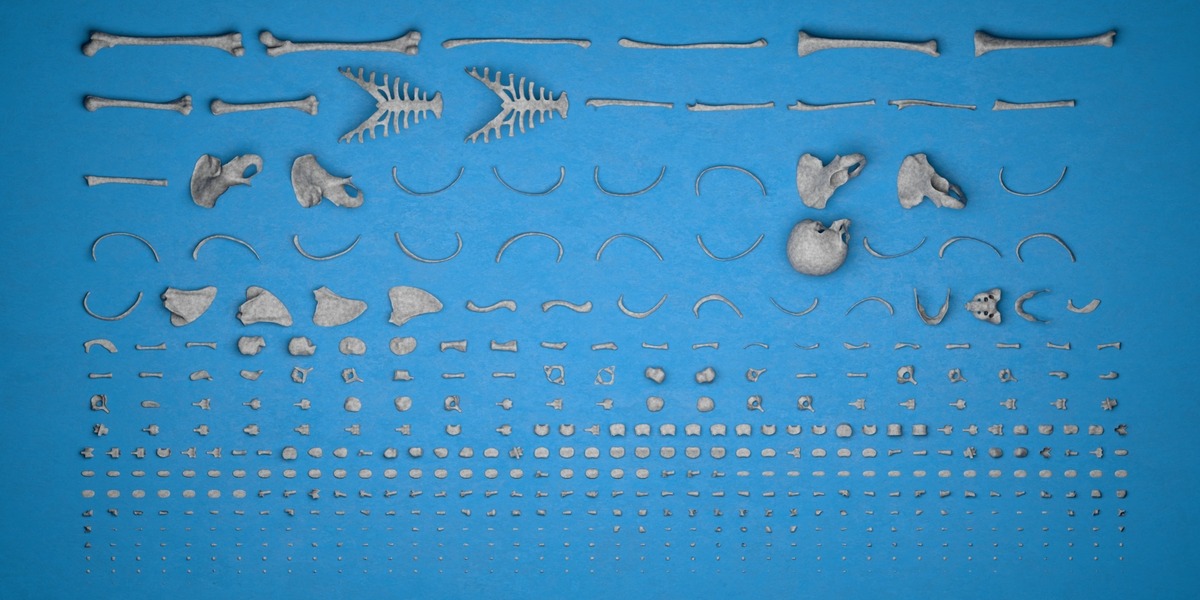
Every part is separated, turned onto the face you want it to rest on, and packed onto one grid: columns in line, rows an even gap apart, nothing touching. Identical parts land back to back and each type gets a numbered tag.
- Flat or Upright: every part on its biggest face, or on its smallest for a row on end
- Groups identical parts: shared meshes, matching shapes, matching materials
- Shadow board: a filled silhouette or a clean outline cut into the table
- Numbered tags: number, name or both, with a ×N count
- Keeps a module whole: a kitbash block laid out assembled, under one tag
- Several collections at once: each with its own surface, settings and list
- One grid: one column pitch across the board, an even gap down it
- Live after Arrange: width, padding, rotation and colours re-pack as you drag
- Reset: every transform cached first, so the assembly goes back exactly
THE GOAL OF FLATFLOW
A knolling shot is the clearest way to show what a product, a machine or a kitbash build is made of, and it is hours of work by hand: separate every part, turn each one onto its best face, line them up without overlaps, keep the two of everything next to each other, then letter the whole thing and type up the list. FlatFlow does that pass in one click, and keeps it live afterwards, so changing the table width is a drag rather than a re-do.
NOTHING TO SET UP
ASSEMBLY IN, FLAT LAY OUT
Nothing to prepare and nothing to clean up. Your objects stay in their own collections, keep their materials and their names, and Reset puts every one of them back where it was.
FLAT OR UPRIGHT
THE RESTING FACE
EVERY PART SQUARED UP THE SAME WAY
Flat stands a part on its biggest face, thinnest side up: the knolling look. Upright stands it on its smallest face, longest side up, so the same assembly reads as a row of parts on end and takes a fraction of the floor.
Either way the part is squared to the table with its longest remaining side along X and the heavier half of the mesh down and towards −X, read off the part's own geometry and never copied from a sibling. Two copies of the same bracket modelled in different local frames still come out facing the same way, which is exactly what a STEP import never does on its own.
IT KNOWS WHICH PARTS ARE THE SAME
BUILT FOR CAD IMPORTS
MATCH IDENTICAL SHAPES
Objects that share mesh data always count as one part type: one tag number, one line on the parts list with a quantity, and every copy still laid out, back to back. So do objects whose data is not shared but whose meshes have the same vertex and face counts at the same size, which is how a CAD or STEP import always arrives: every part its own datablock called Model.214. Sizes are compared to two significant figures, so import rounding does not split a type in half, and there is no switch to get wrong: it is simply how the packer counts.
From there the same section decides how the board reads. A Row Per Type gives each type a row of its own, so the copies of one part run as one line across the board. Align In Columns gives every part a cell of one size, whatever type it is, so the parts line up down the columns as well as across the rows. Match Identical Materials groups by what a part is made of instead, and Show One Of Each lays out one copy per type with the counts left honest.
Match Identical Materials groups by what a part is made of instead, whatever shape it is, so every steel part lands together for a materials breakdown. Show One Of Each lays out a single copy of every type and hides the rest, turning an unboxing photo into a catalogue of the distinct parts, with the counts on the tags left honest.
KITBASH? KEEP A MODULE WHOLE
SUB-ASSEMBLIES, NOT SCREWS
ONE CELL, ONE TAG, ONE MODULE
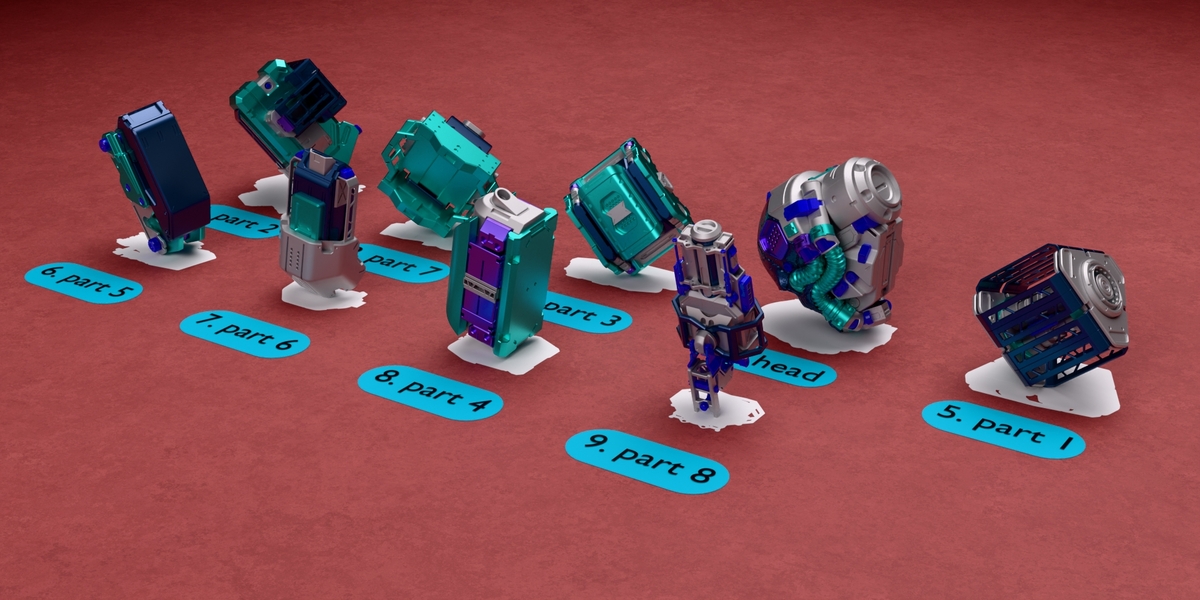
A kitbash block, a gearbox, a hydraulic pack: these are organised as collections inside a collection, and exploding one into forty loose pieces turns your build into somebody else's screws. A module hung off an empty is squared up on that empty's own axes, with its rotation zeroed. An imported assembly lands the way up it was modelled, and every module on the board faces the same way. Upright stands it on end with a quarter turn about one of those same axes. Tick Keep Sub-Collections Whole and every collection nested inside the listed one is laid out as a single part, still assembled, with one cell of its own, one numbered tag and one line on the parts list. Keep Parented Parts Whole does the same for a parent and everything parented to it, for scenes built that way instead.
A module is measured, turned onto its resting face, tagged and outlined as though it were one part, so its mark is the contour round the whole module rather than one outline per piece. And two modules built from the same pieces in the same arrangement group and count exactly like two copies of a bolt: one tag reading Module A ×12, and Show One Of Each turns the board into a catalogue of your kit.
THE SHADOW BOARD
Switch Shadows on and every part gets its own mark on the table beneath it, the way a tool board is laid out, so a gap still shows what belongs there. The marks are their own geometry, so they stay put when a part is hidden, moved or deleted.
STYLE 01
FILL
A solid silhouette: the part's own shape squashed onto the plane, holes and all, on a private copy of the mesh. The marks come out red, one swatch per row. It sits as a thin slab a fraction of a millimetre proud of the table, so it reads flat from any angle and never z-fights, and it lands on the table even when the table is a plane you raised or tilted.
STYLE 02
OUTLINE
The line round the part instead, drawn along every edge where a face pointing up meets a face pointing down: the real outline, not an inset of the filled shape. Only the line round the outside is kept. Bolt holes, pockets, seams, steps and the ridges down a T-slot profile all count as inside the shape and are dropped. Whatever that leaves open is closed, so every part comes out as one contour.
Line Width re-dials the thickness live without re-packing the layout, because it is one modifier value per mark rather than a rebuild.
HIDE PARTS: THE BOARD WITH NO TOOLS
One switch, ticked out of the box, takes every tool off the board and leaves the marks, for the "everything is missing" shot, and turning it off or hitting Reset brings them all back. A part you had already hidden yourself is left alone, so nothing you meant to keep away comes back uninvited.
NUMBERED TAGS
REAL GEOMETRY, NOT AN OVERLAY
NUMBER, NAME, OR BOTH
A small rounded plate sits beside every part type, carrying the number on its own, the part's name on its own, or both as 3. Bracket ×2, with the ×N count appearing only where a type has several copies. Size, plate padding, corner radius, plate colour and text colour are all yours, and the packer reserves room for whichever label is longest, so tags never collide with a part or with each other.
They are built in Geometry Nodes and they lie in the table's plane, tilted table included, so they render in Eevee and Cycles like everything else in the scene. Colour changes go straight into the tags that are already built, with no re-packing at all.
SEVERAL COLLECTIONS, SEPARATE SETTINGS
ONE PANEL PER ROW
TWO BOARDS IN ONE SCENE
Click a collection in the outliner, hit +, and it joins the list. Every row carries its own copy of the whole panel, so one collection can lie on one plane with red outlines while another sits on a different plane, filled in blue, with its own table width, padding, grouping and tags. Arrange lays out the row you have highlighted and leaves the others where they stand, and an object two rows both reach is arranged once, by the upper row.
Every row numbers its own parts from 1, and Reset, Export and the type and part count at the foot of the panel all belong to the row you are looking at, so you can put one collection back, or write its list, without touching the other.
ON YOUR OWN SURFACE
TILTED TABLES WELCOME
THE LAYOUT FOLLOWS THE PLANE
Pick any object as the Surface and the parts drop onto its top, centred on it. Tilt the plane and the whole flat lay tilts with it: the packing is done in the surface's own frame, so every part rests on it properly and the tags and marks lie in it too. Leave the slot empty and everything lands on the world floor.
Table Width decides how many columns the board has and Padding the gap between them. Both re-pack live as you drag them, but only once that row has been arranged, so picking a plane for a collection you have not laid out yet leaves it where it stands.
Rotation turns a part on the table on top of the resting face, and the whole selection turns with it, so a dozen parts square up in one drag. Pick nothing, or pick something this row does not own, and the same slot turns the whole collection instead: every part about its own origin, every module about its own empty. A turned part's cell grows to match, so it still cannot touch its neighbours, and turning one row never moves another.
THE PARTS LIST
CSV AND PLAIN TEXT
WHAT IS ON THE TABLE, IN A FILE
Export writes Number, Part Name, Quantity as a CSV for a spreadsheet, and drops a lined-up plain-text copy of the same table next to it for a slide or a README. Both come from the table Arrange built, so they always agree with the tags in the render, and the panel shows the running count while you work: 108 types, 280 parts.
BUILT FOR REAL ASSEMBLIES
280 PARTS, UNDER THREE SECONDS
A 316-part CNC machine of three quarters of a million vertices lays out in about 3.7 seconds the first time, and every Arrange after that is 0.13 s: hulls, resting faces and traced outlines are all kept per mesh. A 1233-part assembly runs 4.7 s then 0.08 s. Dragging a slider re-packs at that second speed.
Every object's transform is cached before it is first moved, so Reset restores it exactly, and re-running Arrange re-packs from those cached transforms instead of compounding on the arranged positions. FlatFlow moves objects and does nothing else to them: it edits no mesh, renames nothing, and moves nothing between collections.
EVERYTHING IN FLATFLOW
-
One-click Arrange: separate, orient, sort and pack a whole assembly into non-overlapping rows
-
Flat or Upright: rest every part on its biggest face or its smallest, thinnest or longest side up
-
Consistent orientation: each part squared up from its own geometry, so copies face the same way
-
Longest side first: long parts land beside each other instead of scattered among the small ones
-
Copies back to back: every instance of a type sits with its siblings, in reading order
-
A Row Per Type: every type gets a row of its own, copies side by side
-
Align In Columns: one cell size for every part, so the board lines up down the columns as well as across the rows
-
Match Identical Materials: groups by what a part is made of, whatever shape it is
-
Keep Sub-Collections Whole: a module, gearbox or kitbash block laid out assembled, in one cell, under one tag
-
Keep Parented Parts Whole: the same for a parent and everything parented to it
-
Modules group and count: twelve copies of one module become one tag reading ×12
-
One contour per module: the mark goes round the whole thing, not once per piece
-
Show One Of Each: a catalogue of the distinct parts, with the counts left honest
-
Shadow board, Fill: a solid silhouette of every part cut into the table, holes and all
-
Shadow board, Outline: the true outer contour only, with no inner detail and no open ends
-
Adjustable line width: re-dialled live, without re-packing the layout
-
Hide Parts: takes every tool off the board and leaves the marks, reversible
-
Marks are real geometry: they stay when a part is hidden, moved or deleted
-
Numbered tags: number, name or both, with a ×N count, on a rounded plate
-
Tag styling: size, plate padding, corner radius, plate colour and text colour
-
No tag collisions: the packer reserves room for the longest label in the layout
-
Any surface: parts land on the top of the object you pick, tilted planes included
-
Table Width and Padding: live sliders that re-pack as you drag them
-
Hand Rotation: turn one part of this row, a whole selection, or every part in the collection about its own origin
-
One grid: columns on one pitch and rows an even gap apart, an outsized part taking several columns rather than inflating them all
-
Several collections at once: each row with its own surface, settings, colours and tags
-
Per-row Arrange, Reset, Export and count: lay one collection out, put it back, or list it, without touching the rest
-
Numbering from 1 per collection: each list stands on its own
-
CSV and plain-text parts list: Number, Part Name, Quantity, always agreeing with the tags
-
Exact Reset: every transform cached before it is touched, and hidden copies brought back
-
Non-destructive: no mesh edited, nothing renamed, nothing moved between collections
-
Standalone: does not need DimFlow or ExplodeFlow and does not read their data
-
Modern extension format: drag the zip onto Blender, tested on 5.0, 5.1 and 5.2
WHO MADE THIS

I'm Amir, a mechanical engineering graduate working as a freelance 3D artist on industrial models, 3D environments and mechanical animations. FlatFlow came out of the same client work as DimFlow: a client wanted the exploded view, the dimensioned render and a knolling shot of every part in the machine, and the knolling shot was the one that took a day of dragging objects around. Now it is a button.
You can see my work at amirsharoleslam.com.
MORE FROM THIS DESK
FlatFlow is the third of three tools I build for the same job: turning an assembly or a kitbash build into a shot a client can read. Each one works on its own, and they work on the same collection one after another.
DIMENSIONS THAT RENDER

DIMFLOW
Linear, Angular, Radius and Annotation callouts built in Geometry Nodes, so they render like anything else in the scene and track the vertices they were built on. Type a length and the model moves to match.
VIEW ON SUPERHIVE →
THE EXPLODED VIEW, IN ONE PRESS

EXPLODEFLOW
Add a row for an object or a whole collection, then dial it. A collection row moves whole objects apart. A mesh row breaks that object's own geometry into pieces. Text, curves and rigs come apart the same way, all of it keyframed, and nothing touches your geometry until you say so.
VIEW ON SUPERHIVE →
Both are on Superhive, and both come with the same 30-day guarantee this one does.
WHAT YOU GET
- FlatFlow 1.0 extension (.zip), drag and drop onto Blender to install
- Works with Blender 4.2 and up, tested on 5.0, 5.1 and 5.2
- 30-day refund guarantee via Superhive
- Quick-start PDF documentation
- Personal and commercial use
- All future updates free
STOP DRAGGING PARTS AROUND BY HAND.
LAY THEM OUT IN ONE CLICK.

 sharoleslam