BLENDER ADDON · CAD / HARD-SURFACE
Fusion 360 Bridge
Bring Fusion bodies into Blender with welding, smooth shading and organized imports. Use the companion Send to Blender add-in or watch folder, and send mesh files back to Fusion.
| Two-Way Bridge |
Non-Destructive |
Fusion 360 Ready |
| ⚠ |
Before you buy: Autodesk Fusion is required and licensed separately by Autodesk. No Fusion software or license is included. Windows only; macOS/Linux unsupported. Tachyon Studio is independent of Autodesk. |
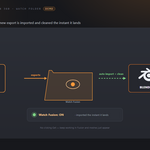
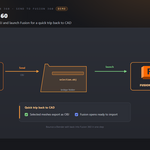
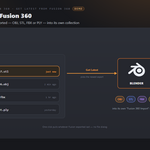
THE ROUND-TRIP — ONE CLICK EACH WAY
Exchange mesh files between Blender and Fusion with cleanup on import.
|
BLENDER
1 · Send
Selected meshes open in Fusion 360.
|
FUSION 360
2 · Work
Do your thing — auto or by hand.
|
BLENDER
3 · Get
The result lands back in Blender.
|
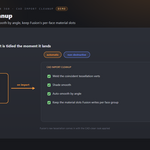
THE INTERFACE
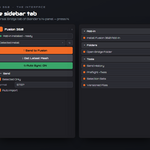
Everything lives on one Universal Bridge tab in the sidebar — press N.
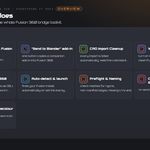
EVERYTHING IT DOES
Everything in one sidebar tab
|
Get Latest from Fusion 360
Import the latest OBJ, STL, FBX or PLY into a dedicated Fusion 360 Import collection.
|
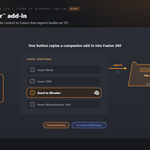
"Send to Blender" add-in
Install the companion add-in to export selected or visible Fusion bodies as high-refinement STL.
|
|
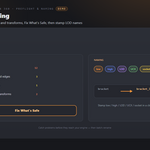
CAD Import Cleanup
Weld coincident vertices, smooth by angle and keep imported material slots.
|
Watch Folder
Automatically import and clean new meshes from the watched Fusion folder.
|
|
Send to Fusion 360
Export selected meshes as OBJ and launch Fusion for the return trip.
|
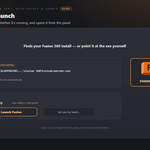
Auto-detect & launch
Detect or choose Fusion's executable, check its status and launch it.
|
|
Preflight & Naming
Check mesh issues, choose safe fixes and apply common asset naming conventions.
|
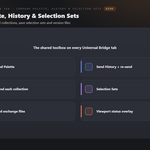
Command Palette, History & Selection Sets
Re-send from history, batch collections, save selection sets and version exchange files.
|
|
Icons You Can Recolour
Choose branded, monochrome or native icons. Link and modifier status colors remain meaningful.
|
|
FEATURE BY FEATURE
Get Latest from Fusion 360
Import the latest OBJ, STL, FBX or PLY into a dedicated Fusion 360 Import collection.
"Send to Blender" add-in
Install the companion add-in to export selected or visible Fusion bodies as high-refinement STL.
CAD Import Cleanup
Weld coincident vertices, smooth by angle and keep imported material slots.
Watch Folder
Automatically import and clean new meshes from the watched Fusion folder.
Send to Fusion 360
Export selected meshes as OBJ and launch Fusion for the return trip.
Auto-detect & launch
Detect or choose Fusion's executable, check its status and launch it.
Preflight & Naming
Check mesh issues, choose safe fixes and apply common asset naming conventions.
Command Palette, History & Selection Sets
Re-send from history, batch collections, save selection sets and version exchange files.
Requirements & Setup
|
PLATFORM
Windows only; macOS and Linux unsupported.
|
BLENDER
Blender 3.3 - 5.2 - Extension on 4.2+, classic add-on on 3.3-4.1.
|
LICENCE
Fusion is licensed separately by Autodesk. Choose the appropriate free or paid tier for your work.
|
|
FUSION 360
Enable the included Send to Blender companion add-in in Fusion.
|
NETWORK
No internet transfer. Optional live linking uses this machine's loopback address only.
|
|

Tachyon Studio
Works independently. Universal Bridge Manager hub included.
 Tachyon Studio