 孙堪伟
孙堪伟


RayPilot
A complete lighting workflow — not just another tool.
140+ Gobos. Visual light exclusion. Solo debugging. Interactive placement.
Designed for speed, clarity, and full control inside the viewport.
Now with built-in multilingual support.
Everything you need. Nothing you don’t.

Floating Toolbar
A custom-rendered floating toolbar with smooth sprite animations.
Auto-hides to keep your viewport clean. Drag anywhere, flip orientation, expand or collapse — fluid and responsive.


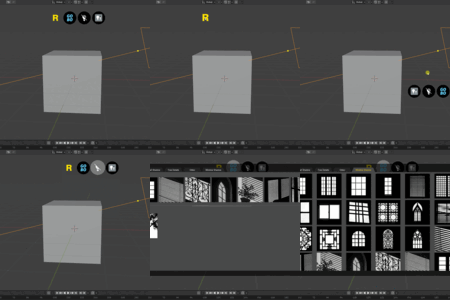
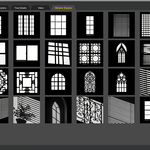
140+ Gobo Textures
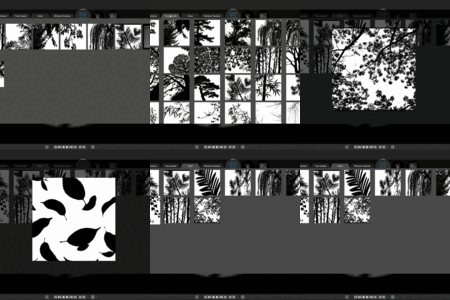
Abstract. Windows. Leaves. Trees.
Instant atmosphere, endless possibilities. Organized by category. One click to apply.


Visual browser with live thumbnails.
Hold Alt for full-size preview — animated Gobos play instantly.

Reflect Mode — Optional Workflow Tool
Inspired in part by Leonid Altman’s Light Wrangler.
Special thanks to Leonid Altman for his thoughtful work and ideas in this space, which helped shape the way this feature was approached.
Reflect Mode assists with light placement by referencing surface interaction, allowing for faster and more intuitive positioning when needed.
While inspired by established ideas, the implementation in RayPilot is designed around a native Blender interaction style, prioritizing familiar transforms, modal behavior, and consistency with Blender’s built-in tools.
Light & Shadow — Separate Control


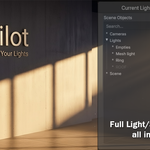
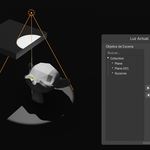
Scene objects on the left. Exclusions on the right. Drag to manage.
Advanced Mode: exclude shadows while keeping illumination, or vice versa.
Solo Mode & Light Panel


All your lights. One unified panel.
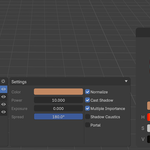
Filter by type. Swipe across eye icons to quickly hide or reveal multiple lights.
Hold Alt + Left Click on any light to solo it instantly for fast preview and debugging.
Switching to EEVEE? RayPilot automatically shows an EEVEE-specific lighting panel, giving you direct access to the settings that matter — right inside the viewport.
Everything you need, right where you need it — without breaking your workflow.
F.A.Q
A: Please go to the preferences and click on "Install Gobo Assets" to install the Gobo Effects Pack.zip.
Update Log
Version 1.1.0
- Fixed — Light and shadow linking now supports linked, nested, and collection-instance targets in Blender 5.2.
- Improved — Collections remain native linking targets instead of being expanded into individual objects.
- Improved — Linking updates now synchronize more reliably and recover safely when an operation fails.
RayPilot 1.0.8 – Update Notes
Fixed Linux-related bugs.
Added Light and Emission lists to the Light Exclusion panel.
New option: Auto-close N-panel (customizable in Preferences).
General bug fixes and stability enhancements.
RayPilot 1.0.7 – Update Notes
Added a dark icon mode for the color floating menu.
Introduced negative value settings for intensity and exposure in the light debugging panel.
Fixed the issue of missing floating menu icons on Linux systems.
Split the plugin into the main body and material pack to reduce the file size during updates.
RayPilot 1.0.6 – Update Notes
Added ray visibility controls to the Lighting panel, further reducing reliance on the native panel.
Introduced UI scaling for both the Exclusion panel and the Lighting panel, configurable in Preferences.
Refined the gobo node group to provide more convenient adjustment of color temperature and color blending.
RayPilot 1.0.4 – Update Notes
Added a Pause function in Light Mode to make parameter adjustments easier and more precise.
Introduced dedicated panels for multiple 3D views. The add-on can now display different panels independently per 3D Viewport.
Added an EEVEE-specific light settings panel. When using EEVEE, additional light parameters are automatically available, and the EEVEE panel can be expanded/collapsed as needed.
Added a preference option to allow multiple panels to be displayed at the same time.
Fixed various bugs and stability issues.
Discover More Tools
Explore more Blender tools from the same creator.
 NodeFlow 3 Pro
Clean routing, alignment, minimap, and node workflow tools.
NodeFlow 3 Pro
Clean routing, alignment, minimap, and node workflow tools.
 Bend Flow X
Interactive bend and twist tools with direct viewport controls.
Bend Flow X
Interactive bend and twist tools with direct viewport controls.
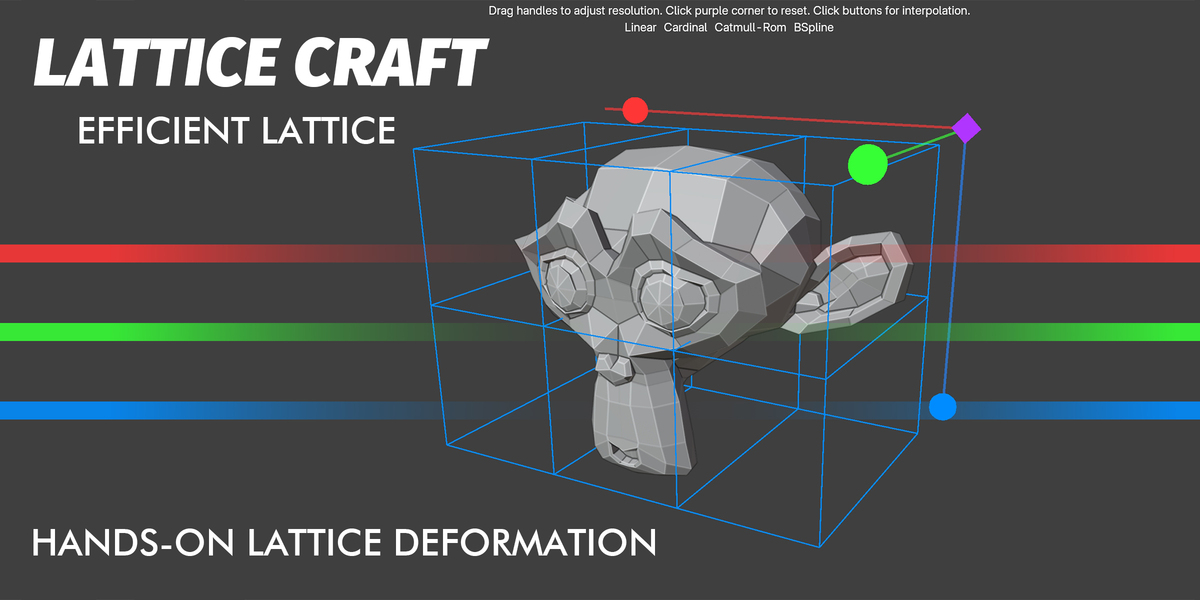 Lattice Craft
Fast, intuitive lattice deformation directly in the viewport.
Lattice Craft
Fast, intuitive lattice deformation directly in the viewport.
 N-Panel Orchestrator
Organize, search, and control Blender sidebar panels.
N-Panel Orchestrator
Organize, search, and control Blender sidebar panels.
 Knifepro
Projection, Boolean, and template-based cutting tools.
Knifepro
Projection, Boolean, and template-based cutting tools.
 Animax Rotator
Create hard-surface rotation animation without rigging.
Animax Rotator
Create hard-surface rotation animation without rigging.
 NormalCanvas Pro
Edit textures and generate depth or normal maps inside Blender.
NormalCanvas Pro
Edit textures and generate depth or normal maps inside Blender.
For questions or support, please contact us.