 Artell
 Andreas Suter

Artell
about 9 years ago
Very much appreciated, thanks dantus!


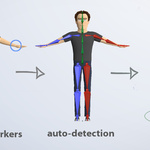
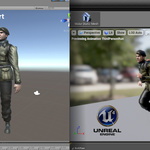
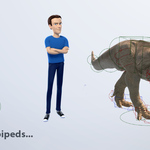
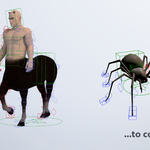
This item has an average rating of 5 from 447 ratings by the community.
Purchase this item to leave a review!
Artell
about 9 years ago
Very much appreciated, thanks dantus!
Artell
about 9 years ago
Thank you!
Artell
about 9 years ago
Hey Anna, thanks a lot for the feedback.
About weight painting, I advise you to display only the bottom last layer of the armature (31) to display the deforming bones. Thus you can pick the bones and select the associated bone automatically.
You can force the rest pose to T-pose by posing your character in T-pose, apply the armature modifiers of the meshes objects, and in pose mode, hit Ctrl-A to apply the pose as the rest pose. But be aware the reference bones position haven't changed, so if you click Match to Rig again it will go back to the original rest pose.
Feel free to send a support message to chat about it :)
Artell
about 9 years ago
Thank you Claudio! Doing my best to keep it cool :-) I hope you'll enjoy.
Artell
about 9 years ago
Thanks larry, very appreciated.
Artell
about 9 years ago
thanks Latheesh!
Artell
about 9 years ago
Thank you!
Artell
about 9 years ago
Thanks Coverop, that's appreciated :-)
Artell
about 9 years ago
Thank you!
Artell
over 9 years ago
Thanks for your feedback haroldyk!
When rigging a character, it's better to use one character per blender file.
Then merge them into another file by appending all of the objects from this character file(File>Append). Unfortunately Blender 2.78c is buggy on this side and crash when appending, and after many trials there's nothing I can do to prevent this. Hopefully they fixed it in the latest blender build wich you can download here:
https://builder.blender.org/download/
So it should be fixed in the next release too, Blender 2.79.
For further assistance feel free to send a message bly clicking under the red lifebelt 'Create Message' on the right.
 Included
Includes 12 months of
Extend this product’s Support Period +12 months: 25% of product price
Have questions before purchasing?
Login to message
| Blender Extension Compatible | Yes |
| Sales | 70400+ |
| Downloads | 93900+ |
| Rating | 447 ratings |
| Published | over 10 years ago |
| Blender Version | 2.93 - 5.2 |
| Extension Type | Add-on |
| License | GPL |
 biblesinger
 anna-draws-things
 Fantasyart3D
 Vavrinec Foltan
 Altcod
 purpleshine
 Adrian Lipiec
 Frank Mees
 haroldyk
