 Milad_Kambari
Drop in a picture or write a sentence and get a real, textured 3D model — generated entirely on your own graphics card, right inside Blender. No cloud. No credits. Nothing to upload.
| 4 AI Engines for 3D Models | 2 for Textures | 5 for Canvas |
| Runs 100% Locally | No Cloud · No Credits |
Image to 3D 2
Turn a picture or a sentence into a textured 3D model inside Blender. Everything runs on your own NVIDIA graphics card, with no monthly fees and no internet needed after setup.

Canvas
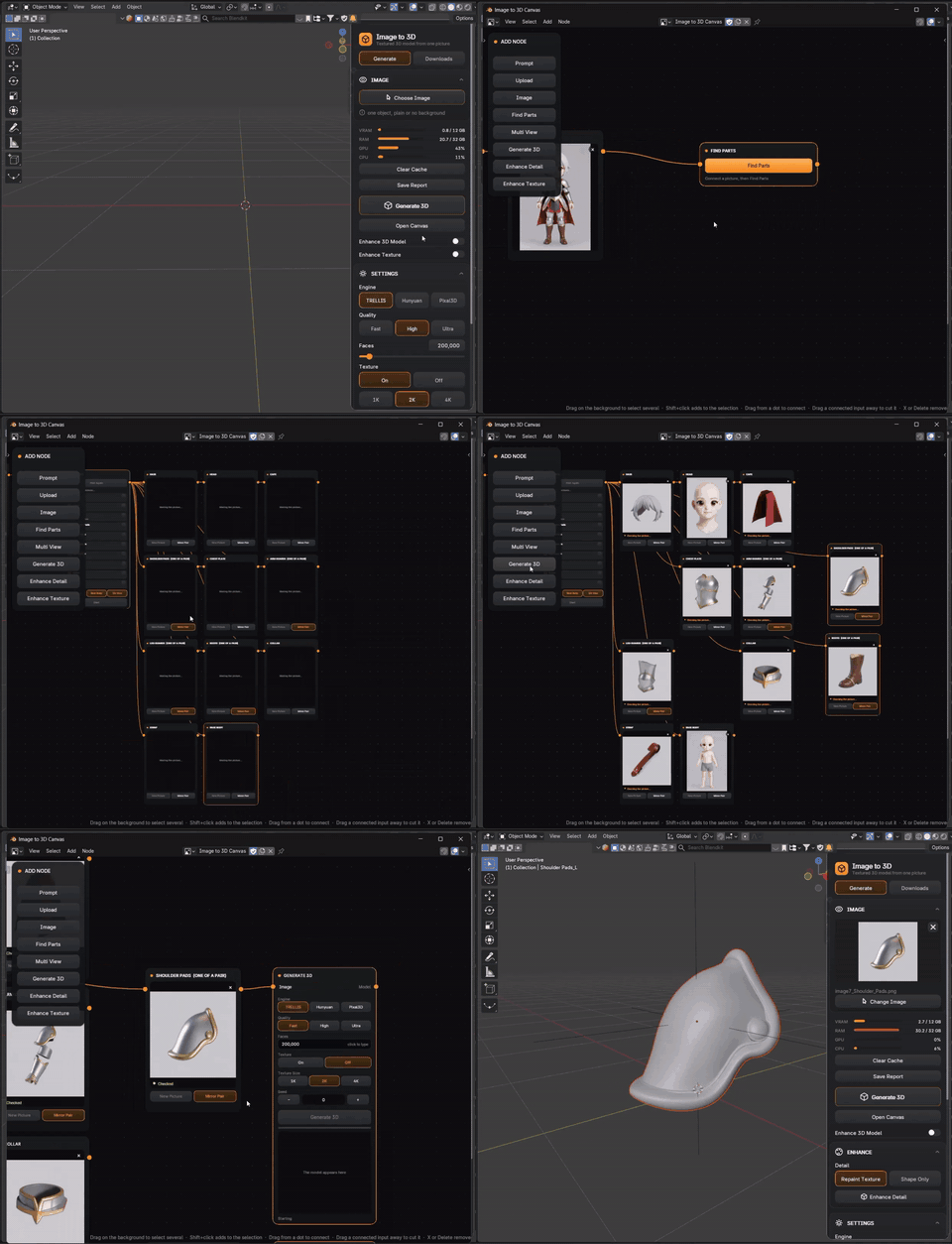
A node board where you wire nodes together — from a sentence or a picture all the way to a finished, enhanced 3D model.
 |
CANVAS · 01
A Node Board Inside Blender
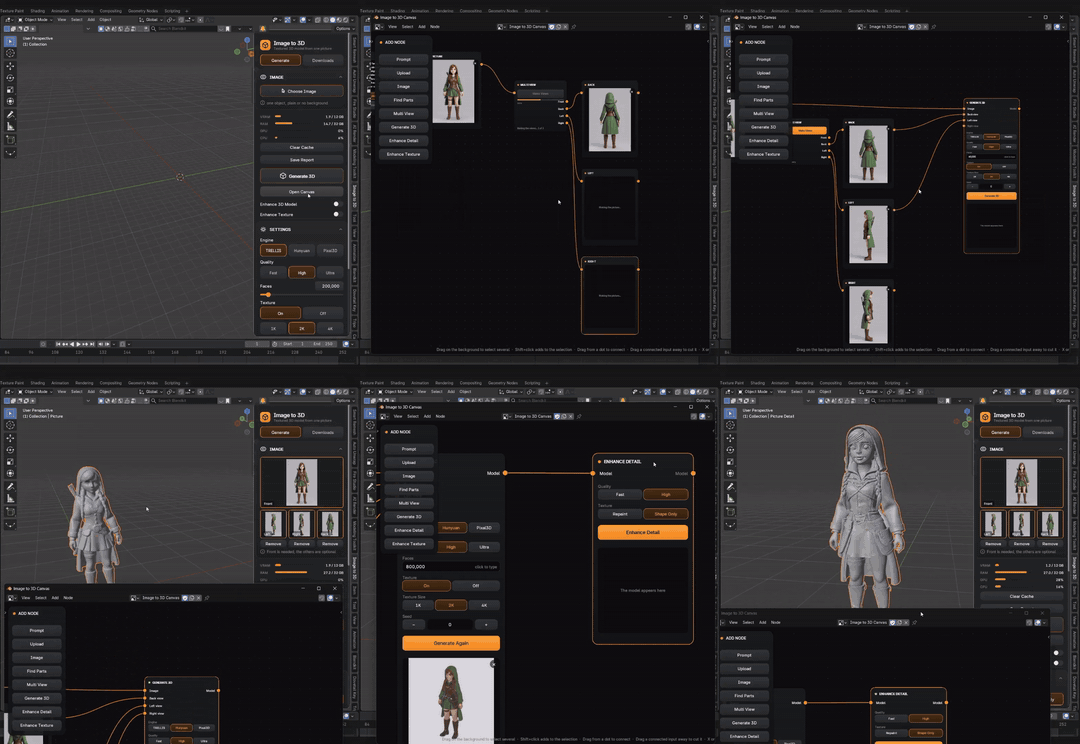
Canvas is new in version 2. Wire nodes together on one board, from a sentence or a picture all the way to a textured 3D model. Every step stays visible, so you can see and change each one.
|
|
CANVAS · 02
Multi View
Give it one picture and Multi View makes the back, left and right views for you. Hunyuan can use these extra views to build the model from every side.
|
 |
 |
CANVAS · 03
Upscale
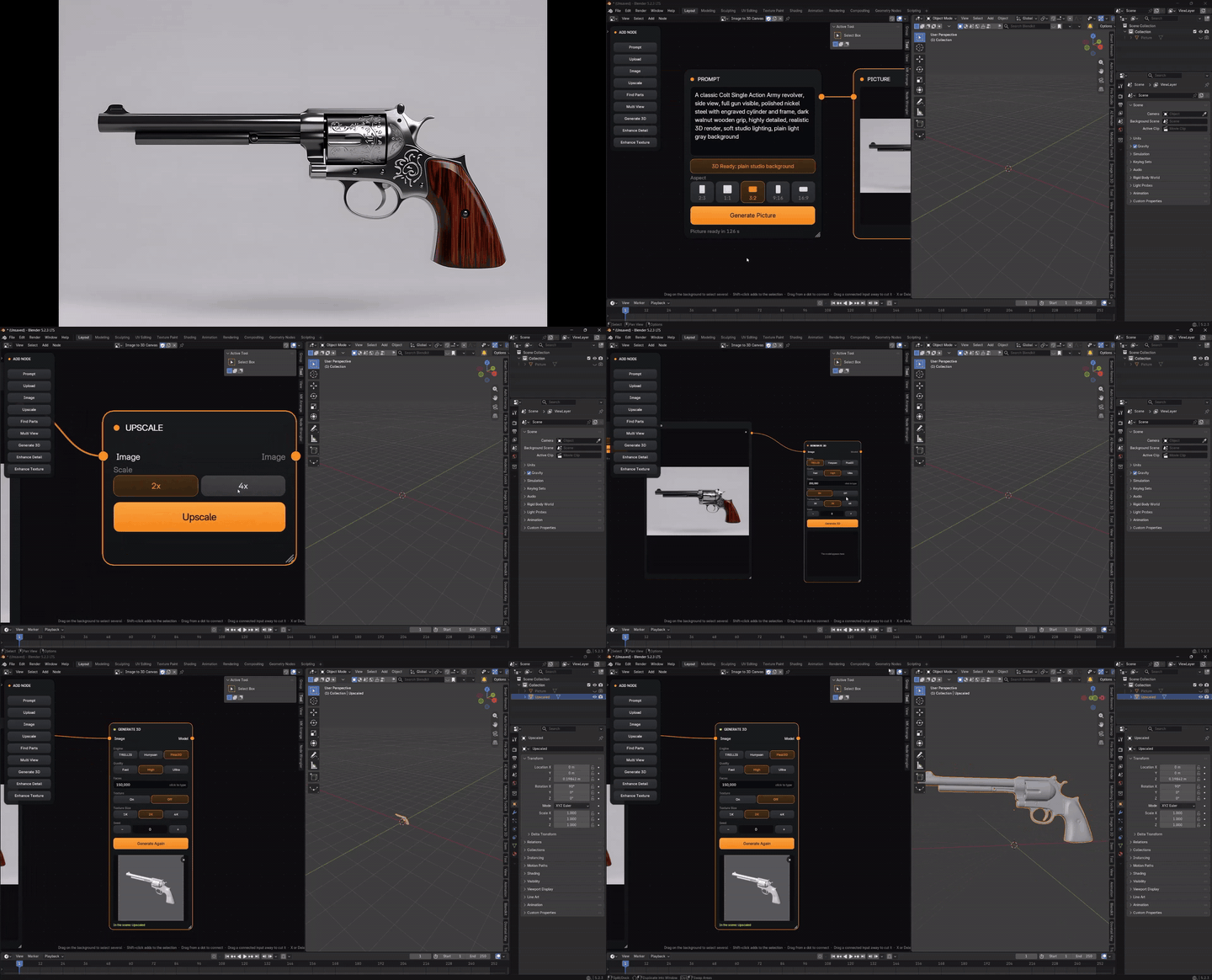
Bring in a picture with the Upload or Image node and run it through Upscale to get a bigger, sharper picture before you turn it into 3D.
|
|
CANVAS · 04
From an Idea to a Game Asset
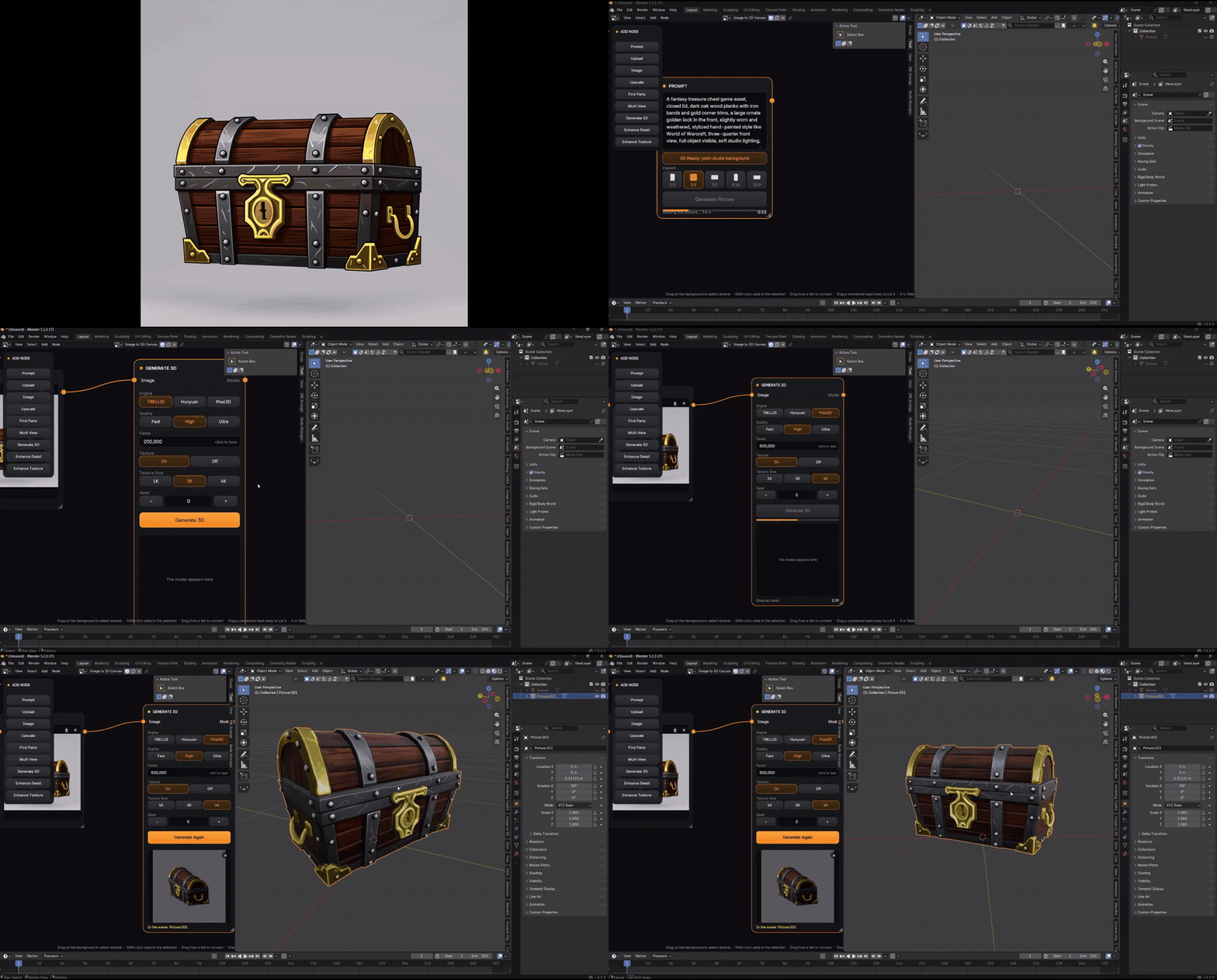
Write a Prompt with the 3D Ready preset for a clean studio background, then Generate 3D, Enhance Detail and Enhance Texture. Auto Run runs the whole chain in one go, and every model is placed side by side in your scene.
|
 |
|
Canvas Nodes
|
Everything in Image to 3D 2
Canvas comes on top of everything you already know from Image to 3D.
|
Engines & Enhance
|
Downloads, Updates & Support
|
01 |
ONE IMAGE → ONE MODEL |
Drag, Drop, Generate
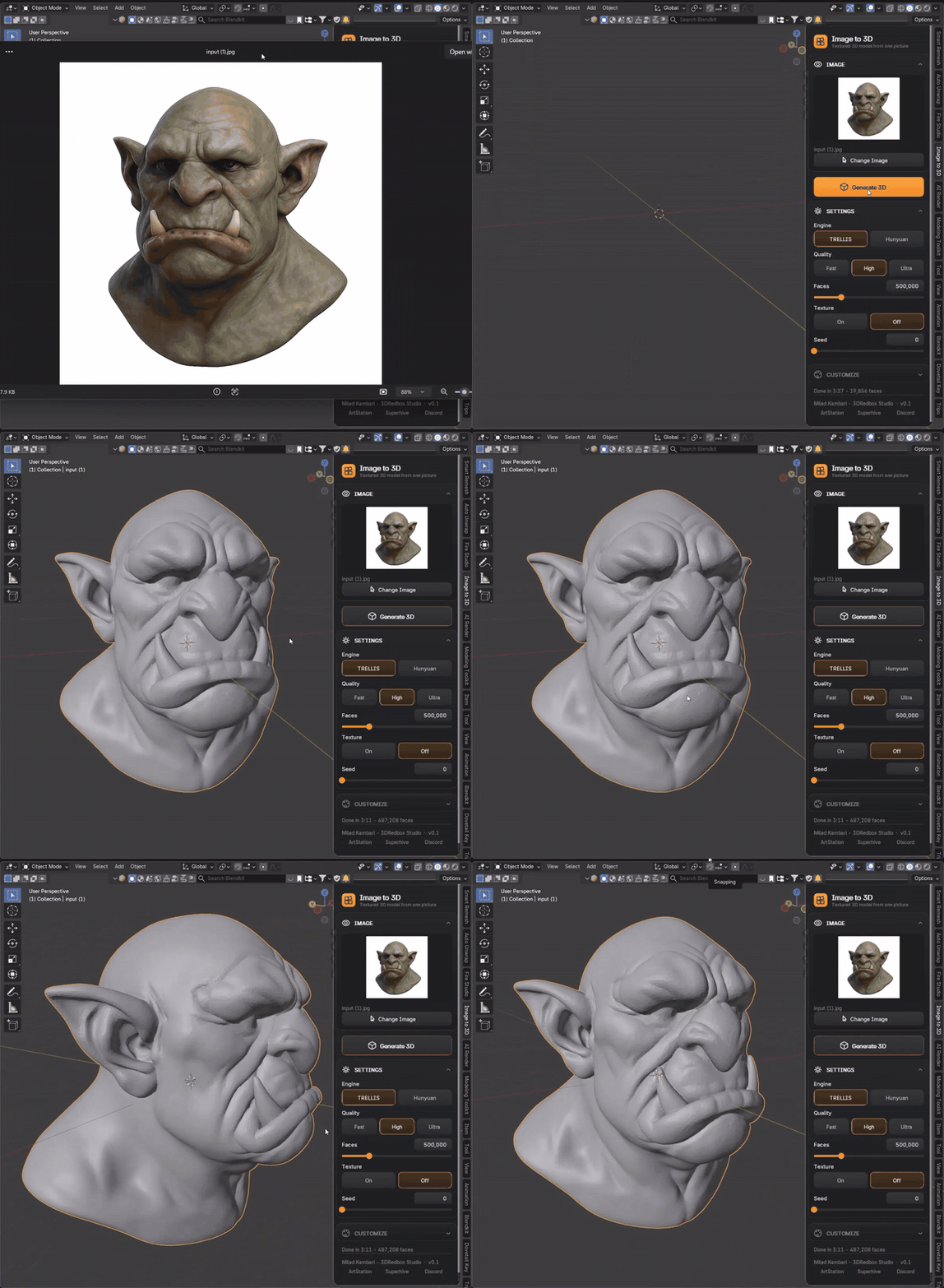
Drag a picture onto the card and press Generate 3D — a few minutes later you have a real mesh with a proper texture sitting in your scene. You don’t even need to remove the background: the addon does it for you.

Made with Image to 3D
Real results, straight out of the add-on.
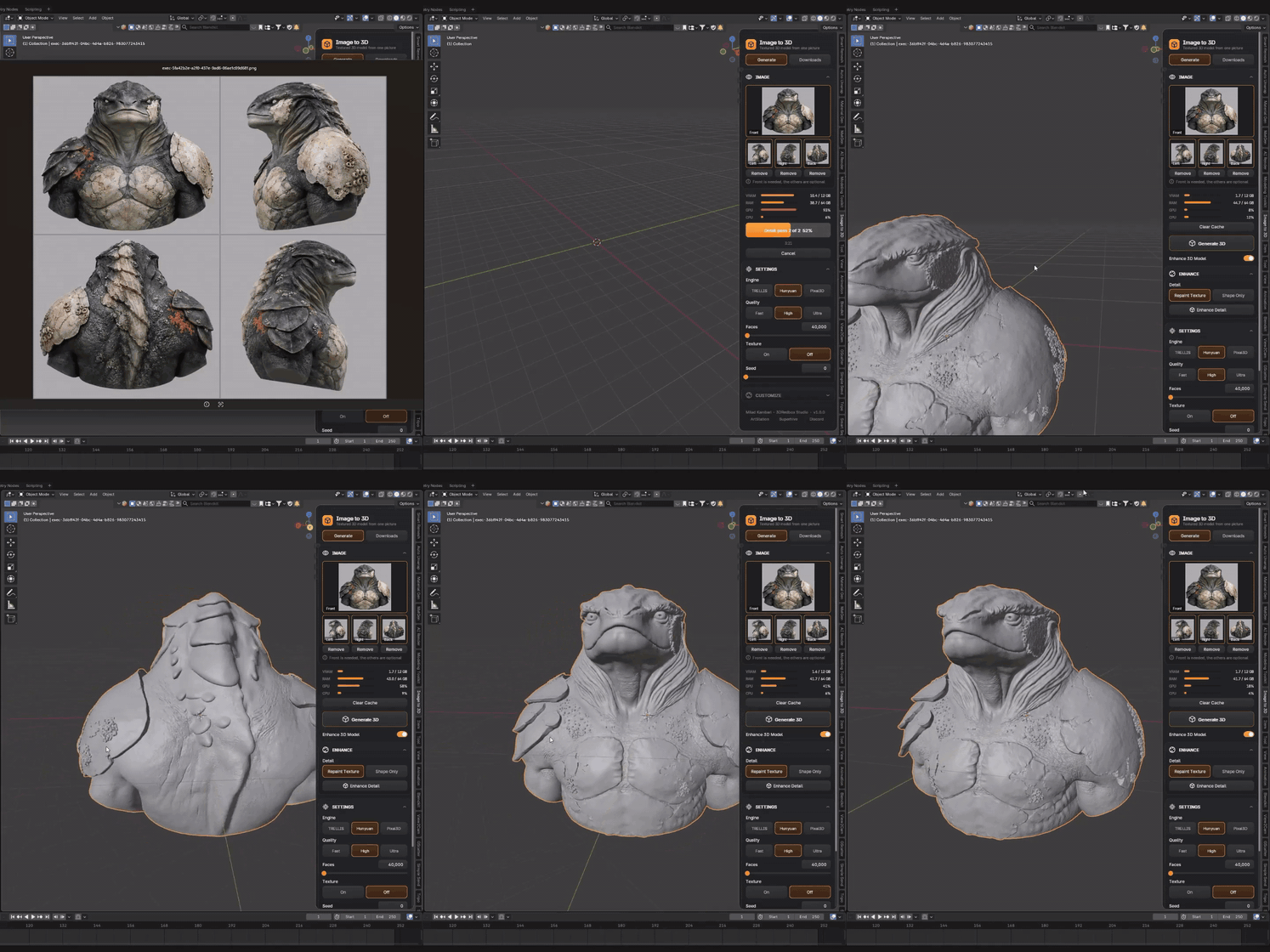
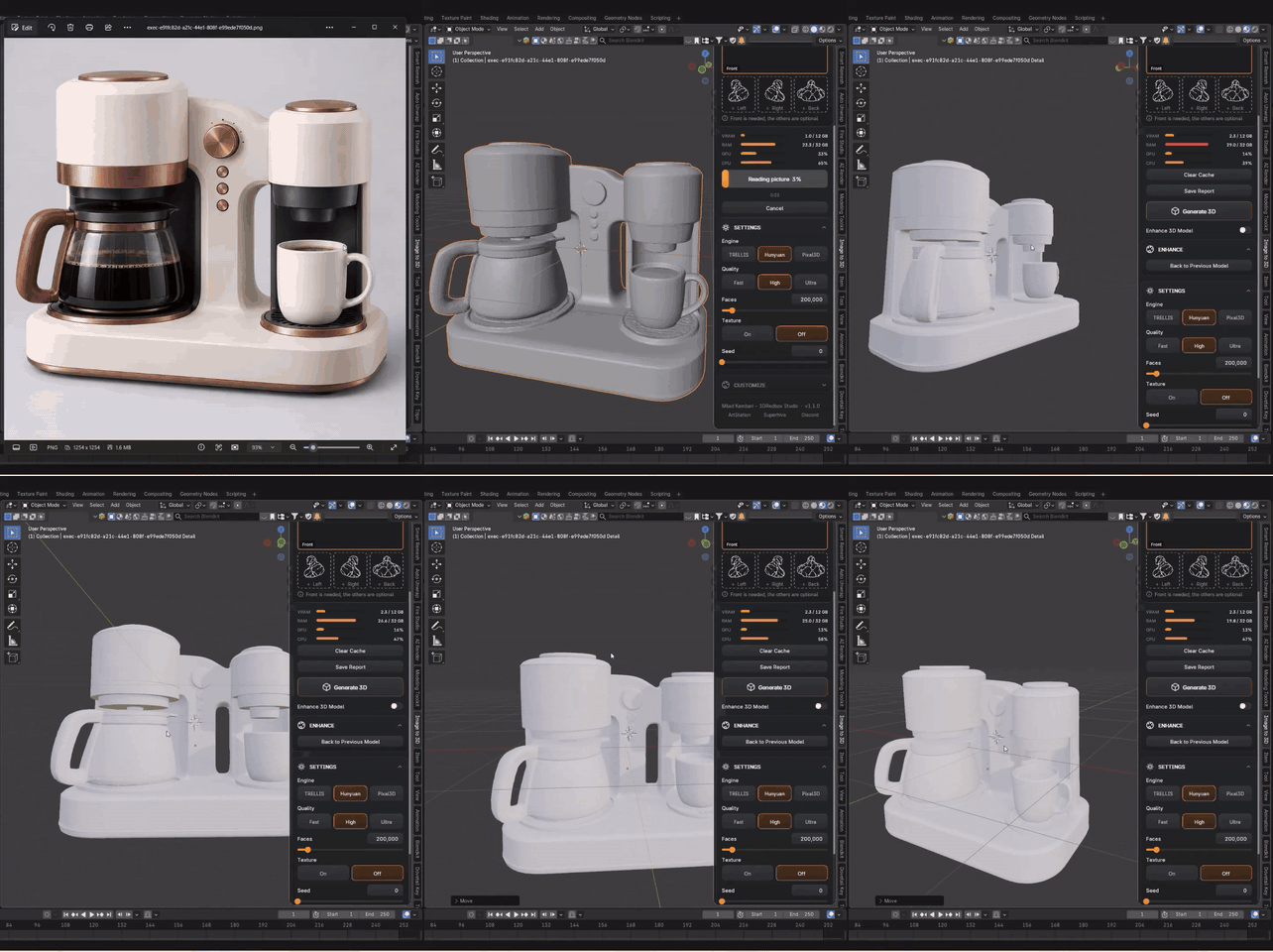
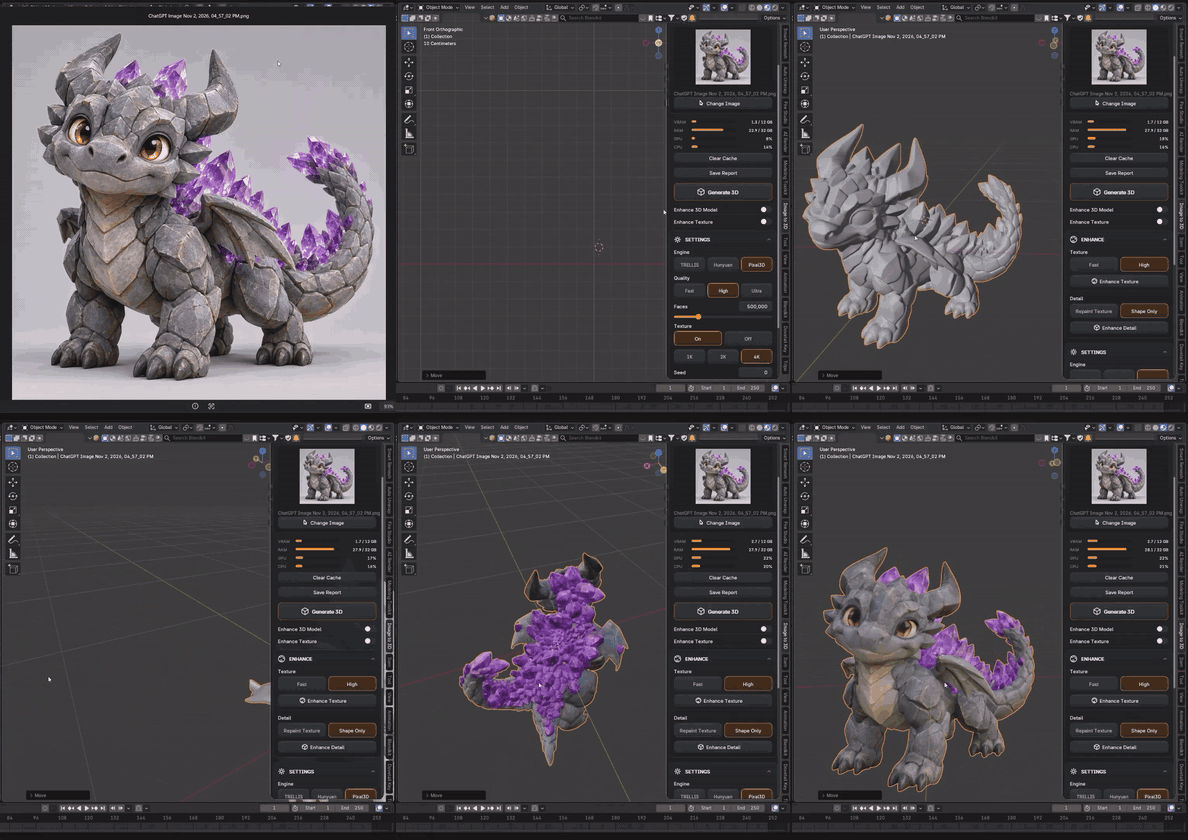
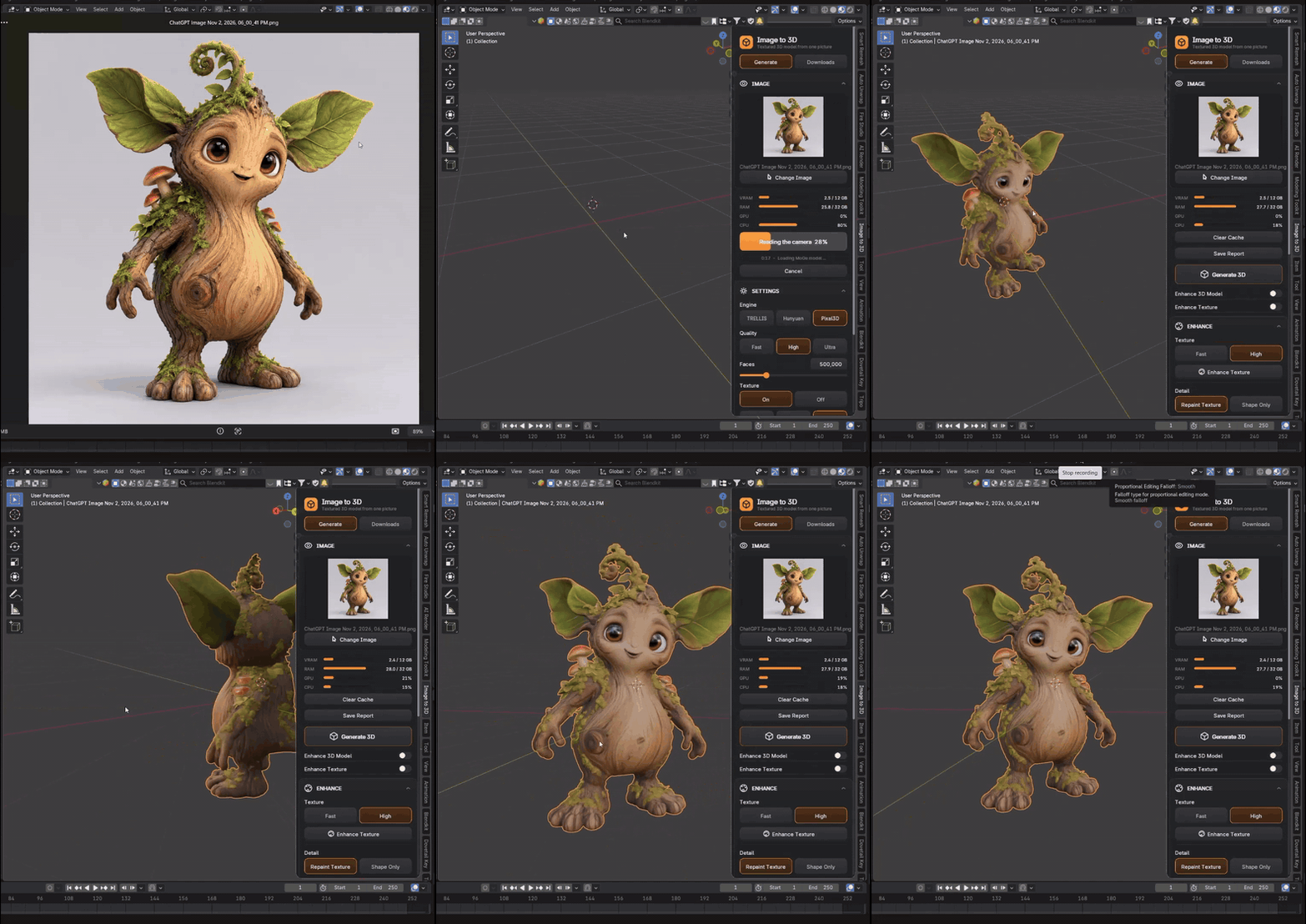
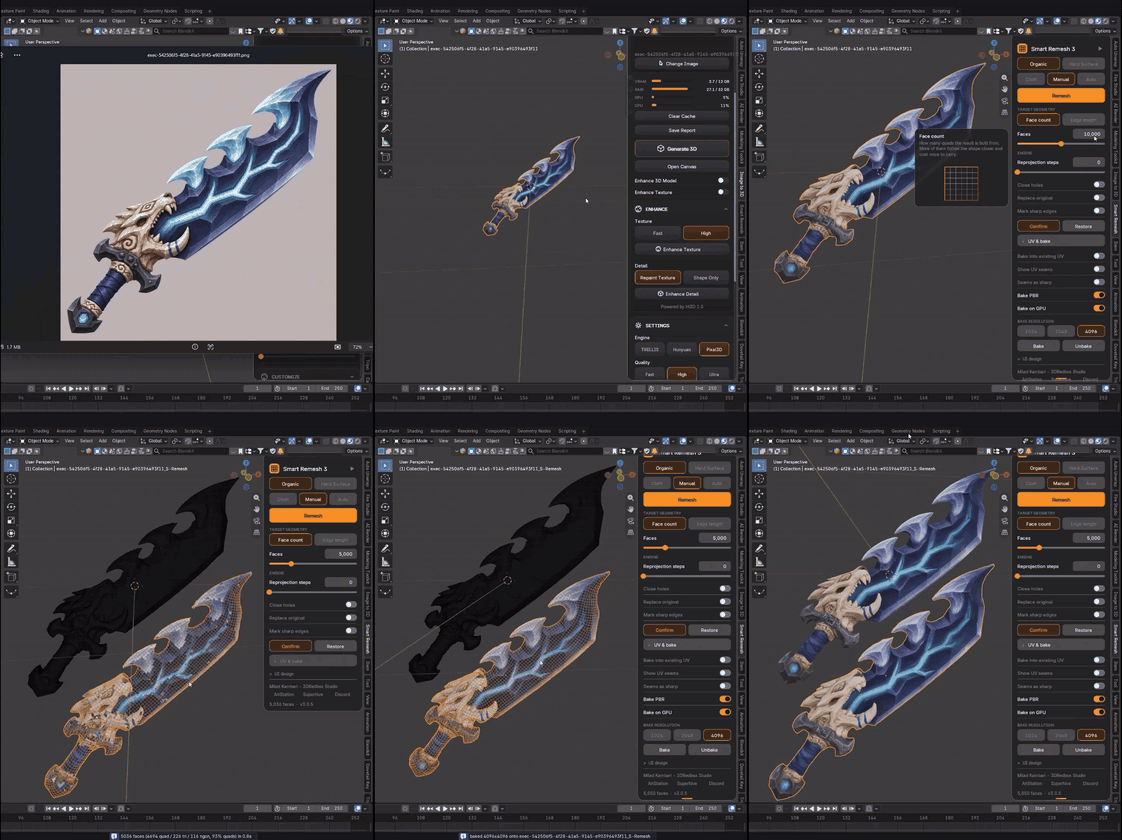
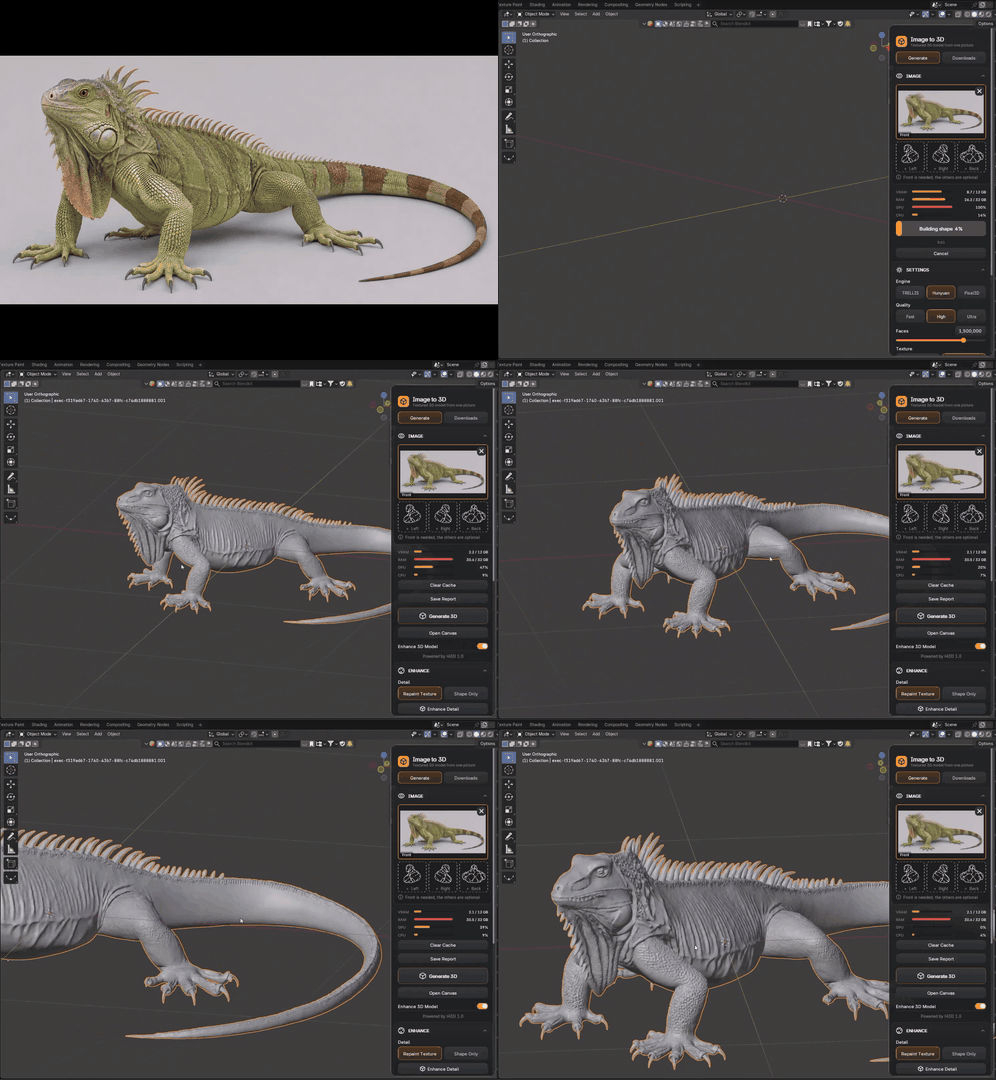
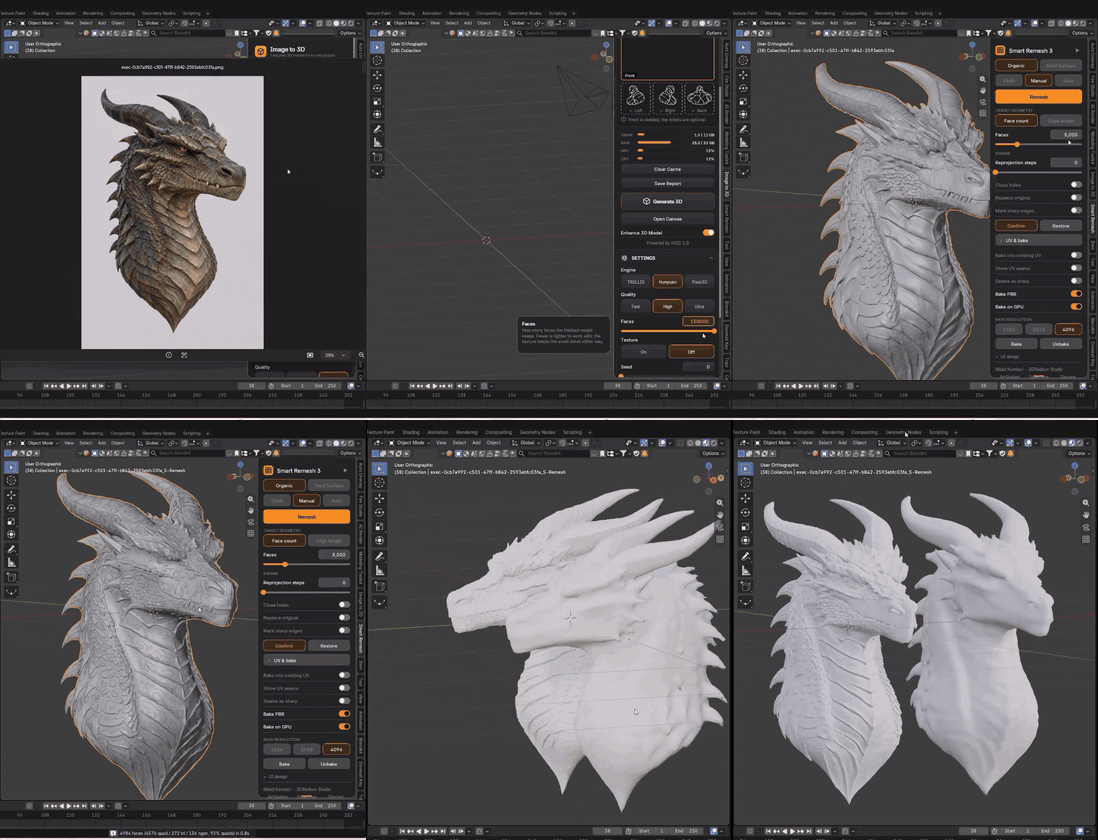
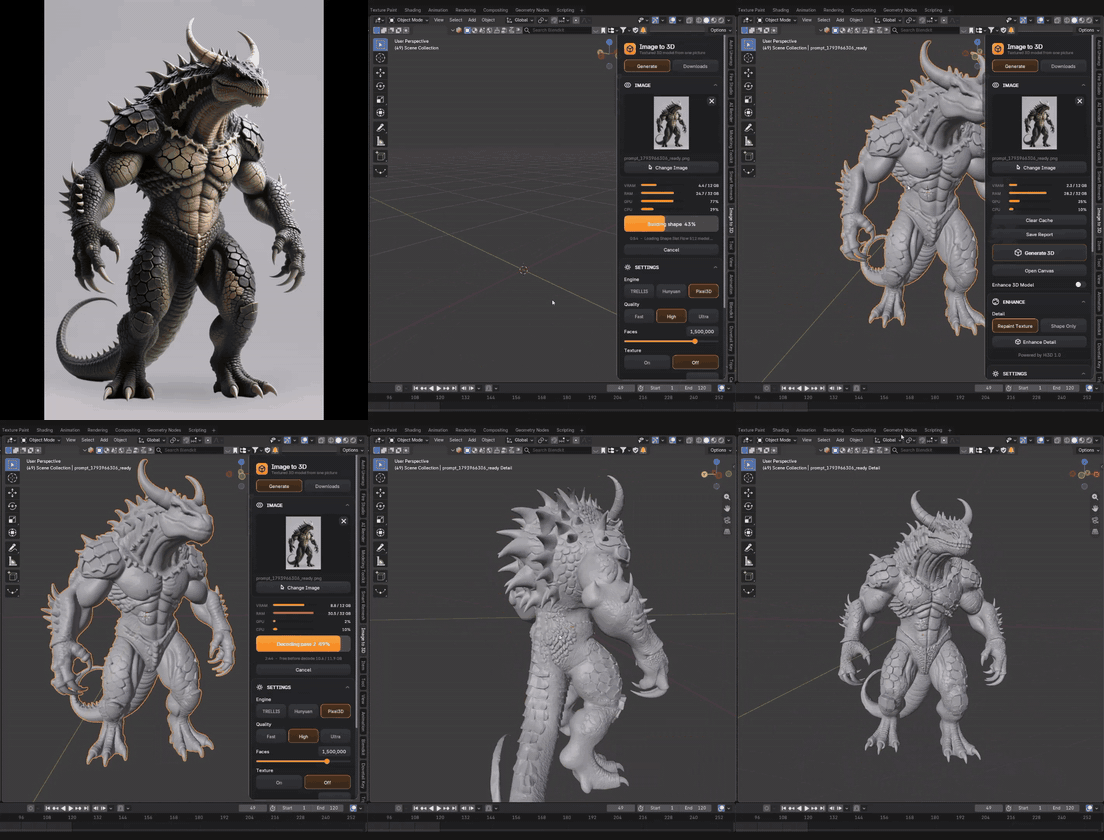
4 AI Engines for 3D Models
Three generation engines to pick from — plus Hi3D, the fourth engine, powering Enhance Detail.
|
TRELLIS
Fast, with lots of fine detail — the default engine and the quickest way from picture to mesh.
|
Pixal3D
Stays really close to the exact view in your picture — what you see is what you get.
|
Hunyuan
The cleanest shapes and the best textures — and the only engine that accepts extra views of your object.
|
11 AI Models, All Running on Your GPU
Each one is optional and downloads only when you need it.
|
4
AI Engines for 3D Models
TRELLIS
Pixal3D
Hunyuan
Hi3D · Enhance Detail
|
2
For Textures
FLUX.2 Klein · Enhance Texture
Marigold · Enhance Texture
|
5
For Canvas
Qwen-Image-Edit · Multi View, Prompt, Find Parts
Qwen-Image · Prompt
SAM 3 · Find Parts
BiRefNet · 3D Ready
Real-ESRGAN · Upscale
|
Canvas also uses FLUX.2 Klein for part pictures.
02 |
REAL GENERATION QUALITY |
Detail That Holds Up Close
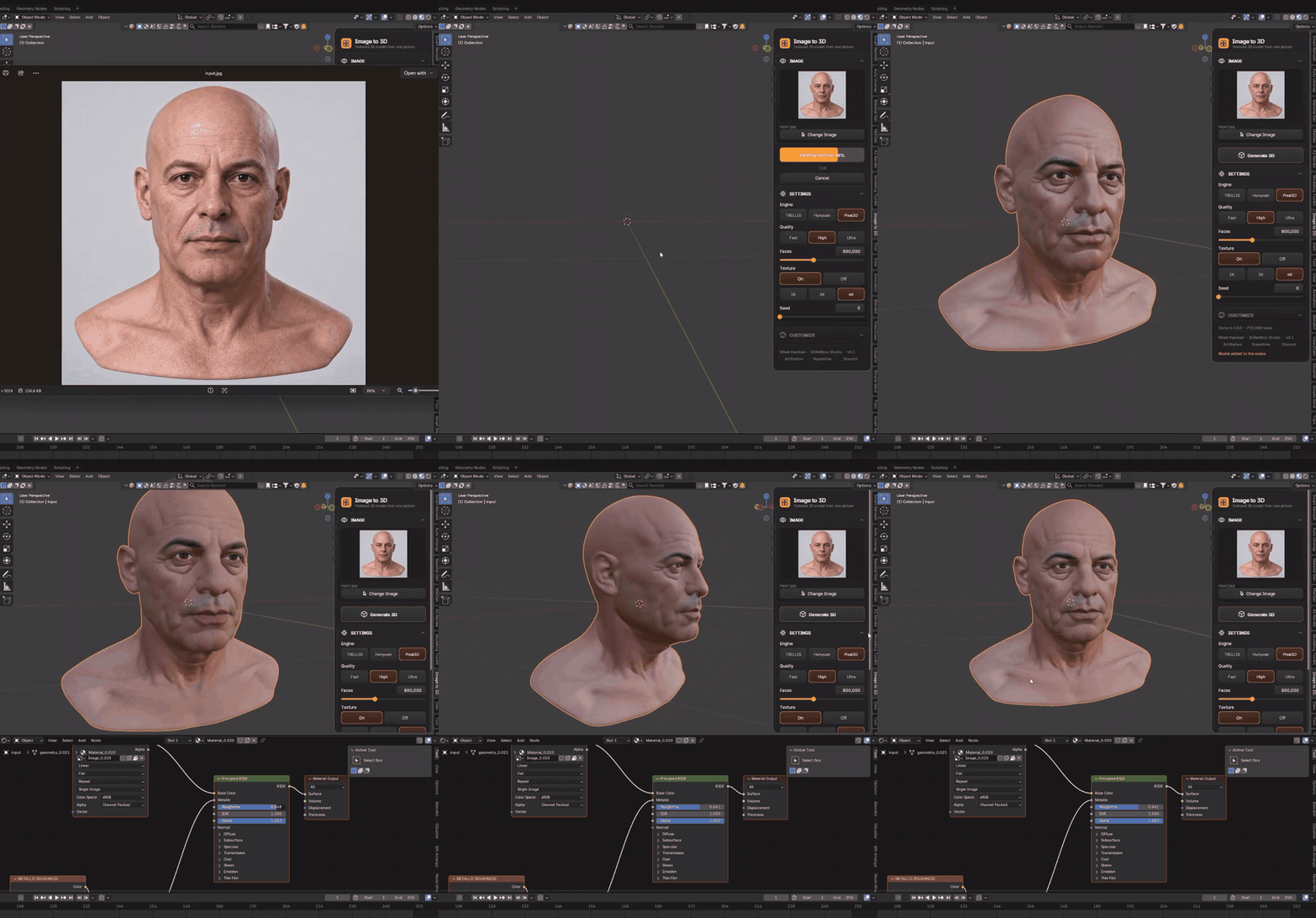
A single photo becomes a full 3D head with clean topology and a painted texture — generated locally, at the face count you choose, with 1K, 2K or 4K textures.
03 |
MORE VIEWS · HUNYUAN |
Show It More Angles, Get a Better Model
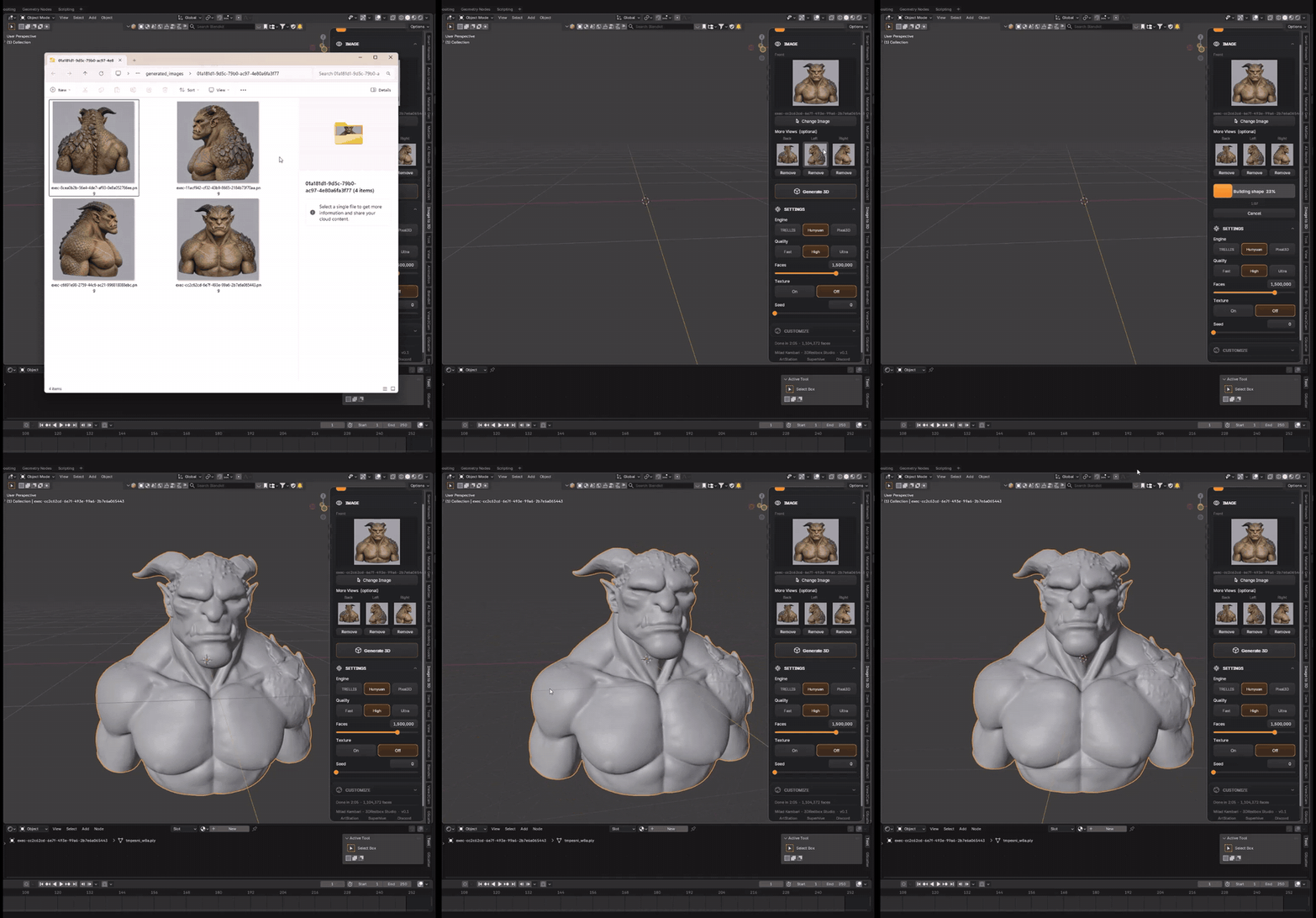
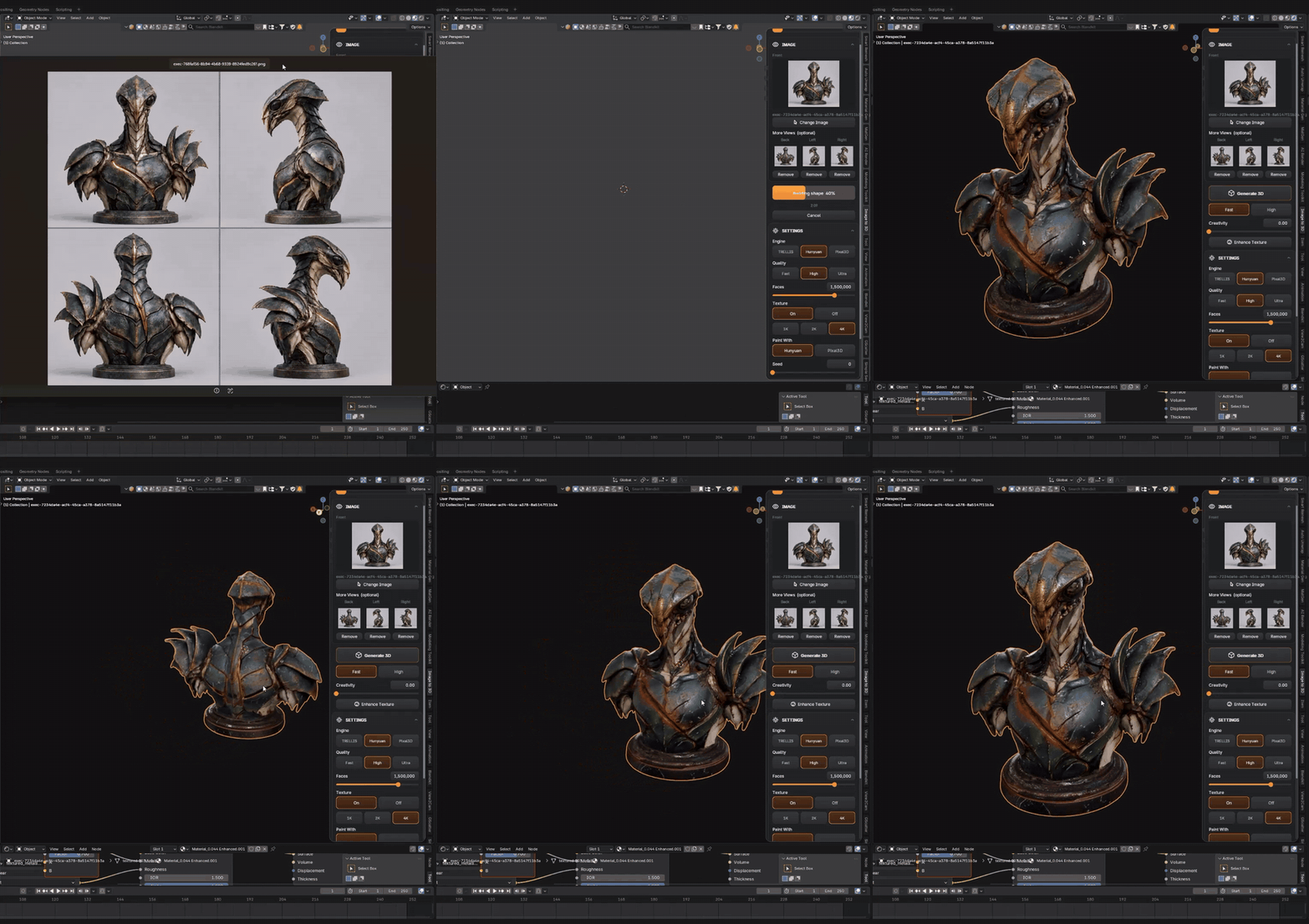
With the Hunyuan engine you can add extra photos of the same object — the big slot is the front, and labelled slots for Left, Right and Back show exactly which picture goes where. More views, more accurate shape and texture. (TRELLIS and Pixal3D work from a single picture.)
|
|
04 |
ENHANCE DETAIL (HI3D) & ENHANCE TEXTURE |
Upgrade a Model You Already Made
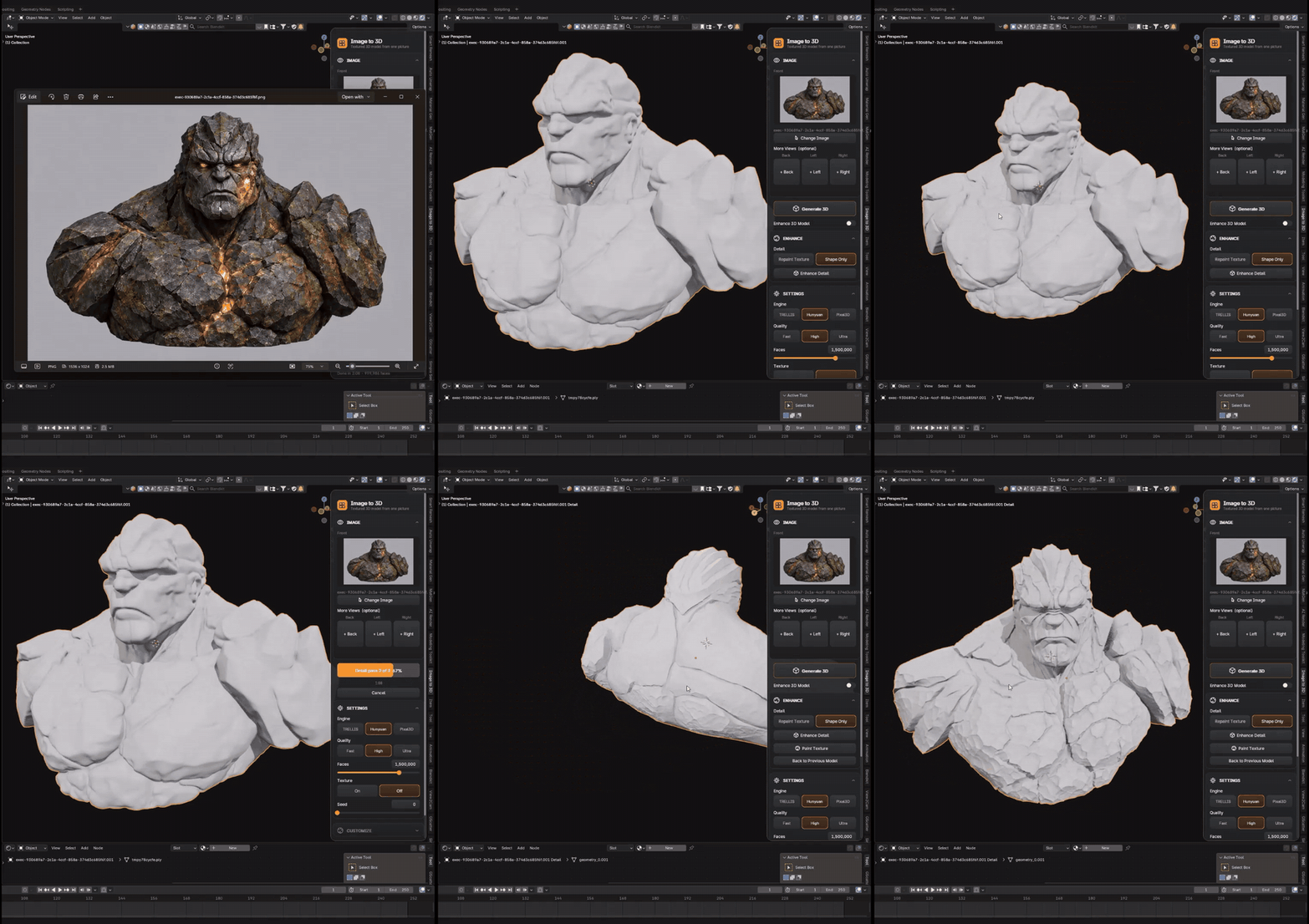
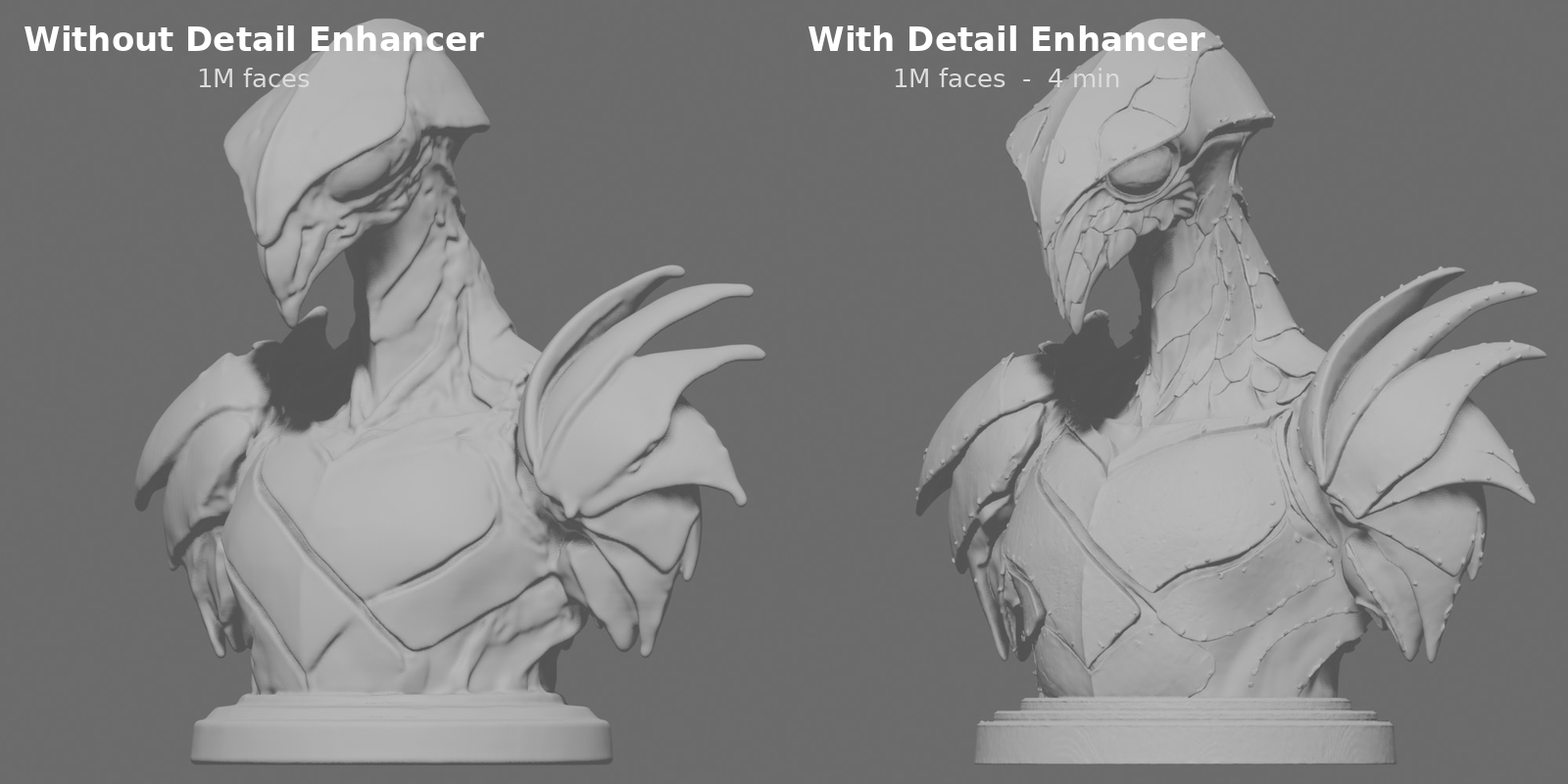
Two one-click upgrades for any generated model: Enhance Detail runs the Hi3D engine directly on your existing model — adding fine surface detail and repainting the texture without regenerating the shape from scratch — while Enhance Texture sharpens and enriches the texture only.
|
|
How Long Does It Take?
Same networks, same resolution, same result on every system — your hardware only changes the time, never the quality. All times are minutes:seconds, measured with a 4K texture and 200,000 faces.
| TRELLIS | PIXAL3D | HUNYUAN | ENHANCE (ON AN EXISTING MODEL) | |||||
| SYSTEM | FAST | HIGH | FAST | HIGH | FAST | HIGH | ENHANCE DETAIL |
ENHANCE TEXTURE |
|
MINIMUM RECOMMENDED
8 GB VRAM · 16 GB RAM
RTX 4060 class · estimated
|
~2:25 | ~4:45 | ~5:25 | ~4:50 | ~4:10 | ~5:50 | ~9:00 | ~3:40 |
|
MY SYSTEM
12 GB VRAM · 64 GB RAM
RTX 4070 Ti · measured
|
1:21 | 2:32 | 2:48 | 2:30 | 2:18 | 3:12 | 4:32 | 2:09 |
Download Only What You Use
The AI models are big files — so the addon has a built-in Downloads tab where every engine has its own row with its name and size. You only download the engines you actually want to use, into any folder on any drive you choose.
|
One-Click Download
Press Download and the addon fetches every file straight from the official model pages — with a progress bar, speed and time left. Stop any time; it resumes exactly where it left off.
|
Or Download By Hand
Prefer your own download manager? By Hand shows every part a model needs, opens its official page and the exact folder it goes into, then Check Files verifies every file against the official fingerprint.
|
Never Get Lost
Pick an engine you haven’t downloaded yet and the addon tells you — one press on Go to Downloads takes you straight to the right row. Broken files are detected and re-downloaded.
|
Image to 3D Models
Each engine is a separate download — get only the ones you need.
| DOWNLOADS ROW | USED FOR | SIZE |
| TRELLIS | Main engine | 16.8 GB |
| Pixal3D | Pixal3D engine | 25.2 GB |
| Hunyuan | Hunyuan engine | 18.6 GB |
| Hunyuan More Views | Several photos with Hunyuan (needs Hunyuan) | 4.6 GB |
| Enhance Detail | Hi3D (needs Hunyuan) | 10.1 GB |
| Enhance Texture | FLUX.2 Klein + Marigold | 17.3 GB |
Canvas Models
Downloads > Canvas. Each Canvas node needs only its own models.
| DOWNLOADS ROW | USED FOR | SIZE |
| Qwen-Image-Edit (text model) | Multi View, Prompt, Find Parts | 15.7 GB |
| Qwen-Image-Edit 4-bit | Multi View, Prompt | 11.1 GB |
| Qwen-Image 4-bit | Prompt | 11.1 GB |
| SAM 3 | Find Parts | 3.2 GB |
| FLUX.2 Klein | Part pictures | 14.9 GB |
| BiRefNet | Prompt with 3D Ready | 0.4 GB |
| Real-ESRGAN | Upscale | 0.1 GB |
| NOTES
|
| ENGINES & LICENCES Image to 3D is a platform for running 3D engines. It does not include or distribute any AI model or third-party engine. Every engine is optional and is downloaded by you, only when you choose it, directly from its makers’ official pages. You can see which engines are available in the Downloads section on this page. Each engine has its own licence, so please review the licence of any engine before you use it. All licences are listed in THIRD_PARTY_LICENSES.md inside the add-on. |
Everything Inside
|
Three Quality Levels
Fast for quick tests, High for most work, Ultra for maximum detail (Ultra needs a 12 GB card — on 8 GB it automatically uses High).
|
Your Face Count
Set exactly how detailed the mesh should be, from 5,000 up to 2,000,000 faces. 200,000 is a great start.
|
Texture Control
Texture on or off (shape-only is much faster), at 1K, 2K or 4K — and a Seed to get a different version of the same picture.
|
|
Blender Never Freezes
The engines run as separate background processes — you keep working while the model generates, with live progress on the card.
|
Clean Card UI
Everything lives on one clean card in the viewport, in the same style as Auto Unwrap and Modeling Toolkit — only the settings that actually matter.
|
Private by Design
Your images never leave your computer — everything runs on your own GPU, offline after the models are downloaded.
|
Recommended System
|
8 GB
VRAM · NVIDIA GPU
|
16 GB
RAM
|
WINDOWS · LINUX
OPERATING SYSTEM
|
| IMPORTANT · NVIDIA GPU REQUIRED Image to 3D runs only on NVIDIA graphics cards. If your computer has an AMD graphics card (GPU), the addon will not work. An AMD processor (CPU) is completely fine — my own system runs on an AMD CPU. The limitation is only about AMD graphics cards. |
Release Notes
Every update is free for everyone who owns Image to 3D.
|
v2.0.6
LATEST
|
|
||||||
v2.0.5 |
|
||||||
v2.0.4 |
|
Showing the latest updates. Image to 3D has had regular free updates since version 1.0.
More from Milad Kambari
 |
 |
 |
 |
 |
 |
 |
 |
 |