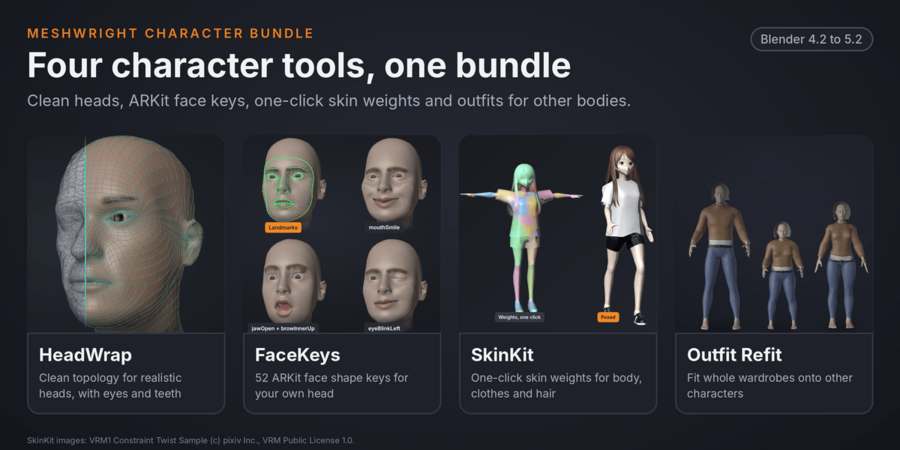
Meshwright
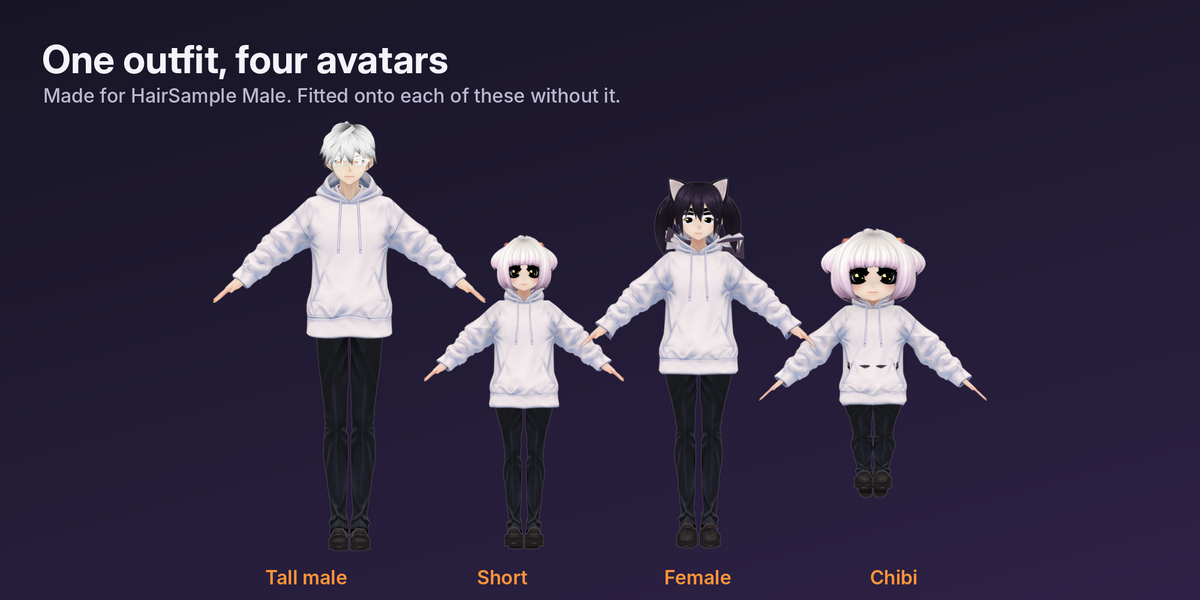
Fit, fix and weight an outfit from another base in one click:
- No cloth deeper than 1 mm inside the body at rest (measured on 21 pairs of CC0 anime avatars)
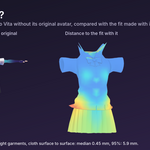
- Tight cloth lands within 0.45 mm (median) of a fit made with the original avatar, even without it (Pro)
- Weights from your avatar, shape keys that follow your body, skirt and hair bones kept
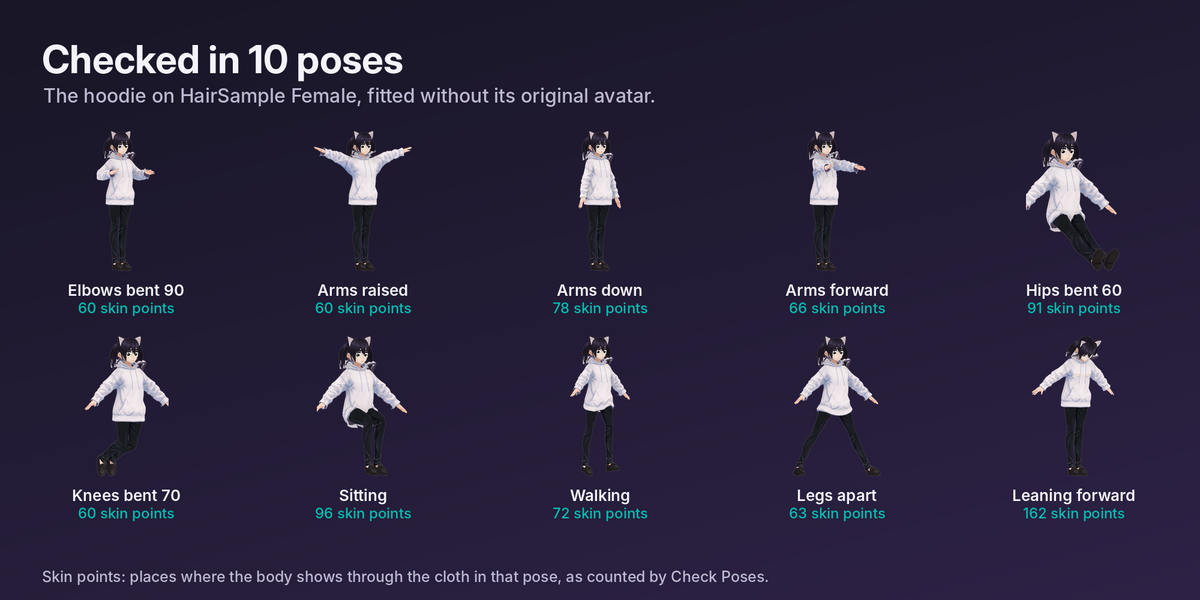
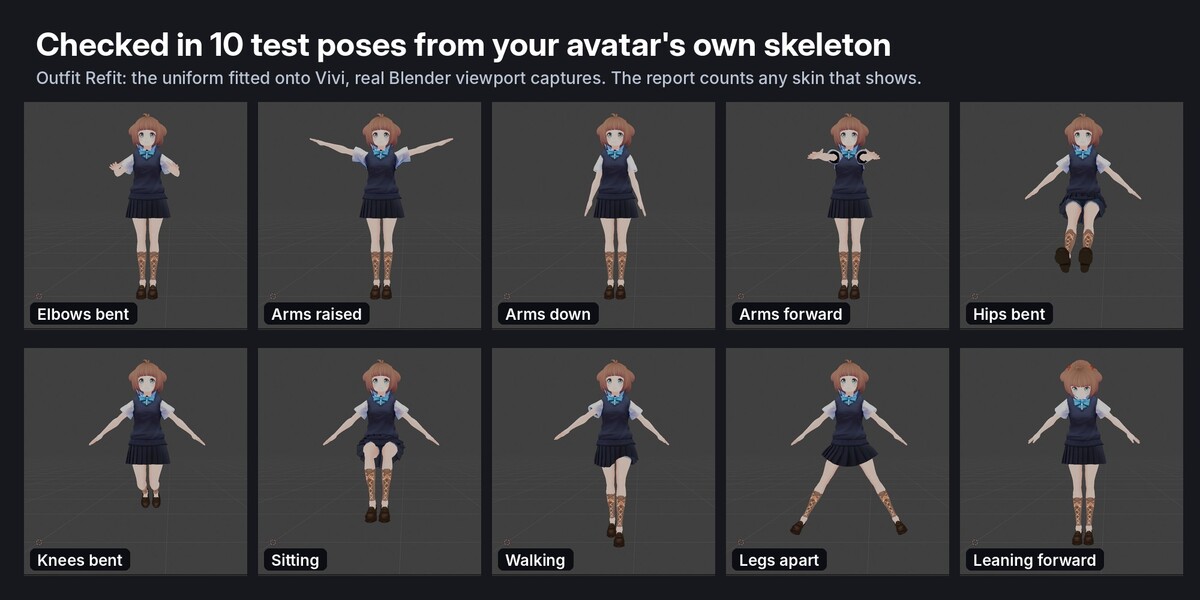
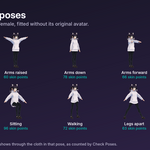
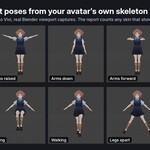
- Checked in 10 test poses, with a report of where skin shows
- One clean armature for VRChat and Unity with Merge Armatures (Pro)
Watch the 4-minute tutorial: fit an outfit to a different avatar base, step by step (install, Source and Target, Fit, the report, 10 test poses, and Pro without the original avatar).
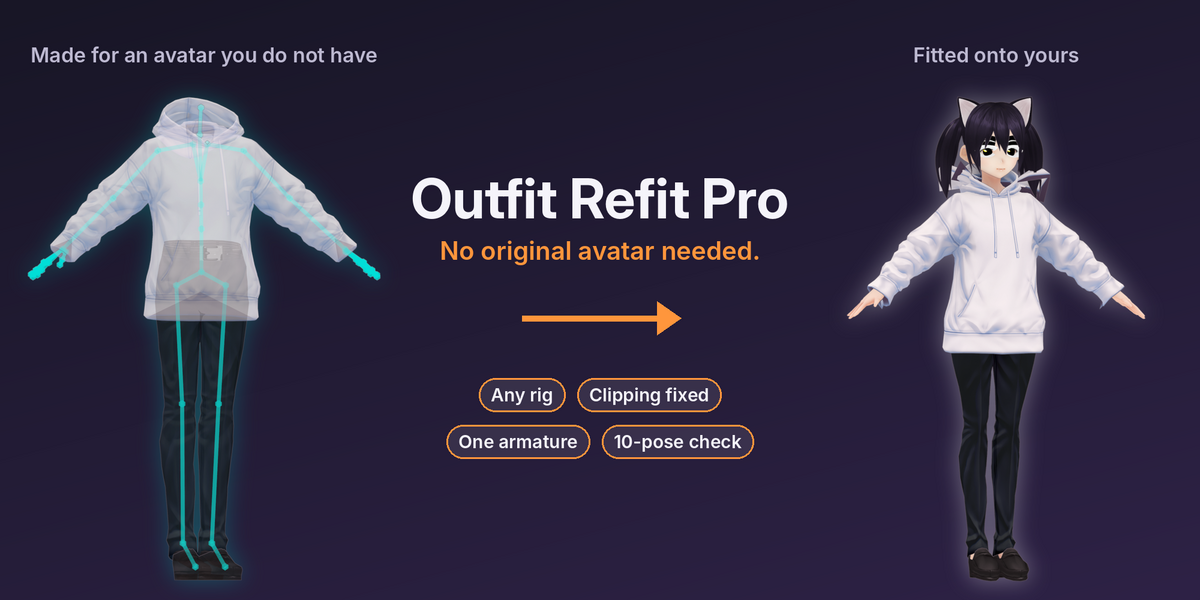
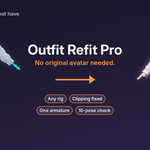
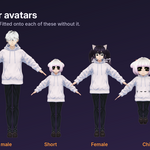
Bought an outfit made for an avatar you do not own? Outfit Refit Pro fits it anyway. Pick your avatar, select the outfit (on the armature it came with) and press Fit. Your avatar wears a fitted, weighted copy: clipping fixed, skirt bones kept, shape keys that follow your body, checked in 10 poses. Then Merge Armatures gives you one clean rig for VRChat or Unity. Have the original avatar? Standard fits from it exactly.
Five key points
- No original avatar needed (Pro): a stand-in for the original body is built from your own avatar in the outfit's skeleton, shaped by the outfit's tight cloth.
- Any humanoid rig: Unity humanoid names (Booth outfits), VRoid, VRChat and Cats, Mixamo, Unreal, MakeHuman, English MMD names and more. A-pose outfits onto T-pose avatars and back.
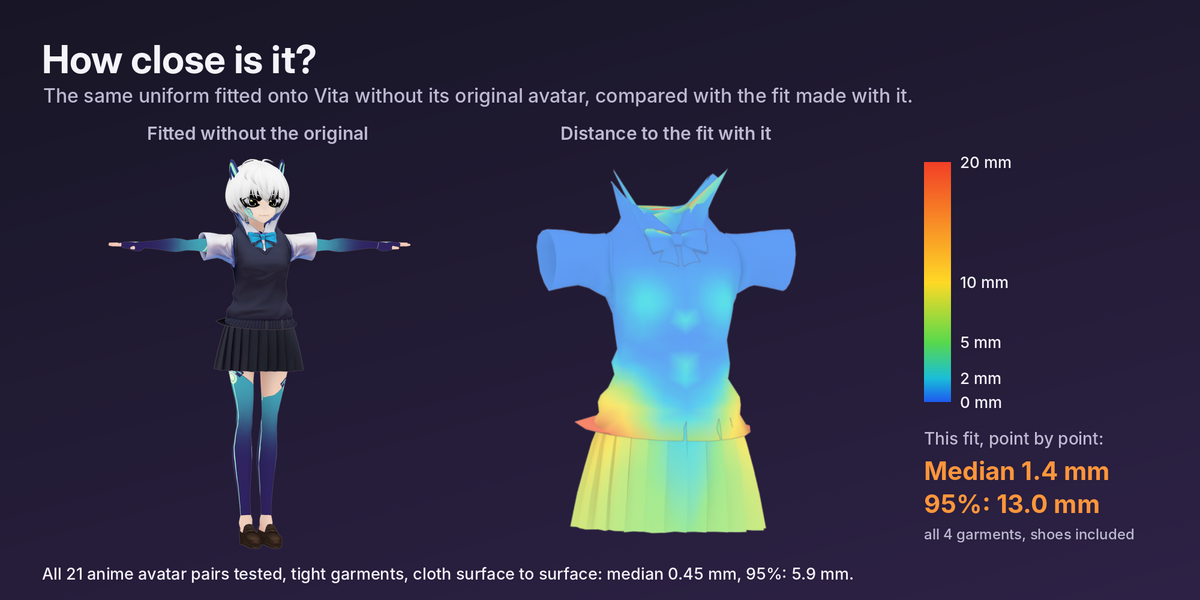
- Measured: on 21 pairs of CC0 anime avatars, the cloth of tight garments lands within 0.45 mm (median) and 5.9 mm (95%) of a fit made with the original avatar, and no cloth is deeper than 1 mm inside the body at rest.
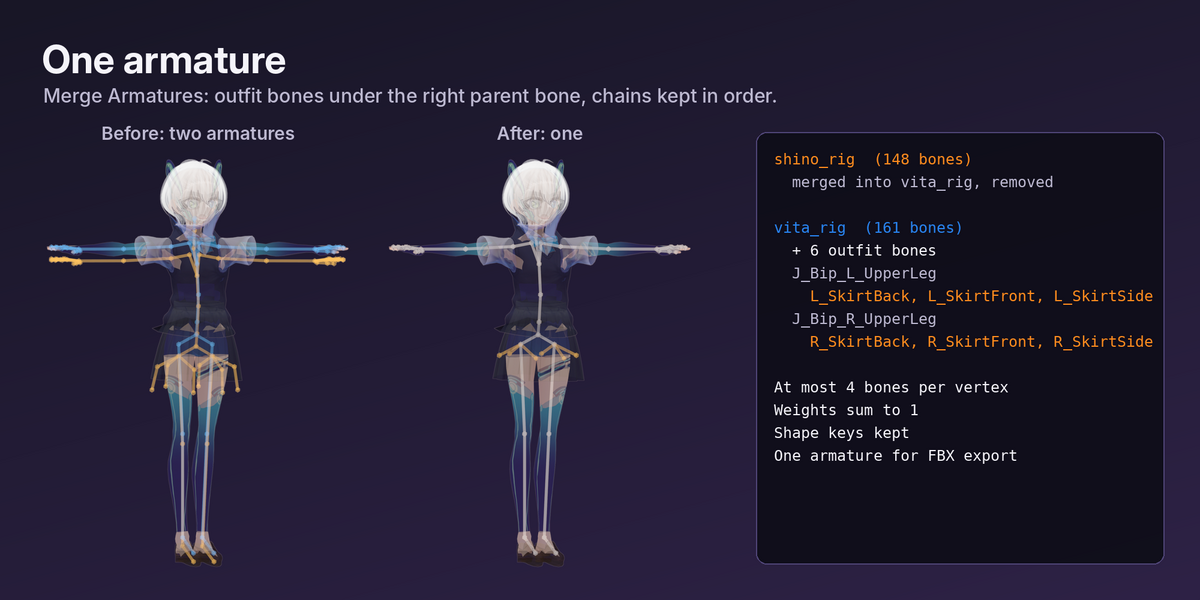
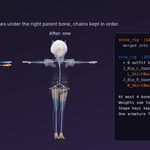
- One armature for export (Pro): outfit bones under the right parent bone, chains kept in order, at most 4 bones per vertex, every bone listed in the report.
- A whole wardrobe onto a whole cast in one run, with a fit confidence report per body region (Pro).
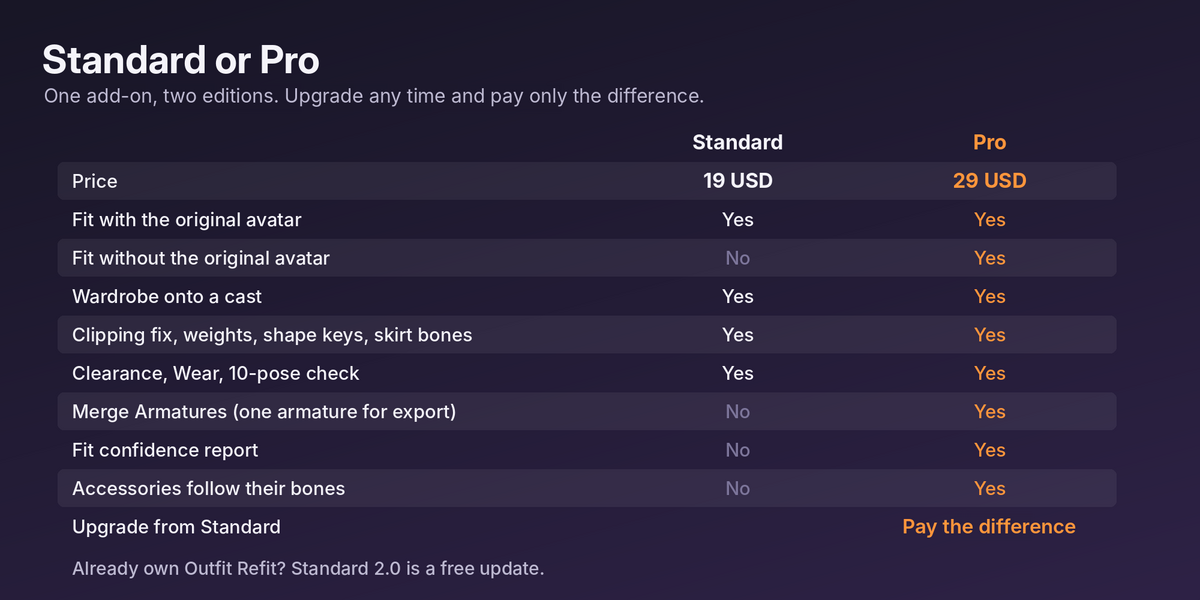
Standard or Pro
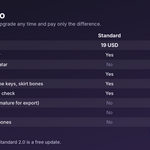
| Standard, 19 USD | Pro, 29 USD | |
|---|---|---|
| Fit with the original avatar (exact) | Yes | Yes |
| Fit without the original avatar | No | Yes |
| Wardrobe onto a cast | Yes | Yes, with or without the original |
| Clipping fix, layers, weights, shape keys, skirt and hair bones | Yes | Yes |
| Show Clearance, Wear, 10-pose check, Pose Round, Animatable Switch | Yes | Yes |
| Merge Armatures (one armature for export) | No | Yes |
| Fit confidence report per body region | No | Yes |
| Body accessories follow their bones | No | Yes |
| Upgrade | Any time from Standard, pay only the difference |
Already own Outfit Refit? You have Standard 2.0 as a free update. You can upgrade from Standard to Pro at any time and pay only the difference.
New in 2.0
- No Original Avatar mode (Pro). Switch the panel to No Original Avatar, pick your avatar, select the outfit and press Fit. Your avatar's body is posed and stretched bone by bone into the outfit's skeleton, made thicker or thinner where tight cloth wraps it evenly, and its skin moves to just under skin-tight cloth. That stand-in replaces the original body, then the usual fit runs. Loose garments are fitted from your avatar's own shape. The stand-in is removed afterwards.
- Fit confidence (Pro): each body region the outfit covers is marked High (tight cloth showed the shape), Check (it showed a body quite different from yours) or Guessed (only loose cloth there).
- Merge Armatures (Pro): one armature for export. Works on fitted copies and on outfits that already sit on your avatar with their own rig.
- Body accessories (Pro): a bag, wings, a charm or the stiff parts of a shoe, weighted to one bone on the outfit's rig, stay on that bone of your avatar.
- Clear stops with a message: outfit without an armature, a rig that is not humanoid, digitigrade legs, mirrored rigs, one outfit on two armatures.
- Both editions read English MMD bone names (Lower body, Upper body, Leg_L, Knee_L).
How close is it without the original avatar?
We fitted 25 outfit and avatar pairs both ways, with the original avatar and without it, and measured where the cloth ends up (VRoid CC0 samples, a chibi, tight garments made on each body, and the kit's realistic demo bodies).
- Anime avatars (21 pairs), tight garments: the cloth lands within 0.45 mm of the fit made with the original avatar (median), and within 5.9 mm for 95% of it. Loose garments: 1.8 mm and 11.8 mm.
- All 25 pairs, including realistic bodies very different from the original (a 1.6 m woman's outfit onto a 2.1 m man): tight garments 0.6 mm and 8.0 mm, loose garments 2.9 mm and 22 mm.
- No cloth deeper than 1 mm inside the body at rest on any of the 74 fitted garments.
- In the 10 test poses more skin shows than with the original avatar: 30% more skin points over our test pairs (3,344 against 2,570), leaving out one realistic 2.1 m body far from the original; on that body about ten times as many.
Have the original avatar? Fit with it: that path is exact, and Standard does it.
What you get on every copy
Fitted to your avatar's shape and pose; cloth out of the body with folds kept; inner layers under outer ones; weights from your avatar (4 bones per vertex for VRChat); the outfit's skirt, hair and coat-tail bones in your rig, ready for PhysBones; shape keys that follow your body's; hidden skin under tight clothes; a 10-pose check. Your original garments never change. Update Fitted Copies refits after you change your avatar.
Tested
Blender 4.2 LTS and 5.2 LTS, clean install from each zip, update from 1.1, Standard to Pro upgrade. Standard 2.0 passes the whole 1.1 test suite (162 checks per Blender version) and its demo fits equal 1.1.0's. Pro: 25 ground-truth pairs, 4 rig naming families giving identical results, A-pose and T-pose both ways, merge checks with FBX export and re-import, every stop message, undo, and one outfit on a 70,000-vertex avatar in 25 s on a 2-core machine.
Limits
- Without the original avatar the body under the clothes is guessed. The more your avatar differs from the original (male onto female, realistic onto anime, heels onto flat feet), the more the fit can differ from one made with the original: tight garments on realistic bodies far from the original differed 2.1 mm (median) and 27 mm (95%), shoes between heels and flat feet about 7 mm.
- More skin can show in strong poses: in our 10 test poses Pro copies showed 30% more skin points than fits made with the original, and about ten times as many on a 2.1 m realistic man wearing a 1.6 m woman's outfit. Check the regions the confidence report marks, use Show Clearance, Check Poses and Wear.
- Loose cloth (skirts, coats) hangs from your avatar's own shape there.
- Needs the outfit's armature (the rig it was weighted to). Humanoid rigs only; digitigrade legs are not supported in 2.0. Hair is not fitted without the original avatar.
- Fitting is done in the rest pose; it is not a cloth simulation. Outfit bones are placed, not simulated.
- English interface. Japanese MMD bone names must be translated first.
Included
Standard: outfit_refit-2.0.0-standard.zip. Pro: outfit_refit-2.0.0-pro.zip. User guide (HTML), demo scene, changelog.
More character tools from Meshwright
- TightWear: bodysuits, leggings, tights, socks and gloves made from your character's own body, rigged and unwrapped.
- Dress Your Avatar Set: Outfit Refit, ClipFix and TightWear for 39 USD (53 USD bought apart).
- Outfit Refit + ClipFix Set: both outfit add-ons for 27 USD (34 USD bought apart).
- ClipFix: fix clothes poking through the body at rest and check 10 stress poses.
- SkinKit: one-click weights for VRoid, VRM and FBX avatars.
- FaceKeys: 52 ARKit face shape keys from your head mesh.
- HeadWrap: automatic head retopology with eyes and teeth.
- SwayRig: skirt and hair bones with weights in one click, ready for VRChat PhysBones.
- BlinkMend: rebuild blink, wink, smile-eye and face tracking eye keys after a face edit.